 blackoclock/xls-to-dbatloader-or-guloader-for-agenttesla-variant
CVE-2017-0199 XLS --> HTA --> VBS --> STEGANOGRAPHY --> DBATLOADER/GULOADER STYLE MALWARE

PCAP-Based Analysis | Date: 2025-03-12 | Author: BlackOclock
14.1 Full Attack Chain Summary
14.2 Indicators of Compromise (IPs, Hashes, Domains)
14.3 Recommendations
NOTE!!! In this analysis, 'JUST' PCAP file was used! ZIP files weren't needed;
##1. ANALYSIS OVERVIEW
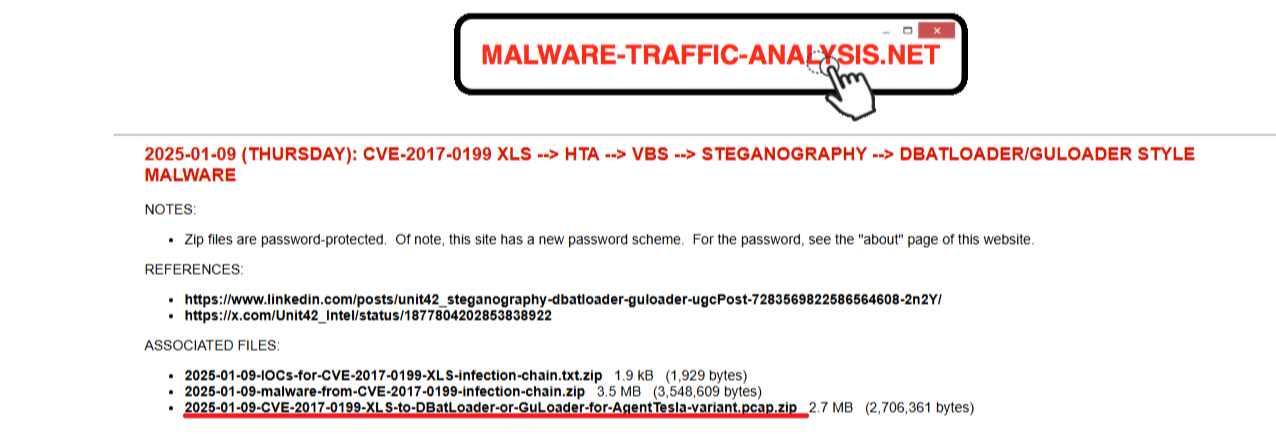
Shape 1: downloaded source files in malware-traffic-analysis.net - 'JUST' PCAP file was used\
2025-01-09 (THURSDAY): CVE-2017-0199 XLS --> HTA --> VBS --> STEGANOGRAPHY --> DBATLOADER/GULOADER STYLE MALWARE
##2. NETWORK TRAFFIC ANALYSIS
2.1-Protocol Hierarchy – Big Picture
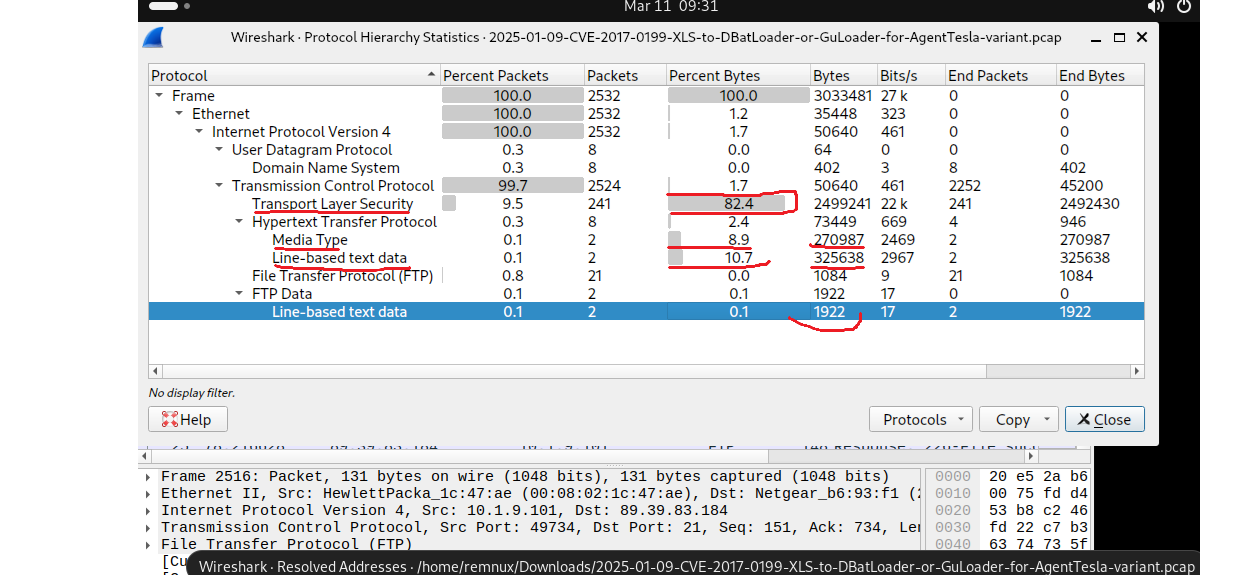
I started with Protocol Hierarchy to get a big-picture view of the traffic. This shows the volume of each protocol used. As shown in the figure, TLS accounts for 82.4% of all traffic. Additionally, Media Line and Line-Based data are also present. However, to better understand the network activity, we need to examine Conversations and Endpoints.
2.2-Conversations – Top Talkers & Data Transfer
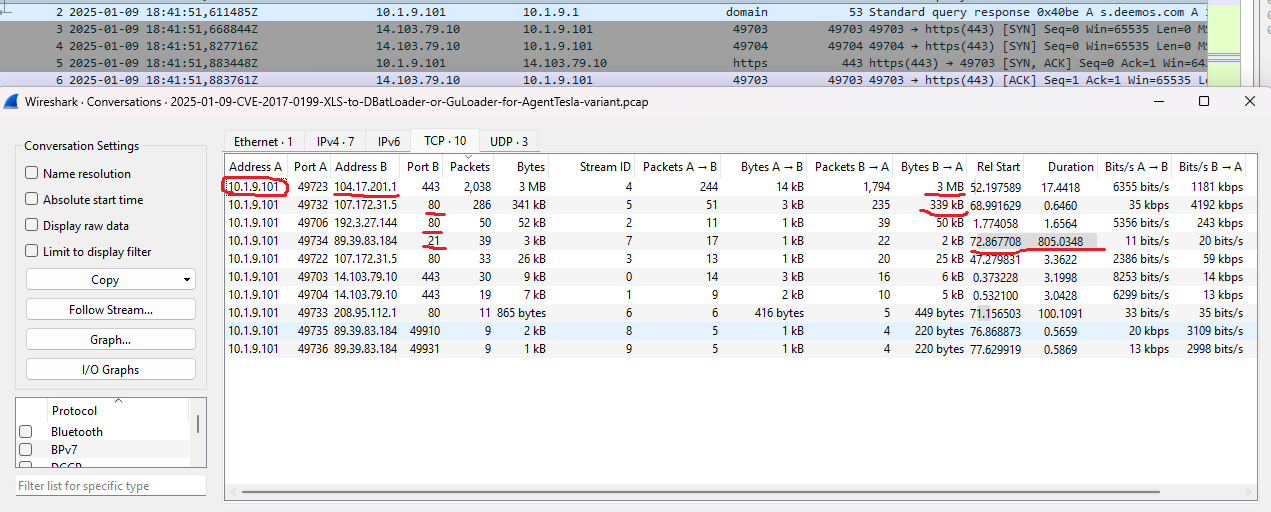
We use Conversations to detect IP pairs that have the most data transfer between them. The analysis shows that 10.9.1.101 (host) and 104.17.201.1 have the highest traffic volume. Ports 80 and 443 were used for this data transfer. Additionally, we see that 3 MB of data was transferred to 10.9.1.101 (host) from 104.17.201.1. Another critical finding is the connection on 21 port cause of the connection from the WAN IP (89.39.83.184), which suggest potential exfiltration. But we are not sure now, cause we don't know yet about it. We need a proof!
2.3- Endpoints
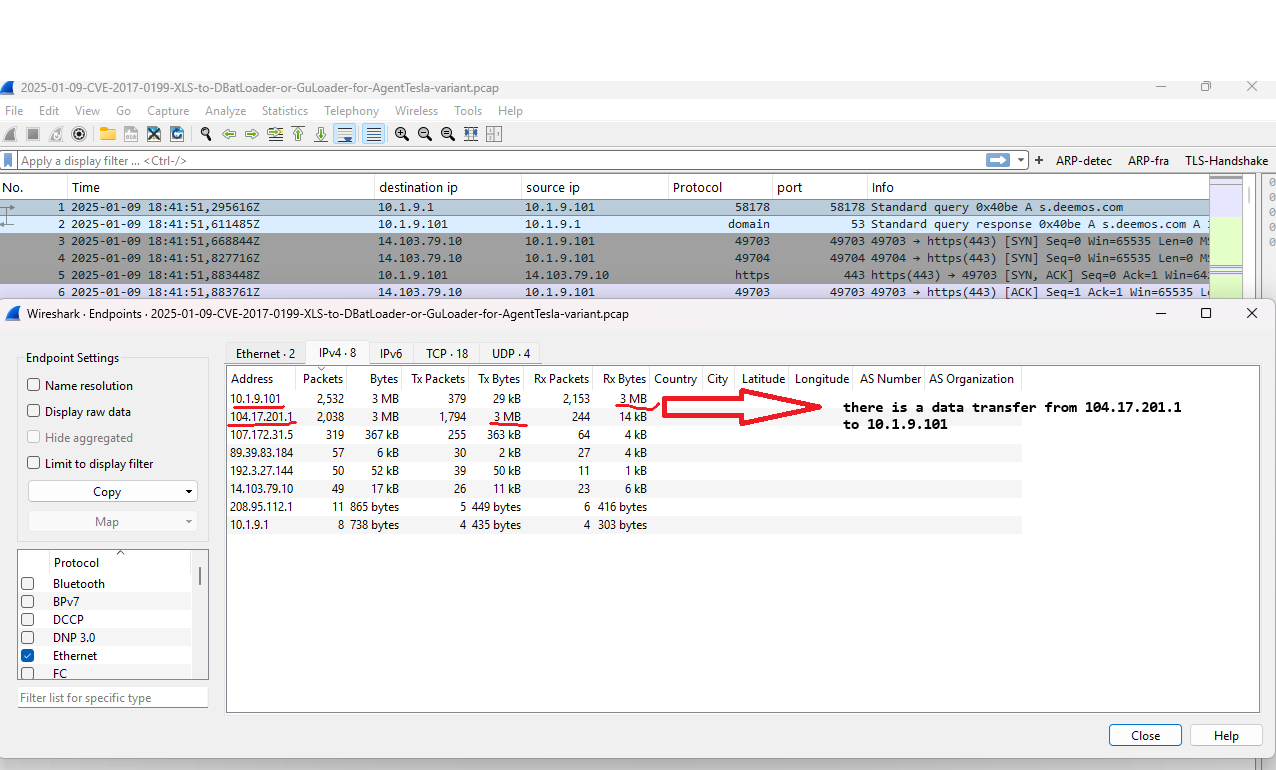
We use Endpoints to identify the top talkers on the network. 104.17.201.1 has 3MB of transmitted data (Tx) and also 10.9.1.101 has 3MB of received data (Rx). Additionally, the top talkers are 104.17.201.1 as the source and 10.9.1.101 as the destination.
2.4- HTTP Export Objects
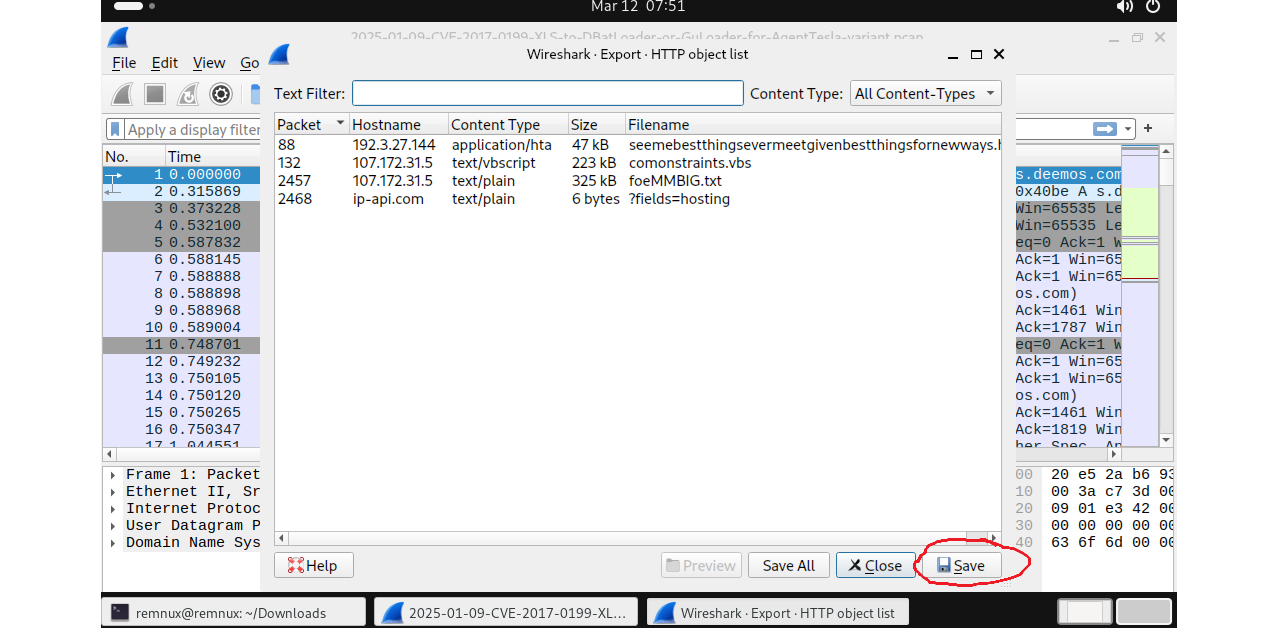
Export is used to identify files,data,emails, etc. transferred over the network. Everytime,when we analyze pcap, we should just check here to see which packets contain which data. Well we noted 88,132,2457 and 2468 packets.
2.5- HTTP Contains Filter
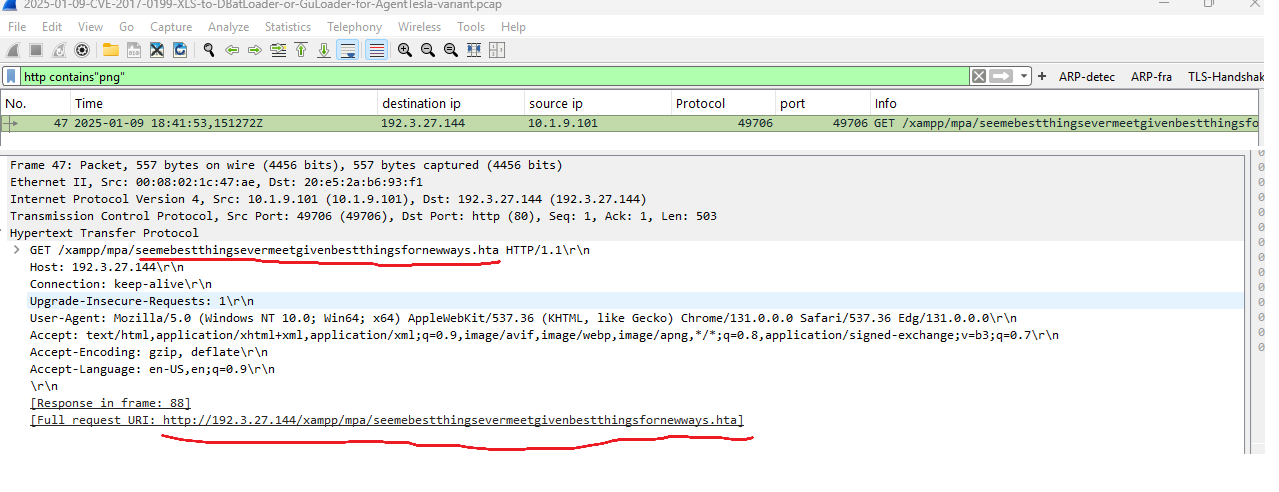
If there is a http protocols on the network. We should check png,zip,jpg,jpeg ( Steganography ) as a media on filter, Cause attackers often use malicious codes on media files to bypass antivirus detection.
#Example: http contains ".png" or http contains ".jpg" or http contains ".jpeg" or http contains ".zip"
Just we are seeing why this filter is important,when 80 port is used on the network. in here there is a .hta which is sended on media files at 47 packet. But when we use export to identify files,there wasn't.
##3. NETWORKMINER ANALYSIS
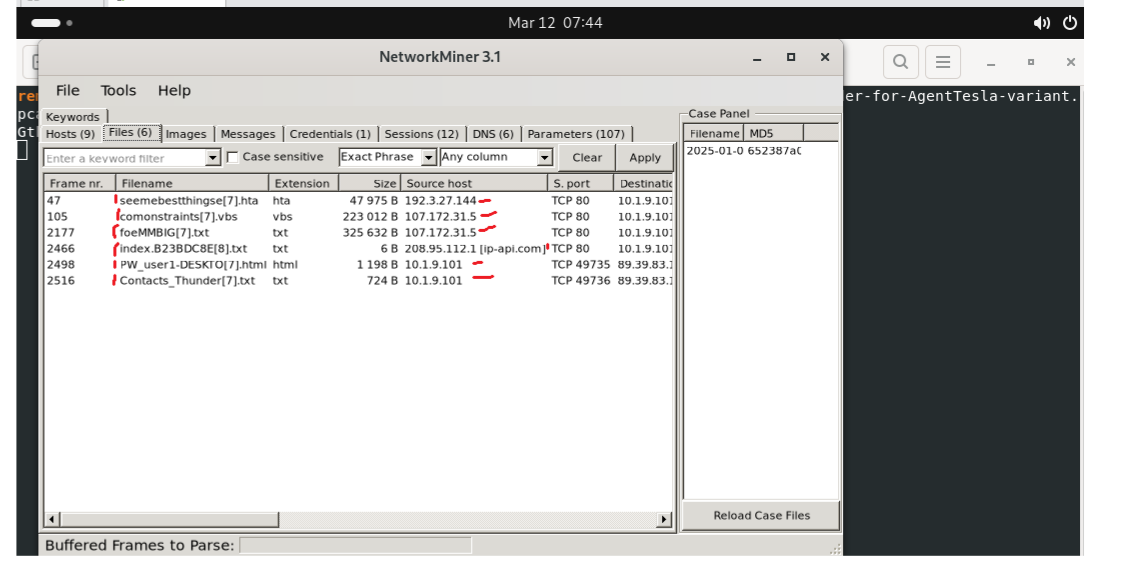
We can use networkminer to identify faster on PCAP. If you use REMnux or Linux system , you can write on terminal ( networkminer pcap_name )
Frame = 47 Filename= seemebestthingsevermeetgivenbestthingsfornewways | Extension = .hta | Size = 47 KB | Source IP = 192.3.27.144 Frame = 132 | Filename= comonstraints | Extension = .vbs | Size = 223 KB | Source IP = 107.172.31.5 Frame = 2457 | Filename = foeMMBIG | Extension = .txt | Size= 325 KB | Source IP = 107.172.31.5
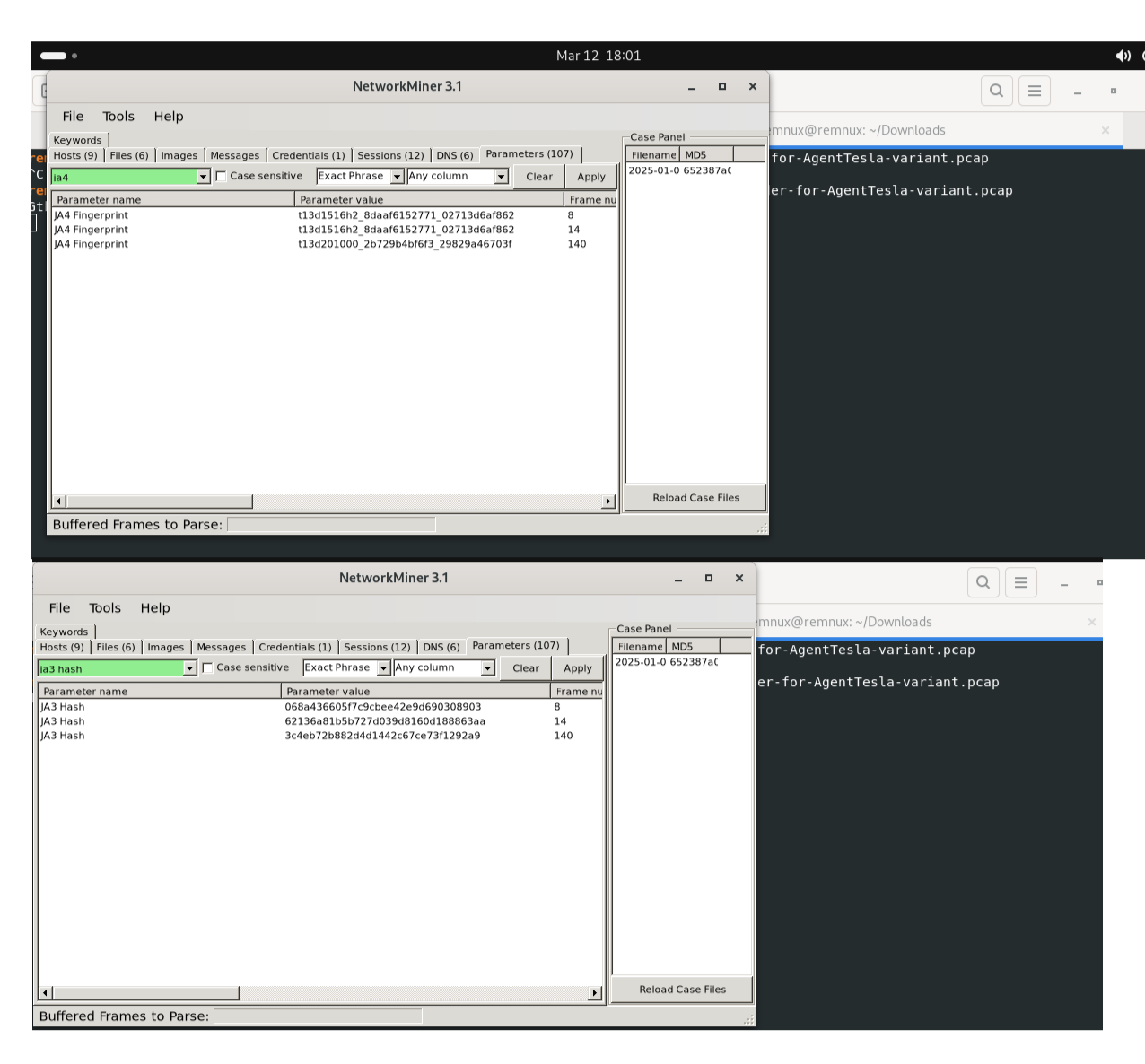
JA3 Hashes:
06843d66057fc9cbe42e9d690308903 (Frame 8)62136a81b5b727d039d8160d188863aa (Frame 14)3c4eb72b882d4d1442c67ce73f1292a9 (Frame 140)JA4 Fingerprints:
t13d1516h2_8daaf6152771_02713d6af862t13d201000_2b729b4bf63_29829a46703fWell, but why we need JA4 and JA3 Hashes ? There can be a question what is JA3 and JA4?
Let me explain; JA3 and JA4 are techniques used to fingerprint TLS clients and servers based on the parameters of the TLS handshake.JA3 creates an MD5 hash of the TLS handshake's client hello packet, uniquely identifying the client application (e.g., browser, malware).
JA4 is a newer technique.It is like a fingerprint for internet traffic. Just like humans have unique fingerprints, every software that connects to the internet leaves a unique mark. More helpful to find C2 server.
##4. ZEEK (ZUI) LOGS ANALYSIS
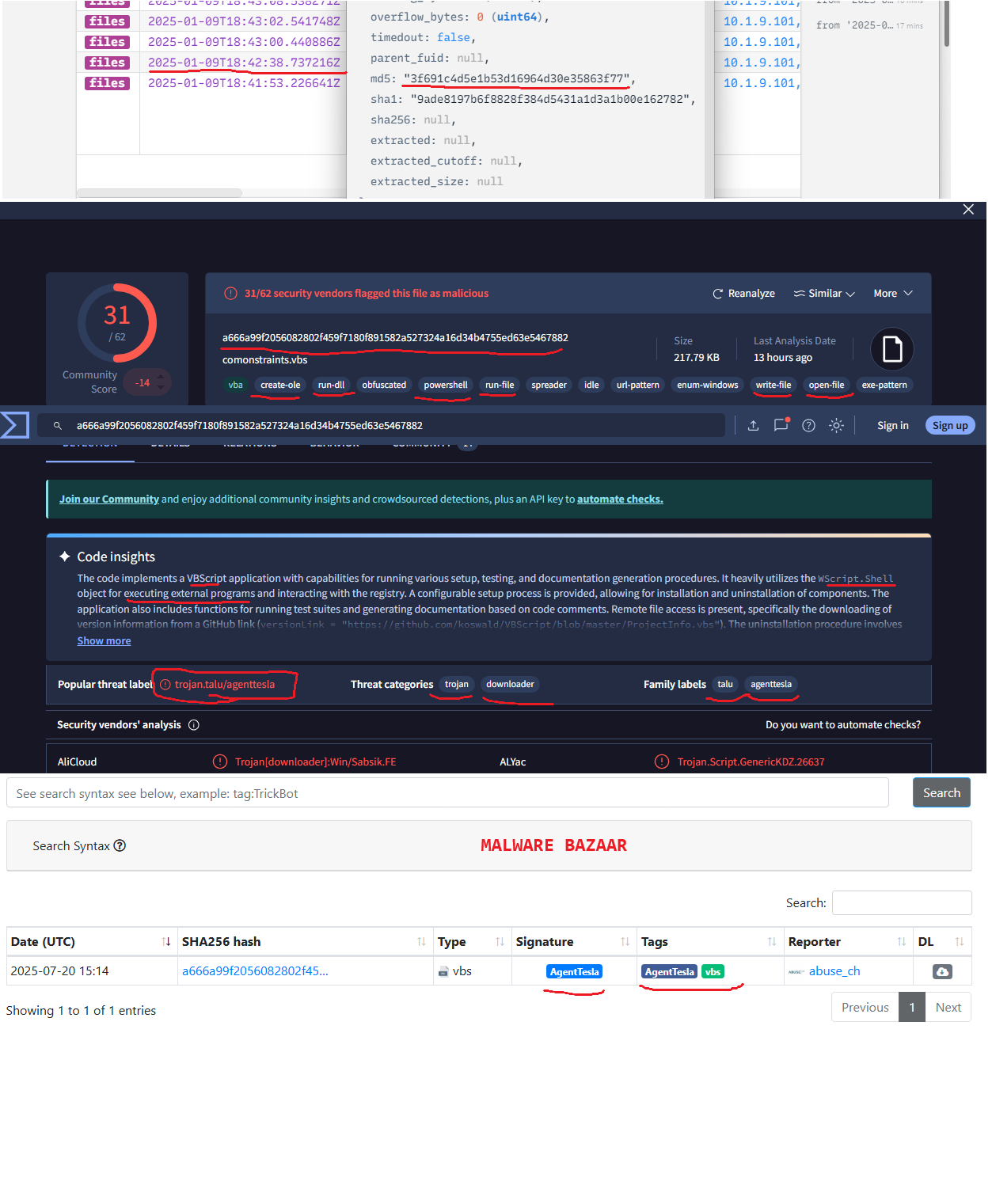
Zeek logs were used to verify the extracted files from HTTP traffic. The files.log shows the following entries:
These hashes were later used for VirusTotal lookups.
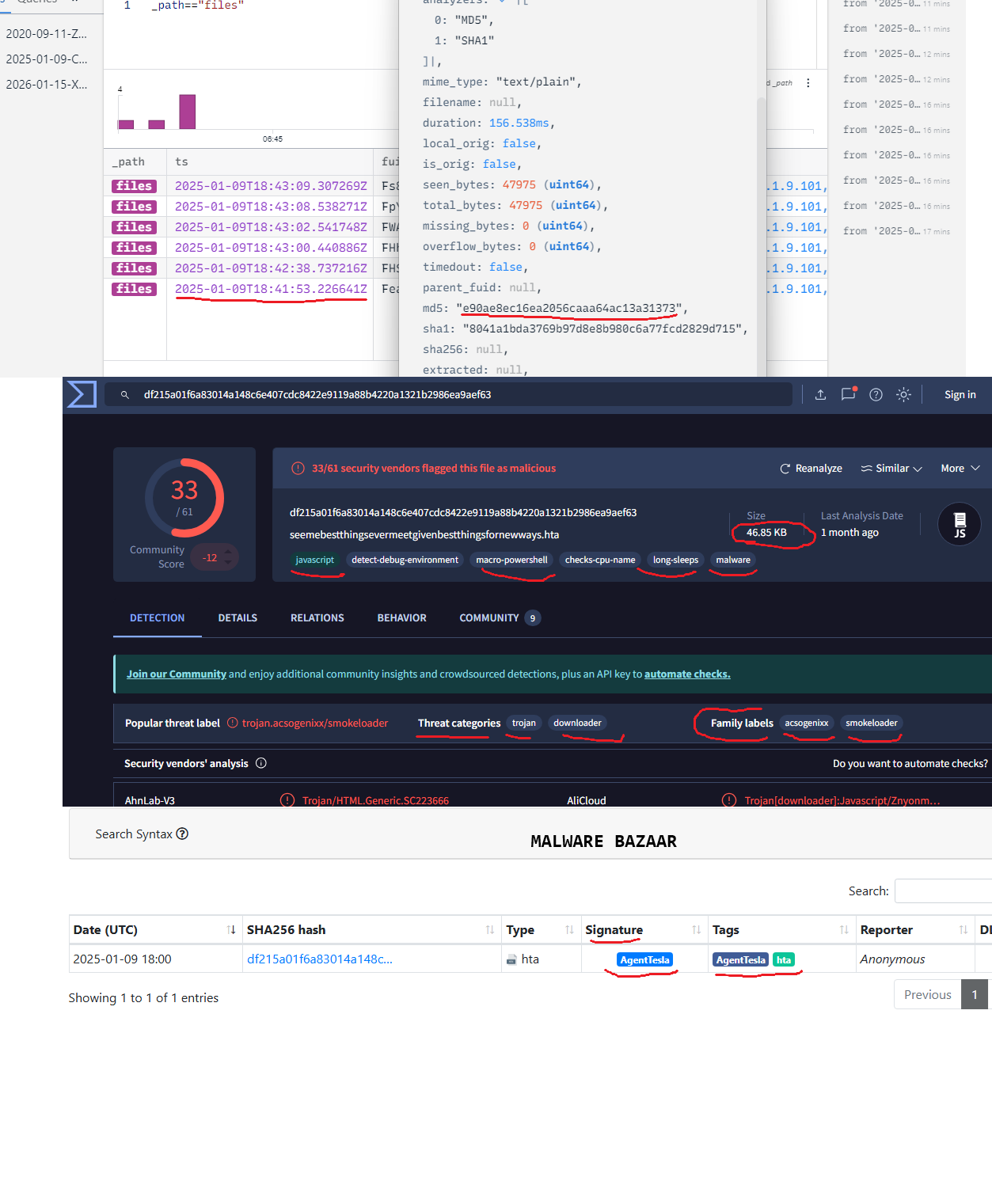
Hta (seemebestthing…)
MD5 e90ae8ec16ea2056caaa64ac13a31373 SHA1 8041abda3769b97d8e8b980c6a77fcd2829d715 SHA256 df215a01f6a83014a148c6e407cdc8422e9119a88b4220a1321b2986ea9aef63