 bahirul/cve-2026-86060
Advisory for CVE-2026-86060, a critical pre-auth privilege escalation in MikroTik RouterOS SSH, with impact analysis, detection guidance, and hardening steps.

| Field | Value |
|---|---|
| CVE | CVE-2026-86060 |
| Product | MikroTik RouterOS (SSH service) |
| Affected versions | RouterOS 6.x and 7.0.0 – 7.23.3 (inclusive) |
| Fixed versions | RouterOS 7.23.4 and later |
| Vulnerability type | Pre-authentication privilege escalation (authentication bypass / broken access control) |
| Attack vector | Remote, unauthenticated, over the SSH service |
| Preconditions | None — no credentials, no user interaction, no local access |
| Impact | Full administrative (policy) control of the router |
| CVSSv3.1 | 9.8 (Critical) — AV:N/AC:L/PR:N/UI:N/S:U/C:H/I:H/A:H |
| Confirmed on | MikroTik CHR 6.49.20 and 7.21.5 (local lab); limited internet-exposure validation also performed |
An unauthenticated remote attacker can obtain full administrative control of a vulnerable MikroTik RouterOS device by interacting solely with its SSH service. No credentials, no user interaction and no local access are required.
Once full policy is obtained, an attacker has the same privileges as a
full-group RouterOS administrator: reading and modifying the entire
configuration, creating privileged accounts and backdoors, enabling/disabling
services, redirecting or intercepting traffic, and using the device as a
foothold to pivot into internal networks.
6.x and 7.0.0 through 7.23.3 (the whole 6.x
and 7.x branches up to the fix).7.23.4 and newer.The issue was validated against the official CHR 6.49.20 and CHR 7.21.5 releases running in a local QEMU-based lab (MikroTik Cloud Hosted Router), and additionally confirmed against a small number of internet-exposed installations reached during limited validation research (details withheld; no publication of third-party hosts).
| Version range | Status |
|---|---|
| 6.x – 7.23.3 | Vulnerable |
| ≥ 7.23.4 | Patched — upgrade now |
The vulnerability is a pre-authentication privilege escalation in the RouterOS SSH service that allows an unauthenticated SSH client to reach a RouterOS console session with a full administrative policy mask.
The specific mechanism, affected code paths and any trigger values are intentionally withheld to prevent reproduction. Only the high-level effect is described: an unauthenticated client can obtain full administrative policy without valid credentials.
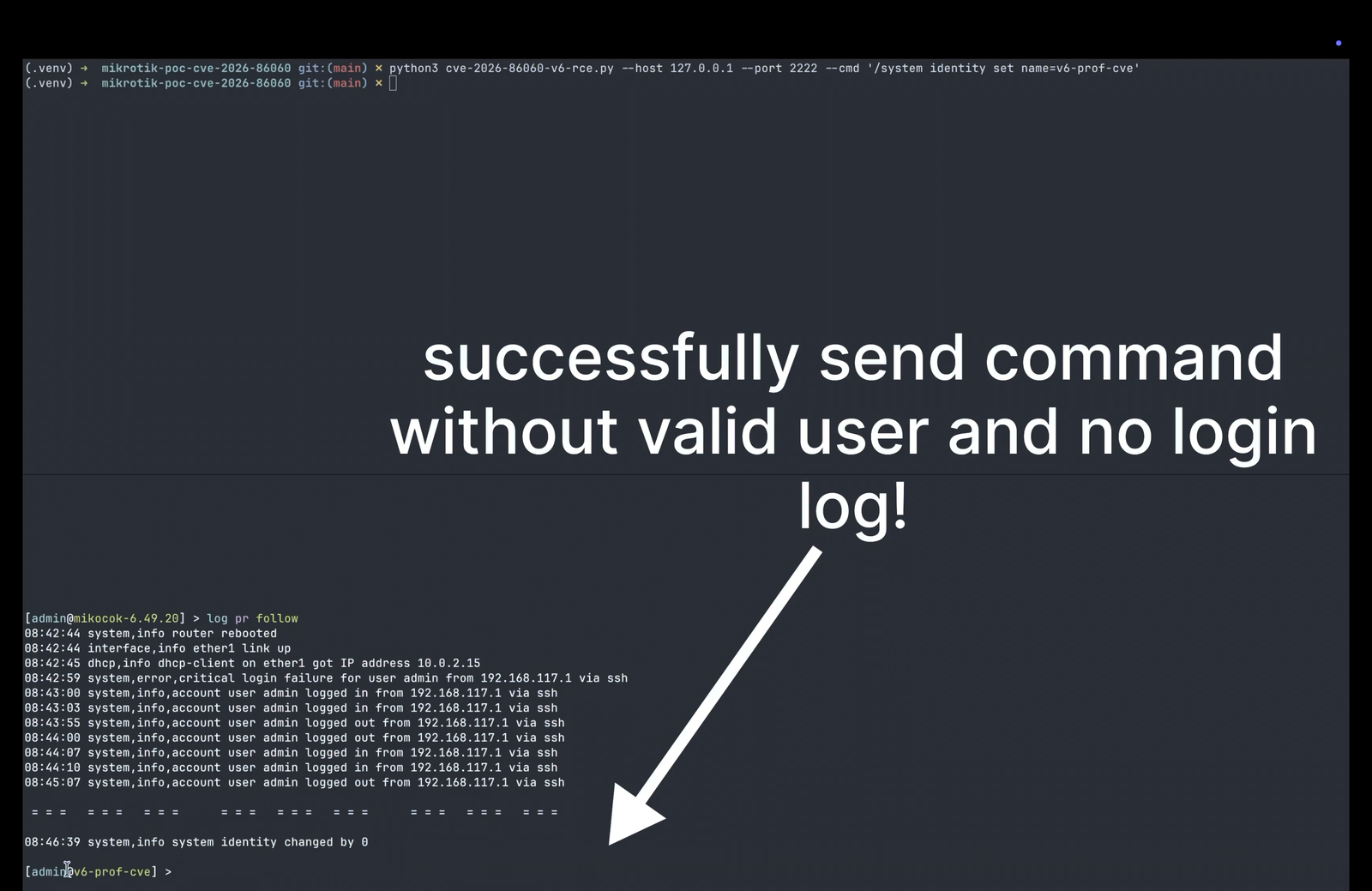
Responsible disclosure note: this document intentionally does not publish exploit code, the specific trigger values, or a step-by-step reproduction recipe. Proof-of-concept screenshots are provided (see below); no working payload or source code is released.
A successful attack gives the unauthenticated remote attacker full full-group
administrative privileges on the router. Observed and realistic consequences:
full-group users and backdoors, lock out
legitimate administrators.Because RouterOS devices sit at the network edge (gateways, VPN concentrators, ISP CPE, enterprise routers), the blast radius is typically much larger than a single compromised host.
To keep this advisory safe for public distribution, no exploit code, no trigger values, and no reproduction script are published here.
Laboratory validation: confirmed on MikroTik CHR 6.49.20 and 7.21.5
in a local QEMU/Docker lab. The proof demonstrated a write action (creation
and subsequent removal of a full-policy user) that is impossible for a
read-only/unauthenticated session — full admin policy was gained pre-auth.
Proof-of-concept screenshots:


The issue is fixed in RouterOS 7.23.4 and later.
Back up your configuration first:
/system backup save name=backup-before-upgrade
/export file=export-before-upgrade
Upgrade via the normal channels:
System → Packages → Check for updates (or upload the
routeros-<version>.npk for the router's architecture).After upgrade, verify the running version:
/system resource print
Only then consider re-enabling SSH on external interfaces (see below).
Prefer patching to workarounds. Version updates are the only complete fix. The workarounds below reduce exposure but do not remove the underlying flaw.
For devices that cannot be upgraded immediately — and as defense-in-depth for patched ones:
Restrict SSH exposure at the firewall. Do not expose SSH to the Internet or untrusted networks. Allow only trusted source addresses:
/ip firewall filter
add chain=input protocol=tcp dst-port=22 src-address=192.168.1.0/24 \
    action=accept place-before=1
add chain=input protocol=tcp dst-port=22 action=drop place-before=2
Disable SSH entirely where it is not required. Winbox, WebFig and the API are often sufficient for management; consider whether remote CLI access must be exposed at all:
/ip service disable ssh
Require strong authentication. If SSH must remain enabled:
/user ssh-keys import user=<admin> public-key-file=<file>.admin account).Put management behind a VPN / segmented management network. Route management access through a trusted network or VPN rather than direct exposure; this applies to SSH, Winbox (8291), WebFig/HTTP (80/443), the RouterOS API (8728/8729) and any custom SSH ports (3333, 2222, 8022, and other common re-pins are frequently used).
Monitor for indicators of compromise (see Detection below) and enable logging of authentication and configuration events.
Keep firmware current and subscribe to MikroTik security advisories: https://mikrotik.com/support/security.
Signs that this vulnerability may have been attempted or exploited on a device:
