 azure/azure-sentinel
Cloud-native SIEM for intelligent security analytics for your entire enterprise.

Welcome to the unified Microsoft Sentinel and Microsoft 365 Defender repository! This repository contains out of the box detections, exploration queries, hunting queries, workbooks, playbooks and much more to help you get ramped up with Microsoft Sentinel and provide you security content to secure your environment and hunt for threats. The hunting queries also include Microsoft 365 Defender hunting queries for advanced hunting scenarios in both Microsoft 365 Defender and Microsoft Sentinel. You can also submit to issues for any samples or resources you would like to see here as you onboard to Microsoft Sentinel. This repository welcomes contributions and refer to this repository's wiki to get started. For questions and feedback, please contact [email protected]
We value your feedback. Here are some channels to help surface your questions or feedback:
This project welcomes contributions and suggestions. Most contributions require you to agree to a Contributor License Agreement (CLA) declaring that you have the right to, and actually do, grant us the rights to use your contribution. For details, visit https://cla.microsoft.com.
Note: If you are a first time contributor to this repository, General GitHub Fork the repo guidance before cloning or Specific steps for the Sentinel repo.
Brand new or update to a contribution via these methods:
As part of the PR checks we run a structure validation to make sure all required parts of the YAML structure are included. For Detections, there is a new section that must be included. See the contribution guidelines for more information. If this section or any other required section is not included, then a validation error will occur similar to the below. The example is specifically if the YAML is missing the entityMappings section:
A total of 1 test files matched the specified pattern.
[xUnit.net 00:00:00.95]     Kqlvalidations.Tests.DetectionTemplateStructureValidationTests.Validate_DetectionTemplates_HaveValidTemplateStructure(detectionsYamlFileName: "ExcessiveBlockedTrafficGeneratedbyUser.yaml") [FAIL]
  X Kqlvalidations.Tests.DetectionTemplateStructureValidationTests.Validate_DetectionTemplates_HaveValidTemplateStructure(detectionsYamlFileName: "ExcessiveBlockedTrafficGeneratedbyUser.yaml") [104ms]
  Error Message:
   Expected object to be <null>, but found System.ComponentModel.DataAnnotations.ValidationException with message "An old mapping for entity 'AccountCustomEntity' does not have a matching new mapping entry."
As part of the PR checks we run a syntax validation of the KQL queries defined in the template. If this check fails go to Azure Pipeline (by pressing on the errors link on the checks tab in your PR)
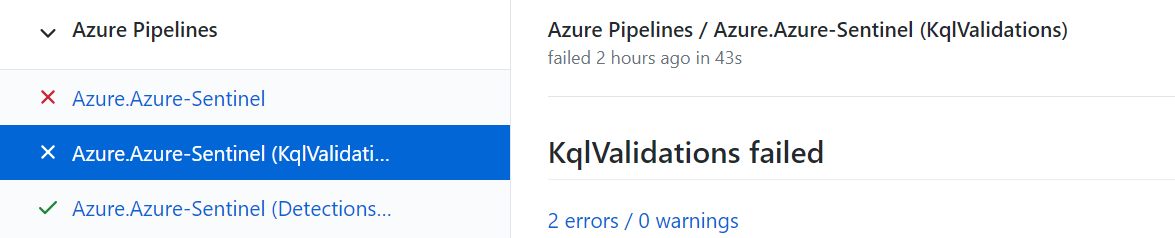 In the pipeline you can see which test failed and what is the cause:
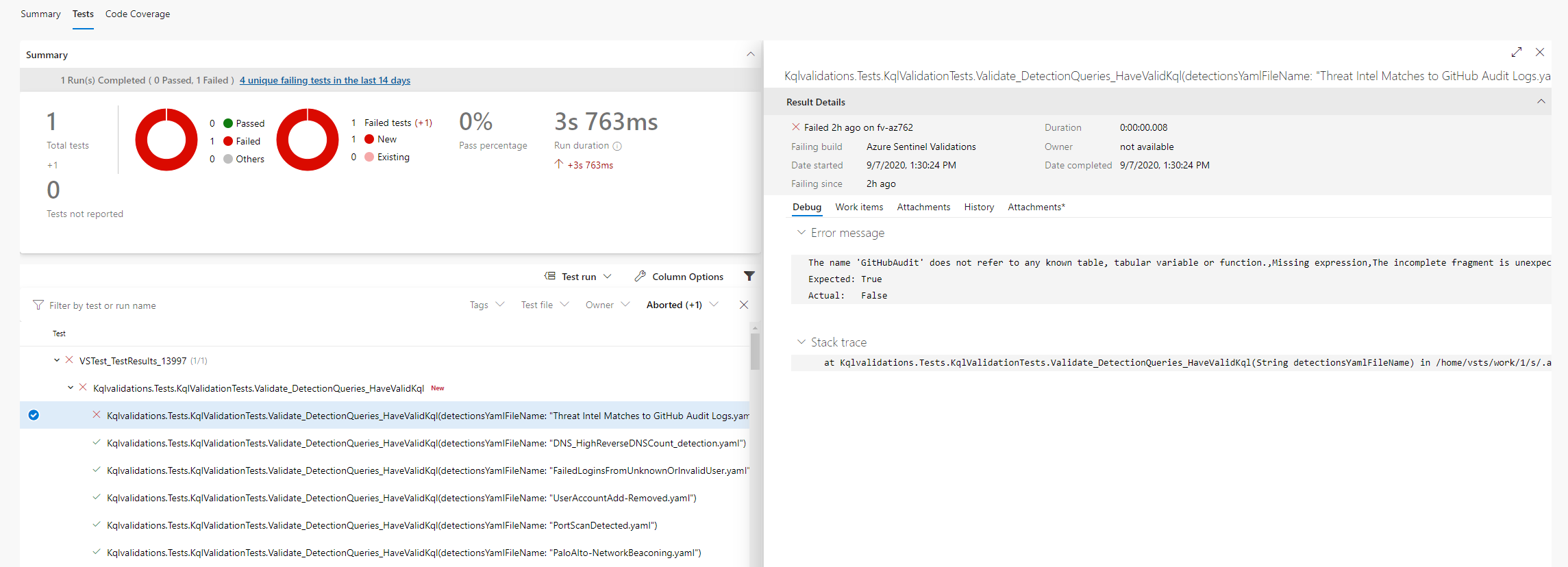
Example error message:
A total of 1 test files matched the specified pattern.
[xUnit.net 00:00:01.81]     Kqlvalidations.Tests.KqlValidationTests.Validate_DetectionQueries_HaveValidKql(detectionsYamlFileName: "ExcessiveBlockedTrafficGeneratedbyUser.yaml") [FAIL]
  X Kqlvalidations.Tests.KqlValidationTests.Validate_DetectionQueries_HaveValidKql(detectionsYamlFileName: "ExcessiveBlockedTrafficGeneratedbyUser.yaml") [21ms]
  Error Message:
   Template Id:fa0ab69c-7124-4f62-acdd-61017cf6ce89 is not valid Errors:The name 'SymantecEndpointProtection' does not refer to any known table, tabular variable or function., Code: 'KS204', Severity: 'Error', Location: '67..93',The name 'SymantecEndpointProtection' does not refer to any known table, tabular variable or function., Code: 'KS204', Severity: 'Error', Location: '289..315'
If you are using custom logs table (a table which is not defined on all workspaces by default) you should verify your table schema is defined in json file in the folder Azure-Sentinel\.script\tests\KqlvalidationsTests\CustomTables
