
Skip to content
KitploitKITPLOIT
ToolsBlog
Submit
ToolsBlog
Submit

Hacking, PenTest, and Cybersecurity Tools for Your Security Arsenal!

Kitploit is a directory of hacking, cybersecurity, and pentesting tools. Discover the latest project updates to find vulnerabilities, analyze systems, automate testing, and strengthen your security.

··Feeds·Contact·Privacy·© 2026 Kitploit

Tool Directory

Categories

View all categories
Loading categories
SysmonConfigPusher2 — Web-based tool for managing and deploying Sysmon configurations across Windows endpoints via agentless (WMI/SMB) or agent-based methods, with remote event log viewing and noise analysis. | Kitploit
Tools/GitHubGitHub/antonlovesdnb/sysmonconfigpusher2
Defensive ToolsConfiguration AuditingIncident ResponseLog Analysis
GitHubantonlovesdnb/sysmonconfigpusher2

SysmonConfigPusher2

Web-based tool for managing and deploying Sysmon configurations across Windows endpoints via agentless (WMI/SMB) or agent-based methods, with remote event log viewing and noise analysis.

View Repository

Most Popular

View all →

Discover the most used tools by our community.

Explore all tools

Browse our collection of tools

View all tools →
Share
45728 months agoReviewed by Kitploit

SysmonConfigPusher v2

A web-based tool for managing Sysmon configurations across Windows endpoints — supports both agentless (WMI/SMB) and agent-based deployments.

CI Version .NET 8 Windows | Docker License Built with Claude


Features

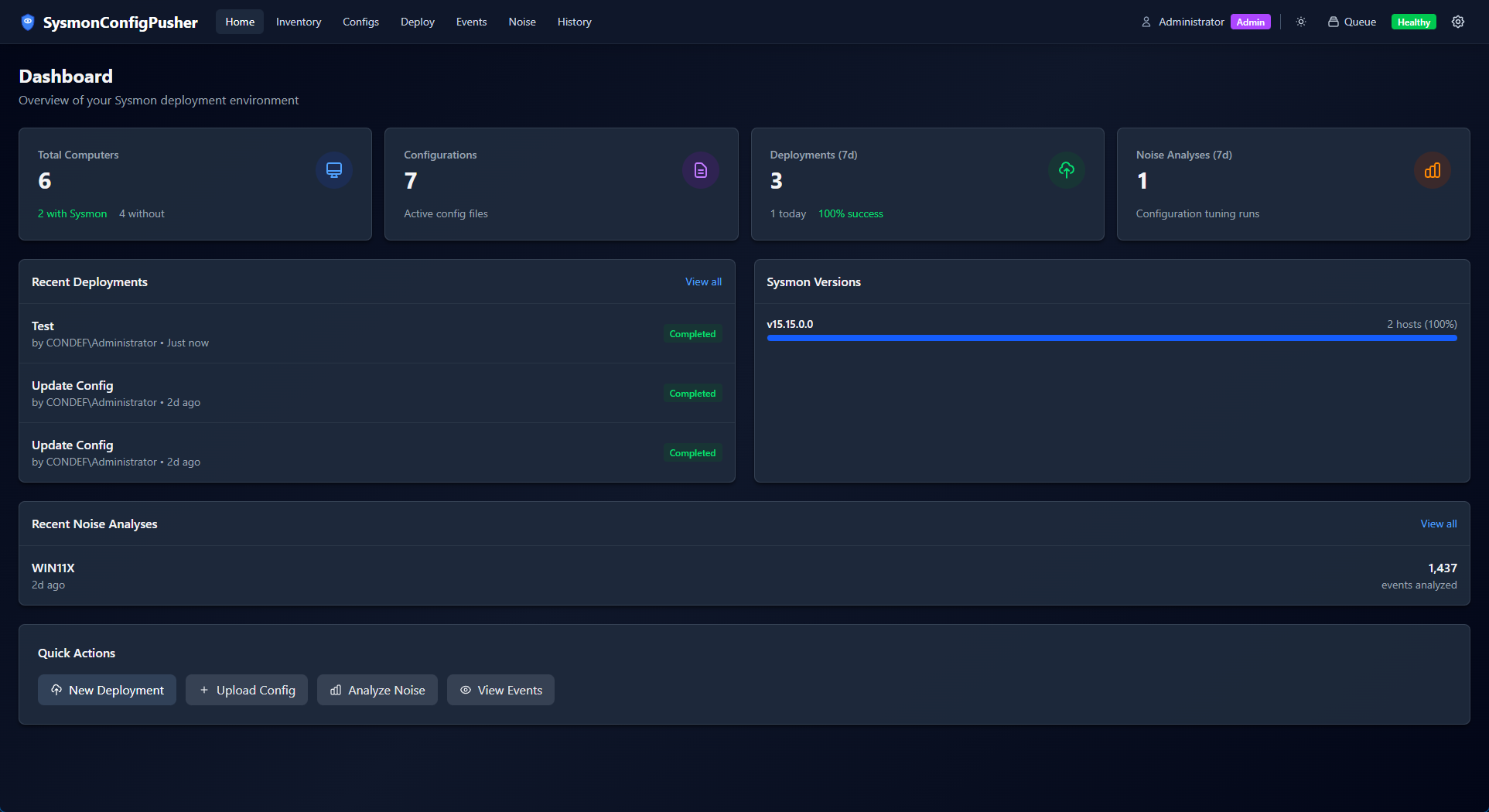
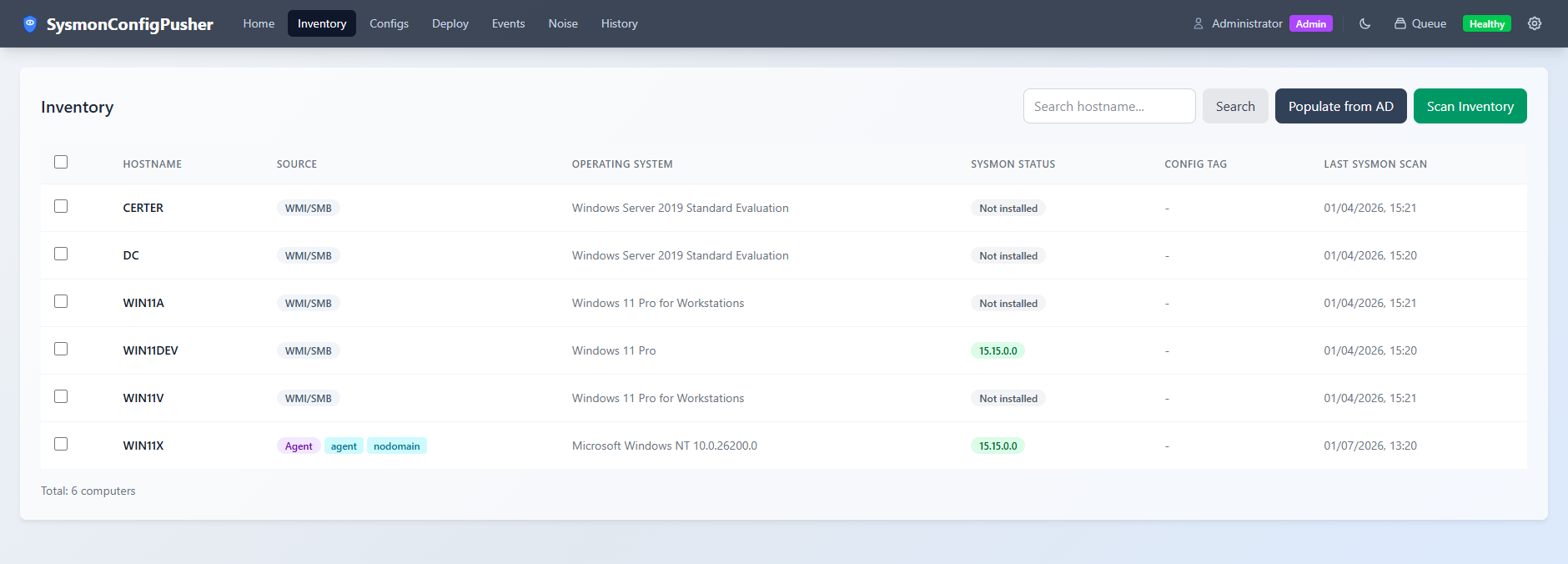
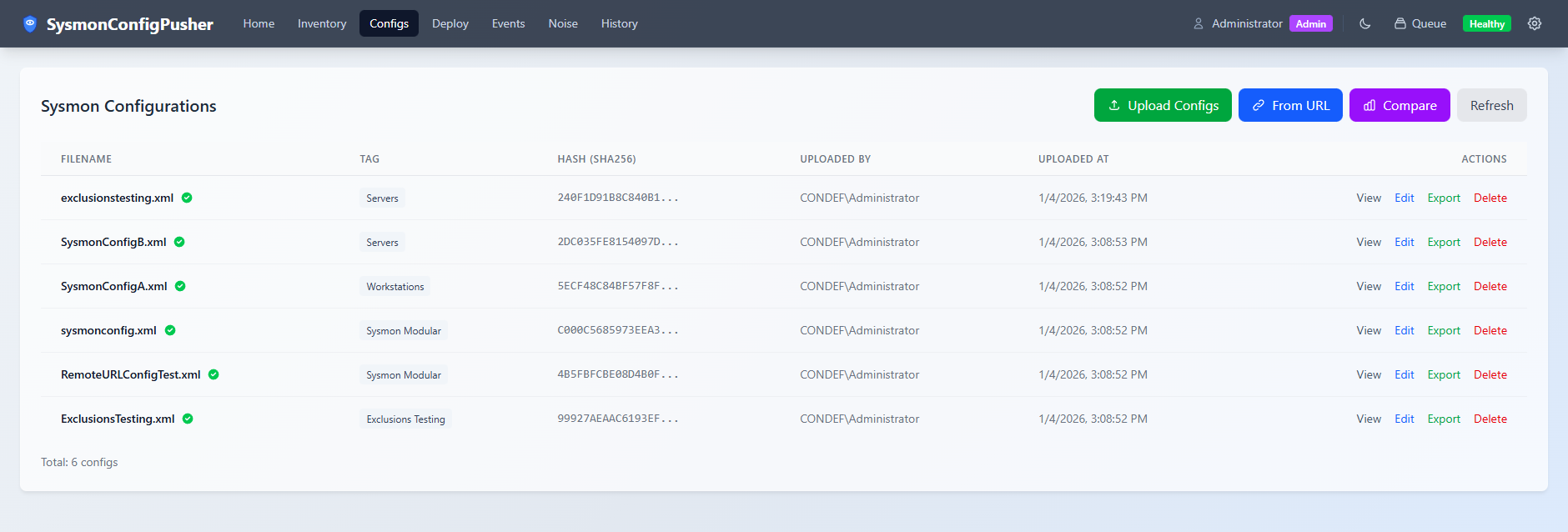
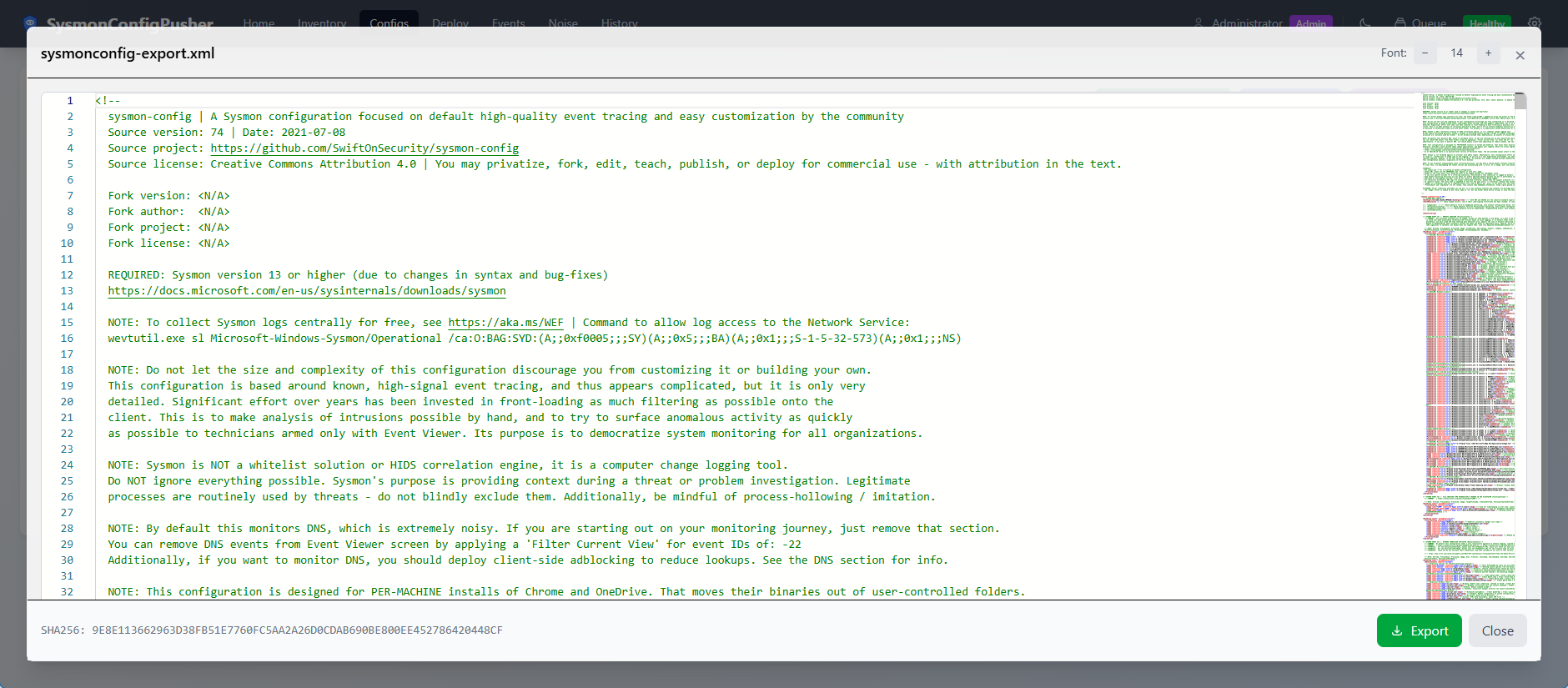
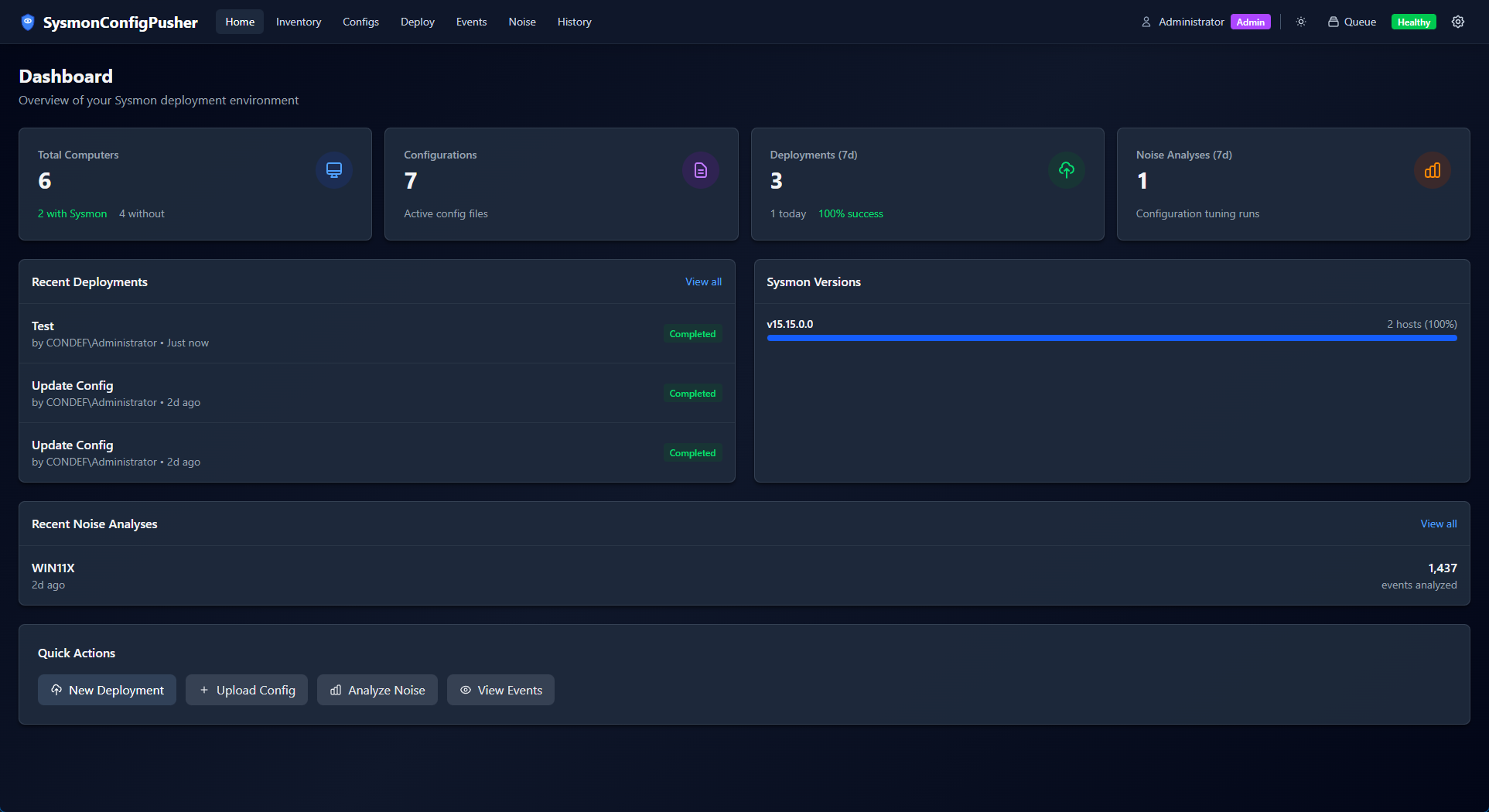
Screenshots

DashboardInventory
DashboardInventory
Config ViewConfig Editor
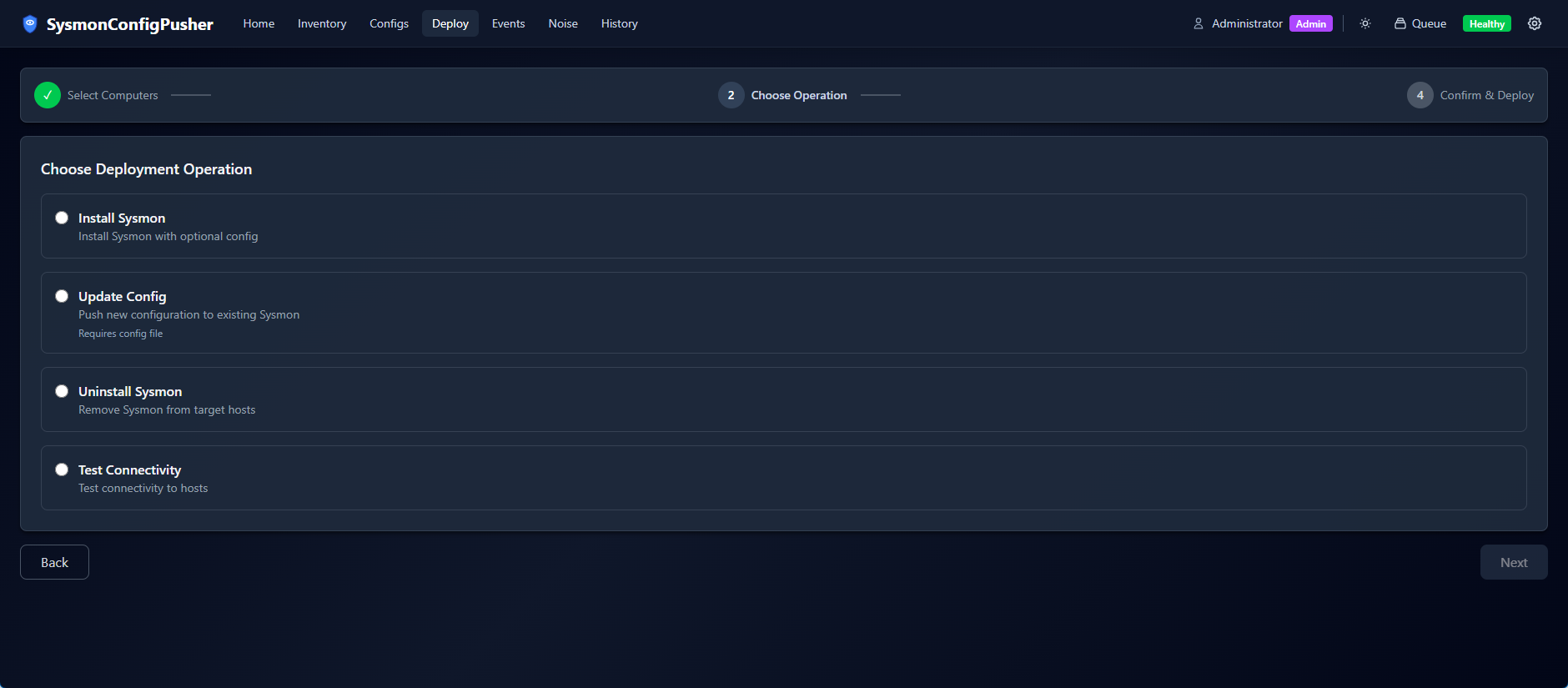
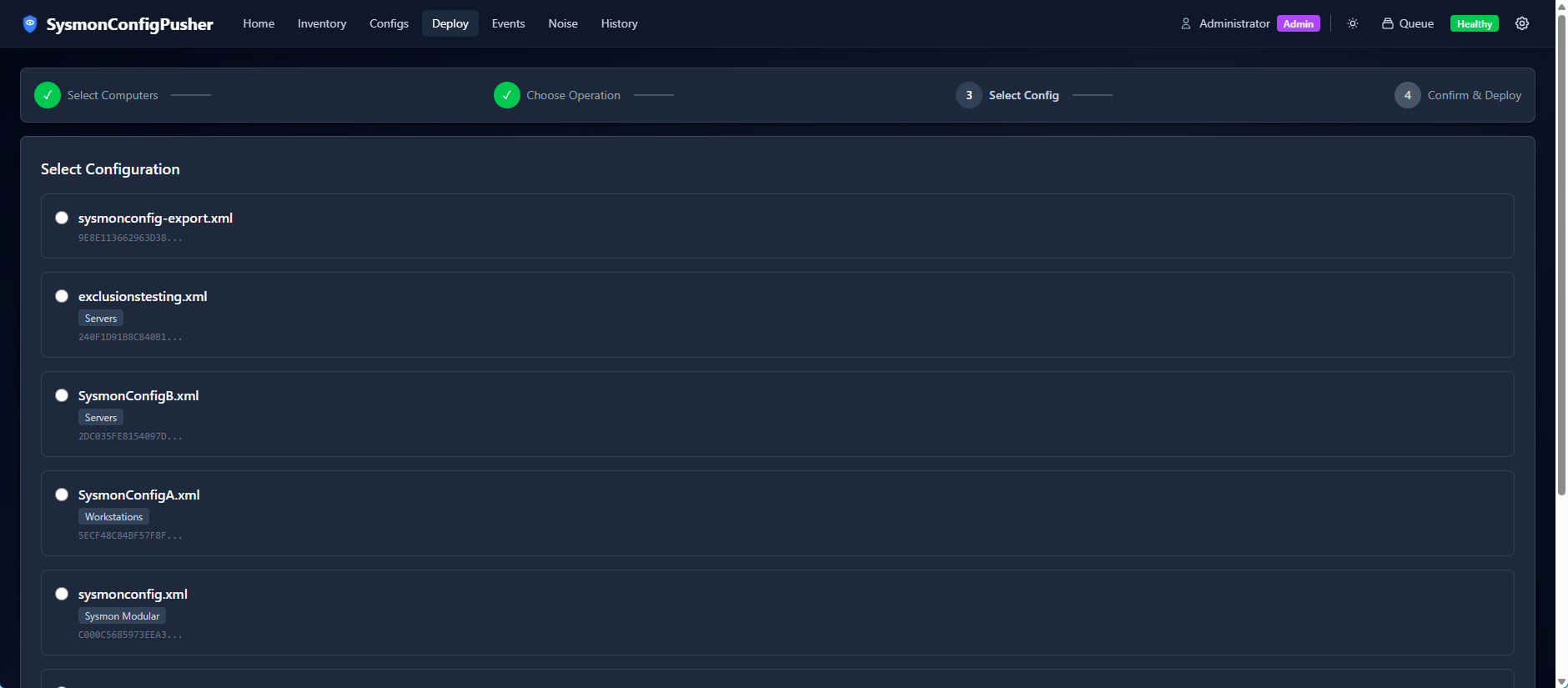
Deployment WizardDeployment Progress
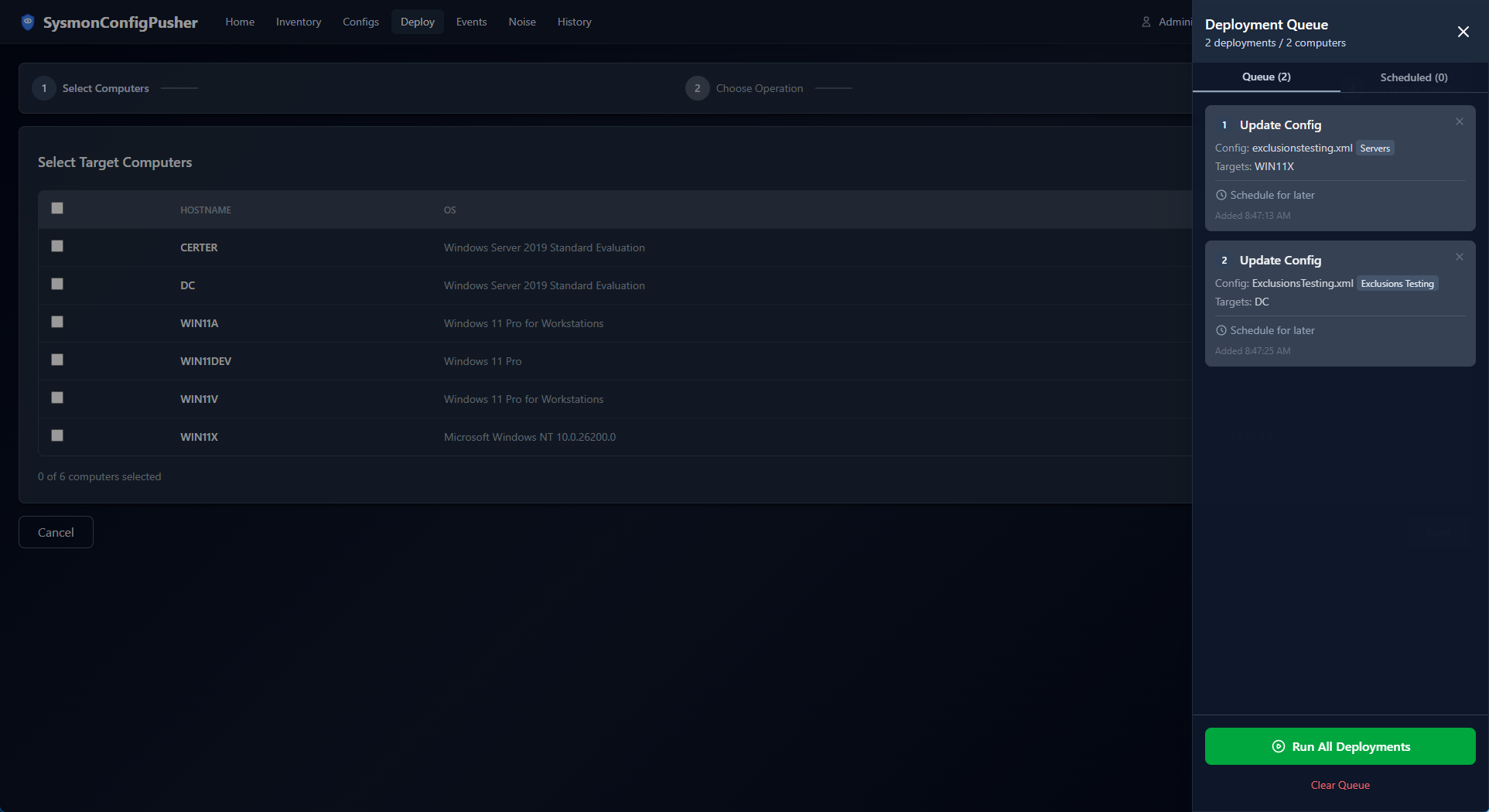
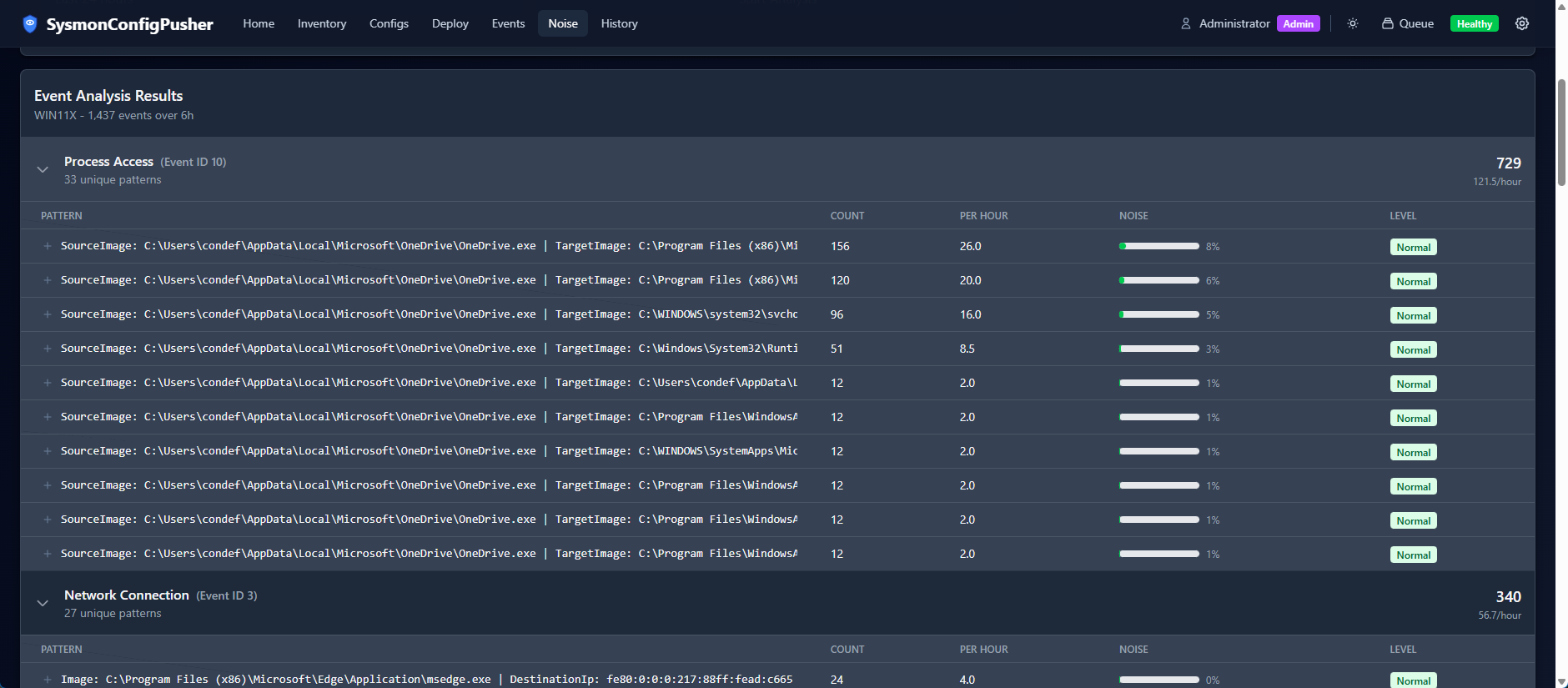
Schedule DeploymentsNoise Analysis
ScheduleNoise Analysis

Quick Start

Option 1: MSI Installer (Windows Server)

  1. Download the latest SysmonConfigPusher.msi
  2. Run the installer as Administrator
  3. Configure a domain service account (see docs)
  4. Start the service and access the web UI (default port: 5001, configurable in appsettings.json)

Option 2: Docker (Agent-Only Mode)

root@kitploit:~
docker run -d --name sysmonpusher \
  -p 5001:5001 \
  -v sysmonpusher-data:/data \
  -e API_KEY_ADMIN="your-admin-key" \
  -e AGENT_TOKEN="your-agent-token" \
  ghcr.io/antonlovesdnb/sysmonconfigpusher2:latest

Access the UI at https://localhost:5001 (self-signed certificate warning expected).

See Docker Guide for full configuration options.

Option 3: Build from Source

See the Development Guide for building and running locally.

Documentation

Requirements

Full Mode (Windows Server)

  • Server: Windows Server 2016+ (domain-joined)
  • Service Account: Domain account with local admin rights on target endpoints
  • Network Ports: TCP 135 (WMI), 445 (SMB), 49152-65535 (RPC dynamic)

Agent-Only Mode (Docker/Linux)

  • Server: Any platform with Docker or Linux
  • Agents: Windows endpoints with agent installed (Agent Guide)
  • Network: Agents connect outbound to server on HTTPS (port 5000/5001)

See Deployment Modes for a detailed comparison.

Architecture

root@kitploit:~
┌─────────────────────────────────────────────────────────────────────┐
│                          Web Browser                                │
│              (Windows Auth or API Key Authentication)               │
└─────────────────────────────┬───────────────────────────────────────┘
                              │ HTTPS
                              ▼
┌─────────────────────────────────────────────────────────────────────┐
│                    SysmonConfigPusher Server                        │
│                (Windows Service or Docker Container)                │
│                                                                     │
│  ┌─────────────┐  ┌──────────────┐  ┌────────────────────────────┐  │
│  │  REST API   │  │ SignalR Hub  │  │  Background Workers        │  │
│  │  (Configs,  │  │ (Real-time   │  │  (Deployments, Scans,      │  │
│  │  Deploy)    │  │  Progress)   │  │   Scheduled Jobs)          │  │
│  └─────────────┘  └──────────────┘  └────────────────────────────┘  │
│  ┌────────────────────────────────────────────────────────────────┐ │
│  │                    SQLite Database                             │ │
│  │    (Configs, Inventory, Deployments, Audit Log)                │ │
│  └────────────────────────────────────────────────────────────────┘ │
└───────────────────┬─────────────────────────────┬───────────────────┘
                    │                             │
        WMI + SMB   │                             │  HTTPS (Agent API)
      (Full Mode)   │                             │  (Agent-Only Mode)
                    ▼                             ▼
┌───────────────────────────────┐   ┌───────────────────────────────┐
│     Domain Endpoints          │   │     Cloud/DMZ Endpoints       │
│        (Agentless)            │   │      (Lightweight Agent)      │
│                               │   │                               │
│  • Direct WMI execution       │   │  • Agent polls for commands   │
│  • SMB file transfer          │   │  • Outbound HTTPS only        │
│  • Remote event log queries   │   │  • No inbound ports needed    │
└───────────────────────────────┘   └───────────────────────────────┘

Tech Stack

Lab Environment

Want to try this out in a lab environment? Check out the Constructing Defense Lab!

Contributing

Contributions are welcome! Please feel free to submit a Pull Request.

License

This project is licensed under the MIT License - see the LICENSE file for details.

Acknowledgments

This is a modernization of the original SysmonConfigPusher WPF application.

Download Tool
FeatureDescription
Agentless DeploymentPush Sysmon binaries and configs via WMI and SMB
Agent SupportLightweight agent for cloud VMs and DMZ servers
Docker SupportRun on Linux/Docker for agent-only deployments
Web InterfaceModern React UI with real-time deployment progress
Event Log ViewerQuery Sysmon logs from remote hosts
Noise AnalysisIdentify high-volume events to tune configurations
Scheduled DeploymentsSchedule deployments for future execution
Flexible AuthWindows Integrated Auth or API keys
GuideDescription
Installation GuideProduction deployment on Windows Server
Usage GuideHow to use the application, config tagging (SCPTAG)
Agent GuideDeploying and managing the lightweight agent
Docker GuideContainer deployment, backup, and recovery
Certificate GuideTLS configuration for server and agents
Deployment ModesFull vs Agent-Only mode comparison
Development GuideBuilding from source, running locally
LayerTechnologies
BackendASP.NET Core 8, Entity Framework Core, SQLite
FrontendReact 18, TypeScript, Tailwind CSS, Vite
Real-timeSignalR WebSockets
DeploymentWindows Service, Docker, MSI Installer (WiX)
Agent.NET 8 self-contained Windows Service