 aman-sharma-dev/netsentryx
An event-driven network monitoring platform that performs live packet capture (Npcap), low-latency traffic analytics, and unsupervised threat detection using a PyTorch Autoencoder, backed by an async multi-channel alert engine.

# NetSentryx PRO 🛡️
**AI-Driven, High-Performance Real-Time Network Observability & Threat Detection Engine**
[](https://fastapi.tiangolo.com)
[](https://pytorch.org)
[](https://python.org)
[](https://opensource.org/licenses/MIT)
[](#)
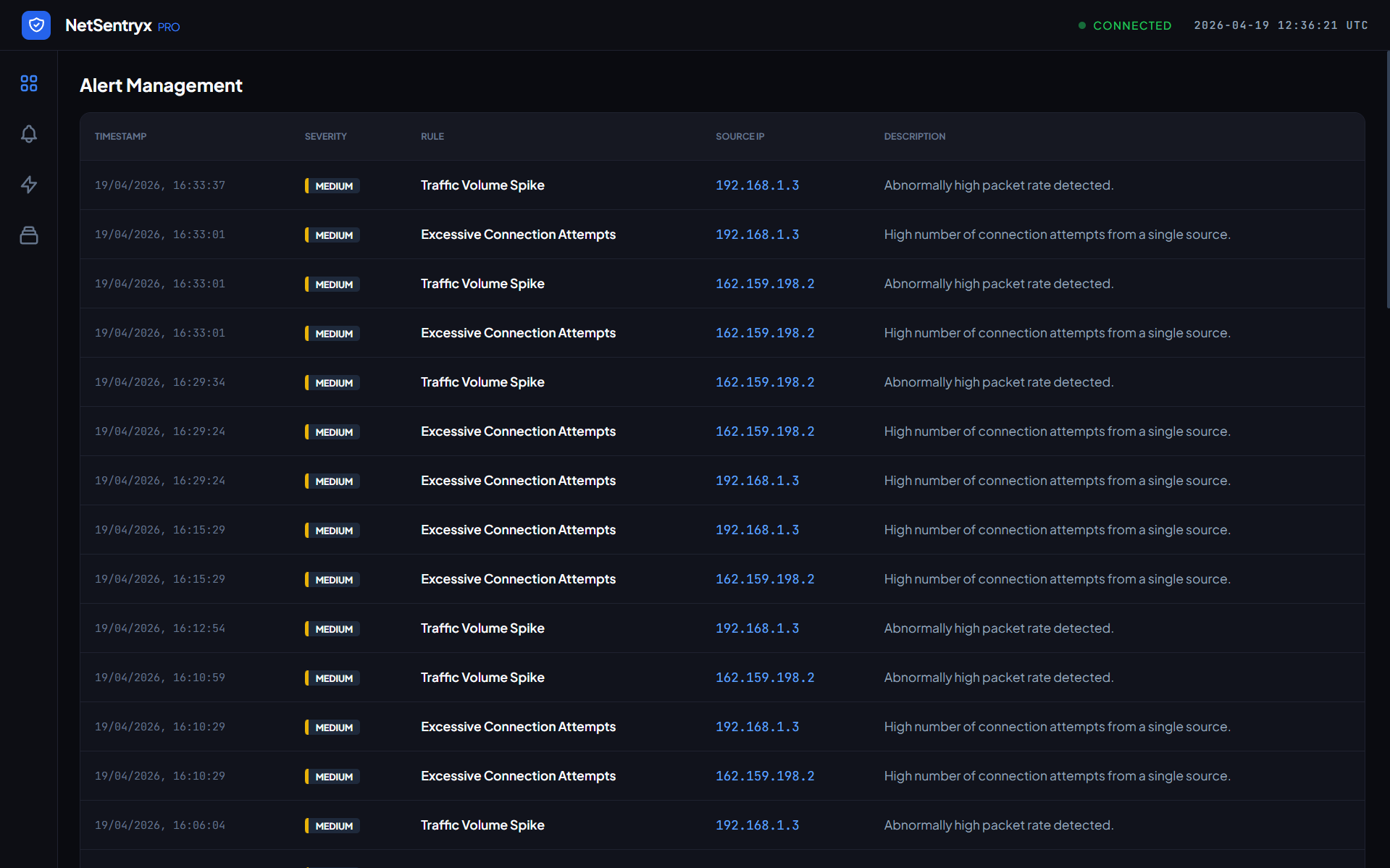
NetSentryx PRO is a next-generation, event-driven network monitoring and threat intelligence platform. Combining rule-based signatures with a PyTorch Deep Autoencoder, it provides sub-10ms packet and netflow anomaly detection, automated multi-channel alerting (Slack, Discord, Email), and an interactive real-time SOC dashboard.
---
## 🏗️ System Architecture
The following flow diagram illustrates the data ingestion, real-time deep learning inference, alerting pipeline, and WebSocket visualization layer:
```mermaid
flowchart TD
subgraph Capture & Ingestion
A[Network Interface / Packet Simulator] -->|Raw Traffic Events| B(Lightweight Event Bus)
B -->|Packet Stream| C[Flow Aggregation Engine]
end
subgraph Deep Learning Inference
C -->|Aggregated Telemetry Vectors| D[PyTorch TrafficAutoencoder]
D -->|MSE Reconstruction Loss| E{Threshold Evaluation}
end
subgraph Alert Dispatch
E -->|No Anomaly| F[Status: Optimal]
E -->|Anomaly Detected| G[FastAPI BackgroundTasks]
G -->|Save Event| H[(SQLite Datastore)]
G -->|Broadcast WebSocket| I[HTML Live Dashboard]
G -->|Dispatch Webhooks| J[Slack / Discord / Custom Webhook]
G -->|Dispatch SMTP| K[Email Alerting]
end
style D fill:#EE4C2C,stroke:#fff,stroke-width:2px,color:#fff
style I fill:#005571,stroke:#fff,stroke-width:2px,color:#fff
style G fill:#00bf8f,stroke:#fff,stroke-width:2px,color:#fff
```
---
## 🚀 Key Features
* ⚡ **Real-Time Traffic Ingestion:** Aggregates packet frames into rich netflow summaries on the fly with minimal latency.
* 🧠 **PyTorch Deep Autoencoder Anomaly Detection:** Utilizes a lightweight PyTorch neural network (`TrafficAutoencoder`) to detect sophisticated zero-day exploits, scanning, or DDoS attacks based on multivariate feature reconstruction error.
* 📈 **Zero-Manual-Training Startup:** Features automated synthetic fitting and statistical threshold calibration (`Mean + 3 * Std`) during server startup, making it fully functional out of the box.
* ⏱️ **Sub-10ms Inference Latency:** Optimized inference pipeline ensures real-time evaluation of high-throughput packet flows.
* 📣 **Multi-Channel Alert Dispatching:** Asynchronously pushes detailed intrusion alerts to **Slack webhooks**, **Discord webhooks**, **Custom HTTP APIs**, and **SMTP emails** using FastAPI's `BackgroundTasks`.
* 📊 **Interactive SOC Dashboard:** Elegant, dark-mode dashboard powered by Tailwind CSS, Chart.js, and WebSockets for real-time visualization of throughput metrics and live threat feeds.
---
## 📁 Project Structure
```bash
NetSentryx/
├── config/
│ ├── config.yaml # System, dashboard, and alerting channel configurations
│ └── rules.yaml # Threat detection thresholds and rule properties
├── src/
│ ├── alerts/
│ │ ├── ml_detection.py # PyTorch TrafficAutoencoder & feature scaling
│ │ ├── manager.py # Async alert dispatcher (Discord, Slack, Email)
│ │ └── detection.py # Rule-based packet signature detection engine
│ ├── core/
│ │ ├── config_loader.py # Configuration loader utilities
│ │ ├── logger.py # Database-integrated system logger
│ │ └── time_utils.py # Timezone-aware timestamp utilities
│ ├── dashboard/
│ │ ├── templates/
│ │ │ └── index.html # Live HTML5 Dashboard template
│ │ └── server.py # FastAPI API Router and WebSocket broadcast controller
│ ├── database/
│ │ ├── manager.py # SQLite connection & database actions
│ │ └── models.py # SQLAlchemy schema definitions (Alerts, Logs, Flows)
│ ├── flows/
│ │ ├── capture.py # Scapy packet sniffer thread
│ │ └── processor.py # Flow aggregation and metric extractor
│ └── main.py # Application entrypoint
└── main.py # Root script runner
```
---
## 🛠️ Quickstart & Setup Guide
### 1. Prerequisites
Ensure you have **Python 3.10+** installed. If capturing live network interfaces:
* **Windows:** Install [Npcap](https://npcap.com/) (select "Install Npcap in WinPcap API-compatible Mode").
* **Linux:** Install `libpcap-dev` via `sudo apt-get install libpcap-dev`.
### 2. Installation
Clone the repository and install dependencies (using `uv` is highly recommended for faster installation):
```bash
# Clone the repository
git clone https://github.com/yourusername/netsentryx.git
cd netsentryx
# Create virtual environment
python -m venv .venv
source .venv/bin/activate # On Windows: .venv\Scripts\activate
# Install requirements
pip install -r requirements.txt
```
### 3. Environment Setup (`.env`)
Create a `.env` file in the project root to configure notification credentials:
```ini
# Discord Configuration
DISCORD_ENABLED=true
DISCORD_WEBHOOK_URL="https://discord.com/api/webhooks/your-webhook-id/your-webhook-token"
# Slack Configuration
SLACK_ENABLED=true
SLACK_WEBHOOK_URL="https://hooks.slack.com/services/YOUR_WORKSPACE_ID/YOUR_CHANNEL_ID/YOUR_SECRET_TOKEN"
# SMTP Email Configuration
SMTP_ENABLED=true
SMTP_SERVER="smtp.gmail.com"
SMTP_PORT=587
SMTP_USERNAME="[email protected]"
SMTP_PASSWORD="your-app-password"
SMTP_FROM_EMAIL="[email protected]"
SMTP_TO_EMAIL="[email protected]"
```
### 4. Running the Platform
#### 🧪 Simulation Mode (Includes synthetic traffic simulator)
```bash
python main.py --simulate
```
#### 🌐 Live Sniffing Mode (Requires administrator/sudo privileges)
```bash
python main.py
```
Open your browser and navigate to `http://localhost:8000` to view the live dashboard.
---
## 📖 API Documentation
### Telemetry & Inference Endpoint
* **URL:** `/api/v1/telemetry/analyze`
* **Method:** `POST`
* **Content-Type:** `application/json`
#### Request Payload
```json
{
"packet_count": 550,
"byte_count": 850000,
"flow_duration": 4.5,
"syn_flag_ratio": 0.85,
"port_entropy": 3.2,
"byte_rate": 188888.8,
"source_ip": "192.168.1.120",
"dest_ip": "10.0.0.5",
"protocol": "TCP"
}
```
#### Response (Normal Traffic)
```json
{
"status": "NORMAL",
"threat_level": "low",
"anomaly_score": 0.3083,
"threshold": 2.1319
}
```
#### Response (Anomalous Traffic)
```json
{
"status": "ANOMALOUS",
"threat_level": "critical",
"anomaly_score": 117999.03,
"threshold": 2.1319,
"alert": {
"id": 12,
"timestamp": "2026-08-05T14:13:31.373Z",
"rule_id": "ml_autoencoder_anomaly",
"rule_name": "ML Autoencoder Anomaly",
"source_ip": "192.168.1.120",
"severity": "critical",
"description": "Deep autoencoder reconstruction error exceeded anomaly threshold (score: 117999.0300, threshold: 2.1320).",
"metrics": { ... }
}
}
```
### Historical Queries
| Endpoint | Method | Description | Sample Response |
| :--- | :--- | :--- | :--- |
| `/api/alerts` | `GET` | Fetches recent threat alerts saved in DB | `[{"id": 1, "rule_name": "Port Scanning", ...}]` |
| `/api/flows` | `GET` | Fetches recent network flow telemetry logs | `[{"source_ip": "192.168.1.10", "packet_count": 45, ...}]` |
| `/api/logs` | `GET` | Fetches backend system audit logs | `[{"level": "INFO", "message": "ML engine trained...", ...}]` |
---
## 🛡️ License
This project is licensed under the MIT License - see the [LICENSE](https://github.com/aman-sharma-dev/netsentryx/blob/main/LICENSE) file for details.