
Skip to content
KitploitKITPLOIT
ToolsBlog
Submit
ToolsBlog
Submit

Hacking, PenTest, and Cybersecurity Tools for Your Security Arsenal!

Kitploit is a directory of hacking, cybersecurity, and pentesting tools. Discover the latest project updates to find vulnerabilities, analyze systems, automate testing, and strengthen your security.

··Feeds·Contact·Privacy·© 2026 Kitploit

Tool Directory

Categories

View all categories
Loading categories
agensic — Cryptographic terminal forensics and session replay for AI agents. Tracks, signs, and audits every command with provenance labels, replayable sessions, and Git time travel. Privacy-first with local SQLite storage and secret redaction. | Kitploit
Tools/GitHubGitHub/alex188dot/agensic
Scripting & AutomationForensicsDigital ForensicsPrivacyAuthenticationIncident ResponseAI SecurityLog Analysis
GitHubalex188dot/agensic

agensic

Cryptographic terminal forensics and session replay for AI agents. Tracks, signs, and audits every command with provenance labels, replayable sessions, and Git time travel. Privacy-first with local SQLite storage and secret redaction.


View Repository
27111 days agoReviewed by Kitploit

Most Popular

View all →

Discover the most used tools by our community.

Explore all tools

Browse our collection of tools

View all tools →
Share
Website

Agensic logo

Know what ran, where, when and who executed it

The missing observability layer for AI-powered terminal workflows

Signed Provenance Tracked Sessions Git Time Travel Replayable Sessions IDE style Tab Autocomplete


Agensic upgrades your existing terminal workflow for the AI era. It is built for developers who want the productivity boost of AI agents right in their shell, but refuse to compromise on auditability, control and privacy.

As AI agents increasingly take over the command line and execute tasks autonomously, visibility and control become critical. Agensic treats terminal commands as first-class citizens and provides a robust framework for tracking, inspecting and managing them.

Instead of flattening all terminal activity into a single ambiguous "shell history", Agensic acts as a forensic observer and a smart co-pilot. It seamlessly tracks interactive AI coding sessions, cryptographically signs agent-executed commands and provides blazing-fast, history-backed IDE-style Tab autocomplete.


📋 Table of Contents

  1. Platform Support
  2. Installation
  3. Quick Start
  4. Agensic Provenance
    • Features
    • Supported Labels
  5. Agensic Sessions
    • Features
    • Supported Agents
  6. Agensic Autocomplete
    • Features
    • Supported Providers
  7. Available Commands
  8. Safety & Privacy
  9. Project Creator
  10. Support
  11. License

💻 Platform Support

Agensic is designed to integrate deeply with your shell environment.

  • macOS (Zsh) — fully supported ✅

  • Linux (Bash) — fully supported ✅


🚀 Installation

The fastest path is the managed one-line installer:

root@kitploit:~
curl -fsSL https://raw.githubusercontent.com/Alex188dot/agensic/main/bootstrap.sh | bash

If you prefer to clone manually:

root@kitploit:~
git clone https://github.com/Alex188dot/agensic.git
cd agensic
bash ./install.sh

If you already have uv, the installer will use it automatically for faster setup.

On first run, Agensic will prompt you to choose your preferred LLM provider and configure your API keys for command autocomplete.

Alternatively, you can configure your LLM provider and API keys by running:

root@kitploit:~
agensic setup

⚡ Quick Start

After setup, open a new terminal and Agensic will automatically start tracking your terminal activity and provide autocomplete suggestions as you type!

🤖 Seamless Agent Auto-Tracking

Start working, as you normally would, for example by using your favorite AI coding assistant, like Claude Code, Codex CLI, etc:

root@kitploit:~
claude

or

root@kitploit:~
codex

See the Supported Agents section for a complete list of all supported agents. If your agent is not in the list, you can add it by running agensic --add_agent "executable" and then use it normally so that Agensic can track it.

After you're done, you can use Agensic to inspect the session history:

root@kitploit:~
agensic sessions

or view the forensic provenance:

root@kitploit:~
agensic provenance

🧾 Agensic Provenance

Agensic gives you a forensic transcript for every command. It classifies what happened, records rich metadata and surfaces a clear audit trail so you can tell whether a command was manually typed, accepted from a suggestion or executed directly by an agent.
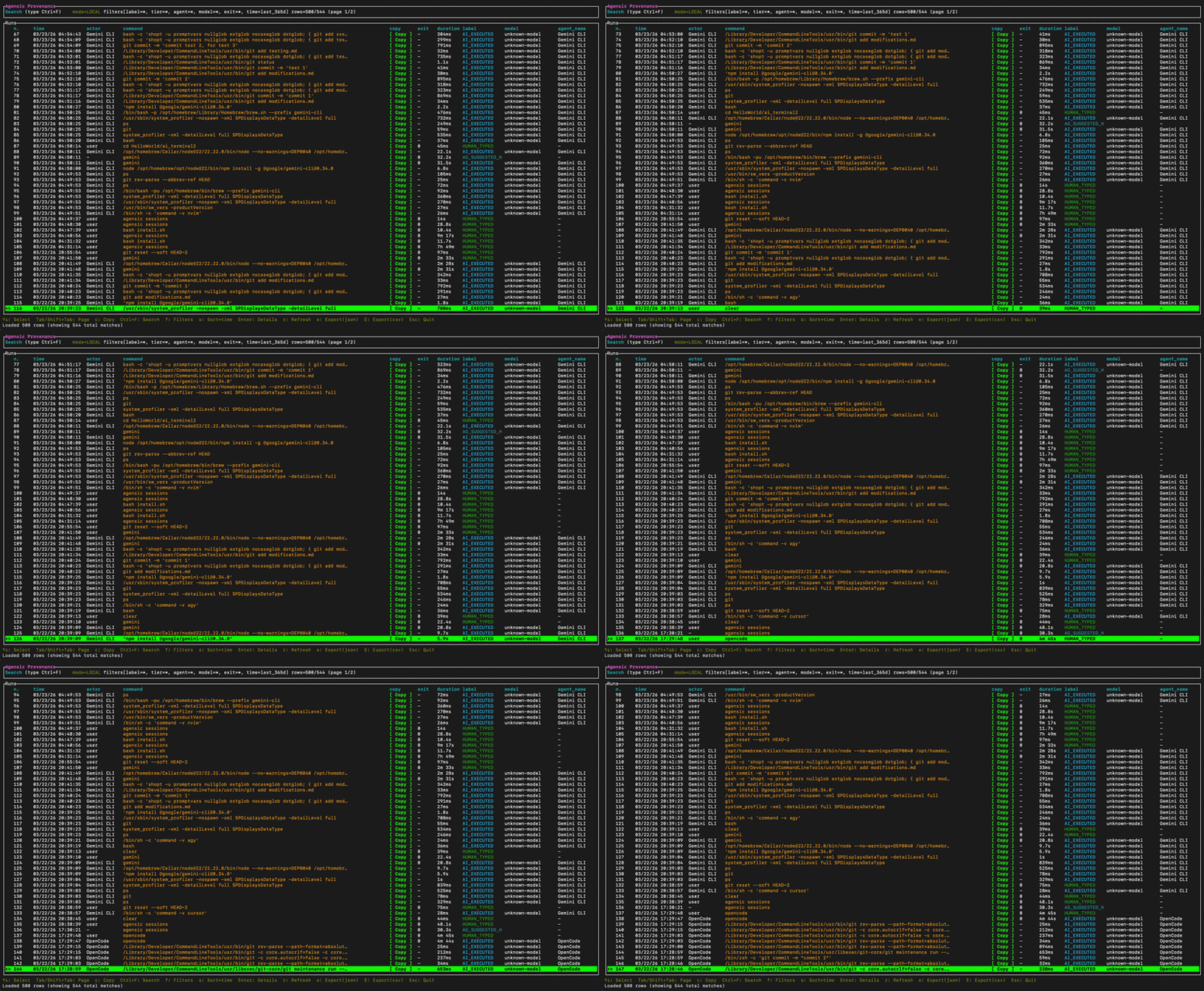
Agensic provenance demo

✨ Features

🔍 Full-Screen Provenance Explorer

Need to answer, "What exactly ran here and who triggered it?" Run agensic provenance to open the full-screen provenance viewer. Filter by label, agent, provider or time window, inspect the exact command trail and export the current view to JSON or CSV when you need a durable record for debugging, incident review or compliance.

🛡️ Cryptographic Command Provenance & Signing

Stop guessing whether a human or an AI broke the build. Agensic captures rich metadata for every command and uses local Ed25519 signing to tag agent-executed runs with an undeniable AI_EXECUTED label. You get a clear, auditable timeline separating human keystrokes from AI suggestions and automated executions.

🏷️ Structured Attribution Labels

Agensic does not reduce terminal history to a raw list of strings. Every tracked command is classified into a provenance label, giving you a consistent way to filter runs, investigate behavior and understand how a command entered your shell in the first place.

🔖 Supported Labels

Agensic currently supports the following provenance labels:

  • AI_EXECUTED for commands executed directly by an AI agent with signed proof
  • HUMAN_TYPED for commands manually typed by a human in the shell
  • AI_SUGGESTED_HUMAN_RAN for commands suggested by an external AI LLM call and then run by a human
  • AG_SUGGESTED_HUMAN_RAN for commands suggested by Agensic and then run by a human
  • INVALID_PROOF for commands that arrived with proof metadata that failed validation
  • UNKNOWN for commands where the available evidence is insufficient to assign a stronger attribution label

🕵️‍♂️ Agensic Sessions

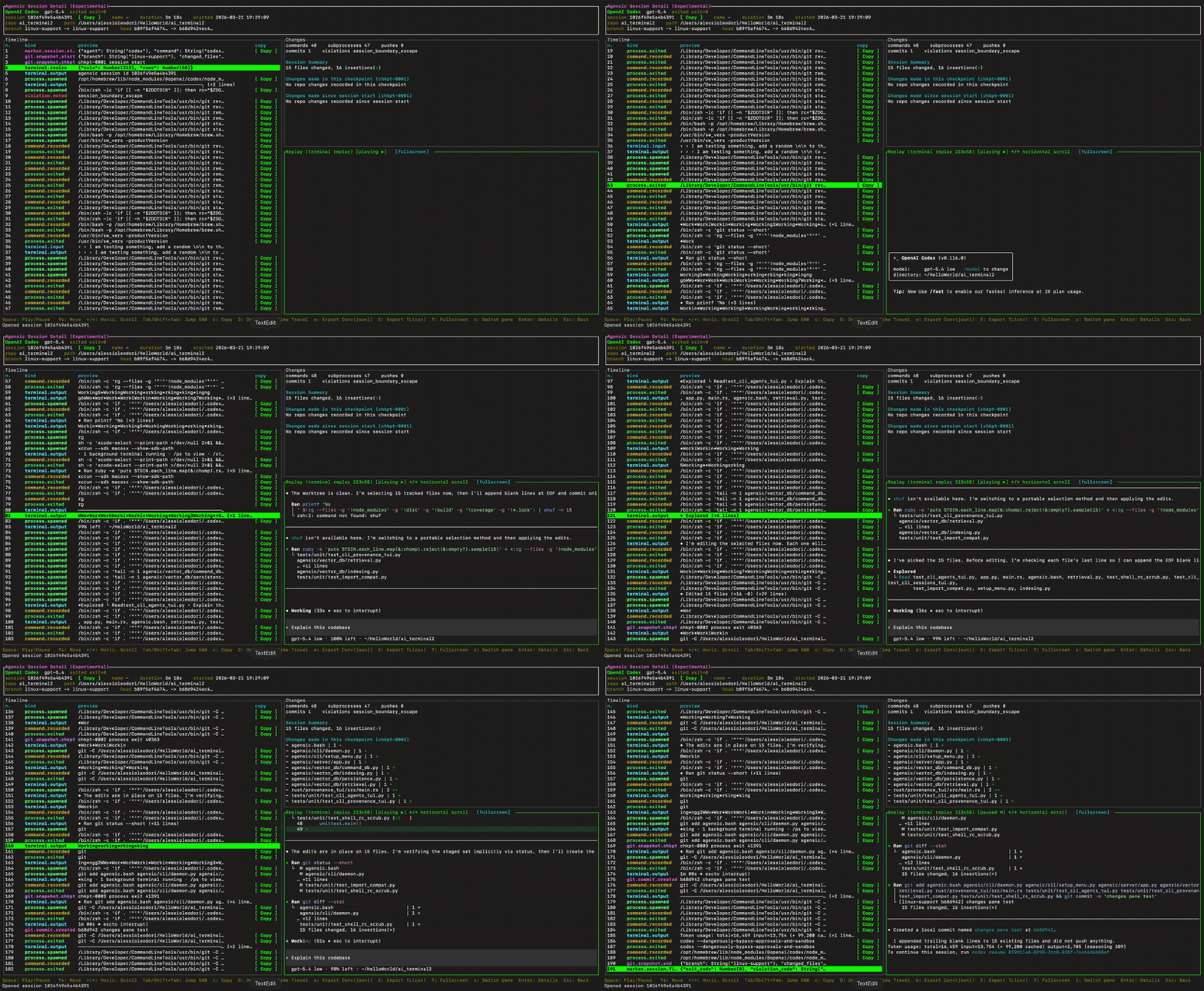
Agensic records interactive agent sessions, giving you undeniable proof of what happened and the ability to safely manipulate repo state, via the Time Travel feature.
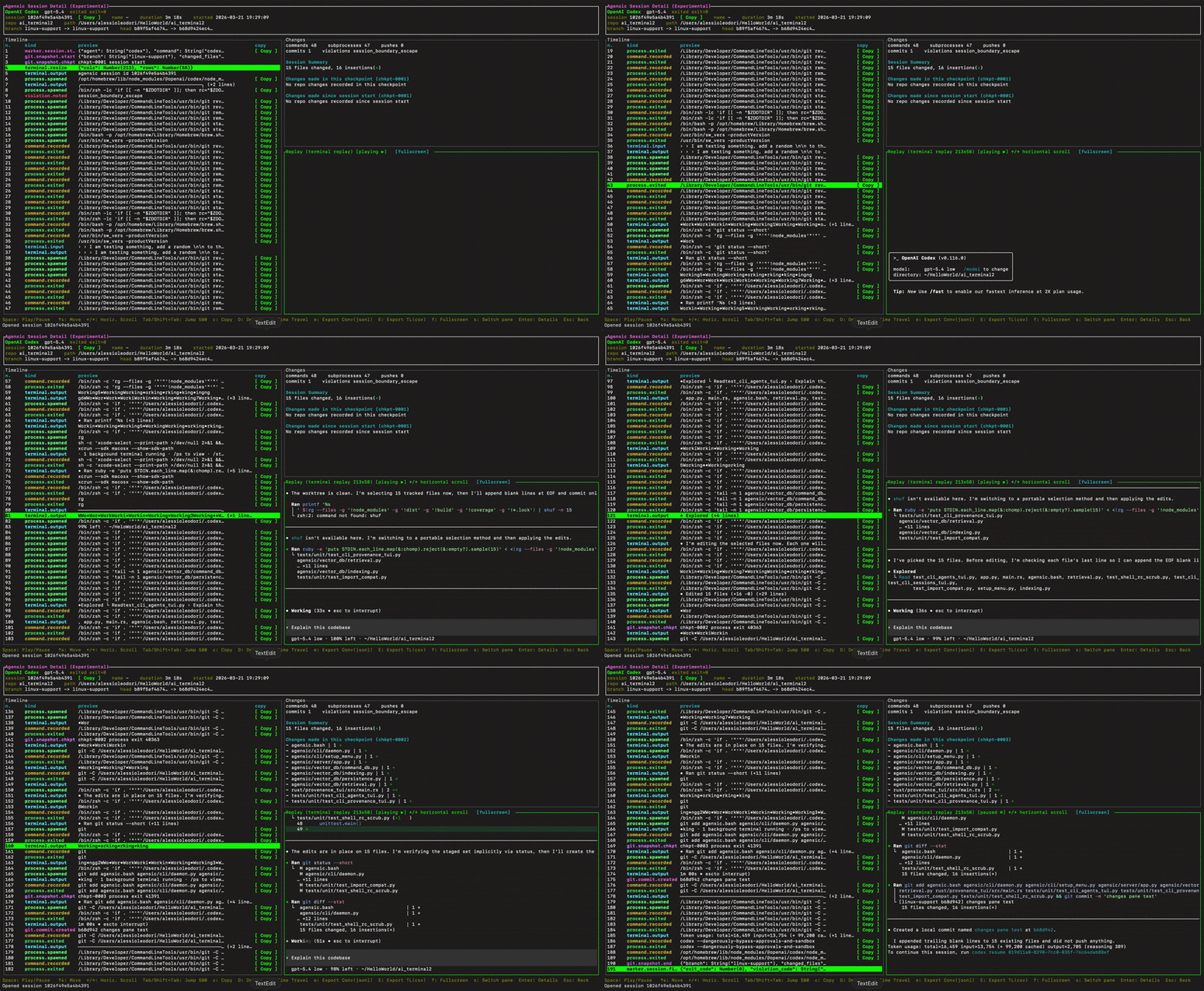
Agensic replay demo

✨ Features

▶️ Replayable Sessions

Need to audit last night's session, to understand what happened? Run agensic sessions and select the session you want to replay. Our blazing-fast, full-screen TUI lets you instantly browse timelines, inspect payloads and replay the session. When you need to share evidence for an incident review, export the exact dataset to JSON or CSV in one keystroke.

⏪ Time Travel

Ever wonder, "What did my repo look like exactly before the agent made that destructive commit?" Time Travel lets you rewind your repository to the exact Git state captured at a specific session checkpoint. Agensic safely restores untracked and modified files into a brand new branch, ensuring you never accidentally destroy your live working tree while investigating.

🗄️ Resilient Local-First State

Your data stays yours. Agensic uses a robust SQLite state backend with an append-only event journal and automated snapshotting. This means your forensic history survives unexpected terminal crashes, system reboots and long-lived local usage without corruption.

🤖 Supported Agents

Agensic provides support for a set of pre-configured built-in agents that can be tracked:

  • Claude Code
  • Codex CLI
  • Gemini CLI
  • OpenClaw
  • OpenCode
  • Kimi Code
  • Mini Agent
  • Qwen Code
  • GitHub Copilot CLI
  • Kiro CLI
  • Cline CLI
  • Cursor CLI
  • Nanoclaw
  • Droid
  • Hermes Agent
  • Ollama
  • Mistral Vibe
  • Aider
  • Pi.dev
  • Kilo Code
  • Continue CLI

Custom Agents: insert any agent executable in agensic setup and it will work immediately with no configuration


⚡ Agensic Autocomplete

Agensic reimagines terminal suggestions. Context-aware, semantic and always fast IDE-style, satisfying Tab autocomplete.

Agensic autocomplete demo

✨ Features

🚀 Blazing Fast Local History Suggestions

Say goodbye to input lag. As you type, Agensic queries a store of your actual command history. Suggestions appear instantly as ghost text, that you can easily accept with Tab. Because it learns from your patterns and relies on what you actually do, the suggestions are highly accurate and repo-aware.

🧠 Semantic Search & Typo Recovery

Humans make mistakes, Agensic fixes them. If you type dokcer, Agensic instantly suggests Did you mean: docker. Can't remember the exact syntax? Semantic reranking rescues your intent, finding the right command even if your prefix doesn't match perfectly: if you type docker records you will get Did you mean: docker logs (provided you have run docker logs in the past)

💡 On-Demand AI Fallback

AI is a powerful fallback, not a tax on every keystroke. Agensic enforces per-line LLM budgets to prevent prompt spam. When local history isn't enough, automatic LLM fallback will be triggered. Alternatively, you can always hit Ctrl+Space to manually fetch an intelligent suggestion from your preferred local or hosted LLM.

💬 Natural Language Command Modes

Forget exact syntax, just describe what you want. Type something like: # how can I find all files larger than 10MB in this folder?. Agensic generates 3 copy-ready shell commands and inserts the most likely option directly into your next line. Need guidance instead of commands? Use the assistant mode to get step-by-step answers right in your terminal, ## How do I install Node on macOS?. Want to understand a command before running it? Use: agensic --explain "your command here"

🛡️ Native Tab Preservation & Risk Blocking

Agensic respects your terminal. It leaves Tab alone when you are completing file paths or scripts, so native shell completion still wins where it's best. More importantly, destructive commands (like rm -rf, mkfs, or dd) are strictly blocked from suggestion pools so you never accidentally execute a disaster.

🌐 Supported Providers

Agensic fits into your stack, whether you run models locally or use hosted endpoints.

  • Local: Ollama, LM Studio
  • Hosted: OpenAI, Anthropic, Gemini, Azure, DeepSeek, Groq, Mistral, Qwen (DashScope), MiniMax, Moonshot, OpenRouter, Xiaomi MiMo, Z.AI, AWS SageMaker
  • Custom: any OpenAI-compatible endpoint
  • History Only: run entirely offline without AI calls, using only your local command history

🧰 Available Commands

The table below lists every CLI command currently available in Agensic.

🔒 Safety & Privacy

Agensic operates on the principle of least privilege and maximum privacy:

  • Local Auth: every localhost API route is strictly authenticated with automatic token rotation
  • Secret Redaction: high-entropy values, URL credentials and known secret formats (like AWS keys or JWTs) are stripped and redacted before any data leaves your machine for an LLM call
  • Command Guardrails: destructive commands are hard-blocked from both the suggestion engine and the feedback loop
  • Rate Limiting: outbound LLM calls are bounded by strict timeouts and budgets to prevent API abuse

👤 Project Creator

Alessio Leodori

🤝 Support

Find Agensic useful? Star ⭐️ the repo and tell a friend! This will help us grow 🌱

📄 License

Agensic is open-source and licensed under the Apache-2.0 License.

Download Tool
CommandWhat it does
agensic --helpShow the main CLI help and all standard user-facing commands
agensic --versionPrint the installed Agensic version and exit
agensic updateDownload and install the latest published Agensic GitHub release
agensic setupOpen the interactive setup flow for Agensic Sessions and Autocomplete
agensic enable-startupConfigure Agensic to start automatically on login or boot
agensic first-runRun the first-install onboarding flow
agensic startStart the Agensic background daemon manually
agensic stopStop the Agensic daemon
agensic logsTail the daemon log output in real time
agensic testSend a test autocomplete request to the daemon to verify connectivity
agensic provenanceOpen the command provenance history view. Supports filters such as --limit, --label, and --contains
agensic sessionsOpen the tracked sessions browser. Use --text for plain text output