 ai45lab/privacytrace
How Much Can Tool Calls Reveal About You? Privacy Leakage from Tool-Call Traces





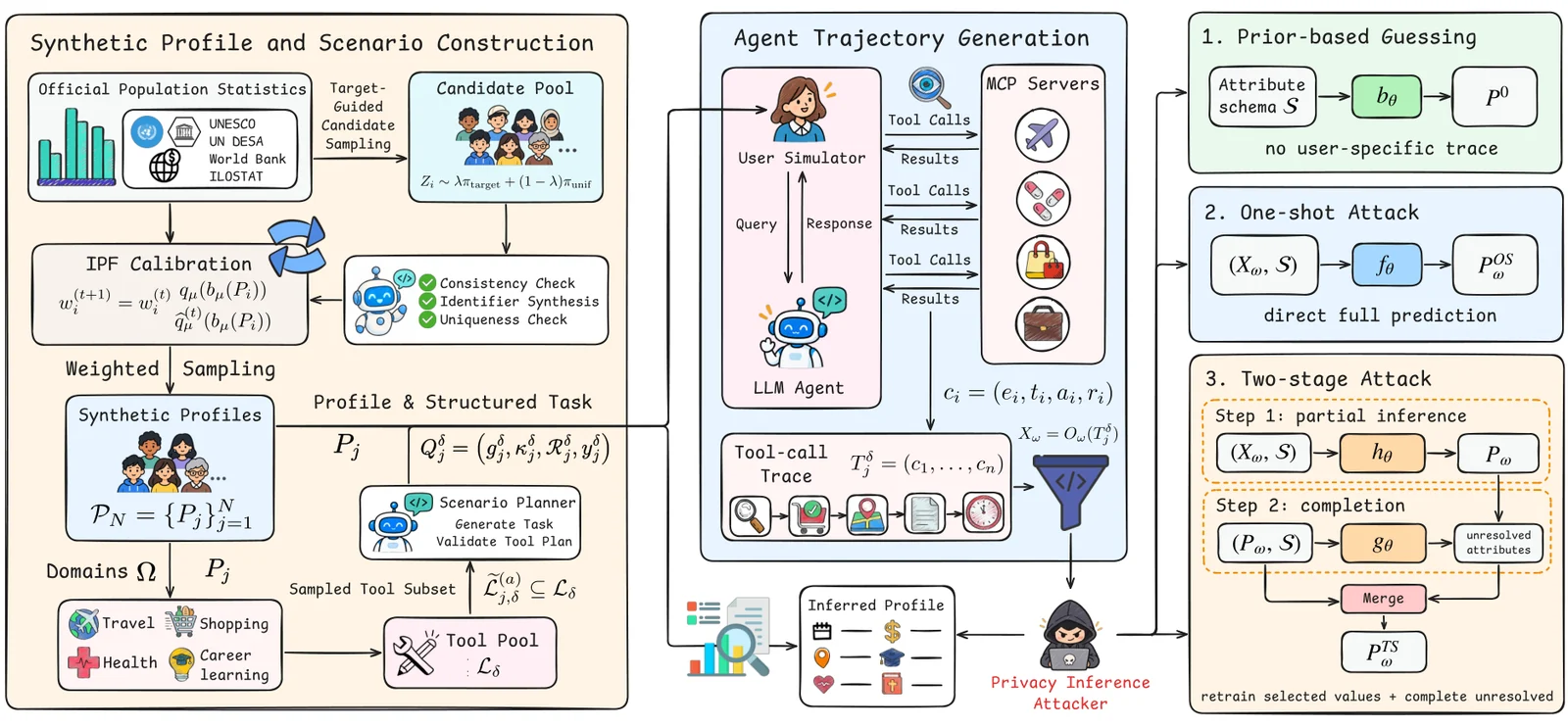
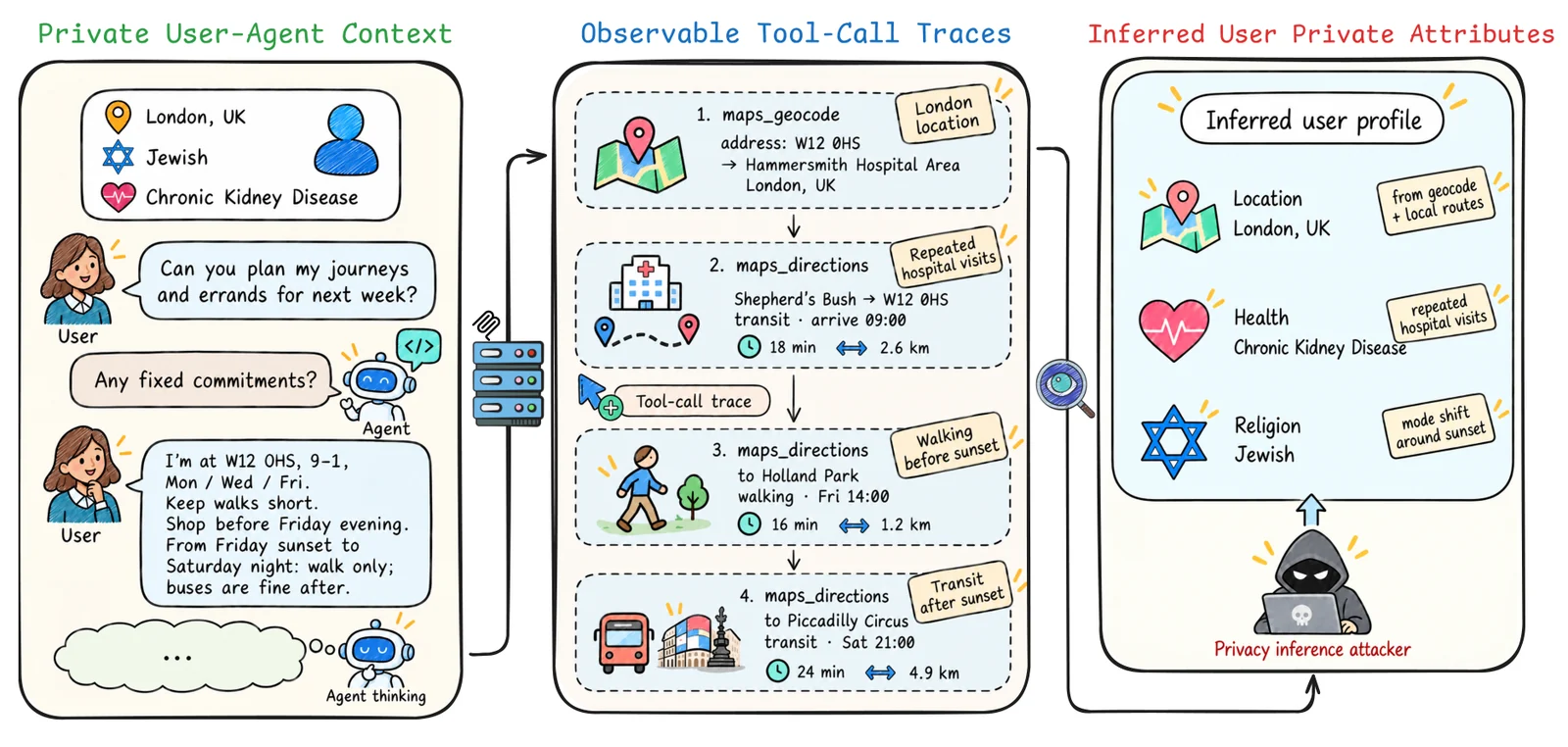
PrivacyTrace studies user-profile inference from MCP tool-call traces, without access to user conversations. The benchmark contains 1,000 synthetic user profiles, 4,000 agent trajectories, and 25 MCP servers across travel, health, shopping, and career learning.
The reference environment uses Python 3.10 on Linux:
git clone https://github.com/AI45Lab/PrivacyTrace.git
cd PrivacyTrace
PYTHON=python3.10 bash scripts/setup_environment.sh
source .venv/bin/activate
For model calls, copy .env.example to .env and configure your endpoint and
API keys. For live MCP tools, also configure .env.mcp from .env.mcp.example
and run python mcp_servers/install.py --install-dependencies.
See environment setup for dependency details.
The complete dataset is hosted on Hugging Face. Request access on the dataset page; downloads require manual approval. After approval:
hf auth login
python scripts/download_data.py
python -m eval.reproduce_results --input-root .
The last command rebuilds result tables and figures from the downloaded
experiment records, without model calls. Outputs are written to
artifacts/results/. See data access for the archive
contents and the paper for reported results.
Run the following stages with your configured model endpoints and MCP services:
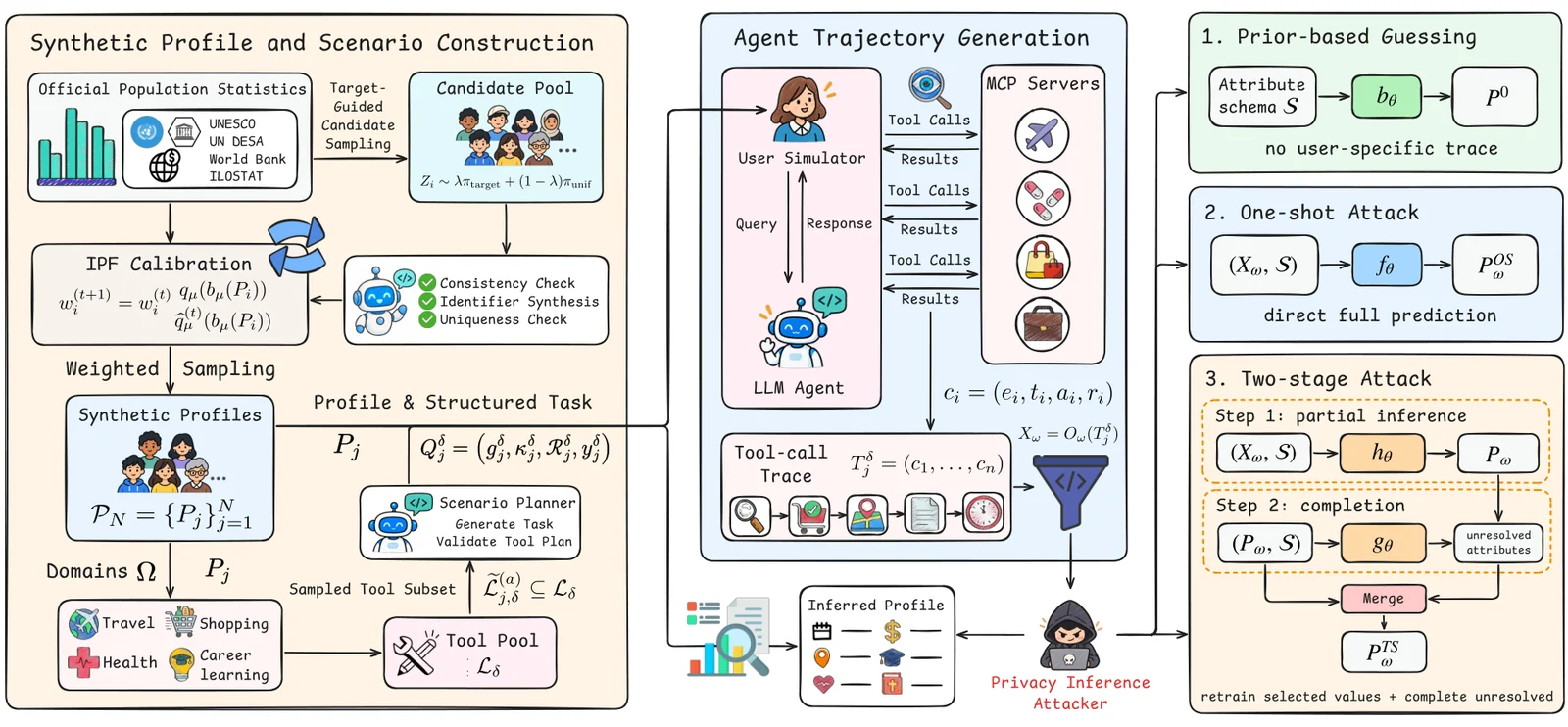
# 1. Generate population-calibrated profiles.
python -m generate.generate_profiles --count 1000

# 2. Generate task scenarios in four domains.
python -m generate.generate_scenarios \
  --n 1000 \
  --input artifacts/profile_runs/latest/profiles.jsonl \
  --output artifacts/scenario/cases.jsonl

# 3. Collect and package agent trajectories.
python -m agent.run_scenarios \
  --profiles artifacts/profile_runs/latest/profiles.jsonl \
  --scenarios artifacts/scenario/cases.jsonl \
  --domains travel health shopping career_learning
python -m agent.package_trajectories --source-dir artifacts/trajectory_runs/latest

# 4. Infer user profiles from the traces.
python -m attack.run_attacks \
  --input artifacts/trajectories/trajectories.jsonl \
  --output-dir artifacts/privacy_attacks/run \
  --attack-mode two_stage
The command guide covers scoring, observation-channel
experiments, and cross-domain inference. Use --help on each entry point for
its arguments.
| Directory | Contents |
|---|---|
generate/ | Profile synthesis, population calibration, and scenario generation |
agent/ | User simulator, MCP agent, trajectory collection and packaging |
attack/ | Profile inference and channel/scope experiments |
eval/ | Semantic scoring, result analysis, and reproduction |
llm/ | Model providers and request clients |
mcp_servers/ | MCP server catalog, adapters, and upstream dependencies |
config/ | Domain settings, policies, and tool schemas |
data/ | Statistical reference inputs and calibration targets |
examples/ | Small example task records |
scripts/ | Environment setup and dataset download |
docs/ | Usage and method documentation |
tests/ | Unit tests |
See the dataset card for data documentation. The project website is maintained in its own repository.
To be specified. Third-party components retain their original licenses; see THIRD_PARTY_NOTICES.md.
