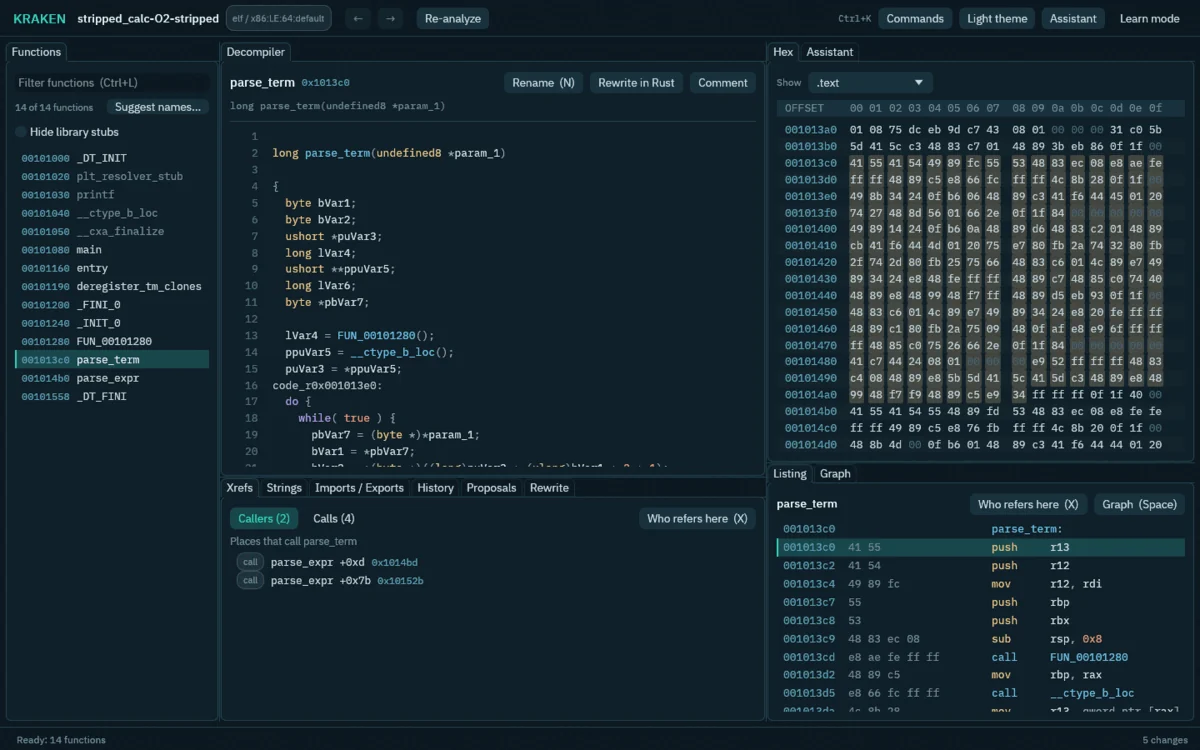
Reverse-engineering workbench built on Ghidra's decompiler with a native Java-free engine, AI-assisted function analysis, byte patching, sandboxed emulation, and CLI/MCP automation.
Take a program apart and understand it, with a helping hand. KRAKEN is an open-source reverse-engineering workbench built on Ghidra's decompiler, with a Java-free native engine and an optional full Ghidra engine. You, your scripts and AI agents all work on the same project through one set of commands, and every edit is logged, attributed and undoable. You do not need to know reverse engineering to start: the app explains terms as you go and the tutorial walks you through a first session. The long-term goal is Rust rewrites of binaries, function by function, checked against the original.
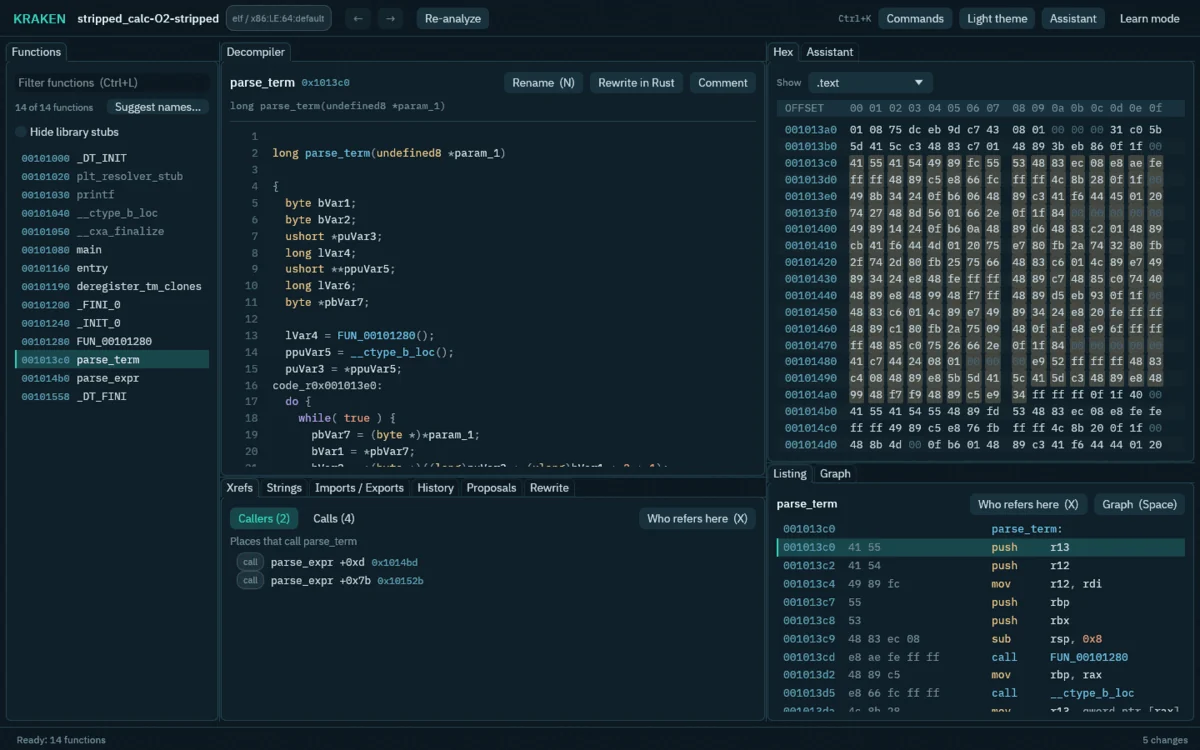
A real native-engine project: stripped_calc-O2-stripped from this repository, after a few functions were named.
Analyze
Patch
AI
Automate
--json output for scripts, a Python module, and a background daemon that keeps projects warm.Rewrite
KRAKEN is pre-alpha (0.1a). Expect rough edges and breaking changes.
| Linux x86_64 | macOS (Apple silicon) | Windows x86_64 | |
|---|---|---|---|
| CLI, MCP server, GUI | Works | Builds, experimental | Builds, experimental |
Native engine, no Java (kraken setup --native) | Works (ELF and PE) | Not yet | Not yet |
Analysis with Ghidra (kraken setup) | Works | Not yet | Not yet |
| Sandbox around Ghidra | Landlock | Not yet | Not yet |
| Local models | Works | Builds | Builds |
| Rewrite pipeline | Works (needs Landlock and a model) | Refuses to run | Refuses to run |
"Builds" means the code compiles and is checked in CI, not that the whole product has been proven there. Linux is the platform to use today.
Linux x86_64 (no Java needed: the native engine and its processor files are in the release):
curl --proto '=https' --tlsv1.2 -fsSL https://raw.githubusercontent.com/Adam-AtlasSoftware/kraken/main/scripts/install.sh | bash
The script checks the download against the release's SHA256SUMS, needs no sudo and installs into ~/.local. Or take the AppImage from the latest release (chmod +x KRAKEN-*.AppImage, then run it; ./KRAKEN-*.AppImage kraken --help runs the command line), or on Arch Linux install kraken-workbench-bin from the AUR. Windows and macOS archives are on the releases page too, and are experimental (see Status). Install has the details and the build from source.
kraken project-create --binary /usr/bin/ls --project ~/kraken-projects/ls
kraken analyze --project ~/kraken-projects/ls
kraken list-functions --project ~/kraken-projects/ls --limit 20
kraken-gui                             # or open the app and pick the project
New projects use the native engine when it can open the file, else the optional Ghidra engine (Mach-O, other processors, Windows debug information), which kraken setup downloads with a JDK on first use. The native engine page compares the two. The practice programs in corpus/bin/ are a good start, and the tutorial walks through a first session.
Connect an agent: claude mcp add kraken -- kraken mcp --project ~/kraken-projects/ls.
You need Rust and a C++ compiler:
git clone https://github.com/Adam-AtlasSoftware/kraken && cd kraken
cargo build --release -p kraken-cli -p krakend -p kraken-gui -p engine-native -p kraken-emu
export PATH="$PWD/target/release:$PATH"
kraken setup --native                  # once: fetches the pinned sources, compiles the Sleigh files (about a minute)
Start with the tutorial: your first reverse-engineering session.
Build the book with mdbook build docs. The command reference is generated: run cargo xtask docs after changing a command.