 0xthearchitect/beatbox
🧊Disposable environments on your own computer


Break the box. Beat the box.
Build a sandbox, break it, see what happens.
Download · Build it yourself · License
BeatBox is a lab for hands-on cybersecurity practice that runs on your own computer. Real machines, real networks, real services. Set them up, attack them, defend them, and throw them away when you are done.

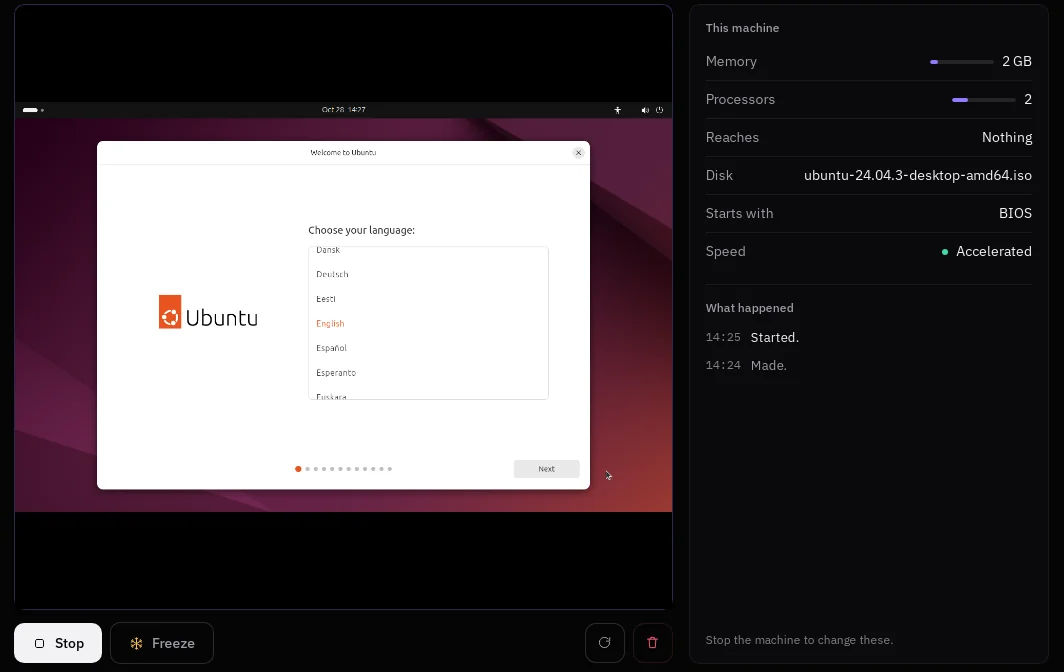
Boot any operating system from an installer disc you already have. Each machine is a real computer with its own kernel and its own disk, in a window of its own.
Freeze it. Take a save point before you try something you might want to undo, and go back to it when it goes wrong. When you are finished, throw the machine away. The disk you started from is never written to.
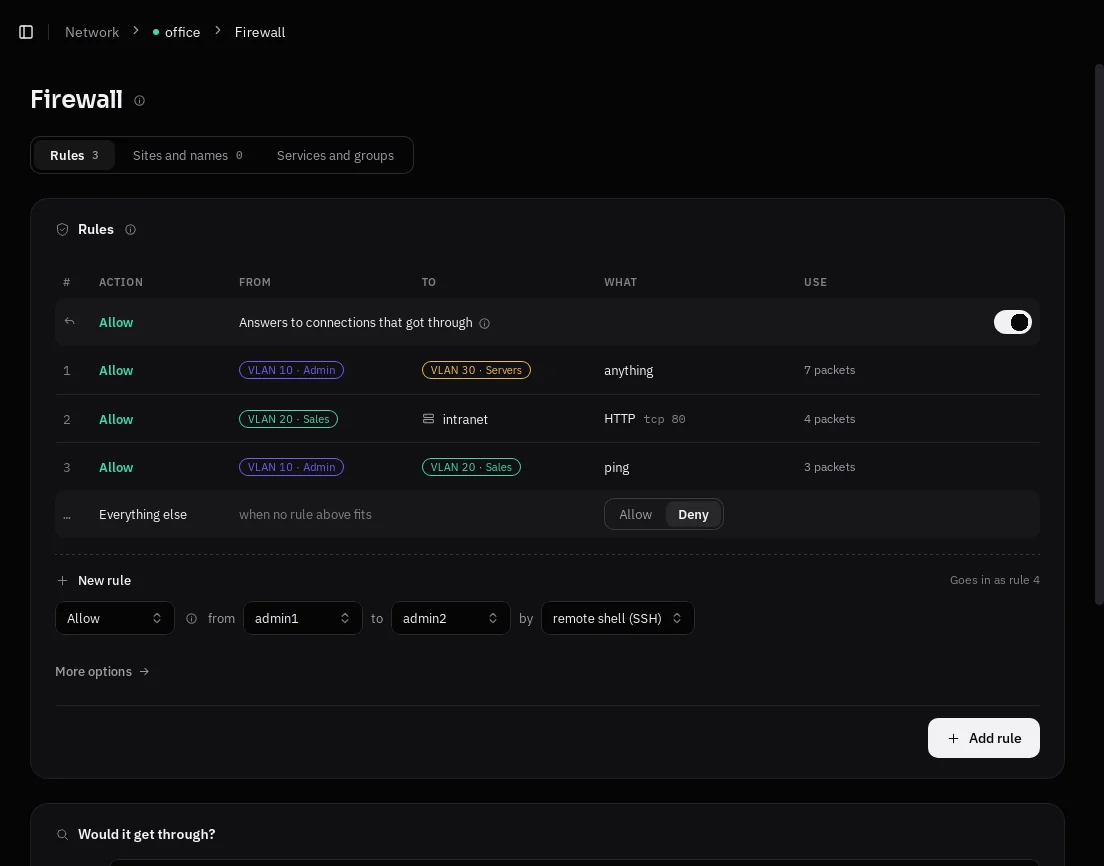
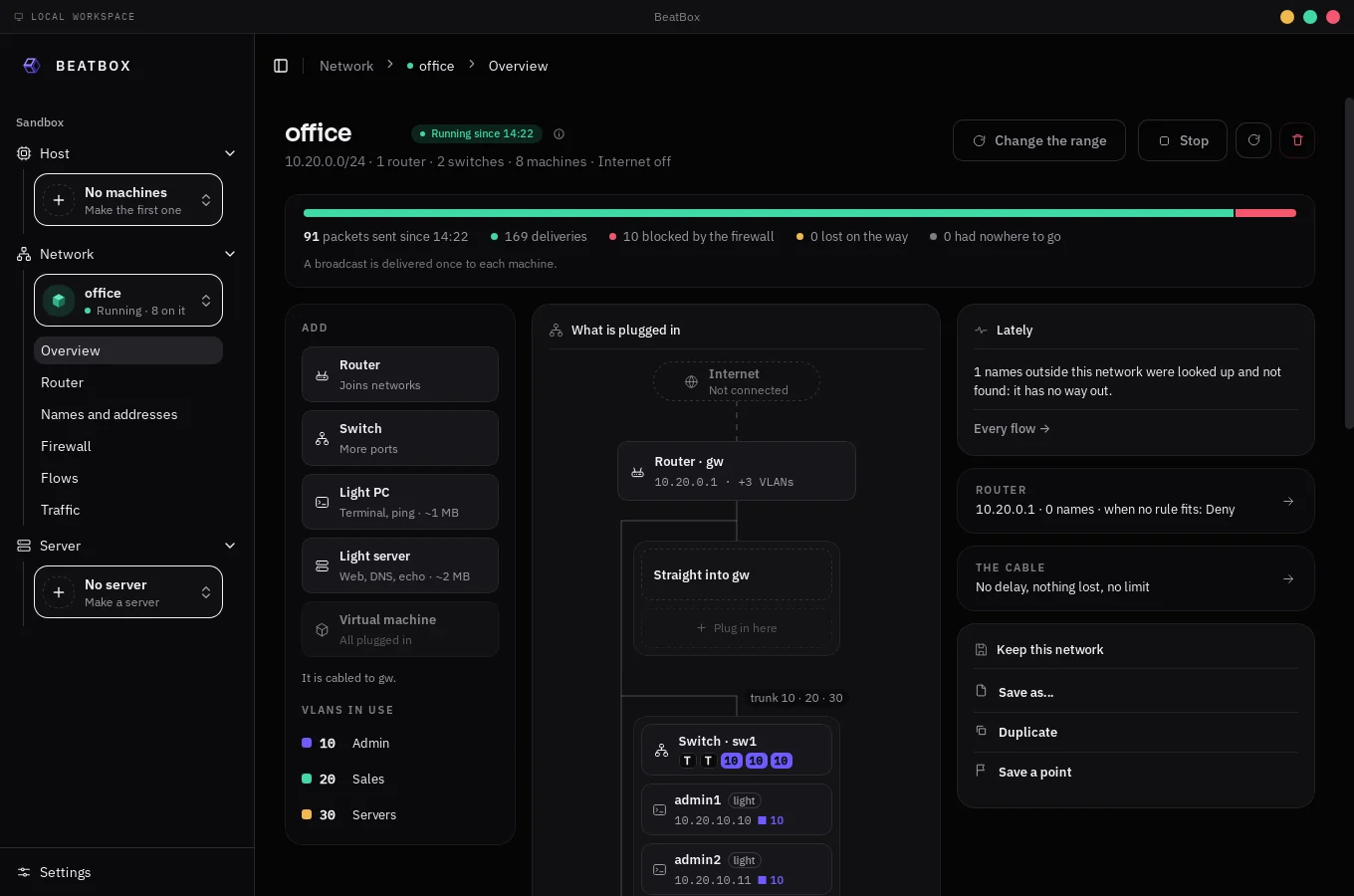
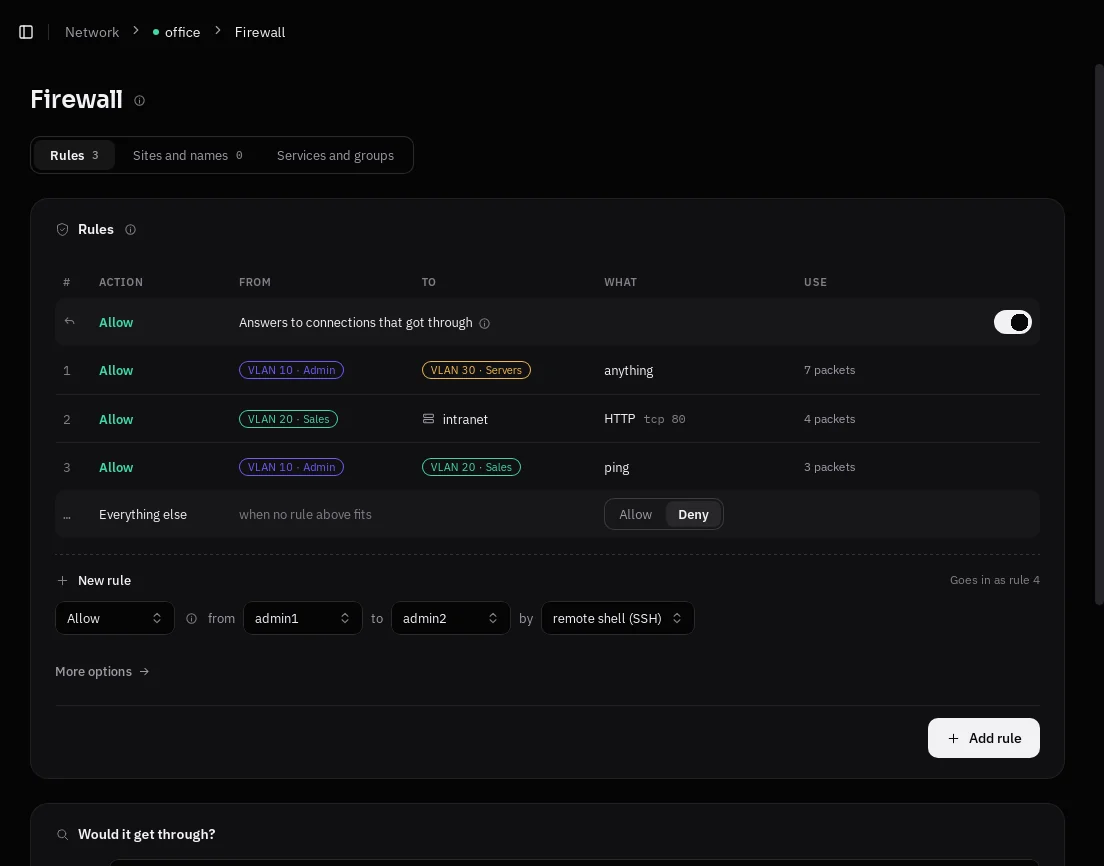
Cable machines to switches and routers, split them into VLANs, hide them behind NAT, and give them names and addresses. A firewall decides who may talk to whom, one rule at a time, top to bottom.
Light PCs and light servers take a megabyte or two each, so a whole office fits on a laptop next to a few full machines. Then watch it: every conversation, the way it went through the network, and what the firewall did to it.
Save a network to a file, or start a new one from a template.
Put services to work inside a machine: a website, a site behind nginx, a PostgreSQL database, an email inbox, names for the whole network. BeatBox checks what the machine needs before it starts anything, and tells you what to install when something is missing. Need something else? Describe your own service.

BeatBox never downloads a disk, and never writes to the one you give it. Every machine runs on a layer of its own on top of it, so breaking a machine never breaks the disk.
BeatBox speaks English and Portuguese.
Get the installer for your system from Releases.
| System | File |
|---|---|
| Ubuntu 22.04 or newer, Debian 12 | .deb |
| Fedora, openSUSE | .rpm |
| Any other Linux | .AppImage (install QEMU first) |
| Windows 10 and 11 | -setup.exe |
The first time it opens, BeatBox checks your computer and offers to fix what is missing: QEMU, and access to hardware virtualisation (KVM on Linux, Windows Hypervisor Platform on Windows).
You need Rust (the version is picked from
rust-toolchain.toml), Node.js 20 or newer, and QEMU.
On Ubuntu or Debian:
sudo apt install build-essential pkg-config libwebkit2gtk-4.1-dev \
    libgtk-3-dev libayatana-appindicator3-dev librsvg2-dev \
    qemu-system-x86 qemu-utils
On Fedora:
sudo dnf install gcc pkgconf-pkg-config webkit2gtk4.1-devel gtk3-devel \
    libappindicator-gtk3-devel librsvg2-devel qemu-system-x86-core qemu-img
On Windows, install the Visual Studio Build Tools with "Desktop development with C++". BeatBox installs QEMU itself on first run.
Then, from the repository:
cd web && npm ci && npm run build && cd ..
cargo build --release -p beatboxd
cargo build --release --manifest-path shell/Cargo.toml
Run shell/target/release/beatbox (beatbox.exe on Windows). It finds the
engine in target/release/ and starts it.
BeatBox is yours to use under either of
at your option.
