
intercept v2.33.0
Web-based signal intelligence platform integrating SDR tools for RF analysis, aircraft/vessel tracking, pager decoding, WiFi/BT reconnaissance, and drone detection with distributed sensor support.




Support the developer of this open-source project

Signal Intelligence Platform
A web-based interface for software-defined radio tools.
Features
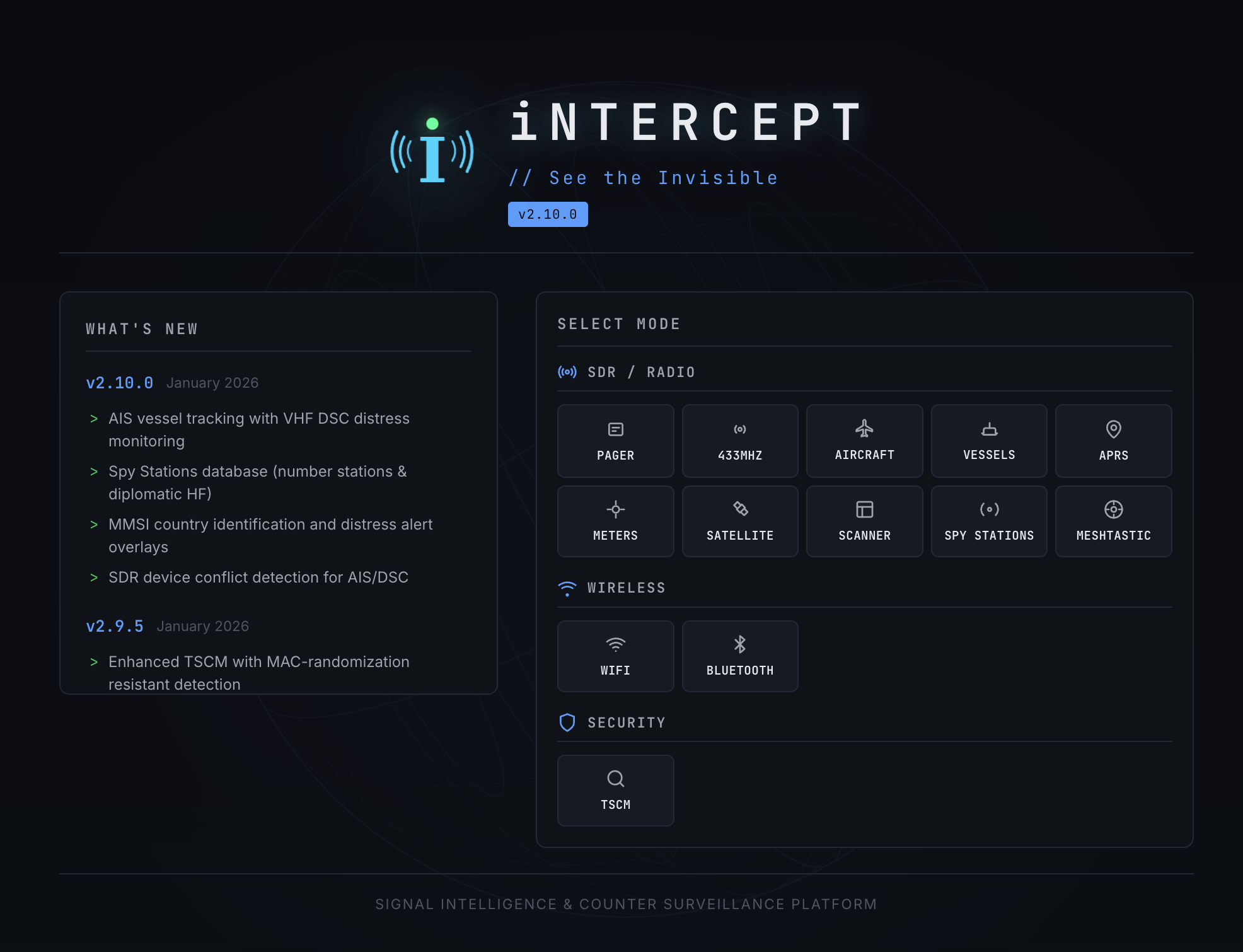
- Pager Decoding - POCSAG/FLEX via rtl_fm + multimon-ng
- 433MHz Sensors - Weather stations, TPMS, IoT devices via rtl_433
- Sub-GHz Analyzer - RF capture and protocol decoding for 300-928 MHz ISM bands via HackRF
- Aircraft Tracking - ADS-B via dump1090 with real-time map and radar
- Vessel Tracking - AIS ship tracking with VHF DSC distress monitoring
- ACARS Messaging - Aircraft datalink messages via acarsdec
- VDL2 - VHF Data Link Mode 2 aircraft datalink decoding via dumpvdl2
- Listening Post - Wideband frequency scanner with real-time audio monitoring
- Weather Satellites - NOAA APT and Meteor LRPT image decoding via SatDump with auto-scheduler
- WebSDR - Remote HF/shortwave listening via KiwiSDR network
- ISS SSTV - Slow-scan TV image reception from the International Space Station
- HF SSTV - Terrestrial SSTV on shortwave frequencies (80m-10m, VHF, UHF)
- APRS - Amateur packet radio position reports and telemetry via direwolf
- Satellite Tracking - Pass prediction with polar plot and ground track map
- Utility Meters - Electric, gas, and water meter reading via rtlamr
- ADS-B History - Persistent aircraft history with reporting dashboard (Postgres optional)
- WiFi Scanning - Monitor mode reconnaissance via aircrack-ng
- Bluetooth Scanning - Device discovery and tracker detection (with Ubertooth support)
- BT Locate - SAR Bluetooth device location with GPS-tagged signal trail mapping and proximity alerts
- WiFi Locate - Locate WiFi access points by BSSID with real-time signal meter, distance estimation, and proximity audio
- GPS - Real-time GPS position tracking with live map, speed, altitude, and satellite info
- TSCM - Counter-surveillance with RF baseline comparison and threat detection
- Meshtastic - LoRa mesh network integration
- Space Weather - Real-time solar and geomagnetic data from NOAA SWPC, NASA SDO, and HamQSL (no SDR required)
- Spy Stations - Number stations and diplomatic HF network database
- Remote Agents - Distributed SIGINT with remote sensor nodes
- Offline Mode - Bundled assets for air-gapped/field deployments
- Drone Intelligence - Multi-vector UAV detection via ASTM F3411 Remote ID (WiFi/BLE), RTL-SDR 433/868 MHz RF, and HackRF 2.4/5.8 GHz scanning with live contact map and risk scoring
Installation / Debian / Ubuntu / macOS
Quick Start
git clone https://github.com/smittix/intercept.git
cd intercept
./setup.sh          # Interactive menu (first run launches setup wizard)
sudo ./start.sh
On first run, setup.sh launches a guided wizard that detects your OS, lets you choose install profiles, sets up the Python environment, and optionally configures environment variables and PostgreSQL.
On subsequent runs, it opens an interactive menu:
INTERCEPT Setup Menu
════════════════════════════════════════
  1) Install / Add Modules
  2) System Health Check
  3) Database Setup (ADS-B History)
  4) Update Tools
  5) Environment Configurator
  6) Uninstall / Cleanup
  7) View Status
  0) Exit
Production vs Dev server:
start.shauto-detects gunicorn + gevent and runs a production server with cooperative greenlets — handles multiple SSE/WebSocket clients without blocking. Falls back to Flask dev server if gunicorn is not installed. For quick local development, you can still usesudo -E venv/bin/python intercept.pydirectly.
Install Profiles
Choose what to install during the wizard or via menu option 1:
| # | Profile | Tools |
|---|---|---|
| 1 | Core SIGINT | rtl_sdr, multimon-ng, rtl_433, dump1090, acarsdec, dumpvdl2, ffmpeg, gpsd |
| 2 | Maritime & Radio | AIS-catcher, direwolf |
| 3 | Weather & Space | SatDump, radiosonde_auto_rx |
| 4 | RF Security | aircrack-ng, HackRF, BlueZ, hcxtools, Ubertooth, SoapySDR |
| 5 | Full SIGINT | All of the above |
| 6 | Custom | Per-tool checklist |
Multiple profiles can be combined (e.g. enter 1 3 for Core + Weather).
CLI Flags
./setup.sh --non-interactive          # Headless full install (same as legacy behavior)
./setup.sh --profile=core,weather     # Install specific profiles
./setup.sh --health-check             # Check system health and exit
./setup.sh --postgres-setup           # Run PostgreSQL setup and exit
./setup.sh --menu                     # Force interactive menu
Docker
git clone https://github.com/smittix/intercept.git
cd intercept
docker compose --profile basic up -d --build
Note: Docker requires privileged mode for USB SDR access. SDR devices are passed through via
/dev/bus/usb.
Your data: settings, users, alert rules, watchlists and decoded messages live in
./instanceon the host, so they survive--build. Upgrading from a compose file without that mount? Copy the old data out before rebuilding:docker cp intercept:/app/instance ./instance.
For multi-architecture builds (amd64 + arm64 for Raspberry Pi), see build-multiarch.sh — it handles cross-compilation and registry push in one step.
Environment Configuration
Use the Environment Configurator (menu option 5) to interactively set any INTERCEPT_* variable. Settings are saved to a .env file that start.sh sources automatically on startup.
You can also create or edit .env manually:
# .env (auto-loaded by start.sh)
INTERCEPT_PORT=5050
INTERCEPT_ADSB_AUTO_START=true
INTERCEPT_DEFAULT_LAT=51.5074
INTERCEPT_DEFAULT_LON=-0.1278
ADS-B History (Optional)
The ADS-B history feature persists aircraft messages to PostgreSQL for long-term analysis.
Automated setup (local install):
./setup.sh --postgres-setup
# Or use menu option 3: Database Setup
This will install PostgreSQL if needed, create the database/user/tables, and write the connection settings to .env.
Docker:
docker compose --profile history up -d
Set the following environment variables (in .env):
INTERCEPT_ADSB_HISTORY_ENABLED=true
INTERCEPT_ADSB_DB_HOST=adsb_db
INTERCEPT_ADSB_DB_PORT=5432
INTERCEPT_ADSB_DB_NAME=intercept_adsb
INTERCEPT_ADSB_DB_USER=intercept
INTERCEPT_ADSB_DB_PASSWORD=intercept
To store Postgres data on external storage, set PGDATA_PATH (defaults to ./pgdata):
PGDATA_PATH=/mnt/usbpi1/intercept/pgdata
Then open /adsb/history for the reporting dashboard.