
New releaseSep 19, 2026
urx v0.11.0
Extracts URLs from OSINT Archives for Security Insights

Extracts URLs from OSINT Archives for Security Insights.




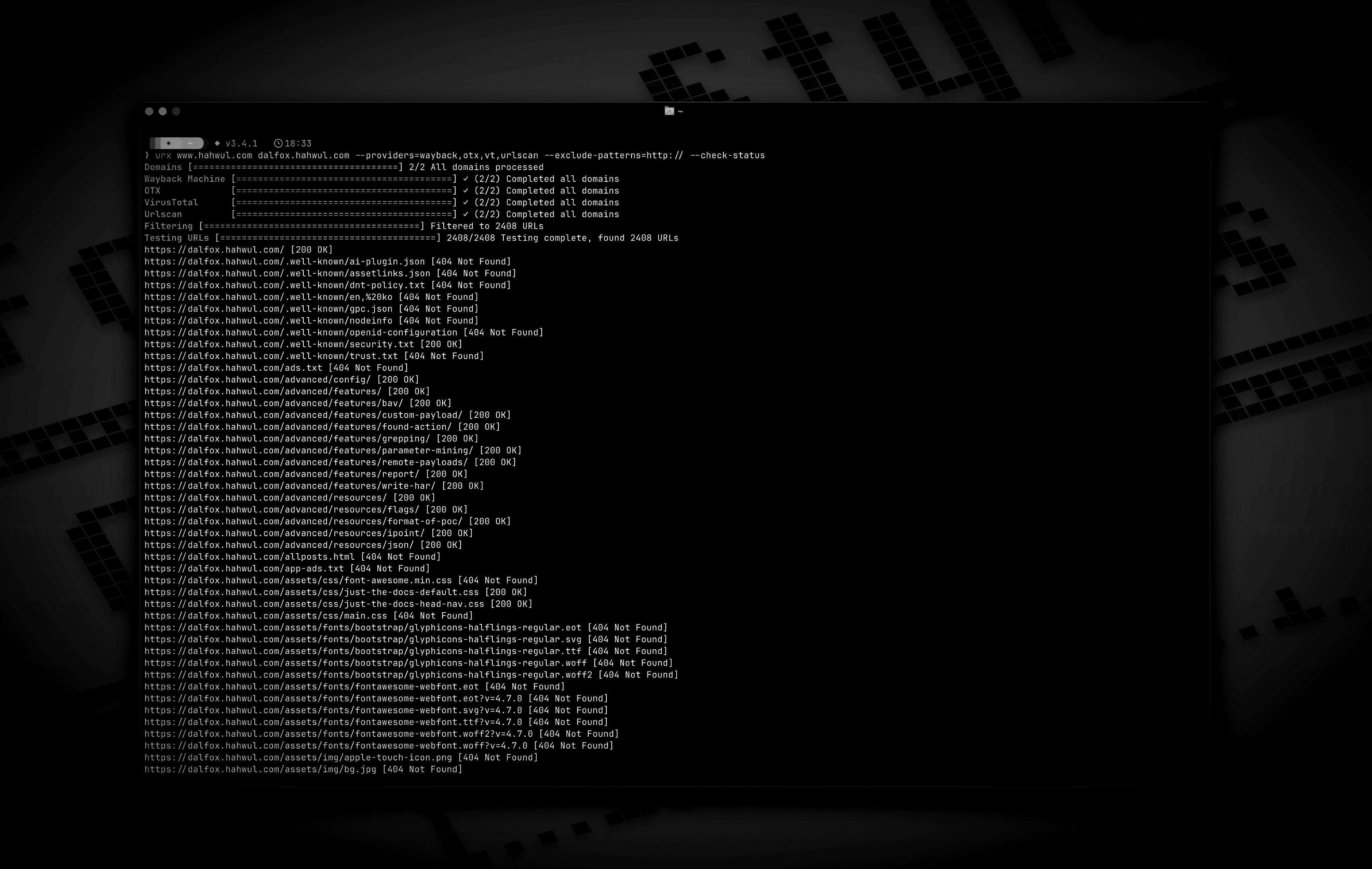
Urx collects URLs for a domain from OSINT archives such as the Wayback Machine and Common Crawl. It queries every source in parallel, then filters, tests and formats the results for security work.
Features
- Keyless sources: Wayback Machine, Common Crawl, OTX, Arquivo.pt, URLScan (anonymous)
- Keyed sources with key rotation: VirusTotal, URLScan, ZoomEye, GitHub Code Search, BeVigil (URLs from Android apps)
- Any other CDX server (pywb, OutbackCDX, national archives) via
--cdx-endpoint - Archive-side filters (
--from/--to,--archive-status,--archive-mime) run inside the CDX query - Client-side metadata filters (
--meta-*) on capture date, MIME type and status, for every provider - Path-scoped targets (
urx example.com/shop) and bug-bounty scope files (--scope-file) - Filters by extension, substring, regex (
--match-regex,--filter-regex) and presets (no-images,only-js,only-secrets,only-backup,only-config,only-api) - Normalization and dedup:
--normalize-url,--merge-endpoint,--dedup-similar - Output as plain, JSON, JSON Lines, CSV or
wordlist;--streamwrites URLs as they arrive - Parameter views:
--params,--params-by-endpoint,--fuzz-placeholder FUZZfor ffuf or dalfox - Capture metadata per URL:
first_seen,last_seen,mime,archive_status,digest - Input from WARC, URLTeam and text files (
--files) or stdin - Live testing:
--check-status,--check-title,--extract-links,--extract-js-endpoints - Archived bodies:
--archive-bodymines links from pages that no longer exist, one request per distinct body;--archive-body-dirkeeps them - API spec expansion (
--expand-specs): OpenAPI 3.x, Swagger 2.0, GraphQL introspection - Archived robots.txt and sitemap.xml versions (
--archived-discovery) - Authenticated requests to the target (
-H,--cookie,--user-agent), never sent to archives - SQLite or Redis cache (Redis needs a
--features redis-cachebuild),--incrementalscans,urx cachemaintenance, and--notifywebhooks
Installation
cargo install urx       # https://crates.io/crates/urx
brew install urx        # https://formulae.brew.sh/formula/urx
yay -S urx              # AUR
choco install urx       # Chocolatey (Windows)
From source (binary at target/release/urx):
git clone https://github.com/hahwul/urx.git
cd urx
cargo build --release
Docker (ghcr.io/hahwul/urx). The image has no entrypoint, so put ./urx after the image name:
docker run --rm ghcr.io/hahwul/urx:latest ./urx example.com
Prebuilt binaries for Linux, macOS and Windows, each with a .sha256, are on the releases page.
Shell completions (bash, zsh, fish, powershell, elvish) and the man page:
urx --completions zsh > ~/.zfunc/_urx        # ~/.zfunc must be on $fpath
urx --completions bash > ~/.local/share/bash-completion/completions/urx
urx --completions fish > ~/.config/fish/completions/urx.fish
urx --manpage > ~/.local/share/man/man1/urx.1
Usage
Basic Usage
urx example.com                 # one domain
urx example.com example.org     # several domains
cat domains.txt | urx           # domains from stdin
Options
Usage: urx [OPTIONS] [DOMAINS]... [COMMAND]

Commands:
  cache  Inspect and maintain the URL cache: stats, list, prune, drop <DOMAIN>..., clear

Arguments:
  [DOMAINS]...  Domains to fetch URLs for

Options:
  -c, --config <CONFIG>           Config file to load
      --provider-config <PATH>    Separate provider config file holding only API keys (default: ~/.config/urx/provider-config.toml; %APPDATA%\urx\ on Windows). CLI/env > provider-config > main config.
      --completions <SHELL>       Print a shell completion script (bash, zsh, fish, powershell, elvish) to stdout and exit
      --manpage                   Print the roff man page to stdout and exit
  -h, --help             Print help
  -V, --version          Print version

Input Options:
      --files <FILES>...        Read URLs directly from files (supports WARC, URLTeam compressed, and text files)
      --domain-list <PATH>      File of newline-separated domains to scan (repeatable; merged with positional DOMAINS; stdin is read only when they name no domains; `#` comments allowed) [alias: --dL]

Output Options:
  -o, --output <OUTPUT>          Output file to write results
      --output-dir <PATH>        Write one file per URL host into this directory (extension matches --format). Coexists with --output / stdout. [alias: --oD]
  -f, --format <FORMAT>          Output format: "plain", "json" (one array), "jsonl" (one JSON object per line), "csv", "wordlist" (path segments and parameter names, deduplicated and sorted); anything else is a usage error [default: plain]
      --stream           Write URLs as each provider reports them instead of once at the end (unsorted; bypasses cache; rejects options needing the full result set)
      --merge-endpoint   Merge endpoints with the same path and merge URL parameters
      --normalize-url    Normalize URLs for better deduplication (sorts query parameters, removes trailing slashes)
      --dedup-similar    Collapse URLs that differ only in variable data (numeric ids, UUIDs, hashes, dates, query values)
      --params           Replace the URL list with every query parameter name the run saw, once each
      --params-by-endpoint
                         One line per endpoint: the endpoint and the comma-separated union of the parameter names seen on it (id-looking path segments collapse to `{id}`)
      --fuzz-placeholder <VALUE>
                         Replace every query parameter value with VALUE, keeping one URL per parameter signature — output you can feed straight to ffuf or dalfox