
LangAlpha v2026.09.01
Automated OSINT framework for reconnaissance, data harvesting, and threat intelligence gathering with modular crawlers, scanners, and extraction pipelines.
The harness for agentic trading.
Open-source AI agents that research the market, build the thesis,
and trade your own brokerage account within the permissions you set.
Try LangAlpha ↗ ·
Get started ·
Agentic trading ·
Harness design ·
Full-stack architecture ·
Security
English · 简体中文 · 日本語





Why LangAlpha
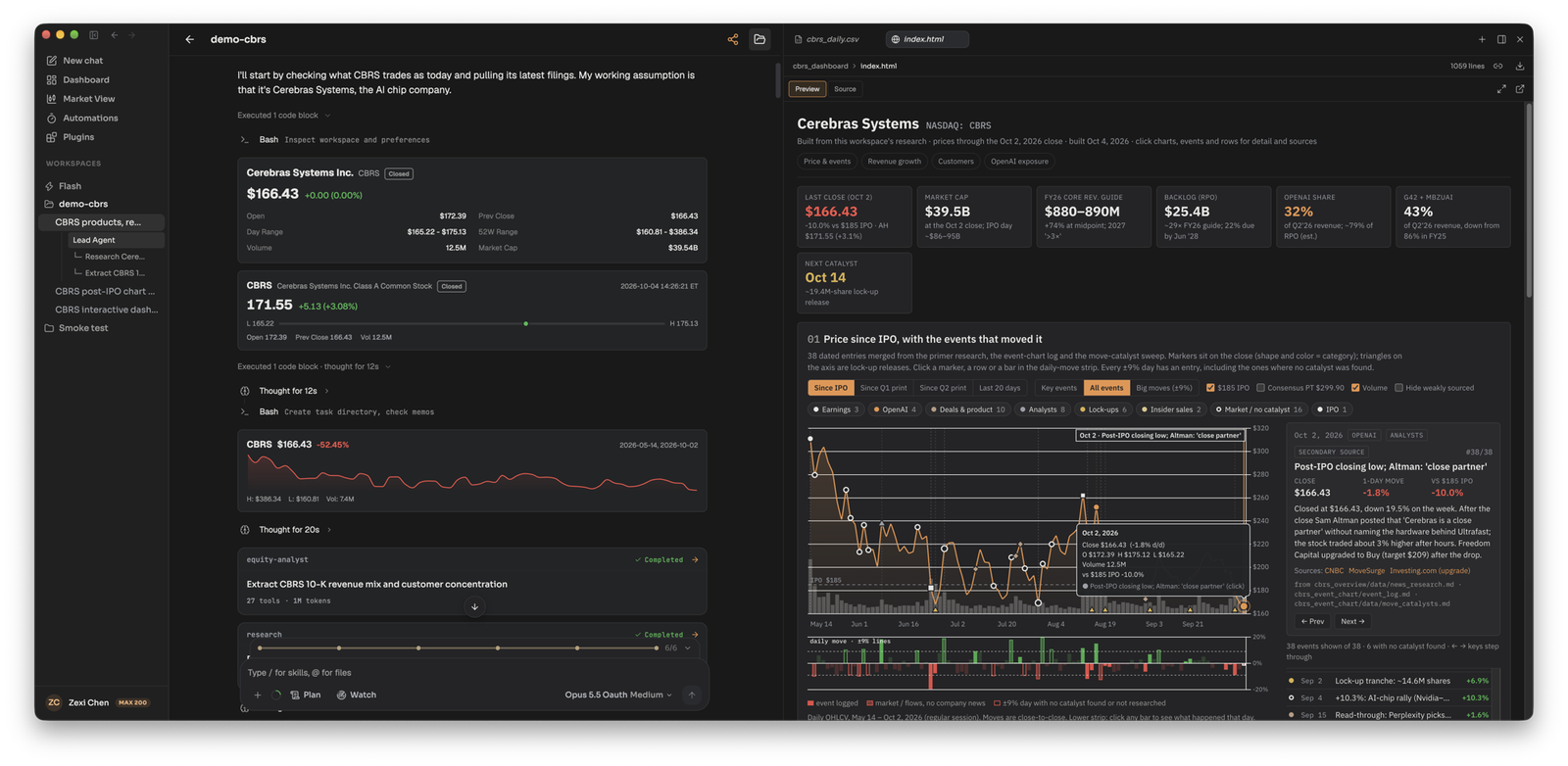
Most AI finance tools answer questions. We believe investment research is Bayesian: you write down a thesis and what would prove it wrong, then every earnings print, filing and price move raises or lowers your conviction, and your position with it. That loop runs for weeks or months, and no single prompt captures it.
Coding agents got good once they had a harness built for code: a codebase that persists, where every commit builds on the last, plus the tools, memory and runtime around the model. LangAlpha brings that harness to markets, from vibe coding to vibe investing. It works with any model, so every better model makes it better. Two convictions shape it:
- A trade is a loop, not a tool call. The thesis lives in a workspace, and research, sizing, the order and the watch that follows each feed new evidence back into it.
- Autonomy needs a boundary you set. Agents act within the permissions you grant, and every order takes one governed path.
Feature highlights
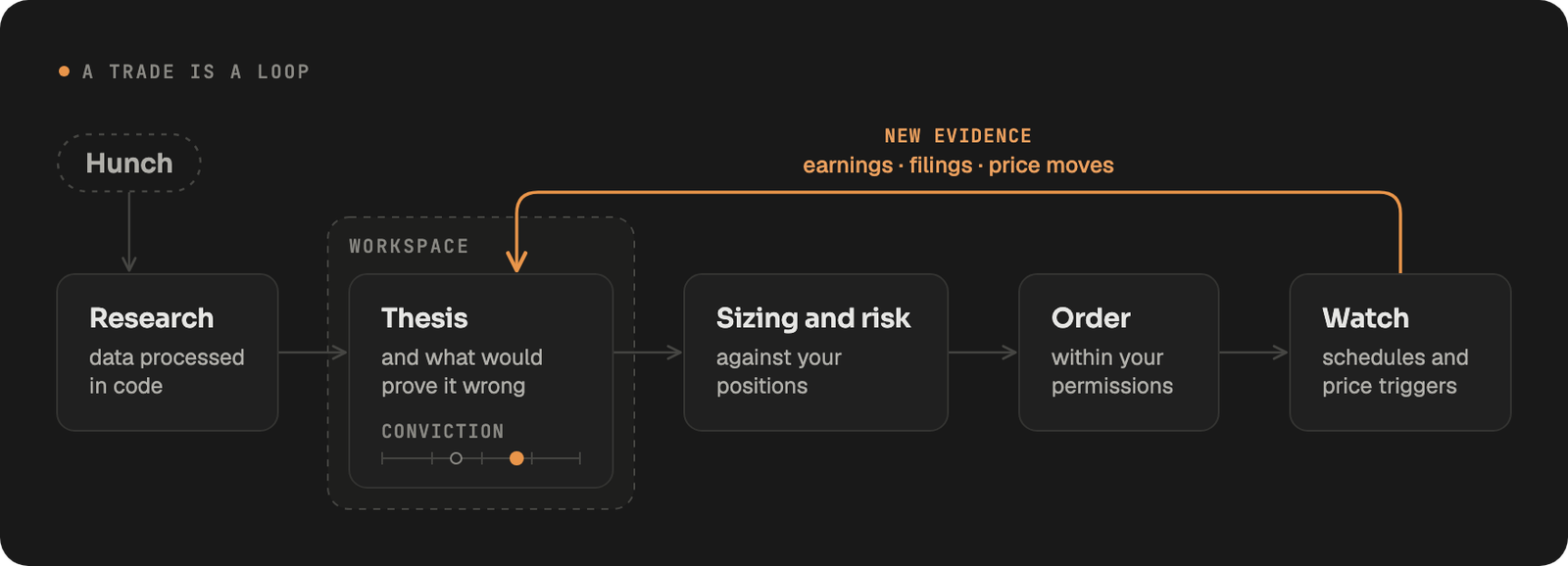
Most of these examples come from one workspace on Cerebras (CBRS). See it work in action with this shared conversation, from the first question to the initiation report sent to Slack.
🔎 Research with a team of agents
Ask a question and LangAlpha splits it across parallel analysts that read filings, pull prices, options and macro data, and run the numbers in code. Send a follow-up at any time to redirect them mid-run. On CBRS, the run ended in an HTML primer on what Cerebras sells, how fast it grows and who pays for it.
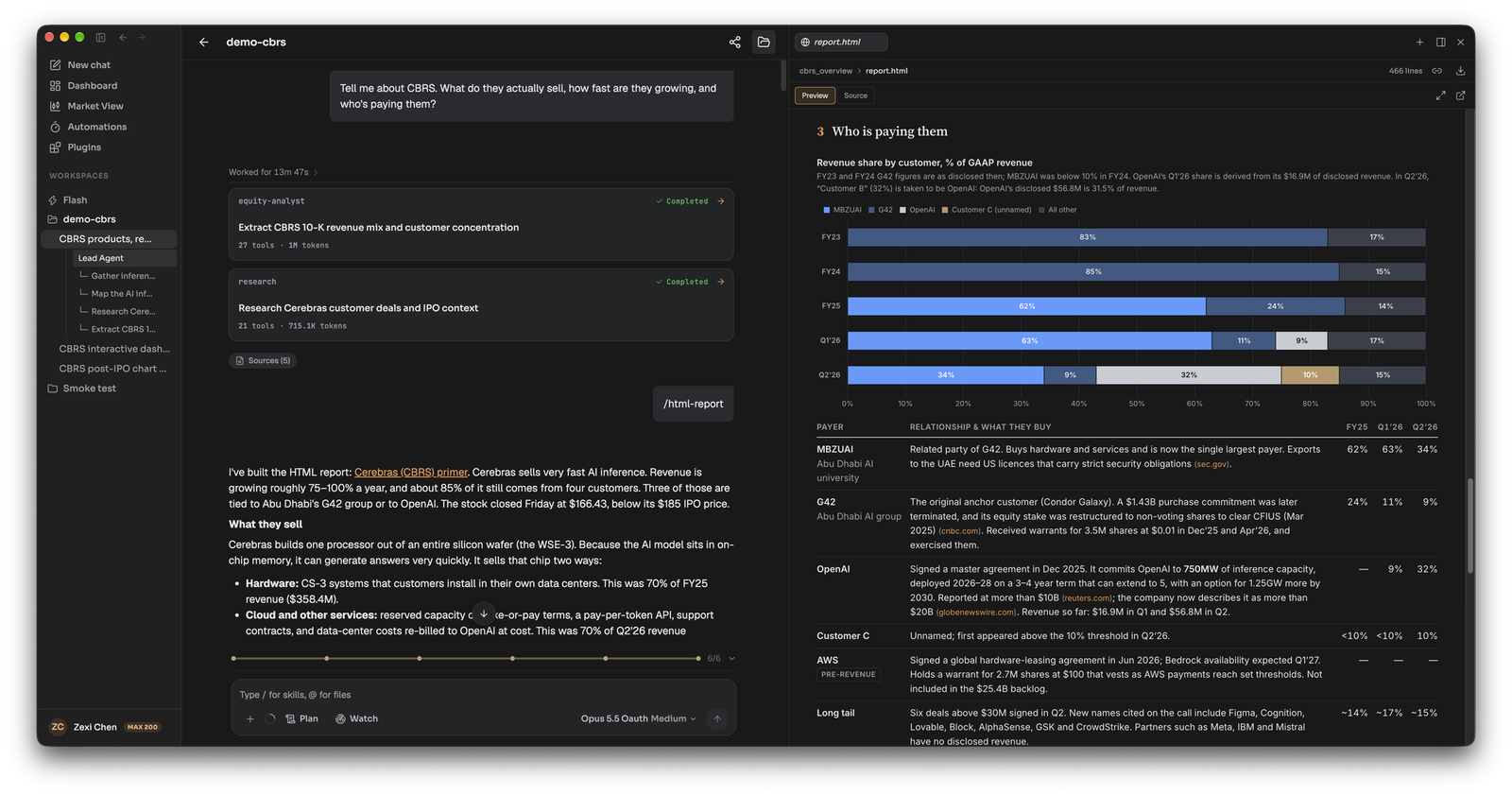
Subagents: four analysts work the question under the lead agent, each card counting its tools and tokens, and one /html-report turns their findings into the primer on the right
🗂️ Keep every idea in a workspace
One workspace per thesis, sector or portfolio. Files, chats and the agent's own notes are still there tomorrow, so each session builds on the last instead of starting over.
"Build me an interactive dashboard on CBRS from what we've found so far in this workspace: the price with the key events, revenue growth, customer concentration, and how much rides on OpenAI. I want to click around it."
A new thread builds it from the research and files earlier threads left in the workspace: a live dashboard you can play with.
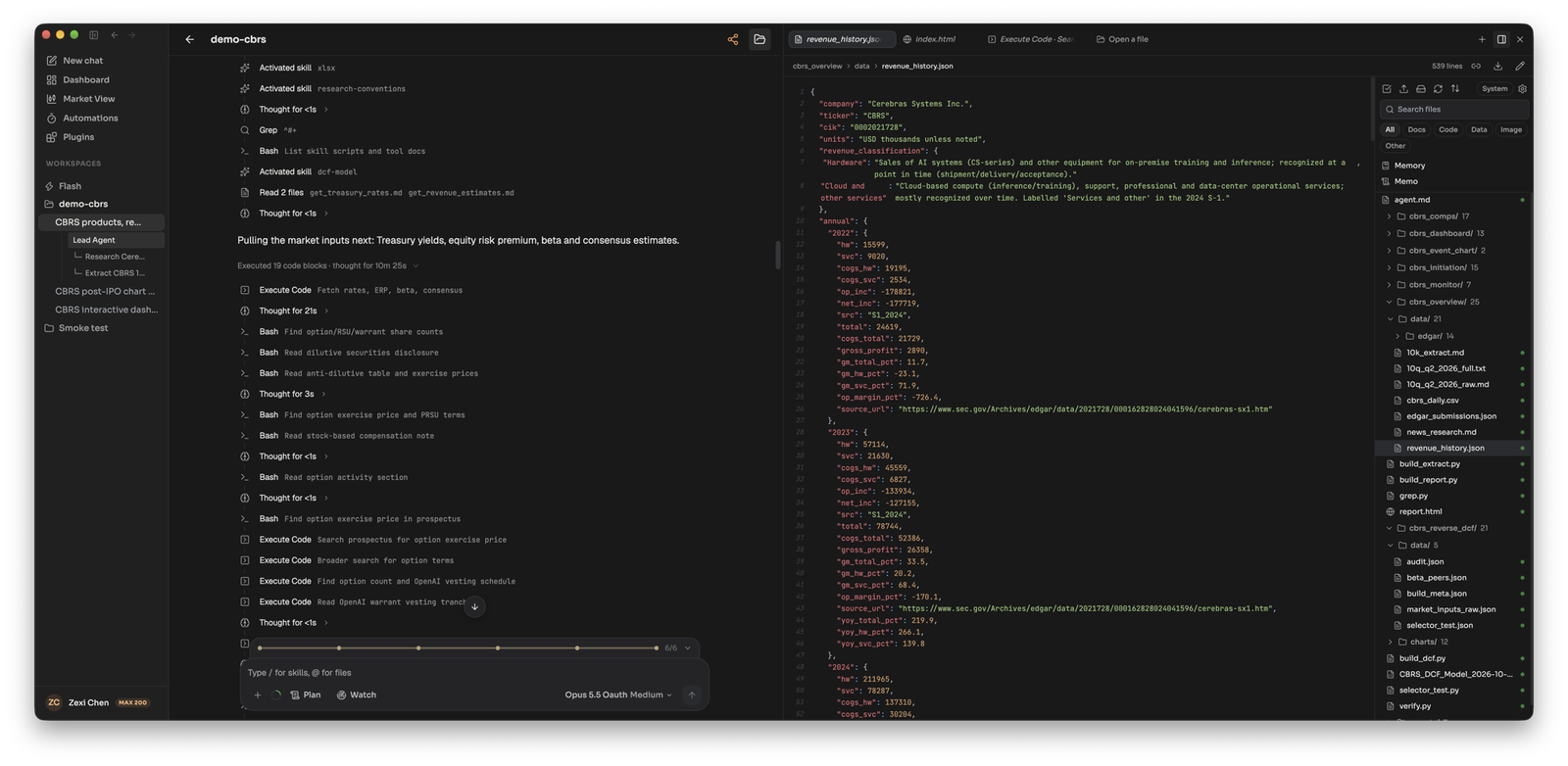 Workspace Files: bulk data lands in files, not the agent's context. Prices, filings and model inputs fill each task's data/ folder in the file tree |
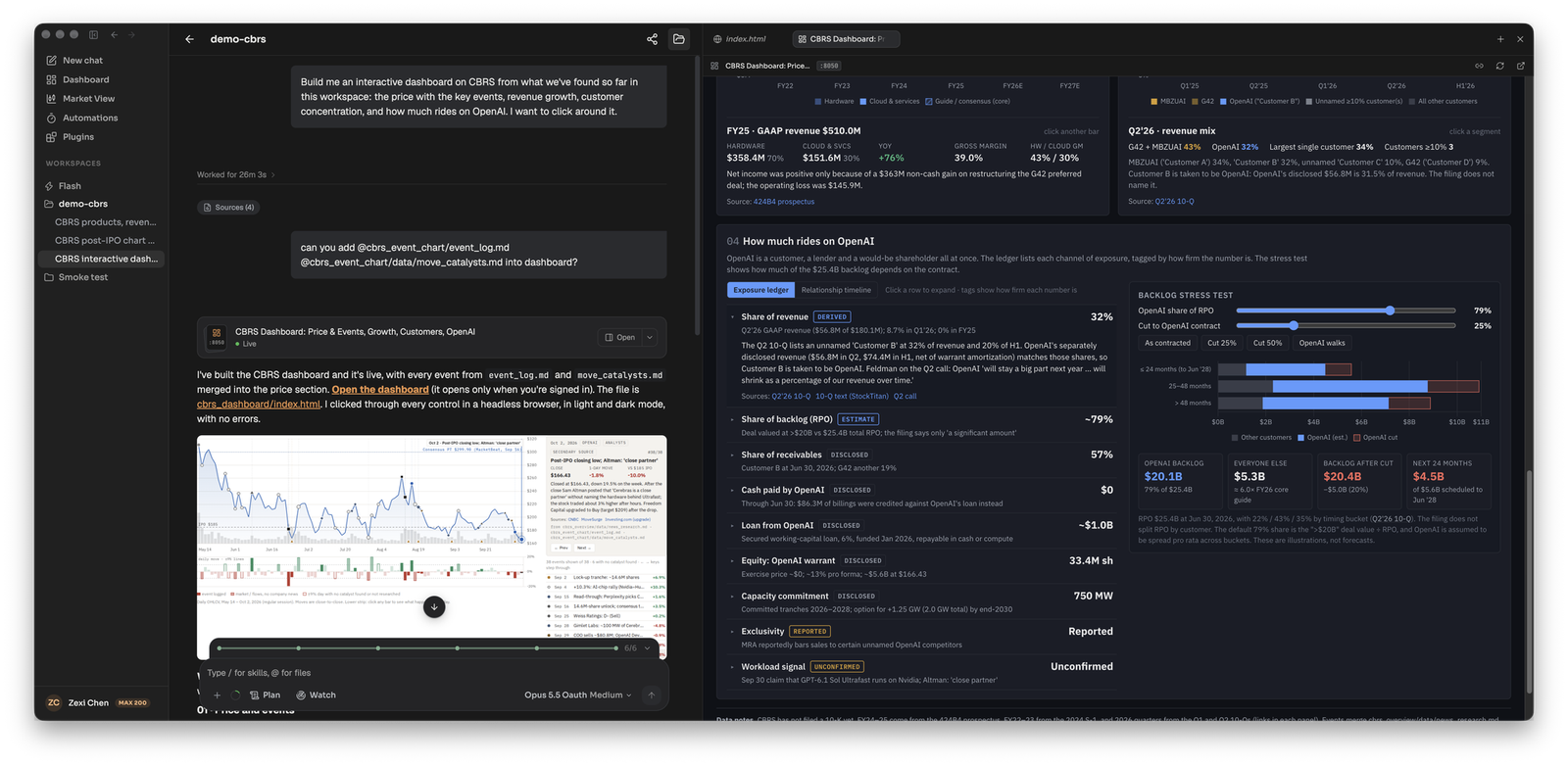 Running apps: the agent builds interactive dashboards. Click a bar, marker or row to see its source, drag the OpenAI backlog stress test, or @ another thread's files to merge them in |
⏰ Agents that keep watch
Schedule a brief before the open, or wake an agent when a stock crosses a price or moves a set percentage in a day. Results land in one feed, and in Slack, Discord, Telegram, Feishu or iMessage if you connect them and pick them for delivery.
"Keep watch on CBRS for me. Check the model's assumptions every Monday, update it after Q3 results, and tell me if the stock breaks above our bull value or below $95."
The agent sets up four automations in the workspace: a weekly assumption check, a one-time model update the morning after Q3 results, and two price triggers, at the bull-case value from the DCF model and at $95, the level that would change the rating. Each run starts from the model and notes in the workspace and reports to Slack.