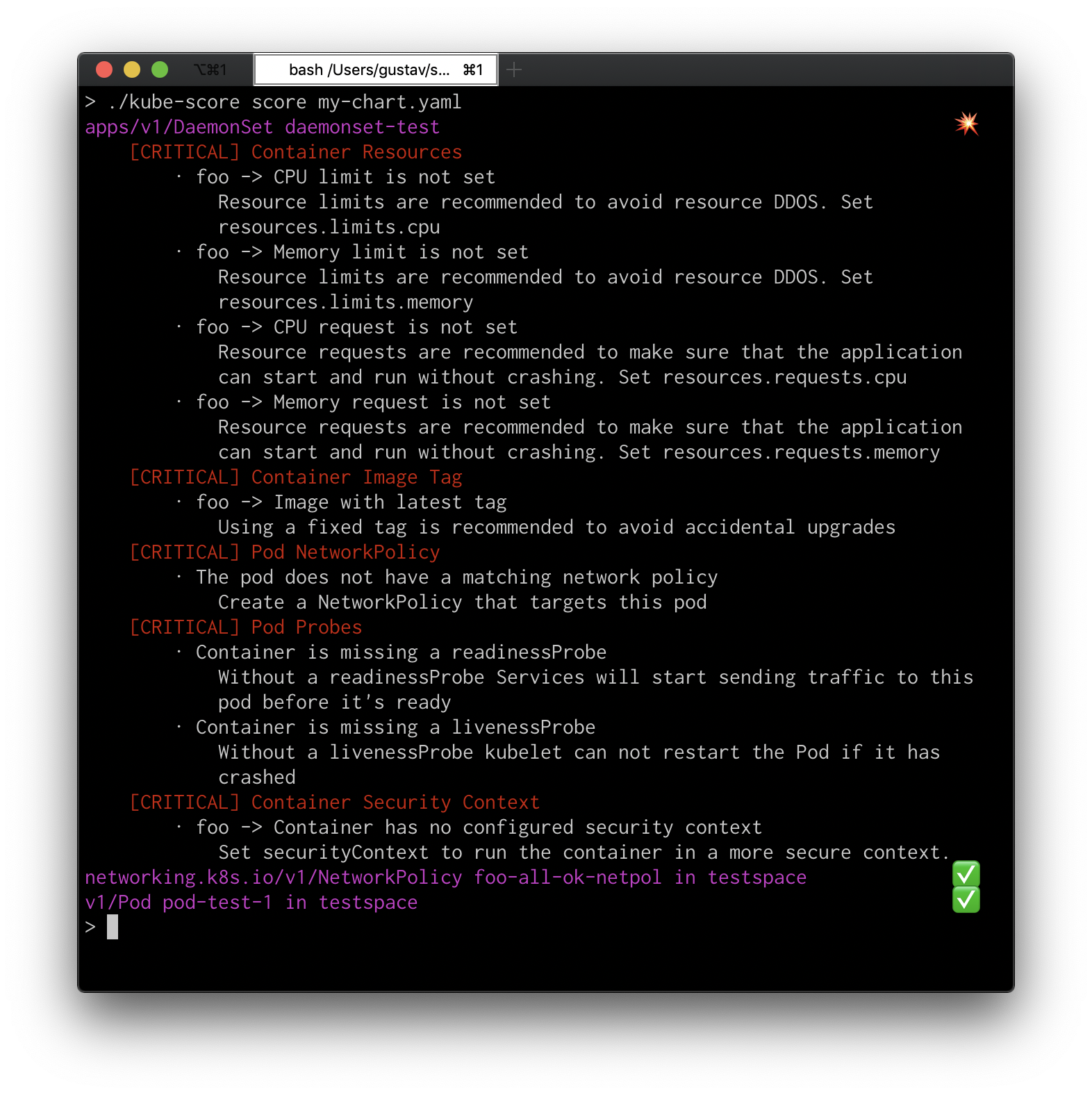
zegl/kube-score
Kubernetes-Objektanalyse mit Empfehlungen für verbesserte Zuverlässigkeit und Sicherheit. kube-score verhindert aktiv Ausfallzeiten und Fehler in Ihren Kubernetes YAML- und Charts-Dateien. Statische Code-Analyse für Kubernetes.






kube-score ist ein Tool, das eine statische Codeanalyse Ihrer Kubernetes-Objektdefinitionen durchführt.
Die Ausgabe ist eine Liste von Empfehlungen, was Sie verbessern können, um Ihre Anwendung sicherer und widerstandsfähiger zu machen.
Sie können kube-score im Browser mit der Online-Demo testen (Quelle).
kube-score ist einfach zu installieren und über die folgenden Quellen verfügbar:
| Distribution | Befehl / Link |
|---|---|
| Vorgefertigte Binärdateien für macOS, Linux und Windows | GitHub releases |
| Docker | docker pull zegl/kube-score (Docker Hub) |
| Homebrew (macOS und Linux) | brew install kube-score |
| Krew (macOS und Linux) | kubectl krew install score |
Eine vollständige Liste der Prüfungen finden Sie in README_CHECKS.md.
NetworkPolicy abgedeckt, sowohl Egress- als auch Ingress-Regeln werden empfohlenPodDisruptionPolicy besitzen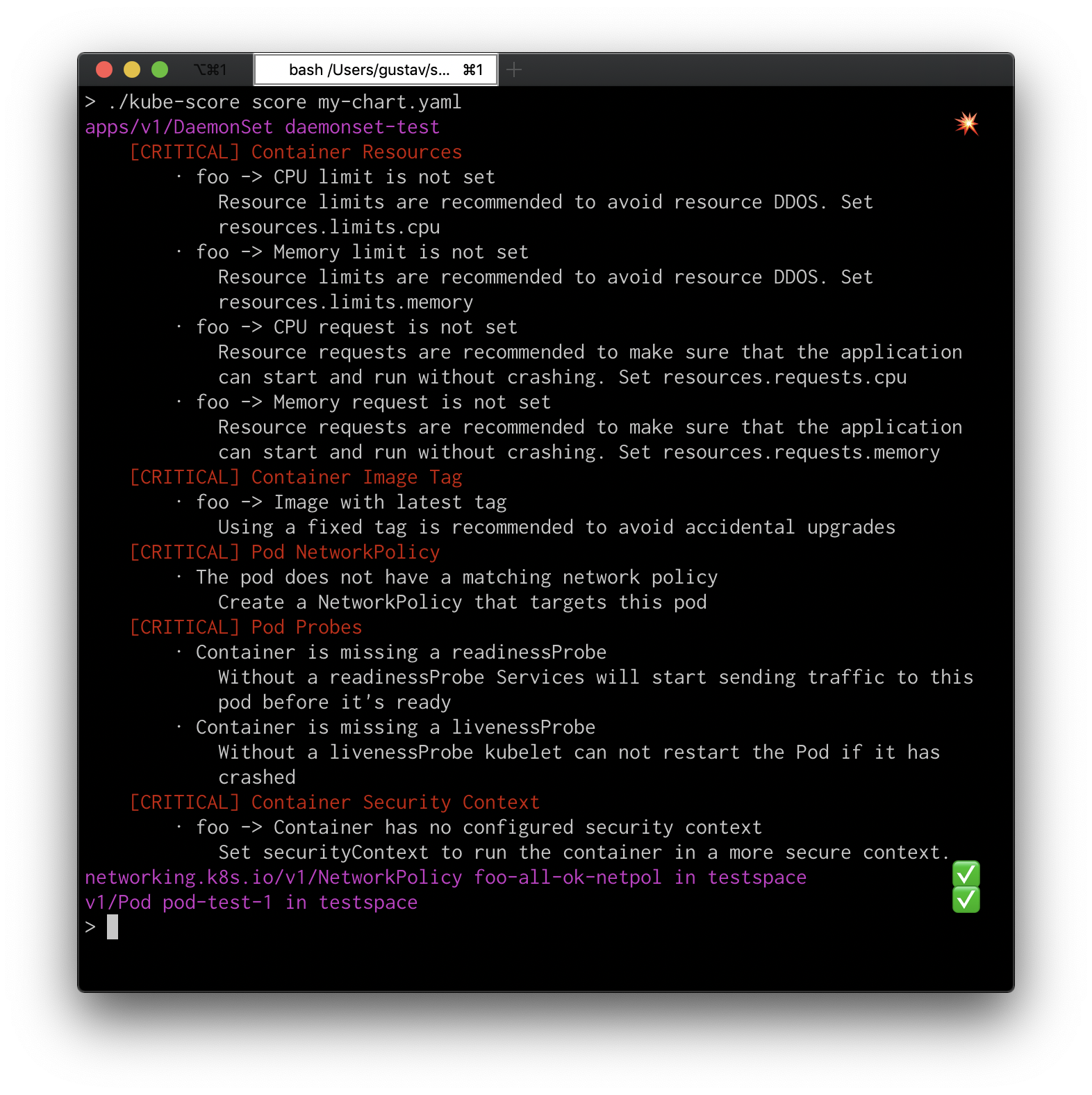
kube-score kann in Ihrer CI/CD-Umgebung ausgeführt werden und wird mit Exit-Code 1 beenden, wenn ein kritischer Fehler gefunden wurde. Der Auslöser-Level kann mit dem Argument --exit-one-on-warning auf Warnung geändert werden.
Die Eingabe für kube-score sollten alle Anwendungen sein, die Sie im selben Namespace bereitstellen, um das beste Ergebnis zu erzielen.
helm template my-app | kube-score score -
kustomize build . | kube-score score -
kube-score score my-app/*.yaml
kube-score score my-app/deployment.yaml my-app/service.yaml
kubectl api-resources --verbs=list --namespaced -o name \
  | xargs -n1 -I{} bash -c "kubectl get {} --all-namespaces -oyaml && echo ---" \
  | kube-score score -
docker run -v $(pwd):/project zegl/kube-score:latest score my-app/*.yaml
Usage of kube-score:
kube-score [action] --flags

Actions:
	score	Checks all files in the input, and gives them a score and recommendations
	list	Prints a CSV list of all available score checks
	version	Print the version of kube-score
	help	Print this message

Flags for score:
      --disable-ignore-checks-annotations   Set to true to disable the effect of the 'kube-score/ignore' annotations
      --disable-optional-checks-annotations Set to true to disable the effect of the 'kube-score/enable' annotations
      --enable-optional-test strings        Enable an optional test, can be set multiple times
      --exit-one-on-warning                 Exit with code 1 in case of warnings
      --help                                Print help
      --ignore-container-cpu-limit          Disables the requirement of setting a container CPU limit
      --ignore-container-memory-limit       Disables the requirement of setting a container memory limit
      --ignore-test strings                 Disable a test, can be set multiple times
      --kubernetes-version string           Setting the kubernetes-version will affect the checks ran against the manifests. Set this to the version of Kubernetes that you're using in production for the best results. (default "v1.18")
  -o, --output-format string                Set to 'human', 'json', 'ci' or 'sarif'. If set to ci, kube-score will output the program in a format that is easier to parse by other programs. Sarif output allows for easier integration with CI platforms. (default "human")
      --output-version string               Changes the version of the --output-format. The 'json' format has version 'v2' (default) and 'v1' (deprecated, will be removed in v1.7.0). The 'human' and 'ci' formats has only version 'v1' (default). If not explicitly set, the default version for that particular output format will be used.
  -v, --verbose count                       Enable verbose output, can be set multiple times for increased verbosity.
Tests können im gesamten Programmlauf mit dem Flag --ignore-test ignoriert werden.
Ein Test kann auch objektbezogen ignoriert werden, indem die Annotation kube-score/ignore zum Objekt hinzugefügt wird. Der Wert sollte eine durch Kommas getrennte Zeichenfolge der Test-IDs sein.
Beispiel:
Testing this object will temporarily disable the service-type test, which warns against using services of type NodePort.
apiVersion: v1
kind: Service
metadata:
  name: node-port-service-with-ignore
  namespace: foospace
  annotations:
    kube-score/ignore: service-type
spec:
  selector:
    app: my-app
  ports:
  - protocol: TCP
    port: 80
    targetPort: 8080
  type: NodePort
Optionale Tests können im gesamten Programmlauf mit dem Flag --enable-optional-test aktiviert werden.
Ein Test kann auch objektbezogen aktiviert werden, indem die Annotation kube-score/enable zum Objekt hinzugefügt wird. Der Wert sollte eine durch Kommas getrennte Zeichenfolge der Test-IDs sein.
Beispiel:
Testing this object will enable the container-seccomp-profile test.
Also, multiple tests defined by kube-score/ignore are also ignored at the same.