 poshbotio/poshbot
Powershell-basiertes Bot-Framework

| Azure Pipelines | GitHub Actions | Dokumentation | PS Gallery | Lizenz |
|---|---|---|---|---|
 |  |  |
PoshBot ist ein MIT-lizenziertes Open-Source-Projekt. Die fortlaufende Entwicklung wird durch die Unterstützung von Sponsoren ermöglicht. Wenn du Sponsor werden möchtest, kannst du das über GitHub Sponsors oder Patreon tun.

Lust auf ausführliche Anleitungen? Schau dir ChatOps the Easy Way auf Leanpub an!
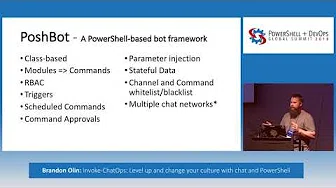
PoshBot ist ein Chat-Bot, der in PowerShell geschrieben ist. Es nutzt umfangreich die in PowerShell 5.0 eingeführten Klassen. PowerShell-Module werden in PoshBot geladen und stehen sofort als Bot-Befehle zur Verfügung. PoshBot unterstützt derzeit die Verbindung zu Slack, um dir großartige ChatOps-Funktionalität zu bieten.
So ziemlich alles, was du willst :) Nein, im Ernst. PoshBot führt Funktionen oder Cmdlets aus PowerShell-Modulen aus. Nutze PoshBot, um eine Verbindung zu Servern herzustellen und den Status zu melden, Code bereitzustellen, Runbooks auszuführen, APIs abzufragen usw. Wenn du es in PowerShell schreiben kannst, kann PoshBot es ausführen.
Ausführliche Dokumentation findest du auf ReadTheDocs.
Siehe PoshBot erstellen für die Dokumentation zum Erstellen von PoshBot aus dem Quellcode.
Detaillierte Änderungen für jedes Release sind in den Release-Notes dokumentiert.
Um jetzt loszulegen, besorge dir einen SLACK-API-TOKEN für deinen Bot:
https://my.slack.com/services/new/bot
# Install the module from PSGallery
Install-Module -Name PoshBot -Repository PSGallery

# Import the module
Import-Module -Name PoshBot

# Create a bot configuration
$botParams = @{
    Name = 'name'
    BotAdmins = @('<SLACK-CHAT-HANDLE>')
    CommandPrefix = '!'
    LogLevel = 'Info'
    BackendConfiguration = @{
        Name = 'SlackBackend'
        Token = '<SLACK-API-TOKEN>'
    }
    AlternateCommandPrefixes = 'bender', 'hal'
}

$myBotConfig = New-PoshBotConfiguration @botParams

# Start a new instance of PoshBot interactively or in a job.
Start-PoshBot -Configuration $myBotConfig #-AsJob
Grundlegende Verwendung:
# Create a Slack backend
$backendConfig = @{Name = 'SlackBackend'; Token = '<SLACK-API-TOKEN>'}
$backend = New-PoshBotSlackBackend -Configuration $backendConfig

# Create a PoshBot configuration
$pbc = New-PoshBotConfiguration -BotAdmins @('<MY-SLACK-HANDLE>') -BackendConfiguration $backendConfig

# Save configuration
Save-PoshBotConfiguration -InputObject $pbc -Path .\PoshBotConfig.psd1

# Load configuration
$pbc = Get-PoshBotConfiguration -Path .\PoshBotConfig.psd1

# Create an instance of the bot
$bot = New-PoshBotInstance -Configuration $pbc -Backend $backend

# Start the bot
$bot.Start()

# Available commands
Get-Command -Module PoshBot

CommandType     Name                                               Version    Source
-----------     ----                                               -------    ------
Function        Get-PoshBot                                        0.12.0     poshbot
Function        Get-PoshBotConfiguration                           0.12.0     poshbot
Function        Get-PoshBotStatefulData                            0.12.0     poshbot
Function        New-PoshBotCardResponse                            0.12.0     poshbot
Function        New-PoshBotConfiguration                           0.12.0     poshbot
Function        New-PoshBotDiscordBackend                          0.12.0     poshbot
Function        New-PoshBotFileUpload                              0.12.0     poshbot
Function        New-PoshBotInstance                                0.12.0     poshbot
Function        New-PoshBotMiddlewareHook                          0.12.0     poshbot
Function        New-PoshBotScheduledTask                           0.12.0     poshbot
Function        New-PoshBotSlackBackend                            0.12.0     poshbot
Function        New-PoshBotTeamsBackend                            0.12.0     poshbot
Function        New-PoshBotTextResponse                            0.12.0     poshbot
Function        Remove-PoshBotStatefulData                         0.12.0     poshbot
Function        Save-PoshBotConfiguration                          0.12.0     poshbot
Function        Set-PoshBotStatefulData                            0.12.0     poshbot
Function        Start-PoshBot                                      0.12.0     poshbot
Function        Stop-Poshbot                                       0.12.0     poshbot
