 orange-cyberdefense/graphcat
Generiere Grafiken und Diagramme basierend auf Passwort-Knackergebnis.

Einfaches Skript zum Erstellen von Graphen und Diagrammen für hashcat (und john) potfile und ntds.
git clone https://github.com/Orange-Cyberdefense/graphcat
cd graphcat
pip install .
$ graphcat.py -h
usage: graphcat.py [-h] -potfile hashcat.potfile -hashfile hashfile.txt [-john] [-format FORMAT] [-export-charts] [-output-dir OUTPUT_DIR] [-debug]

Password Cracking Graph Reporting

options:
  -h, --help            show this help message and exit
  -potfile hashcat.potfile
                        Hashcat Potfile
  -hashfile hashfile.txt
                        File containing hashes (one per line)
  -john                 John potfile
  -format FORMAT        hashfile format (default 3): 1 for hash; 2 for username:hash; 3 for secretsdump (username:uid:lm:ntlm)
  -export-charts        Output also charts in png
  -output-dir OUTPUT_DIR
                        Output directory
  -debug                Turn DEBUG output ON
Graphcat benötigt lediglich eine Potfile mit -potfile (Standard ist hashcat, aber Sie können -john verwenden, um eine John-Potfile zu übergeben) und eine Hashdatei mit -hashfile. Die Hashdatei sollte in einem der 3 verfügbaren Formate mit der Option -format vorliegen. Standard ist Secretsdump.
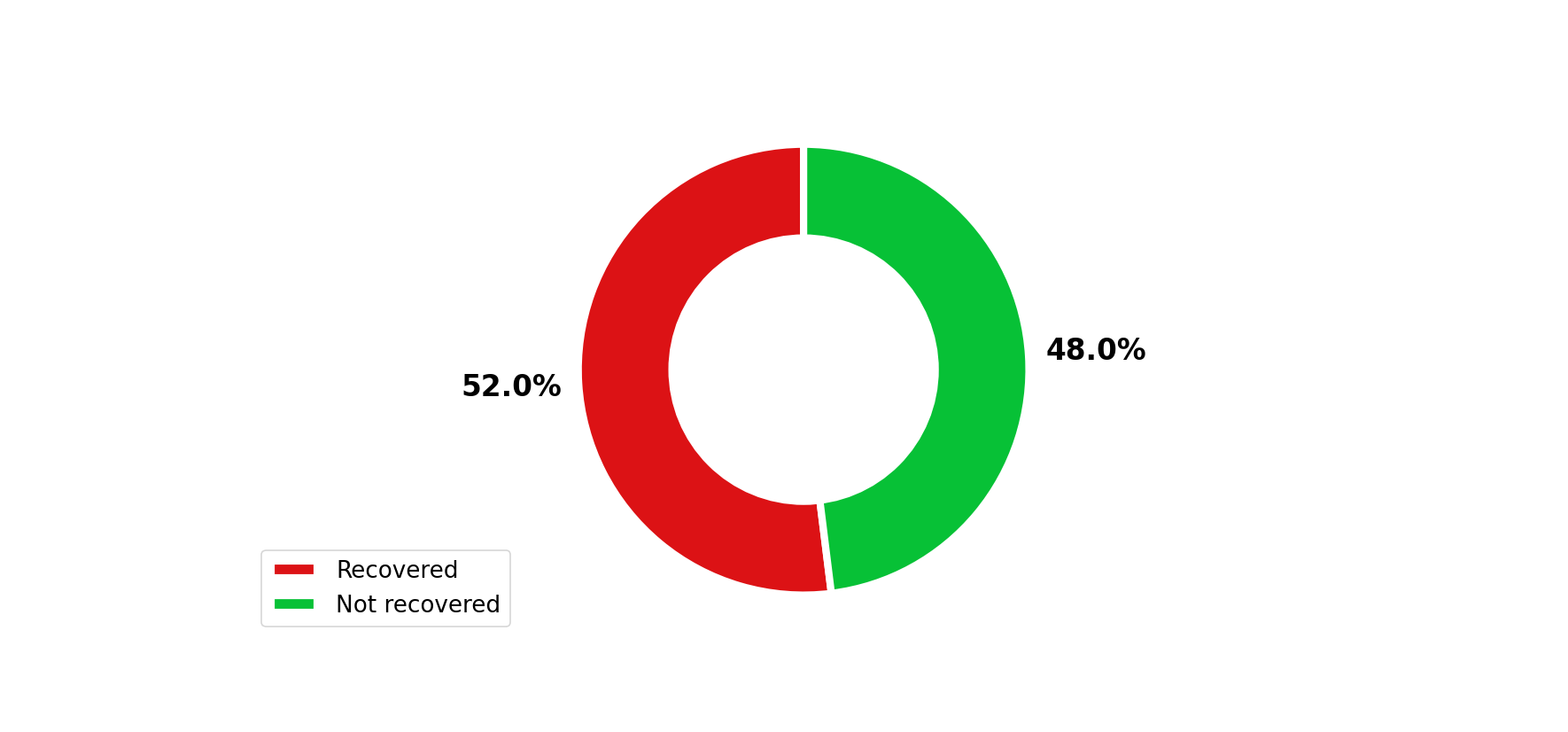
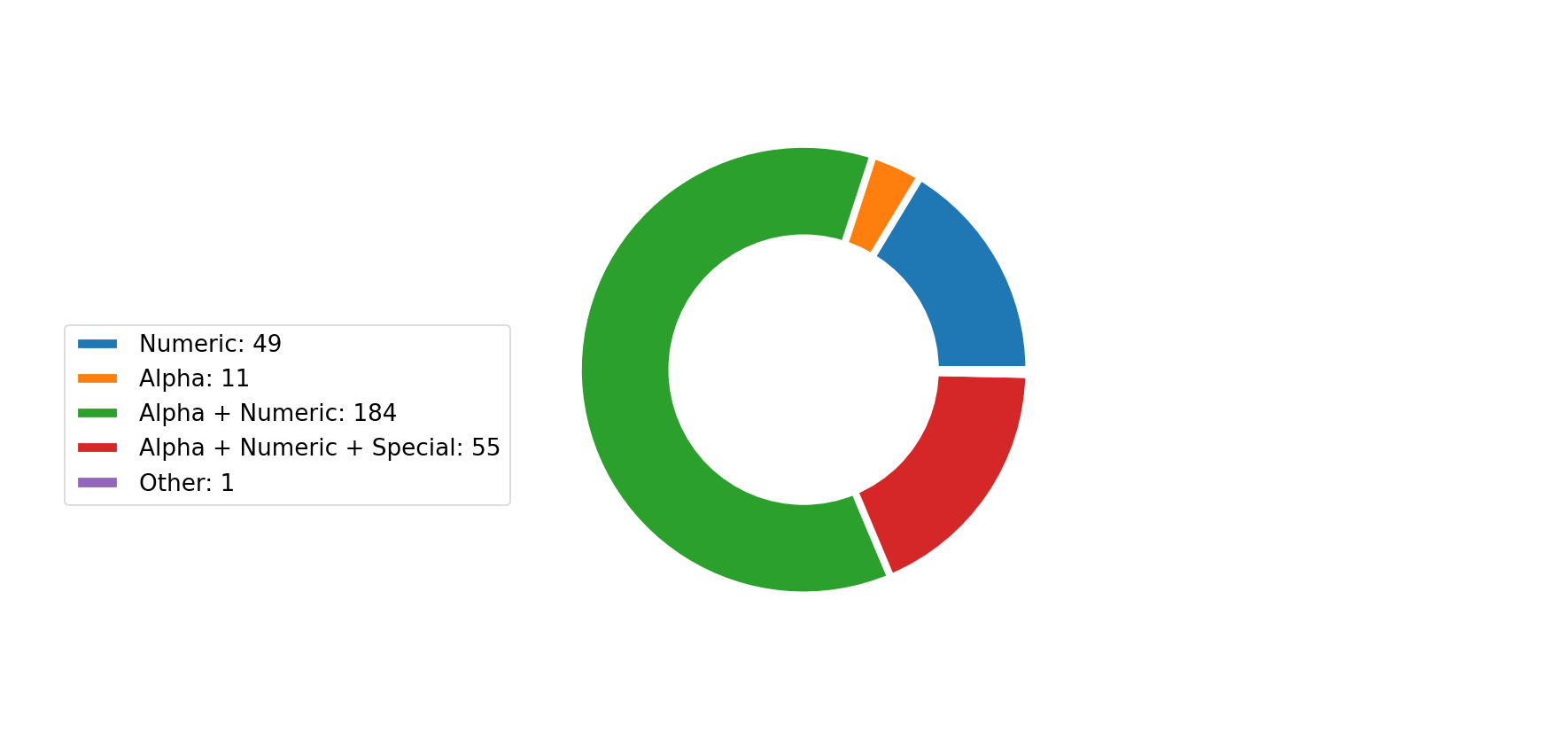
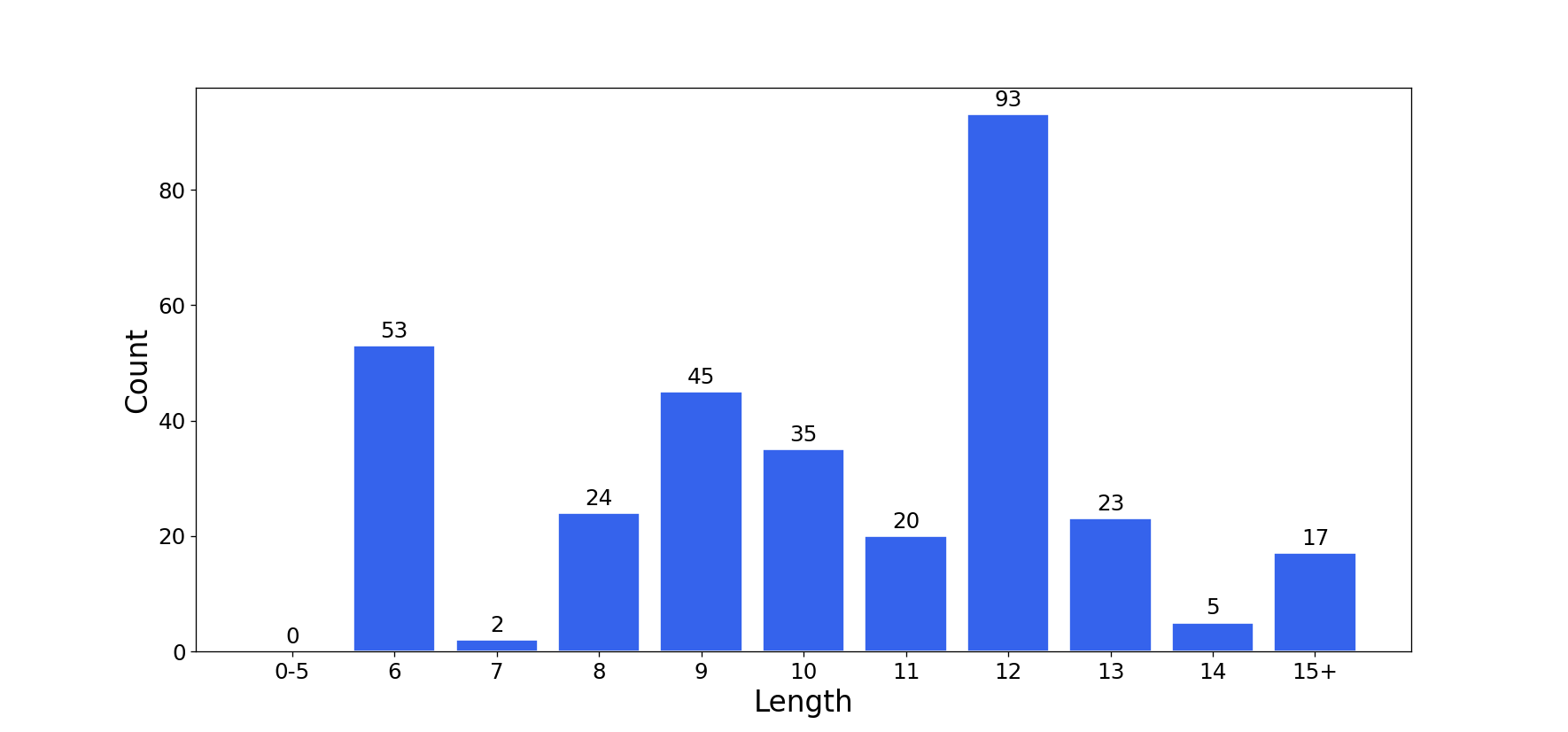
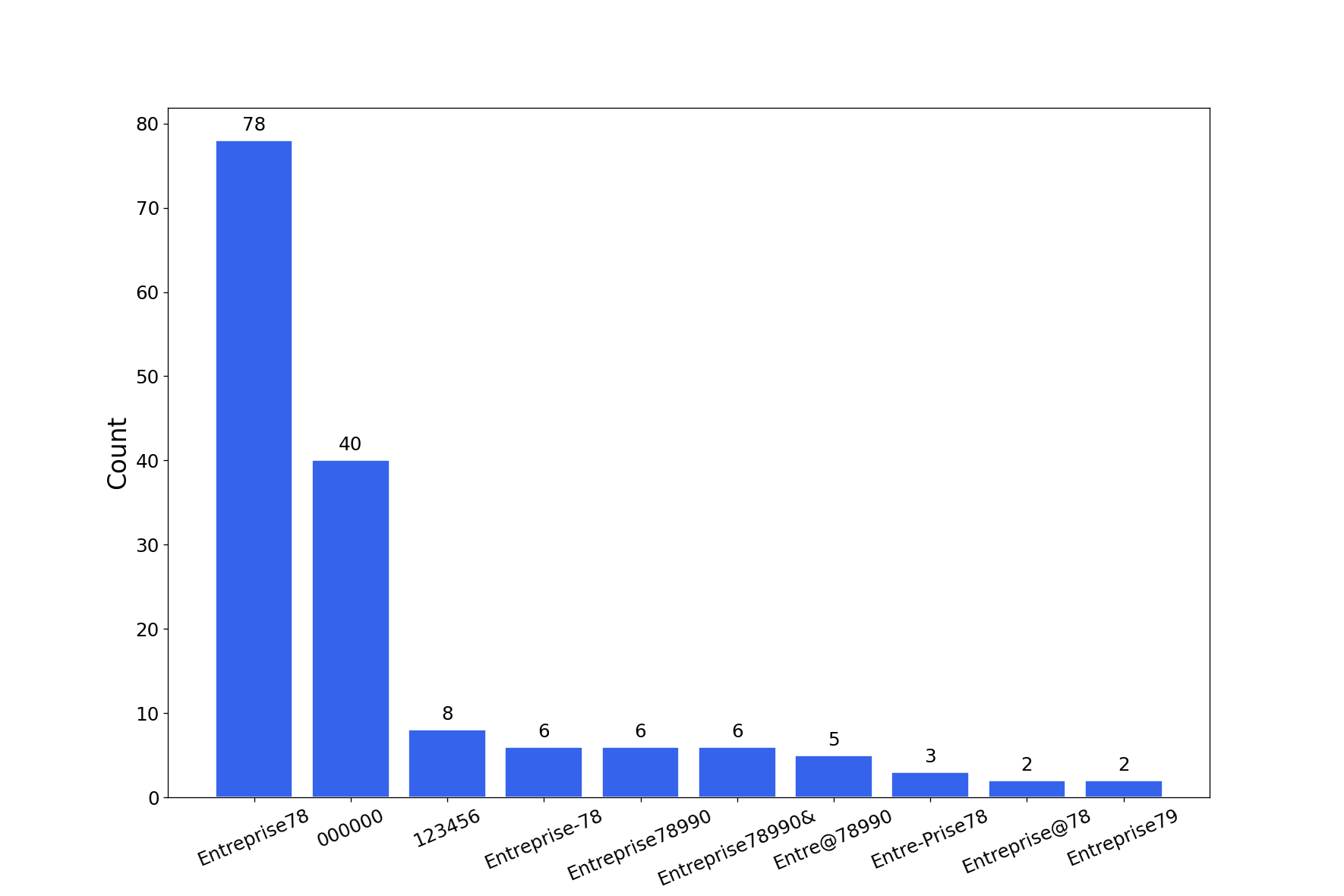
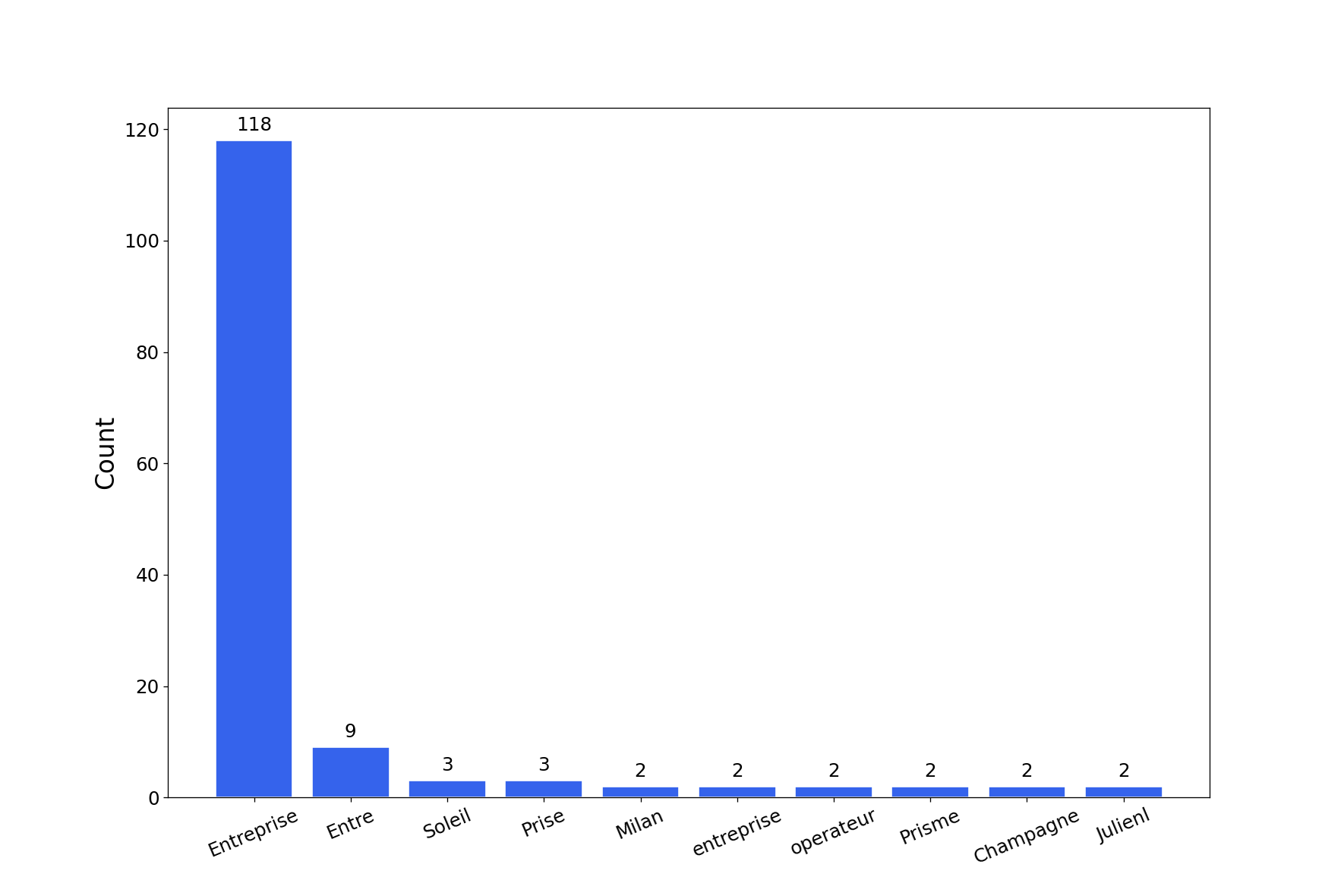
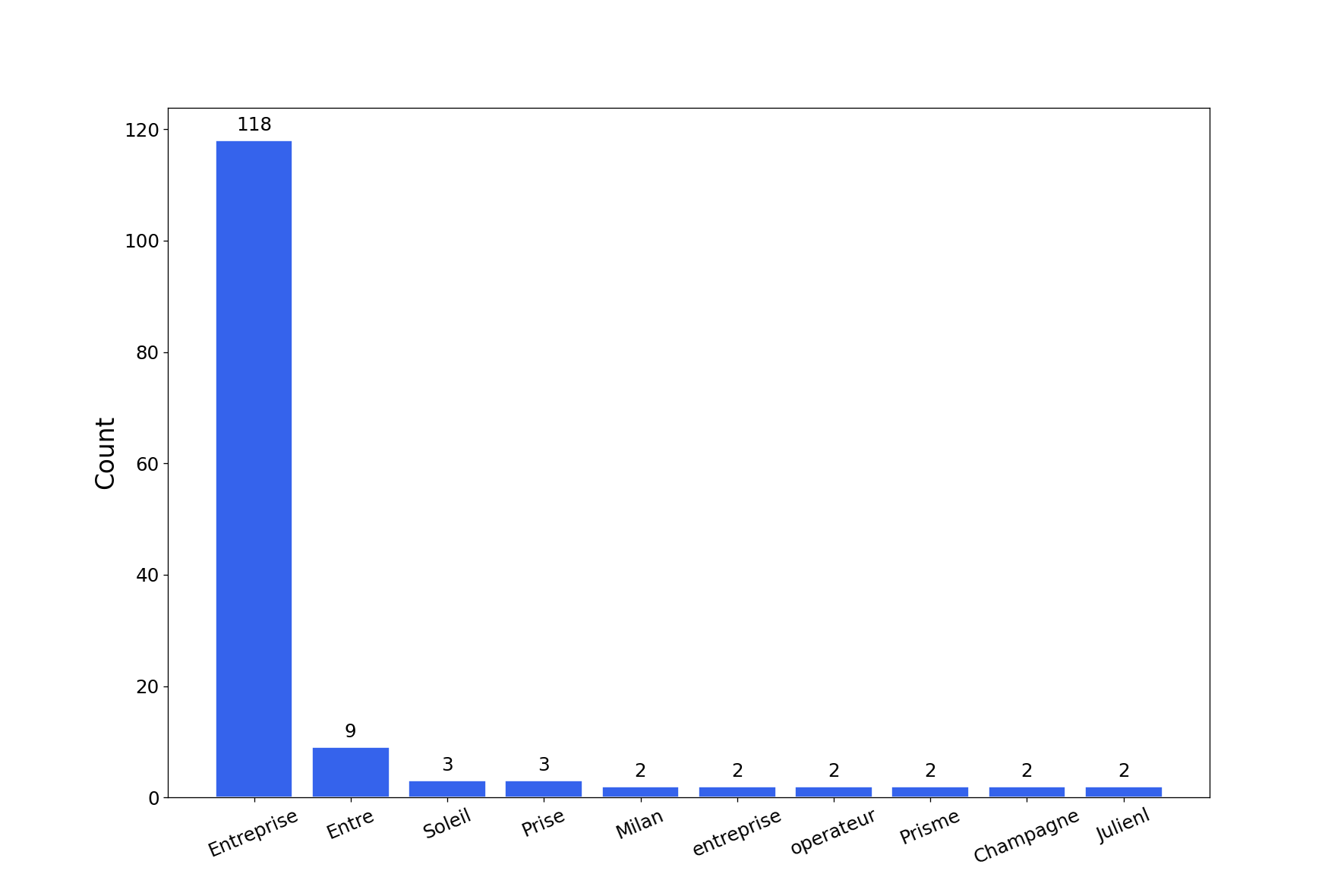
Das Tool erstellt einen Bericht mit mehreren Diagrammen zum Passwort-Knacken. Sie können die Diagramme als PNG mit der Option -export-charts exportieren.
$ graphcat.py -hashfile entreprise.local.ntds -potfile hashcat.pot
[-] Parsing potfile
[-] 164 entries in potfile
[-] Parsing hashfile
[-] 1600 entries in hashfile
[-] Generating graphs...
[-] Generating report...
[-] Report available at graphcat_1672941324.pdf
1: Only Hash
aad3b435b51404eeaad3b435b51404ee
aad3b435b51404eeaad3b435b51404ee
aad3b435b51404eeaad3b435b51404ee
2: Username + Hash
test1:aad3b435b51404eeaad3b435b51404ee
test2:aad3b435b51404eeaad3b435b51404ee
test3:aad3b435b51404eeaad3b435b51404ee
3: Secretsdump
waza.local\test1:4268:aad3b435b51404eeaad3b435b51404ee:aad3b435b51404eeaad3b435b51404ee:::
waza.local\test2:4269:aad3b435b51404eeaad3b435b51404ee:aad3b435b51404eeaad3b435b51404ee:::
waza.local\test3:4270:aad3b435b51404eeaad3b435b51404ee:aad3b435b51404eeaad3b435b51404ee:::
Wenn ein Hash mehrfach in der Hashdatei vorkommt, wird er entsprechend mehrfach gezählt.
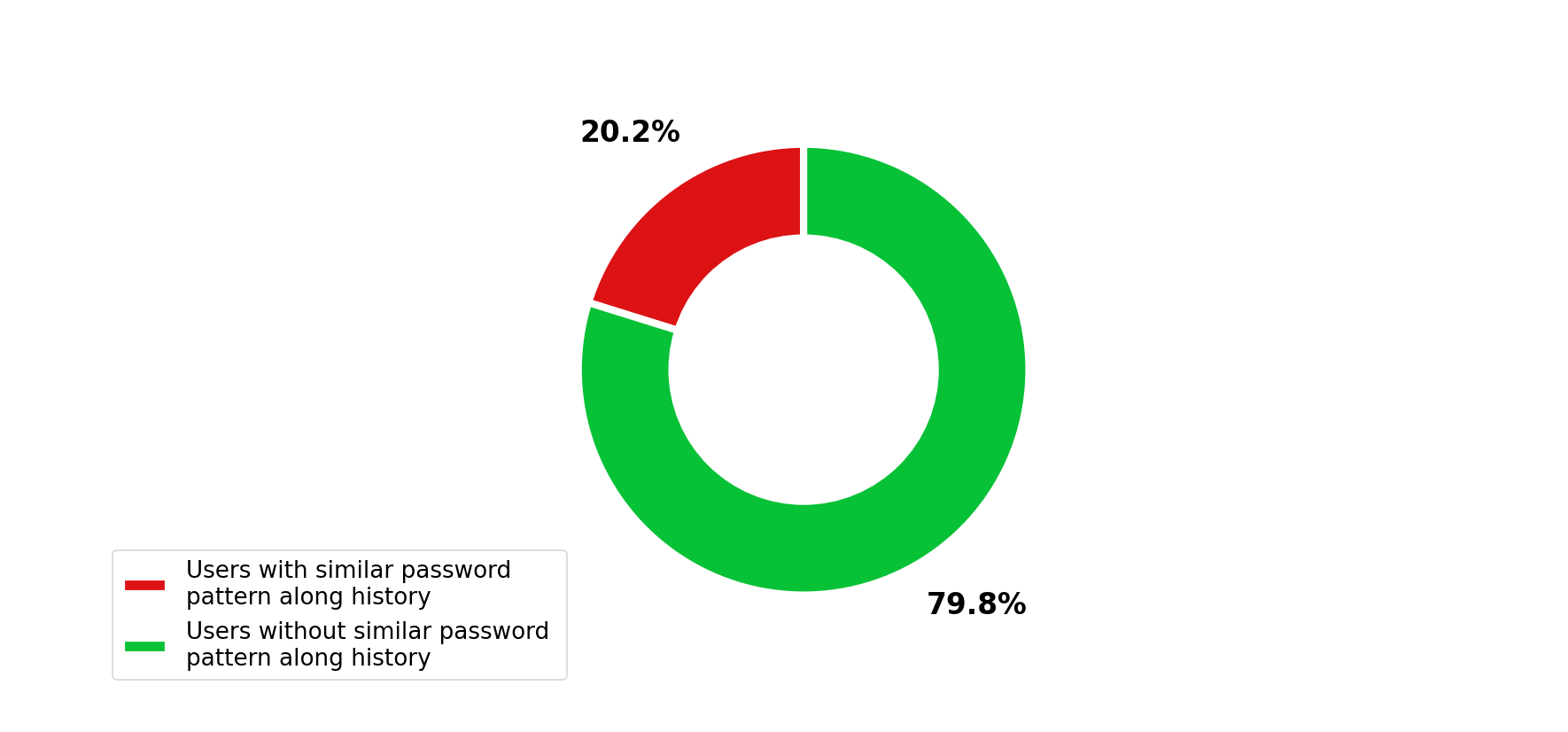
Darüber hinaus wird bei Übergabe eines secretsdump mit Passwort-Historie (-history im secretsdump-Befehl) die Ähnlichkeit in der Passwort-Historie analysiert.