 mgeeky/msidump
MSI Dump - ein Tool, das bösartige MSI-Installationspakete analysiert, Dateien, Streams, Binärdaten extrahiert und einen YARA-Scanner integriert.

msidumpMSI Dump – ein Tool, das schädliche MSI-Installationspakete analysiert, Dateien, Streams, Binärdaten extrahiert und einen YARA-Scanner integriert.
Bei makrofähigen Office-Dokumenten können wir schnell oletools mraptor verwenden, um festzustellen, ob das Dokument bösartig ist. Für eine genauere Untersuchung könnten wir oletools olevba oder oledump einsetzen.
Um schädliche MSI-Dateien zu analysieren, hatten wir bisher nur ein zuverlässiges und vertrauenswürdiges Tool: lessmsi.
Allerdings implementiert lessmsi nicht die Funktionen, die ich suchte:
Aus diesem Grund kommt msidump ins Spiel.
Dieses Tool hilft sowohl bei schnellen Erstuntersuchungen als auch bei detaillierten Analysen von schädlichen MSI-Korpora. Es ermöglicht:
file- / MIME-Typ-Erkennung zur Bestimmung des Datentyps.Es wurde als Begleittool zu dem Blogbeitrag erstellt, den ich hier veröffentlicht habe:
WindowsInstaller.Installer ist derzeit keine native Linux-Unterstützung möglich. Vielleicht könnte wine python msidump.py helfen, aber das habe ich noch nicht getestet.cmd> python msidump.py evil.msi -y rules.yara
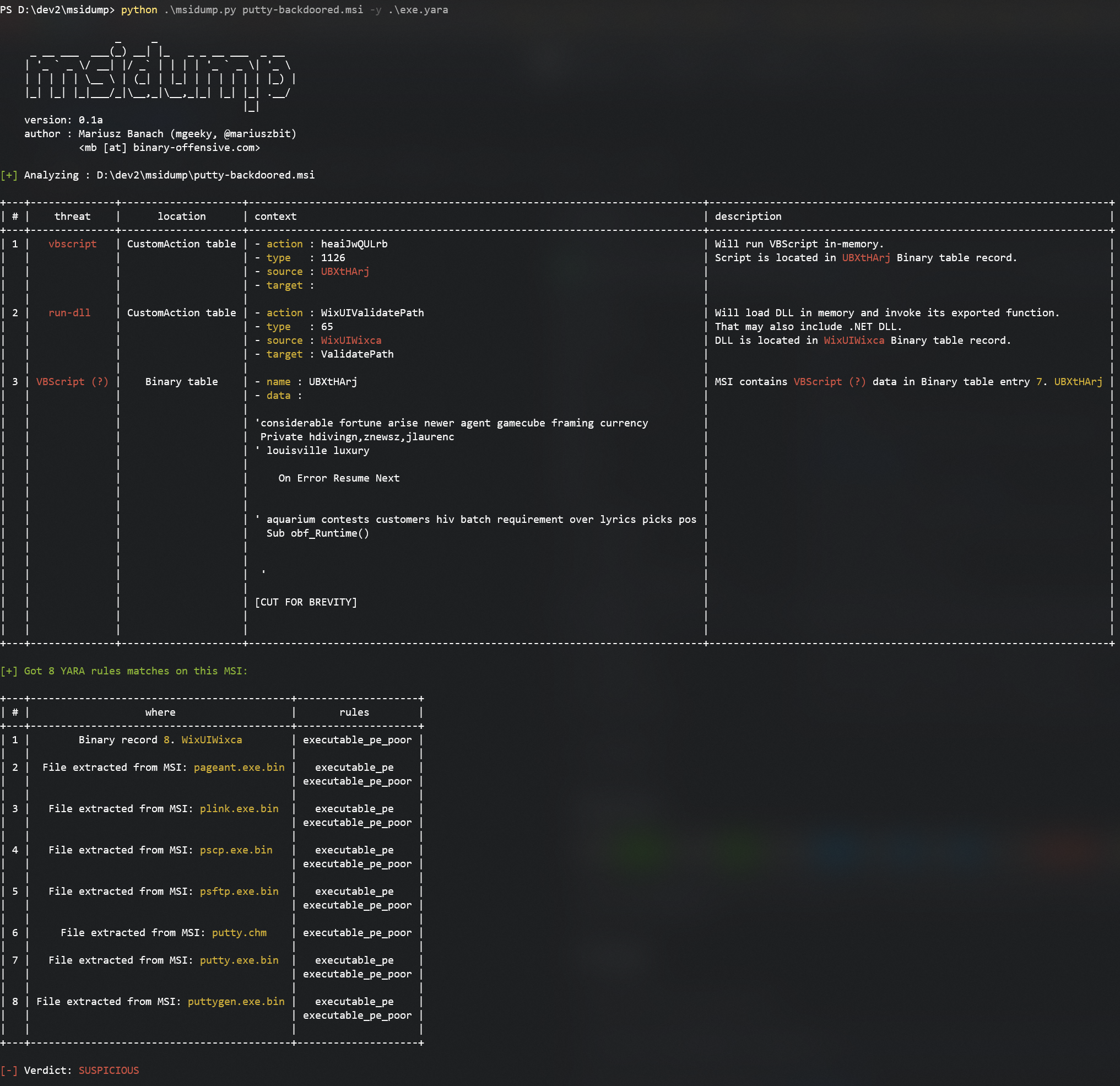
Hier sehen wir, dass die eingegebene MSI mit einem verdächtigen VBScript injiziert wurde und zahlreiche ausführbare Dateien enthält.
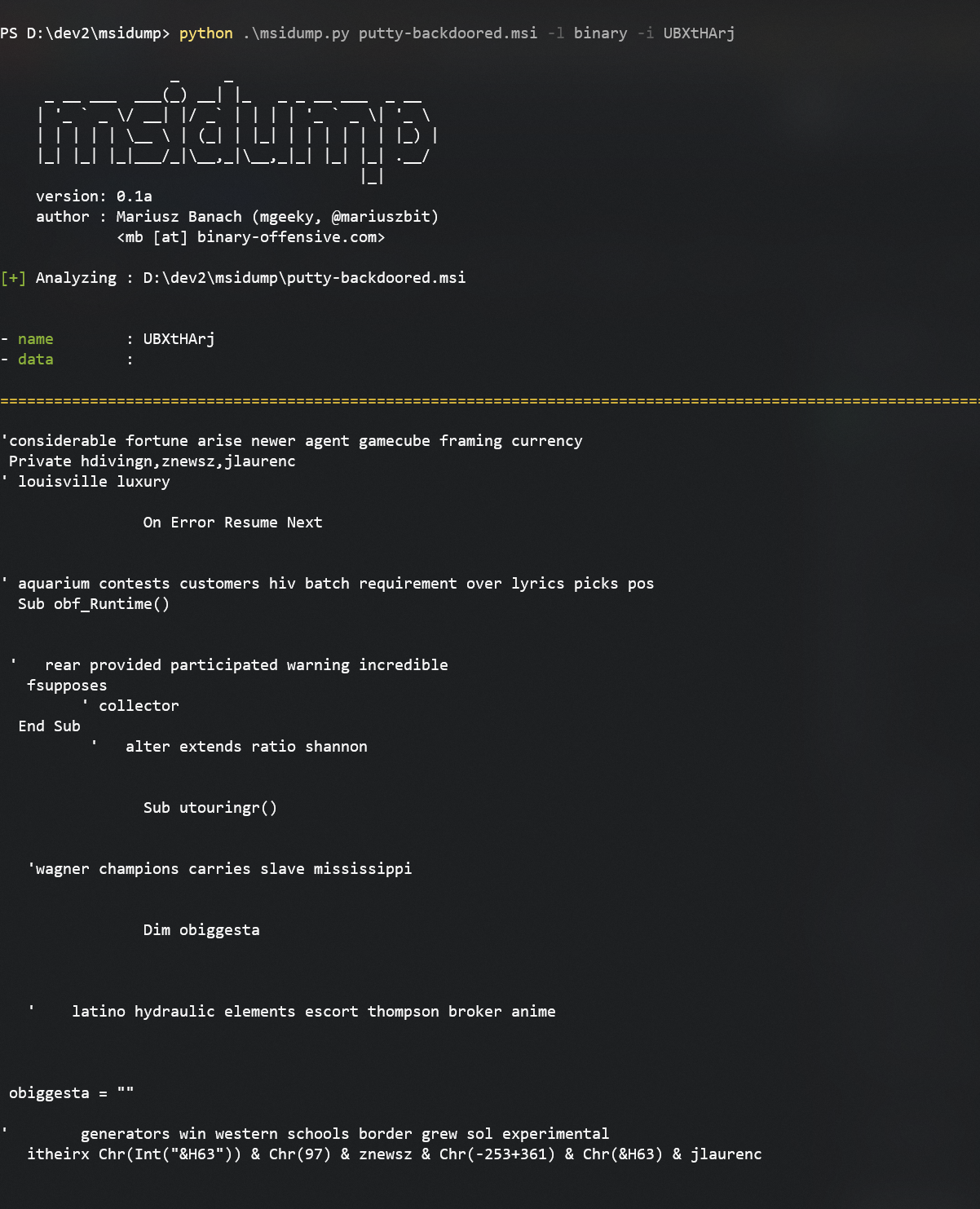
Aus der Triage-Tabelle sehen wir, dass es in der Tabelle Binary vorhanden war. Holen wir ihn:
python msidump.py putty-backdoored.msi -l binary -i UBXtHArj
Wir können festlegen, welcher Datensatz gedumpt werden soll, entweder über seinen Namen/ID oder seine Indexnummer (hier wäre das 7).
Schauen wir uns ein weiteres Beispiel an. Diesmal ist eine ausführbare Datei in der Tabelle Binary gespeichert, die während der Installation ausgeführt wird:
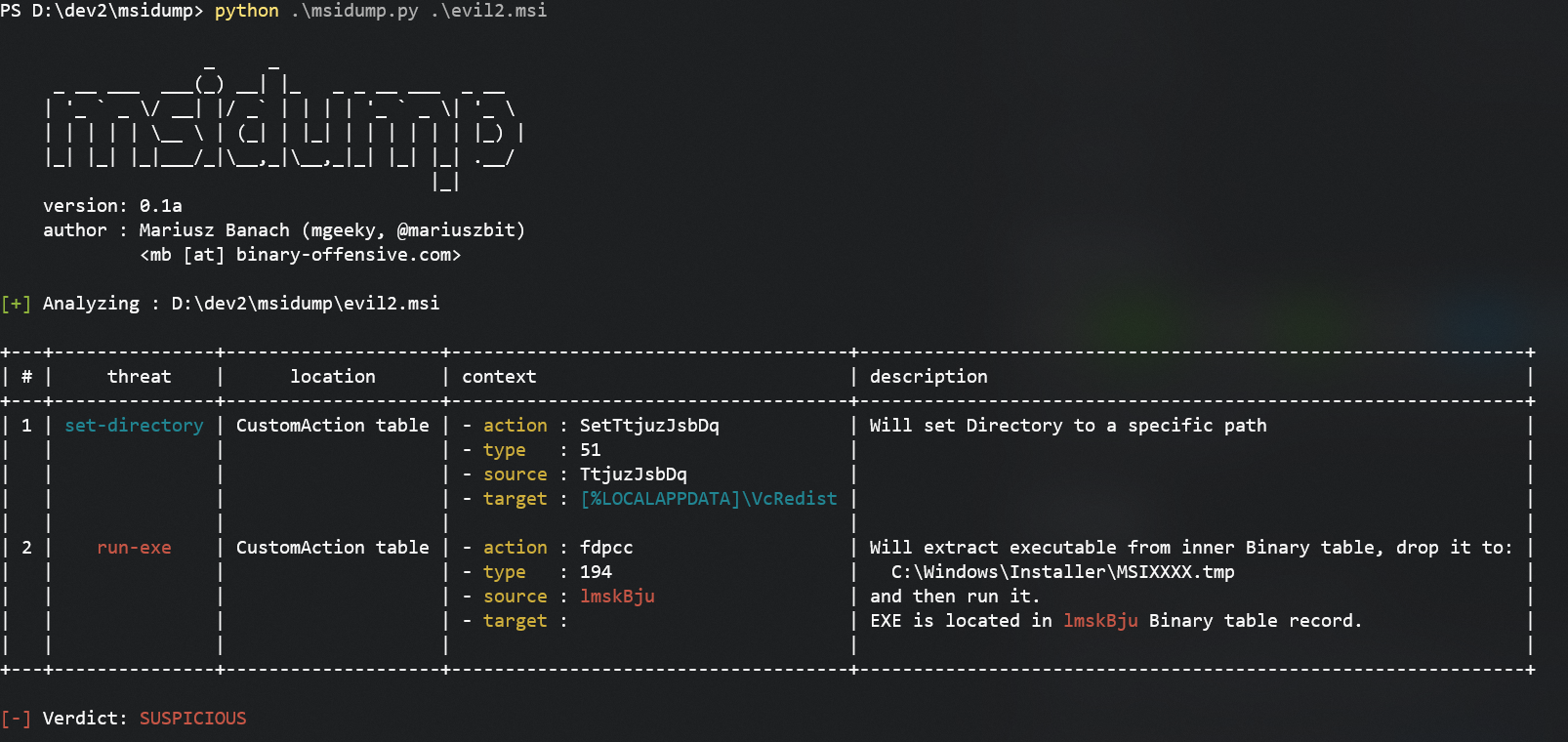
Um diese Datei zu extrahieren, verwenden wir
python msidump.py evil2.msi -x binary -i lmskBju -O extracted
-x binary weist an, den Inhalt der Tabelle Binary zu extrahieren-i lmskBju gibt an, welcher Datensatz genau extrahiert werden soll-O extracted legt das Ausgabeverzeichnis fest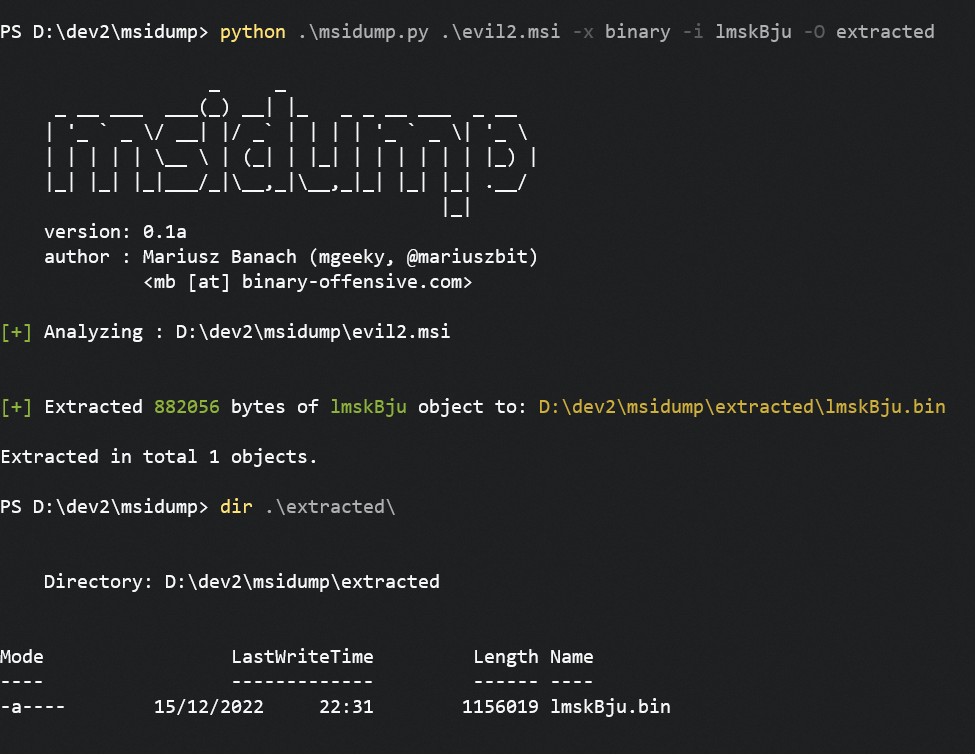
Für die beste Ausgabeerfahrung führen Sie das Tool in einem maximierten Konsolenfenster aus oder leiten Sie die Ausgabe in eine Datei um:
python msidump.py [...] -o analysis.log
PS D:\> python .\msidump.py --help
options:
  -h, --help            show this help message and exit

Required arguments:
  infile                Input MSI file (or directory) for analysis.

Options:
  -q, --quiet           Surpress banner and unnecessary information. In triage mode, will display only verdict.
  -v, --verbose         Verbose mode.
  -d, --debug           Debug mode.
  -N, --nocolor         Dont use colors in text output.
  -n PRINT_LEN, --print-len PRINT_LEN
                        When previewing data - how many bytes to include in preview/hexdump. Default: 128
  -f {text,json,csv}, --format {text,json,csv}
                        Output format: text, json, csv. Default: text
  -o path, --outfile path
                        Redirect program output to this file.
  -m, --mime            When sniffing inner data type, report MIME types

Analysis Modes:
  -l what, --list what  List specific table contents. See help message to learn what can be listed.
  -x what, --extract what
                        Extract data from MSI. For what can be extracted, refer to help message.

Analysis Specific options:
  -i number|name, --record number|name
                        Can be a number or name. In --list mode, specifies which record to dump/display entirely. In --extract mode dumps only this particular record to --outdir
  -O path, --outdir path
                        When --extract mode is used, specifies output location where to extract data.
  -y path, --yara path  Path to YARA rule/directory with rules. YARA will be matched against Binary data, streams and inner files

------------------------------------------------------

- What can be listed:
    --list CustomAction     - Specific table
    --list Registry,File    - List multiple tables
    --list stats            - Print MSI database statistics
    --list all              - All tables and their contents
    --list olestream        - Prints all OLE streams & storages.
                              To display CABs embedded in MSI try: --list _Streams
    --list cabs             - Lists embedded CAB files
    --list binary           - Lists binary data embedded in MSI for its own purposes.
                              That typically includes EXEs, DLLs, VBS/JS scripts, etc

- What can be extracted:
    --extract all           - Extracts Binary data, all files from CABs, scripts from CustomActions
    --extract binary        - Extracts Binary data
    --extract files         - Extracts files
    --extract cabs          - Extracts cabinets
    --extract scripts       - Extracts scripts

------------------------------------------------------
CustomAction-Typen anhand ihrer Nummern, was anfällig für Umgehungen ist.
Offenbar habe ich bei der Namensgebung meines Tools nicht überprüft, ob der Name bereits vergeben war. Es gibt ein weiteres Tool namens msidump, das Teil des GNU-Pakets msitools ist:
