MemProcFS-Analyzer
MemProcFS-Analyzer.ps1 ist ein PowerShell-Skript, das die Verwendung von MemProcFS vereinfacht und Ihren Speicheranalyse-Workflow optimiert.
MemProcFS - Das Memory Process File System von Ulf Frisk
https://github.com/ufrisk/MemProcFS
Funktionen:
- Schnelle und einfache Speicheranalyse!
- Sie können einen Speicher-Snapshot (Raw Physical Memory Dump oder Microsoft Crash Dump) wie ein Datenträgerabbild mounten und die Speicherkomprimierungsfunktion unter Windows nutzen
- Auto-Installation von MemProcFS, AmcacheParser, AppCompatCacheParser, Elasticsearch, entropy, EvtxECmd, ImportExcel, IPinfo CLI, jq, Kibana, lnk_parser, RECmd, SBECmd, xsv, YARA und Zircolite
- Auto-Update von MemProcFS, AmcacheParser, AppCompatCacheParser, Elasticsearch, entropy, EvtxECmd (inkl. Maps), ImportExcel, IPinfo CLI, jq, Kibana, lnk_parser, RECmd, SBECmd, xsv, YARA und Zircolite
- Update-Info, wenn eine neue Version von ClamAV oder ein neues Dokany-Dateisystem-Library-Bundle verfügbar ist
- Pagefile-Support
- OS-Fingerprinting
- Scan mit benutzerdefinierten YARA-Regeln (inkl. 447 Regeln von z. B. Chronicle und Elastic Security)
- Multithread-Scan mit ClamAV für Windows
- Sammlung von von ClamAV erkannten infizierten Dateien zur weiteren Analyse (Passwort: infected)
- Sammlung von von MemProcFS PE_INJECT erkannten injizierten Modulen zur weiteren Analyse (Passwort: infected)
- Extrahieren von IPv4/IPv6
- IP2ASN-Mapping und GeoIP mit IPinfo CLI → Holen Sie sich Ihr Token kostenlos unter https://ipinfo.io/signup
- Prüfung auf verdächtige Portnummern
- Process Tree (TreeView) einschließlich vollständiger Process Call Chain (Besonderer Dank an Dominik Schmidt)
- Prüfung von Prozessen auf ungewöhnliche Eltern-Kind-Beziehungen und Anzahl von Instanzen
- Prüfung von Prozessen auf ungewöhnlichen Benutzerkontext
- Prüfung auf Process-Path-Masquerading und Process-Name-Masquerading (Damerau-Levenshtein-Distanz)
- Webbrowser-Verlauf (Google Chrome, Microsoft Edge und Firefox)
- Extrahieren von Windows-Ereignisprotokolldateien und Verarbeitung mit EvtxECmd → Timeline Explorer (EZTools von Eric Zimmerman)
- Ereignisprotokoll-Übersicht
- Verarbeitung von Windows-Ereignisprotokollen mit Zircolite – Ein eigenständiges, SIGMA-basiertes Erkennungstool für EVTX
- Analysieren der extrahierten Amcache.hve mit Amcacheparser (EZTools von Eric Zimmerman)
- Analysieren des Application Compatibility Cache (auch ShimCache genannt) mit AppCompatcacheParser (EZTools von Eric Zimmerman)
- Analysieren des Syscache mit RECmd (EZTools von Eric Zimmerman)
- Analysieren von UserAssist-Artefakten mit RECmd (EZTools von Eric Zimmerman)
- Analysieren von ShellBags-Artefakten mit RECmd (EZTools von Eric Zimmerman)
- Einfache Prefetch-Ansicht (basierend auf der Forensic Timeline)
- Analysieren von Auto-Start Extensibility Points (ASEPs) mit RECmd (EZTools von Eric Zimmerman)
- Analysieren von RecentDocs und Office Trusted Document mit RECmd (EZTools von Eric Zimmerman)
- Analysieren der Registry mit der DFIR-RECmd-Batchdatei (DFIR Batch File von Andrew Rathbun)
- Analysieren von Metadaten wiederhergestellter Prozessmodule (experimentell)
- Extrahieren von Windows-Verknüpfungsdateien (LNK)
- Aufspüren bösartiger Windows-Verknüpfungsdateien (LNK)
- Integration des PowerShell-Moduls ImportExcel von Doug Finke
- CSV-Ausgabedaten für die Analyse mit Timeline Explorer (z. B. timeline-reverse.csv, findevil.csv, web.csv)
- Sammeln von Beweisdaten (Secure Archive Container → Passwort: MemProcFS)
- und vieles mehr
Download
Laden Sie die neueste Version von MemProcFS-Analyzer aus dem Bereich Releases herunter.
Verwendung
Starten Sie Windows PowerShell (oder Windows PowerShell ISE oder Visual Studio Code mit PSVersion: 5.1) als Administrator und öffnen/führen Sie MemProcFS-Analyzer.ps1 aus.
File-Browser
Abb. 1: Wählen Sie Ihren Speicher-Snapshot und wählen Sie Ihre pagefile.sys (optional)
Auto-Install
Abb. 2: MemProcFS-Analyzer installiert Abhängigkeiten automatisch (erster Start)
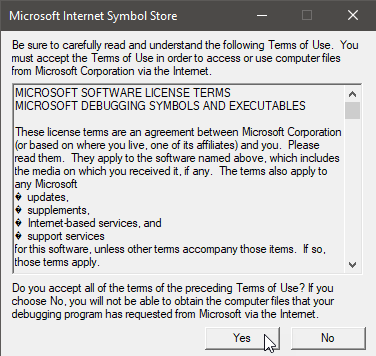
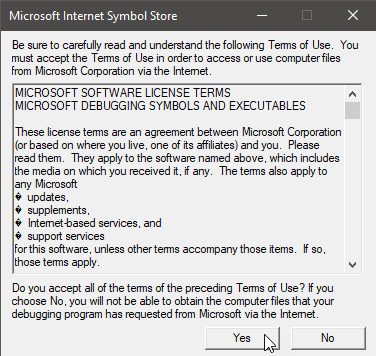
Abb. 3: Nutzungsbedingungen akzeptieren (erster Start)
MemProcFS
Abb. 4: Wenn Sie MemProcFS nützlich finden, werden Sie bitte Sponsor unter: https://github.com/sponsors/ufrisk
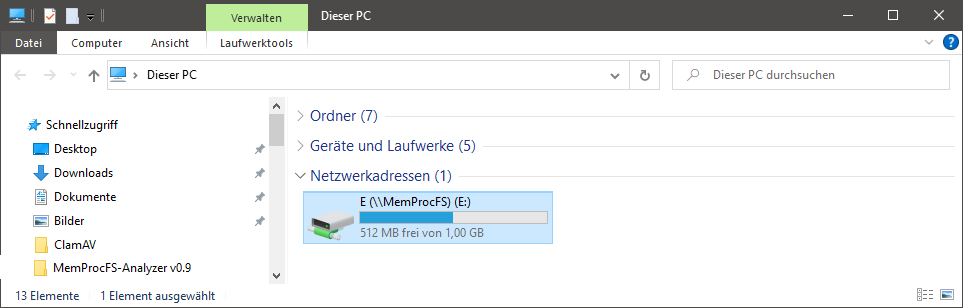
Abb. 5: Sie können das gemountete Speicherabbild untersuchen, indem Sie den Laufwerksbuchstaben erkunden
Auto-Update
Abb. 6: MemProcFS-Analyzer sucht nach Updates (zweiter Start)
Hinweis: Es wird empfohlen, die Funktion „Updater“ nach der Installation auszukommentieren/deaktivieren. Beachten Sie den Abschnitt „Main“ am unteren Ende des Skripts.
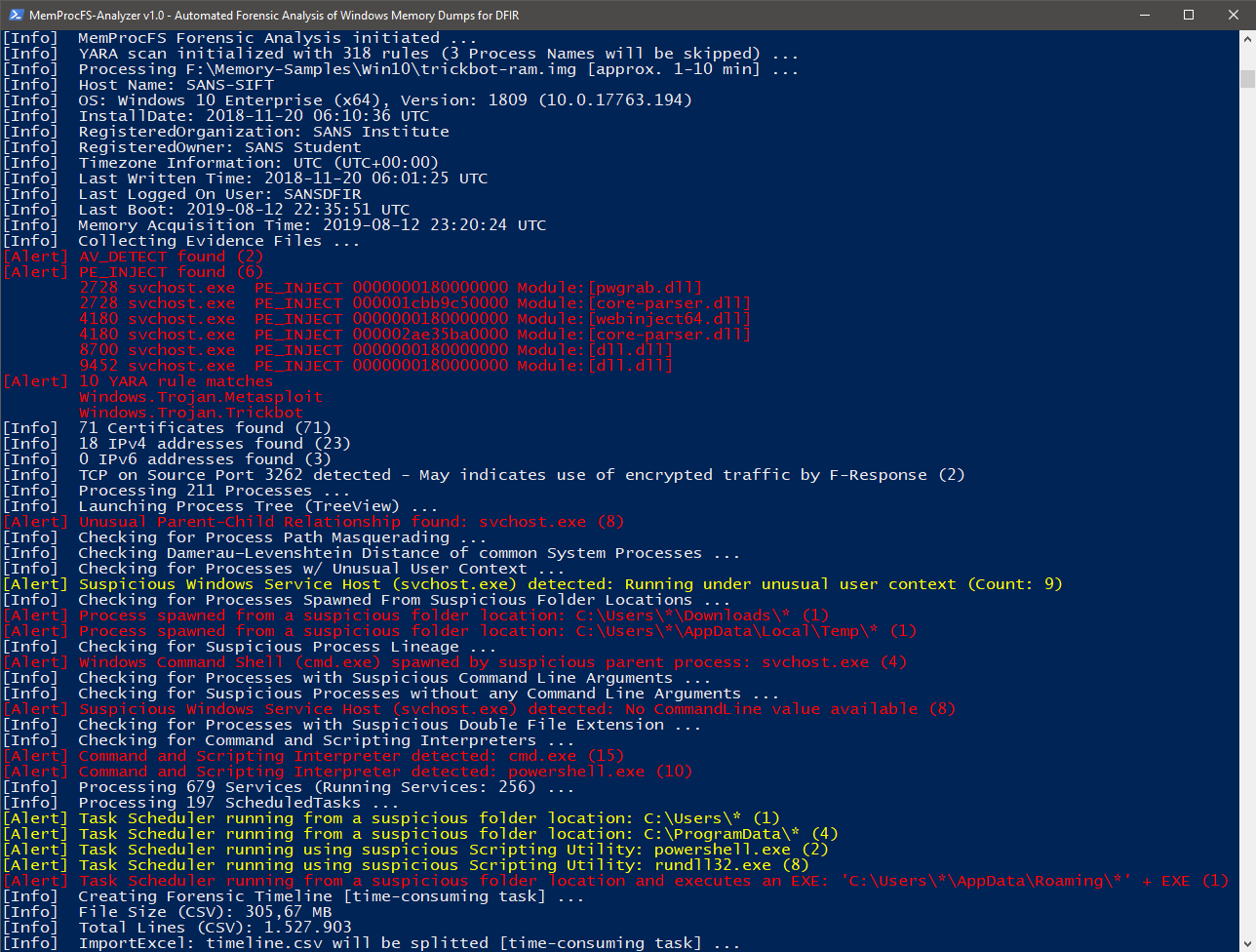
Abb. 7: FindEvil-Funktion und zusätzliche Analysen
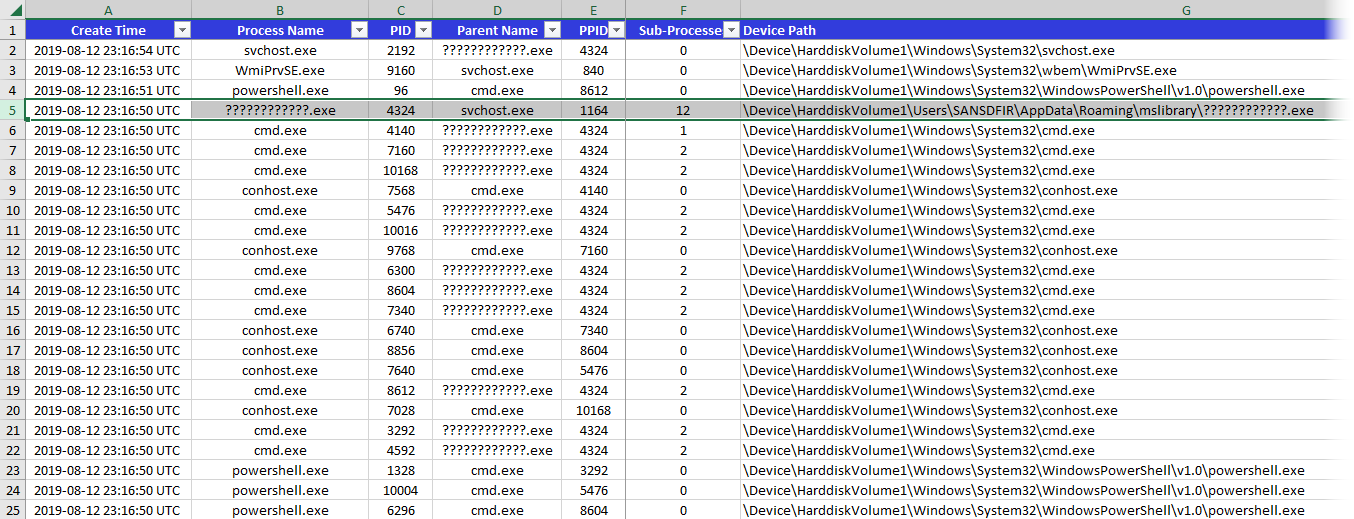
Abb. 8: Prozesse
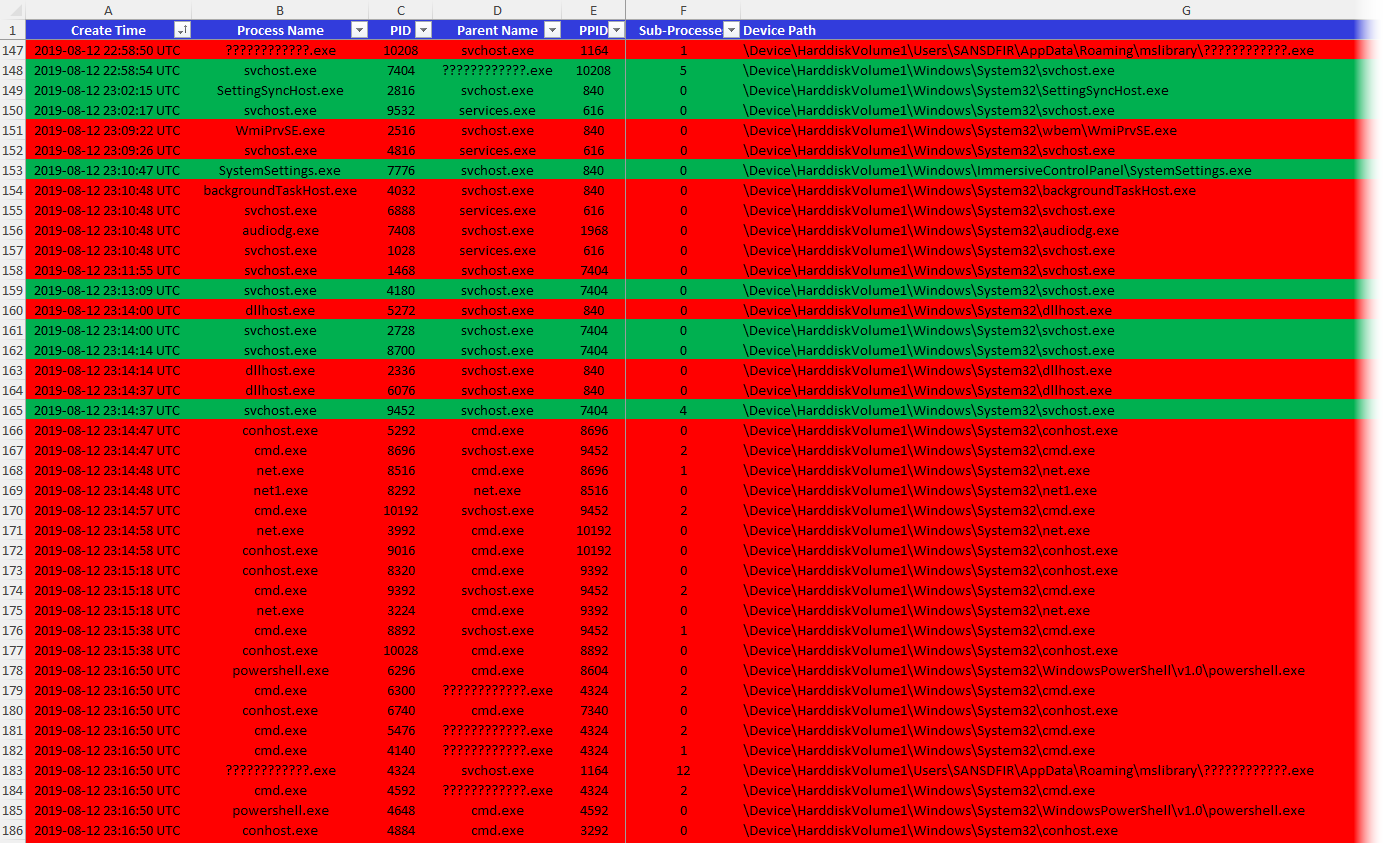
Abb. 9: Laufende und beendete Prozesse
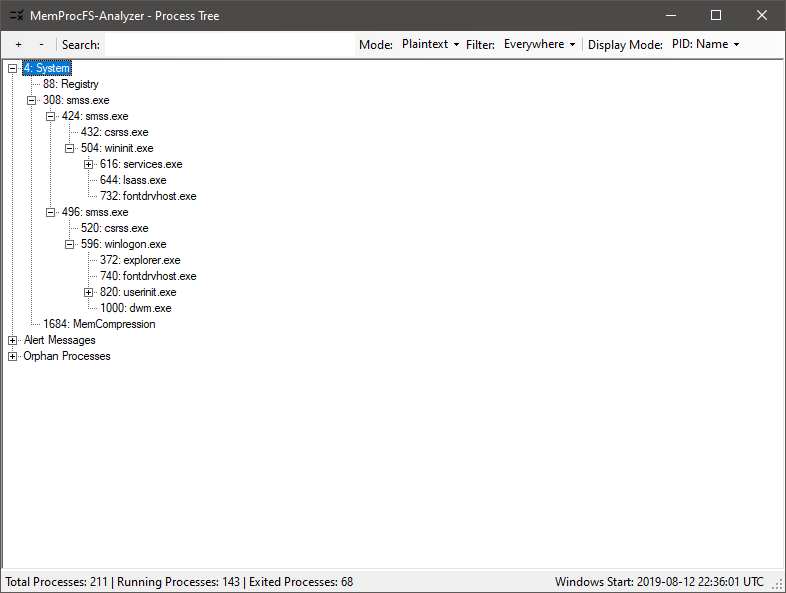
Abb. 10: Process Tree (GUI)
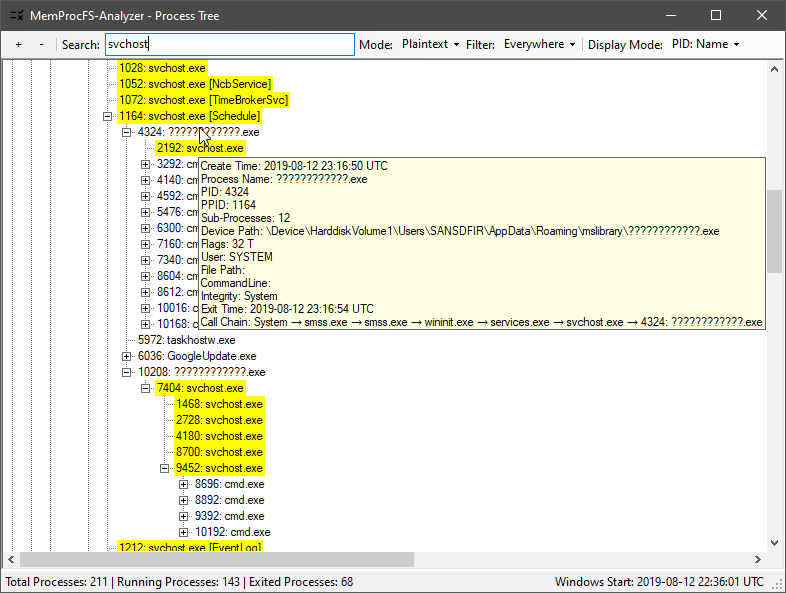
Abb. 11: Process Tree prüfen (um Anomalien zu finden)
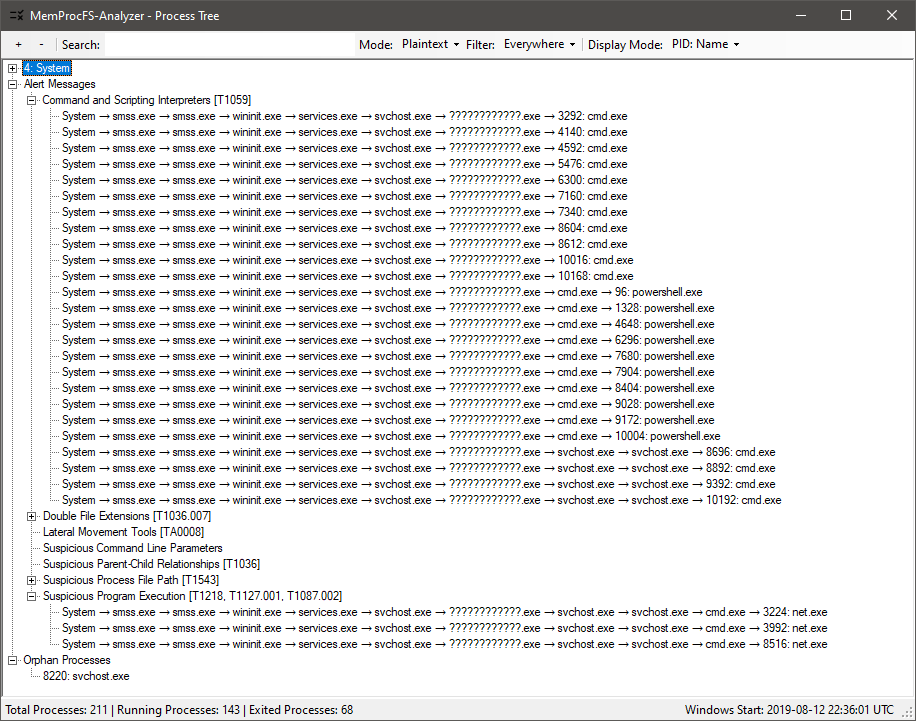
Abb. 12: Process Tree: Alarmmeldungen mit Process Call Chain