 cybercx-sta/purpleops
Eine quelloffene, selbst gehostete Webanwendung für das Purple-Team-Management.




Hauptfunktionen • Installation • Kontakt • Danksagungen • Lizenz
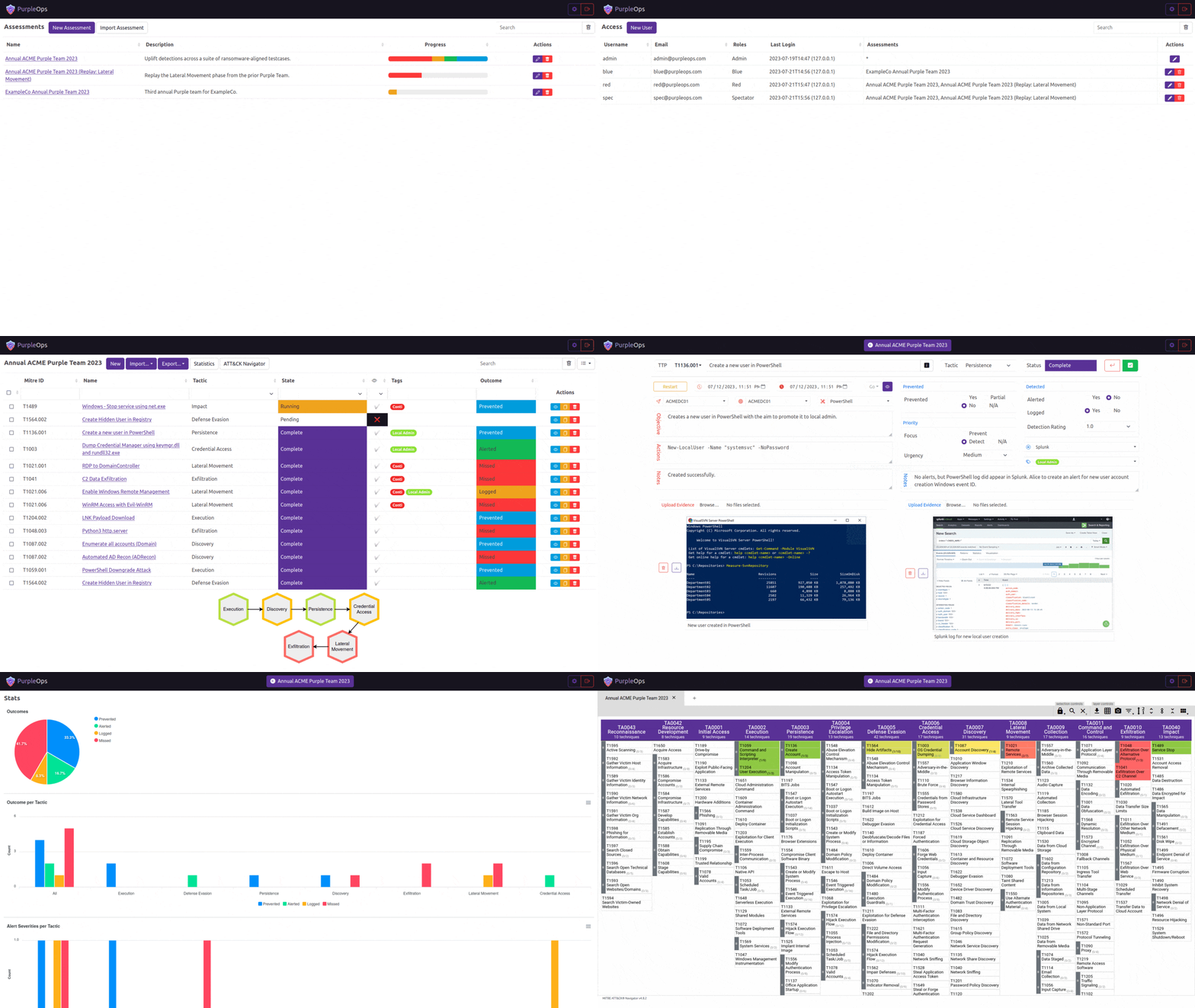
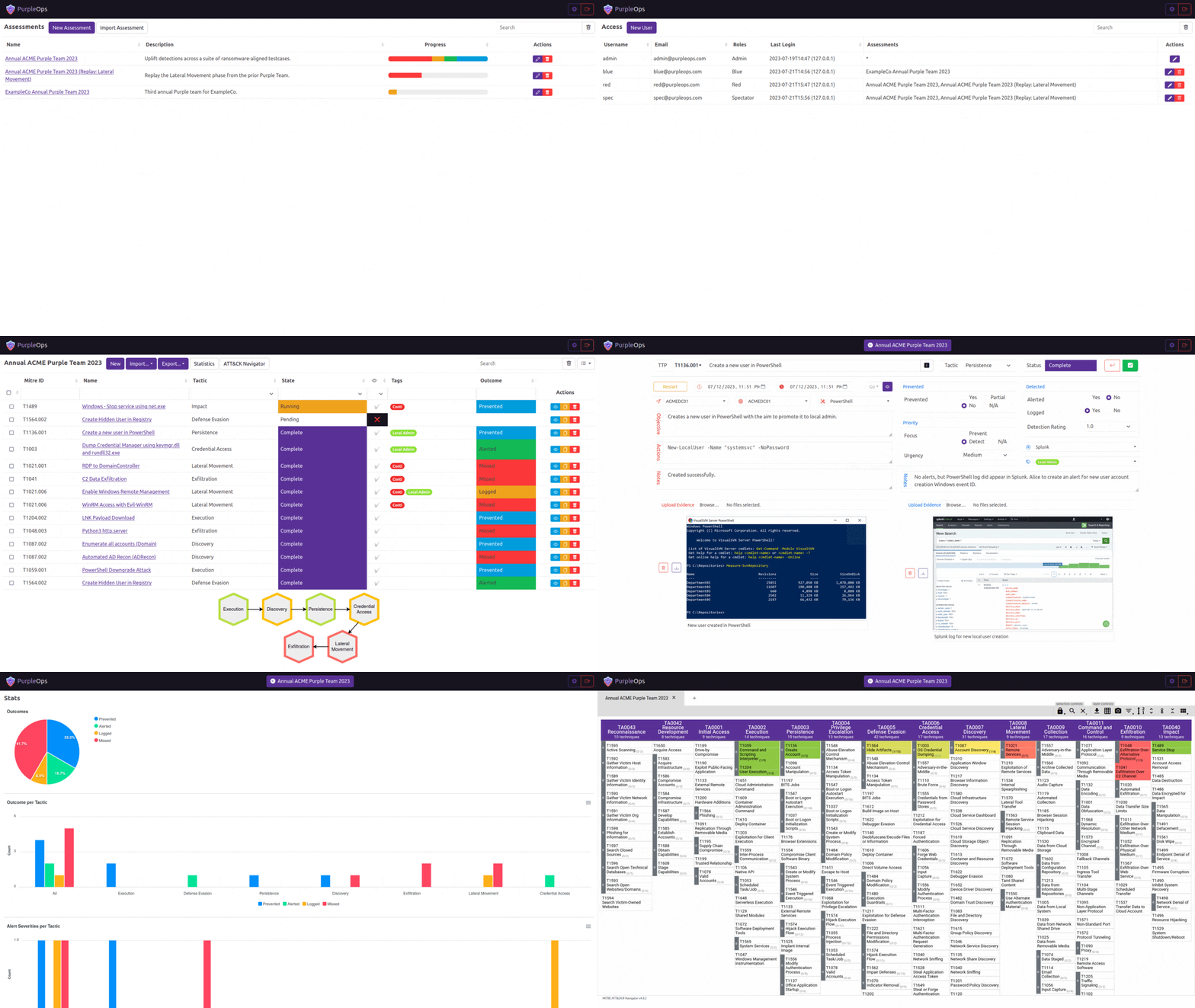
Wie sich PurpleOps unterscheidet:
# Clone this repository
$ git clone https://github.com/CyberCX-STA/PurpleOps

# Go into the repository
$ cd PurpleOps

# Alter PurpleOps settings (if you want to customize anything but should work out the box)
$ nano .env

# Run the app with docker (add `-d` to run in background)
$ sudo docker compose up

# PurpleOps should now by available on http://localhost:5000, it is recommended to add a reverse proxy such as nginx or Apache in front of it if you want to expose this to the outside world.
# Install docker-compose
sudo apt install docker-compose -y

# Clone this repository
$ git clone https://github.com/CyberCX-STA/PurpleOps

# Go into the repository
$ cd PurpleOps

# Alter PurpleOps settings (if you want to customize anything but should work out the box)
$ nano .env

# Run the app with docker (add `-d` to run in background)
$ sudo docker-compose up

# PurpleOps should now by available on http://localhost:5000, it is recommended to add a reverse proxy such as nginx or Apache in front of it if you want to expose this to the outside world.
# Alternatively
$ sudo docker run --name mongodb -d -p 27017:27017 mongo
$ pip3 install -r requirements.txt
$ python3 seeder.py
$ python3 purpleops.py
Ersetzen Sie 2x purpleops.example.com durch Ihren vollqualifizierten Domainnamen und stellen Sie sicher, dass Ihr System im Internet auf den Ports 80/443 erreichbar ist.
sudo apt install nginx certbot python3-certbot-nginx -y
sudo nano /etc/nginx/sites-available/purpleops # Fügen Sie die folgende Datei ein
sudo ln -s /etc/nginx/sites-available/purpleops /etc/nginx/sites-enabled/
sudo certbot --nginx -d purpleops.example.com
sudo service nginx restart
server {
  listen 80;
  server_name purpleops.example.com;

  location / {
      proxy_pass http://localhost:5000;
      proxy_set_header Host $host;
      proxy_set_header X-Real-IP $remote_addr;
  }
}
sudo apt install ufw -y
sudo ufw allow 22
sudo ufw deny 80
sudo ufw deny 443
sudo ufw insert 1 allow from 100.100.100.100/24 to any port 443
sudo ufw enable
sudo docker exec -it purpleops flask --app purpleops.py shell
from model import User; user = User.objects(email="[email protected]").first(); user.tf_totp_secret = None; user.save()
Wir freuen uns über Rückmeldungen, wenn etwas nicht funktioniert oder Sie eine Idee zur Verbesserung haben, erstellen Sie ein Ticket oder verbinden Sie sich mit uns auf dem PurpleOps Discord oder senden Sie uns eine E-Mail an [email protected] | @_w_m__
Apache
