
 csalab-id/csaf
Rahmenwerk für Cybersicherheitsbewusstsein (CSAF)




Das Cyber Security Awareness Framework (CSAF) ist ein strukturierter Ansatz zur Verbesserung des Cybersicherheitsbewusstseins und -verständnisses bei Einzelpersonen, Organisationen und Gemeinschaften. Es bietet Leitlinien für die Entwicklung wirksamer Cybersicherheits-Awareness-Programme und deckt Schlüsselbereiche ab, wie die Bewertung des Awareness-Bedarfs, die Erstellung von Schulungsmaterialien, die Durchführung von Schulungen und Simulationen, die Umsetzung von Kommunikationskampagnen und die Messung des Awareness-Niveaus. Durch die Übernahme dieses Frameworks können Organisationen eine robuste Sicherheitskultur fördern, ihre Fähigkeit verbessern, Cyber-Bedrohungen zu erkennen und darauf zu reagieren, und die mit Angriffen und Sicherheitsverletzungen verbundenen Risiken mindern.
---
config:
  layout: elk
---
flowchart TD
    kali_attack["Kalilinux Attack"]
    kali_defense["Kalilinux Defense"]
    kali_monitor["Kalilinux Monitor"]


    subgraph Webserver["Webserver"]
        dvwa["DVWA"]
        dvwa_monitor["DVWA Monitor"]
        wackopicko["Wackopicko"]
        juiceshop["Juiceshop"]
    end

    subgraph Database["Database"]
        mariadb["MariaDB"]
        mongodb["MongoDB"]
    end

    subgraph Phishing["Phishing LAB"]
        gophish["Gophish"]
        phishing["Phishing WEB"]
        mail_server["Mail Server"]
        mitmproxy["Mitmproxy"]
    end

    subgraph Ransomware["Ransomware LAB"]
        ransomware["Ransomware WEB"]
    end

    subgraph Breach["Breach LAB"]
        caldera["Caldera"]
        infection_monkey["Infection Monkey"]
    end

    subgraph Versioning["Versioning"]
        gitea["Gitea"]
    end

    subgraph Monitor["SOC LAB"]
        subgraph WAF["WAF"]
            bunkerweb["BunkerWEB"]
            modsecurity["Modsecurity"]
        end

        subgraph SIEM["SIEM"]
            wazuh["Wazuh"]
            splunk["Splunk"]
        end

        subgraph DFIR["DFIR"]
            velociraptor["Velociraptor"]
        end
    end

    dvwa -->|Connect| mariadb
    dvwa -->|Sending Alert| wazuh
    dvwa -->|Sending Log| splunk

    dvwa_monitor -->|Connect| mariadb
    dvwa_monitor -->|Sending Alert| wazuh
    dvwa_monitor -->|Sending Log| splunk

    wackopicko -->|Lateral Movement| juiceshop
    wackopicko -->|Lateral Movement| dvwa
    wackopicko -->|Lateral Movement| dvwa_monitor

    gitea -->|Update Code| dvwa
    gitea -->|Update Code| dvwa_monitor

    caldera -->|Control| dvwa
    caldera -->|Control| dvwa_monitor

    infection_monkey -->|Connect| mongodb

    velociraptor -->|Control| dvwa
    velociraptor -->|Control| dvwa_monitor

    bunkerweb -->|Protect| dvwa_monitor
    bunkerweb -->|Protect| wackopicko
    bunkerweb -->|Protect| juiceshop

    modsecurity -->|Protect| dvwa_monitor

    gophish -->|Sending Phishing| mail_server

    phishing -->|Seding Data| mitmproxy

    mail_server -->|Access| phishing

    ransomware -->|Infection| kali_attack
    ransomware -->|Infection| kali_defense
    ransomware -->|Infection| kali_monitor

    kali_attack -->|Attack| bunkerweb
    kali_attack -->|Attack| modsecurity
    kali_attack -->|Attack| wackopicko
    kali_attack -->|Access| gophish
    kali_attack -->|Collect Data| mitmproxy
    kali_attack -->|Access| caldera
    kali_attack -->|Access| infection_monkey

    kali_defense -->|Patch Source Code| gitea
    kali_defense -->|Control Rule| bunkerweb
    kali_defense -->|Remote SSH| dvwa
    kali_defense -->|Remote SSH| dvwa_monitor
    kali_defense -->|Access| mail_server

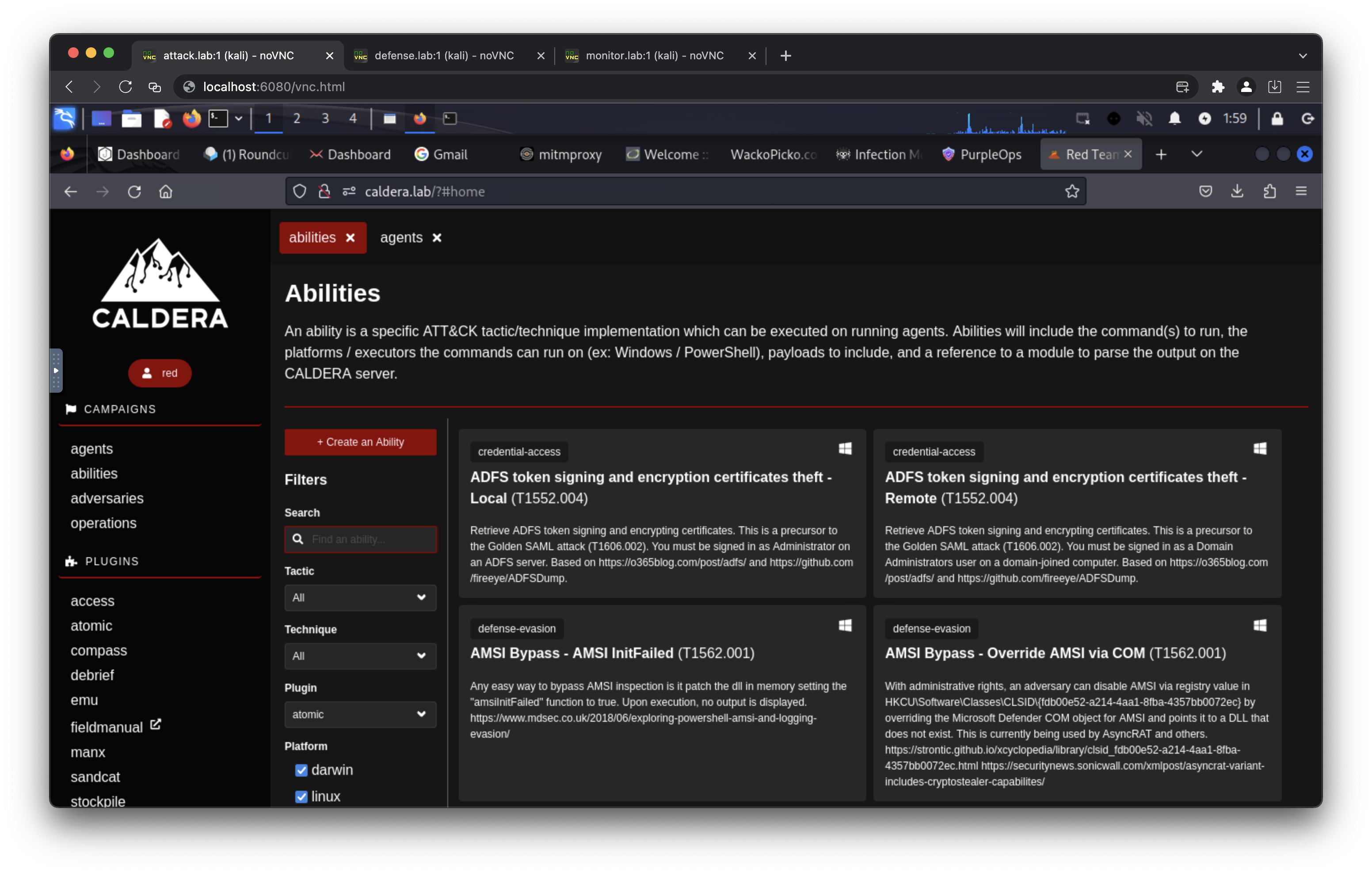
    kali_monitor -->|Monitor| splunk
    kali_monitor -->|Monitor| wazuh
    kali_monitor -->|Monitor| velociraptor
    kali_monitor -->|Monitor| bunkerweb
    kali_monitor -->|Access| mail_server

    %% Styling
    classDef attackStyle fill:#ff6b6b,stroke:#c92a2a,stroke-width:3px,color:#fff
    classDef defenseStyle fill:#51cf66,stroke:#2f9e44,stroke-width:3px,color:#fff
    classDef monitorStyle fill:#748ffc,stroke:#4c6ef5,stroke-width:3px,color:#fff
    classDef webserverStyle fill:#ffa94d,stroke:#fd7e14,stroke-width:2px,color:#fff
    classDef databaseStyle fill:#868e96,stroke:#495057,stroke-width:2px,color:#fff
    classDef phishingStyle fill:#ffd43b,stroke:#fab005,stroke-width:2px,color:#333
    classDef ransomwareStyle fill:#fa5252,stroke:#e03131,stroke-width:3px,color:#fff
    classDef breachStyle fill:#e64980,stroke:#c2255c,stroke-width:2px,color:#fff
    classDef versioningStyle fill:#74c0fc,stroke:#339af0,stroke-width:2px,color:#fff
    classDef wafStyle fill:#20c997,stroke:#0ca678,stroke-width:2px,color:#fff
    classDef siemStyle fill:#845ef7,stroke:#7048e8,stroke-width:2px,color:#fff
    classDef dfirStyle fill:#5c7cfa,stroke:#4263eb,stroke-width:2px,color:#fff

    %% Apply styles
    class kali_attack attackStyle
    class kali_defense defenseStyle
    class kali_monitor monitorStyle
    class dvwa,dvwa_monitor,wackopicko,juiceshop webserverStyle
    class mariadb,mongodb databaseStyle
    class gophish,phishing,mail_server,mitmproxy phishingStyle
    class ransomware ransomwareStyle
    class caldera,infection_monkey breachStyle
    class gitea versioningStyle
    class bunkerweb,modsecurity wafStyle
    class wazuh,splunk siemStyle
    class velociraptor dfirStyle

    %% Link Styling (Arrows)
    linkStyle 0,1,2,3,4,5 stroke:#868e96,stroke-width:2px
    linkStyle 6,7,8 stroke:#e64980,stroke-width:2px
    linkStyle 9,10 stroke:#74c0fc,stroke-width:2px
    linkStyle 11,12 stroke:#e64980,stroke-width:2px
    linkStyle 13 stroke:#868e96,stroke-width:2px
    linkStyle 14,15 stroke:#5c7cfa,stroke-width:2px
    linkStyle 16,17,18 stroke:#20c997,stroke-width:2px
    linkStyle 19 stroke:#20c997,stroke-width:2px
    linkStyle 20 stroke:#fab005,stroke-width:2px
    linkStyle 21 stroke:#fab005,stroke-width:2px
    linkStyle 22 stroke:#fab005,stroke-width:2px
    linkStyle 23,24,25 stroke:#fa5252,stroke-width:3px
    linkStyle 26,27,28,29,30,31,32 stroke:#ff6b6b,stroke-width:2px
    linkStyle 33,34,35,36,37 stroke:#51cf66,stroke-width:2px
    linkStyle 38,39,40,41,42 stroke:#748ffc,stroke-width:2px

    %% Subgraph Styling
    style Webserver fill:#fff4e6,stroke:#fd7e14,stroke-width:3px,color:#000
    style Database fill:#e9ecef,stroke:#495057,stroke-width:3px,color:#000
    style Phishing fill:#fff9db,stroke:#fab005,stroke-width:3px,color:#000
    style Ransomware fill:#ffe3e3,stroke:#e03131,stroke-width:3px,color:#000
    style Breach fill:#ffdeeb,stroke:#c2255c,stroke-width:3px,color:#000
    style Versioning fill:#e7f5ff,stroke:#339af0,stroke-width:3px,color:#000
    style Monitor fill:#f3f0ff,stroke:#7048e8,stroke-width:4px,color:#000
    style WAF fill:#d3f9e8,stroke:#0ca678,stroke-width:2px,color:#000
    style SIEM fill:#e5dbff,stroke:#7048e8,stroke-width:2px,color:#000
    style DFIR fill:#dbe4ff,stroke:#4263eb,stroke-width:2px,color:#000
