 blue0x1/rosemary
Rosemary: Cross-platform kernel-level pivoting over QUIC. No TUN/TAP. No proxychains. No proxy settings.

Cross-platform kernel-level pivoting platform over QUIC. No TUN/TAP. No proxychains. No proxy settings.





Rosemary transparently intercepts traffic on remote hosts at the kernel level: no proxy settings, no TUN/TAP devices, no proxychains. Agents connect back to the server over QUIC. You reach the entire remote network as if you were directly on it.
Run the server on your machine and deploy an agent on any remote host. The agent connects back over QUIC, the server installs kernel-level interception rules for the agent's subnets, and from that point all traffic to those subnets, including DNS, is transparently forwarded through the agent, no proxy config, no TUN device, no DNS settings to change, no changes to your applications.
curl http://192.168.1.50   ───►  agent dials 192.168.1.50 and bridges it back
ssh  [email protected]
ping 192.168.1.1
Connect multiple agents at once and traffic is automatically routed to whichever agent owns the destination.
| Category | Capability |
|---|---|
| Interception | Transparent TCP · UDP · ICMP · DNS, no client config required |
| Egress | Default egress agent routes all internet traffic through a chosen agent |
| SOCKS5 | Per-agent SOCKS5 proxy with optional username/password auth |
| Forwards | TCP/UDP port forwards · Reverse port forwards (server listens, agent dials) |
| Discovery | Ping · Ping sweep · TCP/UDP port scan via agent |
| DNS | Intercepts DNS, resolves through agents, private and public domains |
| Pivoting | Multi-hop through multiple agents (5+ hops tested) |
| Transport | QUIC/UDP outbound agents · encrypted TCP bind agents |
| Dashboard | Web UI with real-time agent graph, routing table, log viewer |
| API | Full REST API with token-based auth (read/write/admin) |
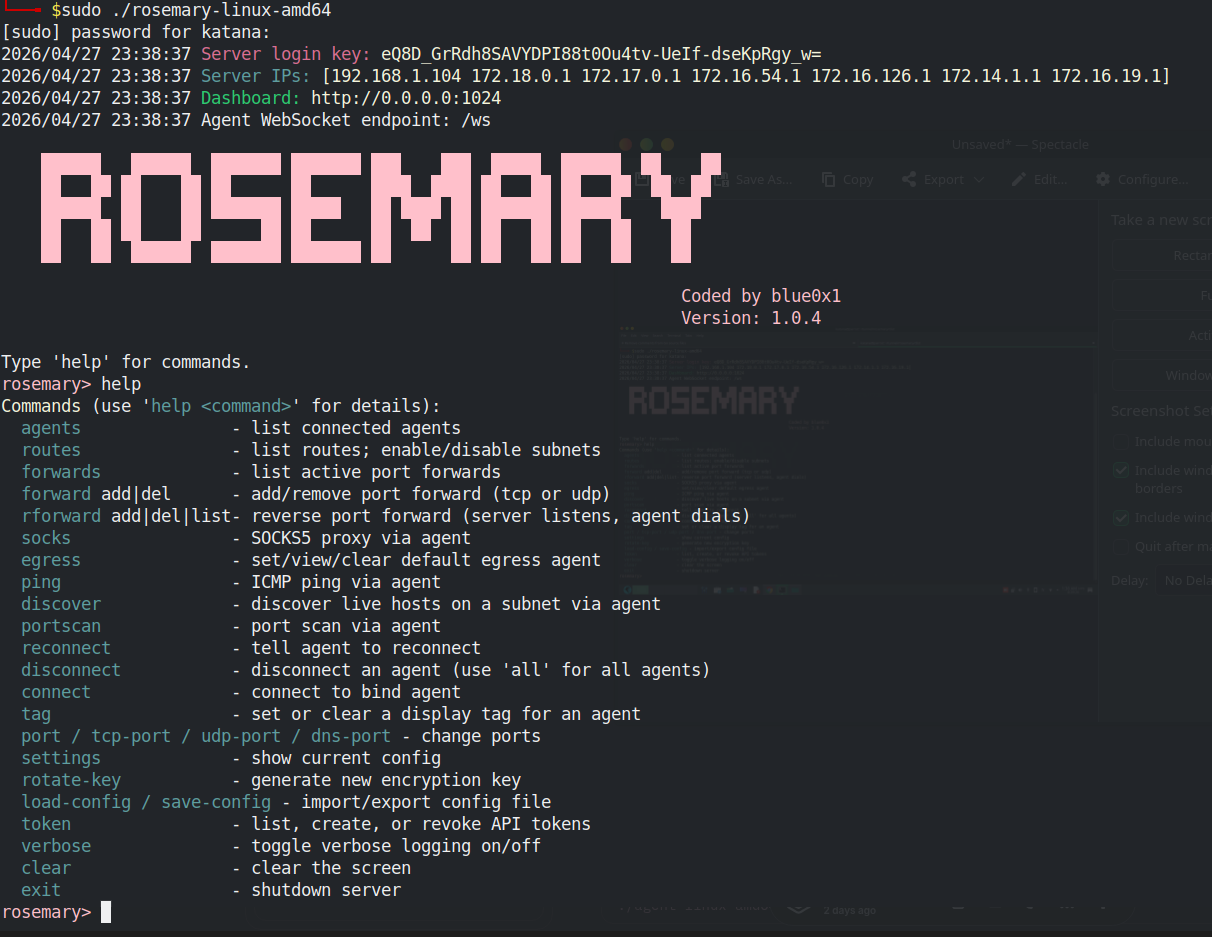
| CLI | Interactive REPL + web-based CLI panel |
| Extension | Chrome extension for quick access |
| Agents | Background mode · bind mode · auto subnet discovery · internet detection |
| Config | JSON import/export · live key rotation · per-port configuration |
| Platform | TCP | UDP | DNS | ICMP | SOCKS5 | Egress |
|---|---|---|---|---|---|---|
| Linux | ✓ | ✓ | ✓ | ✓ | ✓ | ✓ |
| Windows | ✓ | ✓ | ✓ | ✓ | ✓ | ✓ |
| macOS | ✓ | ✓ | ✓ | ✓ | ✓ | ✓ |
| FreeBSD | ✓ | ✓ | ✓ | ✓ | ✓ | ✓ |
| OpenBSD | ✓ | ✓ | ✓ | ✓ | ✓ | ✓ |
Agent runs on all platforms above. No root required on the agent side.
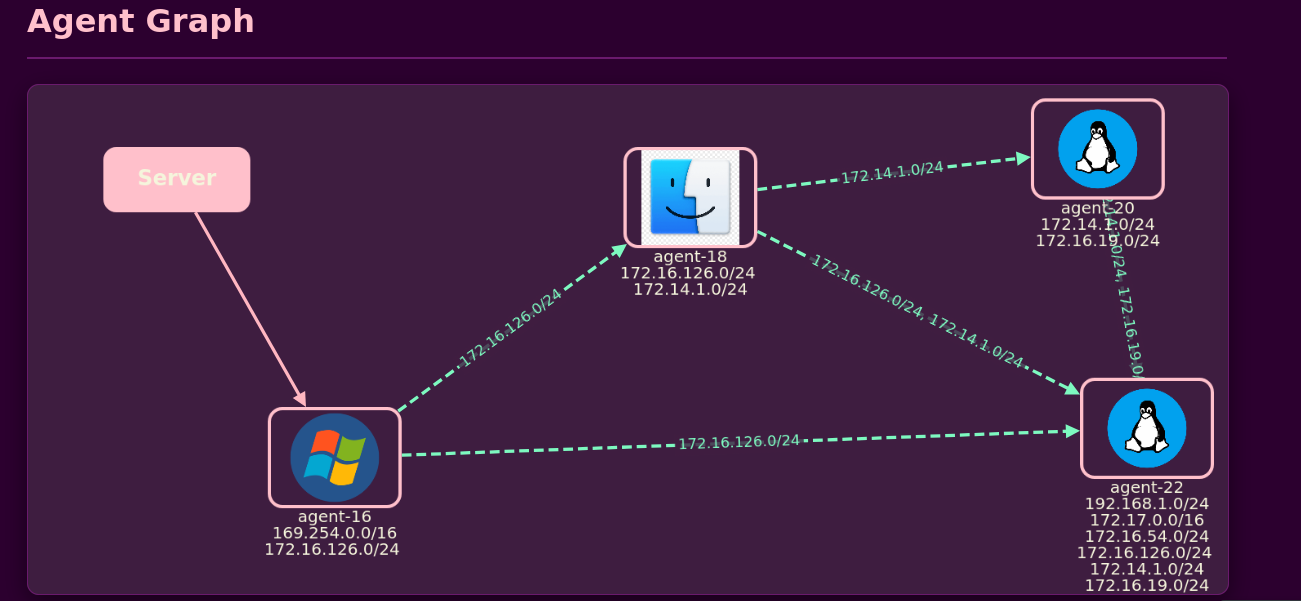
Interactive network graph showing connected agents and their relationships
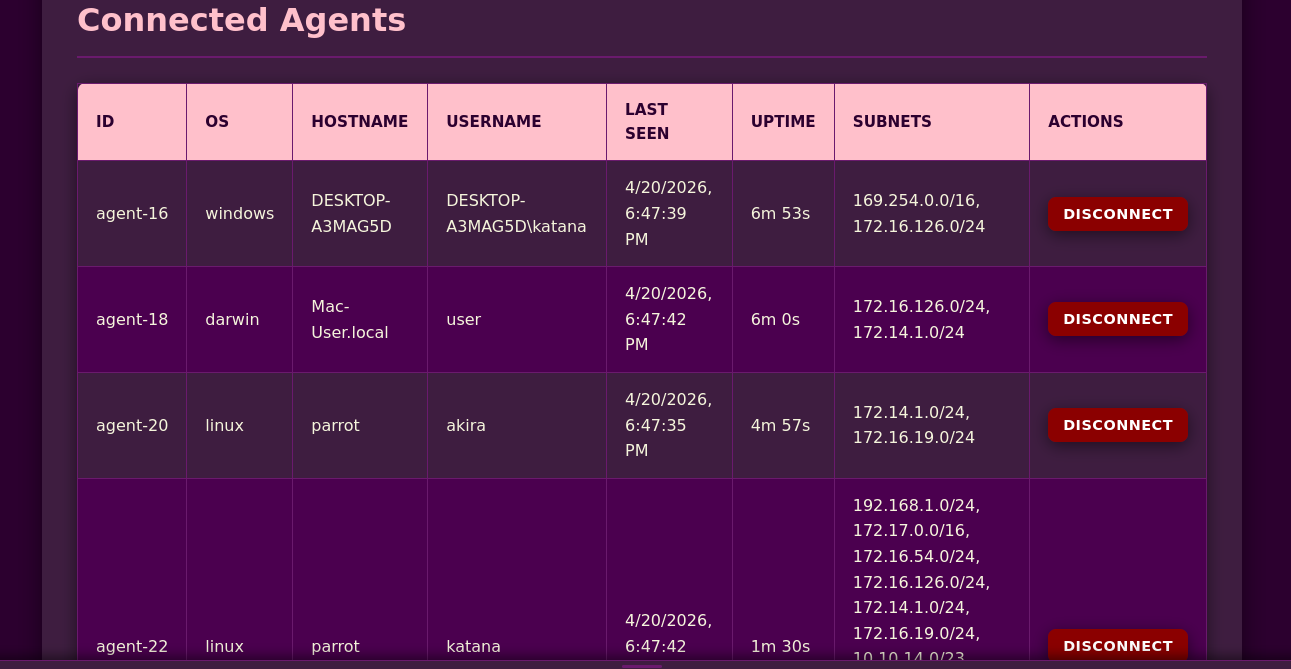
Detailed agent information including OS, hostname, subnets, and connection status
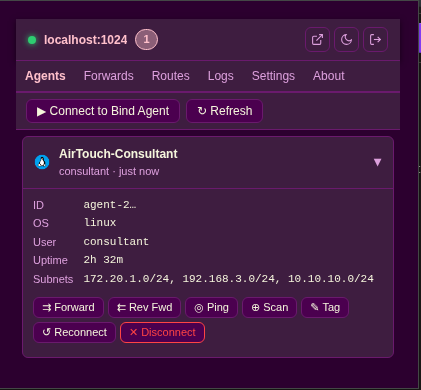
Browser extension for easy access and traffic routing through the tunnel
Installation:
chrome://extensions/extension/ folder from the repositoryThe extension icon will appear in your browser toolbar.
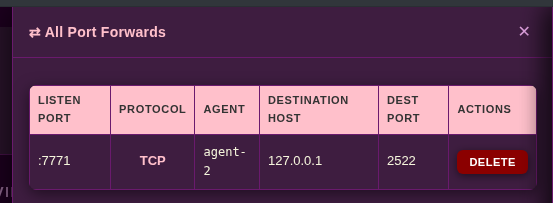
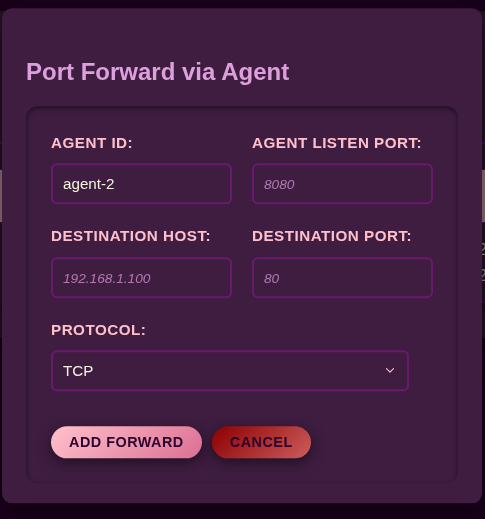
Create and manage TCP/UDP port forwards through any agent
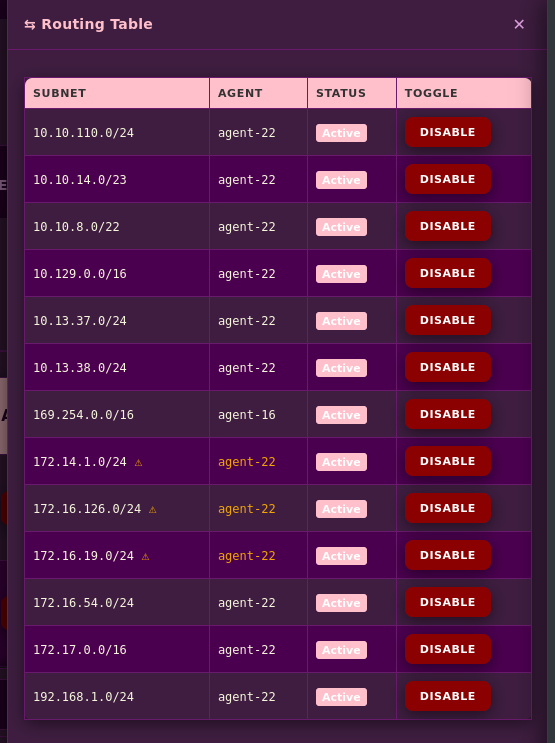
View and toggle subnet routes with real-time status
Built-in REPL for full server control

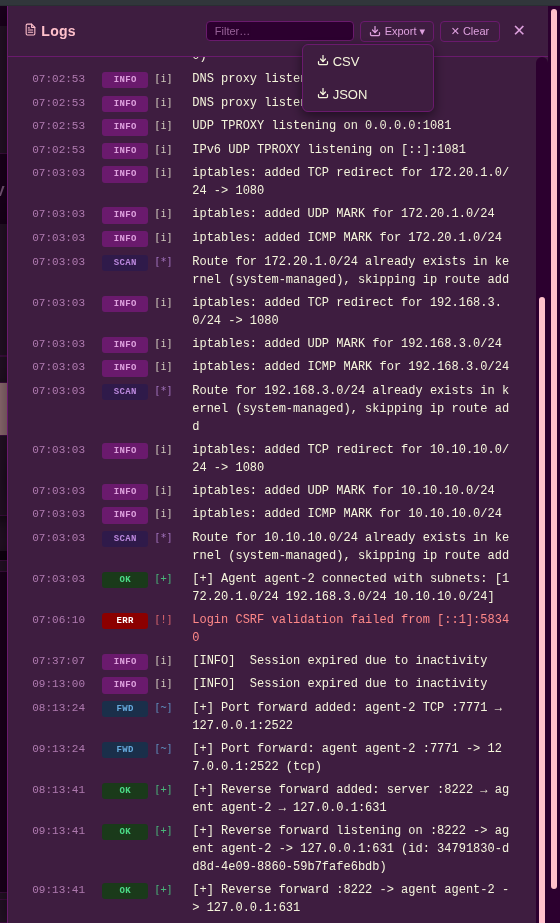
Real-time event streaming with filtering and export options
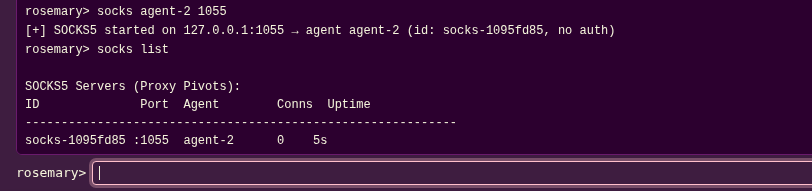
Start/stop SOCKS5 proxies through any agent with optional authentication
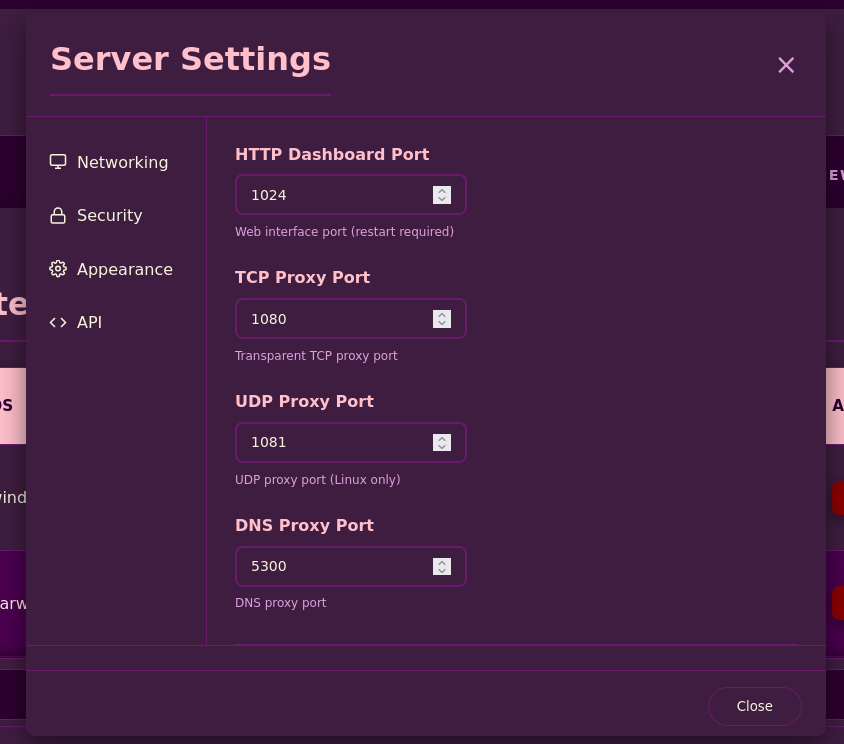
Configure server ports, encryption keys, and API tokens
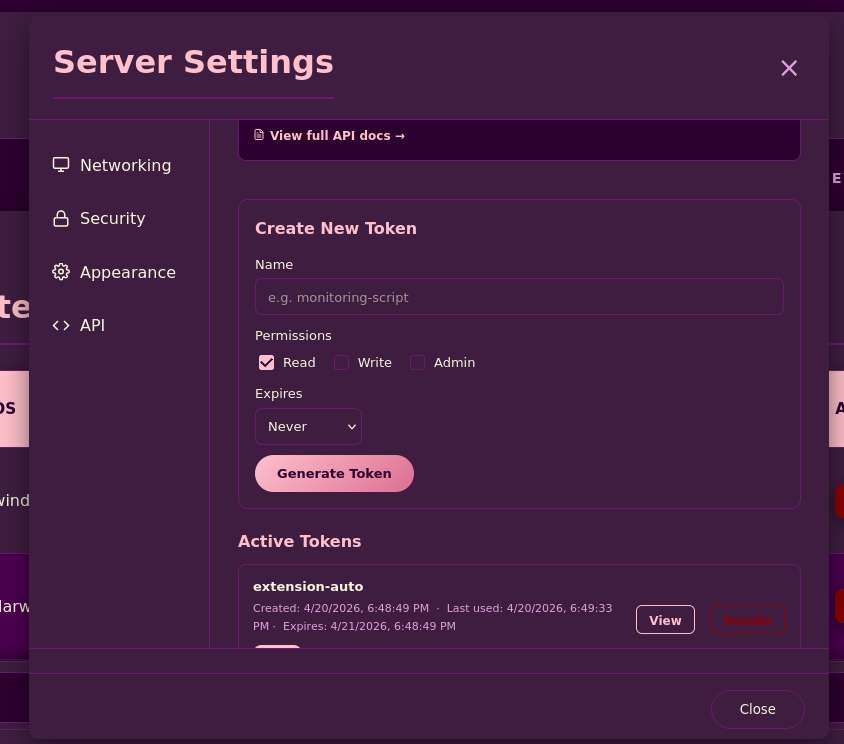
Create and manage REST API tokens with granular permissions
Quick actions: tag, forward, ping, port scan, reconnect, disconnect
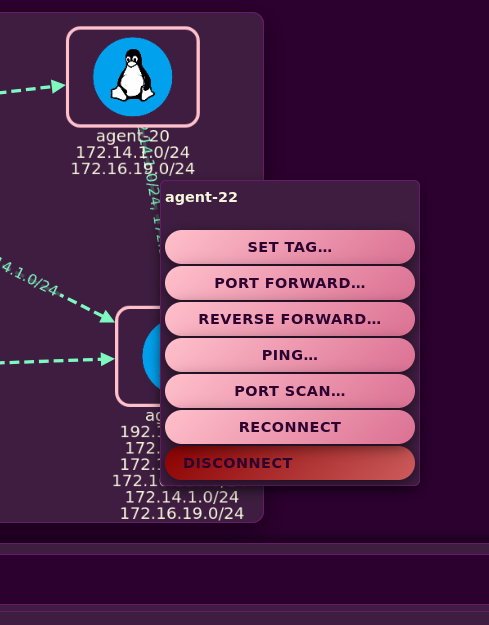
Note: The graph view automatically layouts agents and visualizes subnet relationships. Edges between agents indicate shared subnets, enabling multi-hop pivoting visualization.
# Install via go install
go install github.com/blue0x1/rosemary/rosemary@latest
go install github.com/blue0x1/rosemary/agent@latest # For install agent

