 aixisstudio/snitch
Echtzeit-Netzwerkverkehr-Visualisierer — sehen Sie jede Verbindung, die Ihr Computer herstellt. Datenschutz an erster Stelle, 100 % lokal. / Visualiseur de trafic réseau en temps réel, 100% local.

Track every hidden flow. / Traquez chaque flux masqué.
⭐ If Snitch helps you, a star means a lot! / Si Snitch vous aide, une étoile compte beaucoup ! ⭐



-blue.svg)



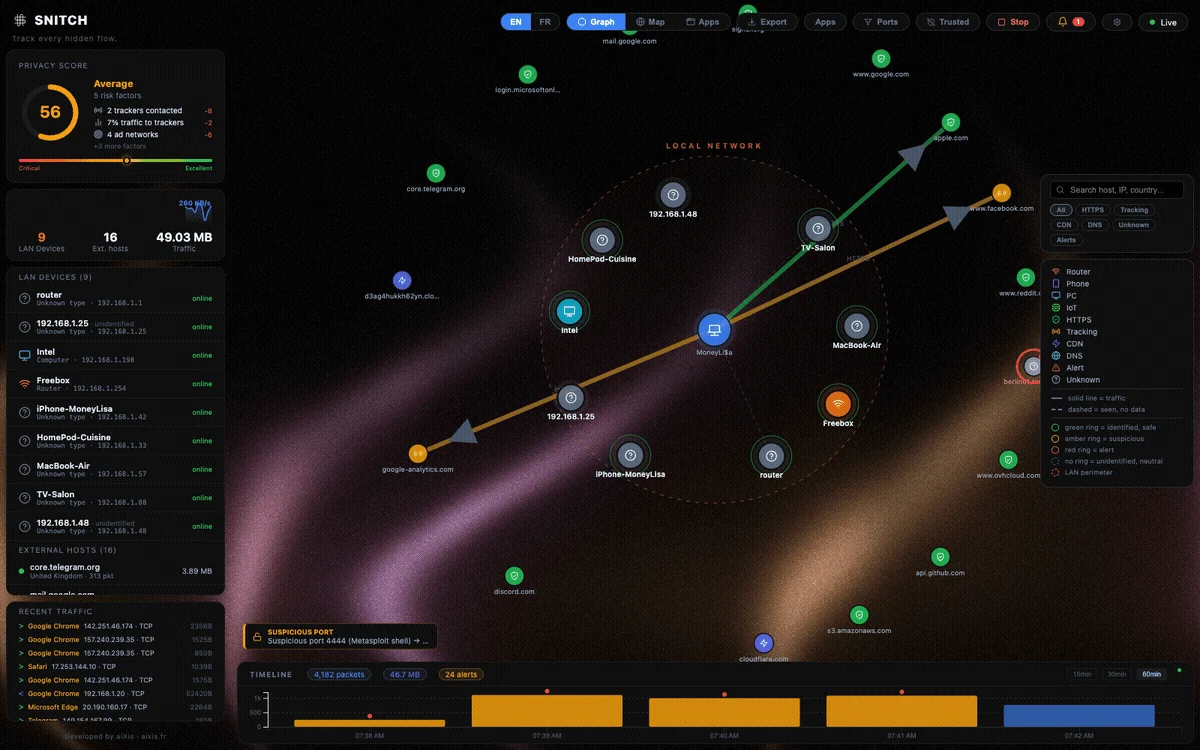
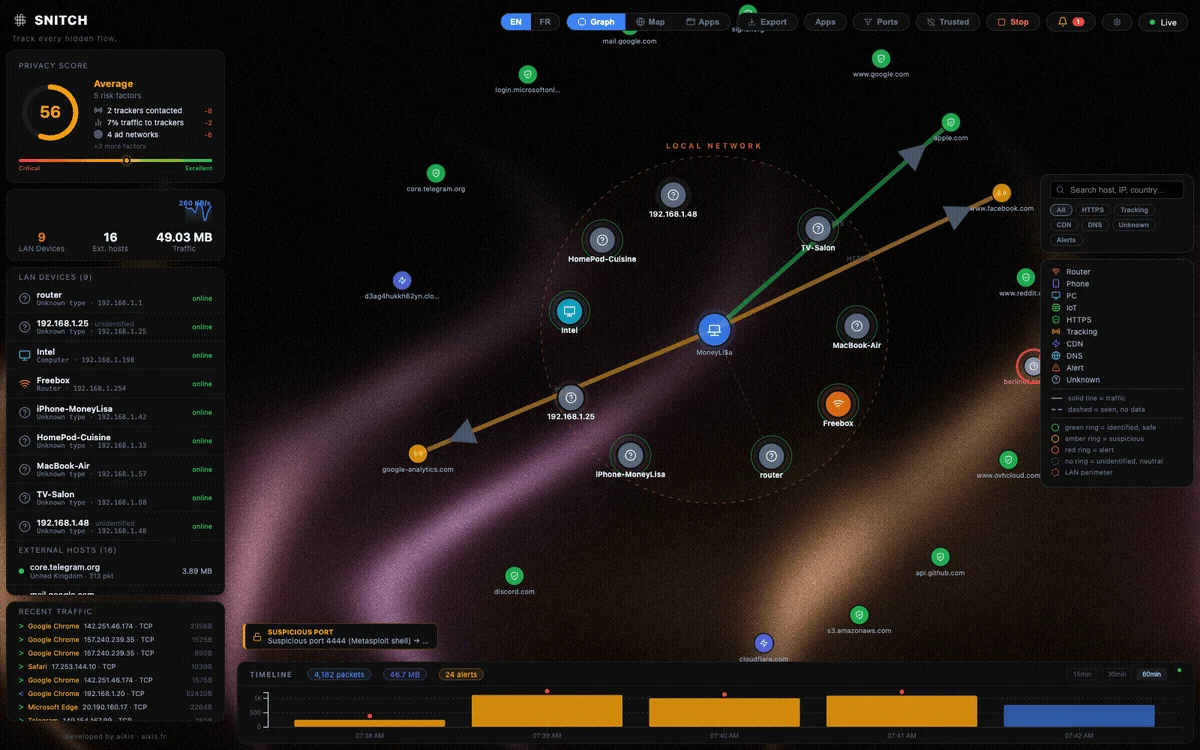
Snitch is a real-time network traffic visualizer. See every connection your computer makes — who it talks to, where they are, and which app is responsible.
The entire interface is available in English and French: use the EN / FR toggle in the top-right toolbar.
127.0.0.1 behind a token; your traffic data never leaves the machine.| Feature | Description |
|---|---|
| Force Graph | Live node graph — your machine at the center, every connection as a node |
| World Map | Geolocated IPs with animated arcs on an interactive globe |
| 15/30/60-min Timeline | Sliding history stored locally in SQLite (24 h retention) |
| Anomaly Detection | Flags port scans, beaconing, potential exfiltration |
| Process Attribution | Know which app generates which traffic (top 5 per connection) |
| LAN Scanner | Passive discovery via the system ARP table (no broadcast scans) |
| Privacy Score | Real-time score of your outgoing traffic exposure |
| Per-app View | Per-process destinations, volumes and 60-min history |
| Alert Suppression | Persisted "ignore host/type" rules, manageable in the UI |
| Settings Panel | Language, retention, filters, consent-gated GeoIP download, diagnostics |
| Tracker Detection | Suffix-matched domain lists shipped as editable data files (backend/classifier/lists/) |
| Bandwidth Monitor | Live MB/s sparkline |
| EN / FR UI | Full bilingual interface, one click to switch |
| Platform | Package |
|---|---|
| macOS (Apple Silicon) | brew install --cask aixisstudio/tap/snitch — or Snitch-1.0.4-macos-arm64.zip |
| Linux | sudo docker compose up --build — see Docker (Linux) |
| Windows | Build from source — see Build the installer |
Or grab the latest release: github.com/aixisstudio/Snitch/releases
macOS first run / Premier lancement macOS — Snitch is ad-hoc signed, not notarized (no paid Apple Developer ID). The
brew install --caskabove removes the quarantine flag for you. For the manual zip: right-click → Open, or runxattr -dr com.apple.quarantine /Applications/Snitch.app. On first launch Snitch asks for your admin password once — packet capture requires it, same as tcpdump/Wireshark; the UI itself stays unprivileged.FR — Snitch est signé ad-hoc, pas notarisé (pas de Developer ID payant). Le
brew install --caskci-dessus retire le drapeau de quarantaine pour vous. Pour le zip manuel : clic droit → Ouvrir, ouxattr -dr com.apple.quarantine /Applications/Snitch.app. Au premier lancement, Snitch demande le mot de passe admin une fois — la capture de paquets l'exige, comme tcpdump/Wireshark ; l'UI reste non privilégiée.
| Layer | Technology |
|---|---|
| Packet capture | ctypes → libpcap — Npcap (Windows) / libpcap (Linux/macOS) — own parser (IPv4/IPv6/TCP/UDP/DNS/TLS-SNI) |
| Backend API | FastAPI — WebSockets — SQLite |
| Frontend | React 18 — Vite — D3.js v7 — TopoJSON |
| Desktop wrapper | Electron 44 |
| Geolocation | Offline only — DB-IP Lite (CC BY 4.0) bundled gzip'd in backend/data/geo/, decompressed on first run; MaxMind GeoLite2 .mmdb also supported |

