Ein Tool, mit dem Sie weltweit nach angreifbaren Android-Geräten suchen und diese ausnutzen können.
Features
Features:
  - Post-Exploitation modules to control and tinker with the device you are connected to.
  - Scanners to search for vulnerable android devices across the world to exploit.
  - Options for managing how many devices you have connected.
  - Options for checking whether the devices you are connected to are online or offline.
  - IP-Lookup for retrieving information on a certain IP.
  - Options to dump the IP Addresses of the vulnerable android devices. [This makes your life easier so you dont have to find it yourself]
Erforderliche API-Schlüssel besorgen
Erstellen Sie ein Konto auf censys.io, gehen Sie dann zu Ihrer Kontoseite und holen Sie sich Ihren kostenlosen api_id- und api_secret-Schlüssel. Öffnen Sie 'adbnet.py' und tragen Sie Ihre API-ID und Ihren API-Schlüssel hier ein:

Erstellen Sie ein Konto auf shodan.io, gehen Sie zu Ihrem Konto und holen Sie sich Ihren kostenlosen API-Schlüssel. Sobald Sie ihn kopiert haben, öffnen Sie 'adbnet.py' und tragen Sie Ihren API-Schlüssel hier ein:

Einfaches Tutorial
First, run the 'dump shodan' or 'dump censy' (dump shodan is recommended) command to
dump the IP addresses of the vulnerable devices.

Then, after you find an IP-address you want to try, run the 'connect' command and you will be prompted to enter
the target IP address, once you enter the target ip address, you will be prompter to enter the port. For the port,
you can try entering '5555' or '4444' since those are the most common ports. If you want, you can try finding the
specific port yourself, but it might take some time.

Now AdbNet will now try to connect to the vulnerable android device.
If it fails to connect, try another IP.

If you manage to connect to a device, now you can check if you are really connected by using the 'devices' command.

< Warning! > You can only be connected to one device at a time! To kill the sessions use the 'killall' command! < Warning! >

To open a shell and execute commands on the device, use the 'terminal' command.

To run post-exploitation modules, run the 'post' command for the post-exploitation menu to load. Then, you
can run any module you like.

REMEMBER: IF YOU WANT TO CONNECT TO A DIFFERENT DEVICE, RUN THE 'killall' COMMAND, AND REPEAT THE PROCESS AGAIN.
Installation/Wie man es ausführt
sudo apt install pq
sudo apt install adb
pip3 install colorama
pip3 install requests
python3 adbnet.py or python adbnet.py or py adbnet.py

TIP: For people that are new to this, if you are having issues install a certain python module, just do this: pip3 install <modulename>
Screenshots
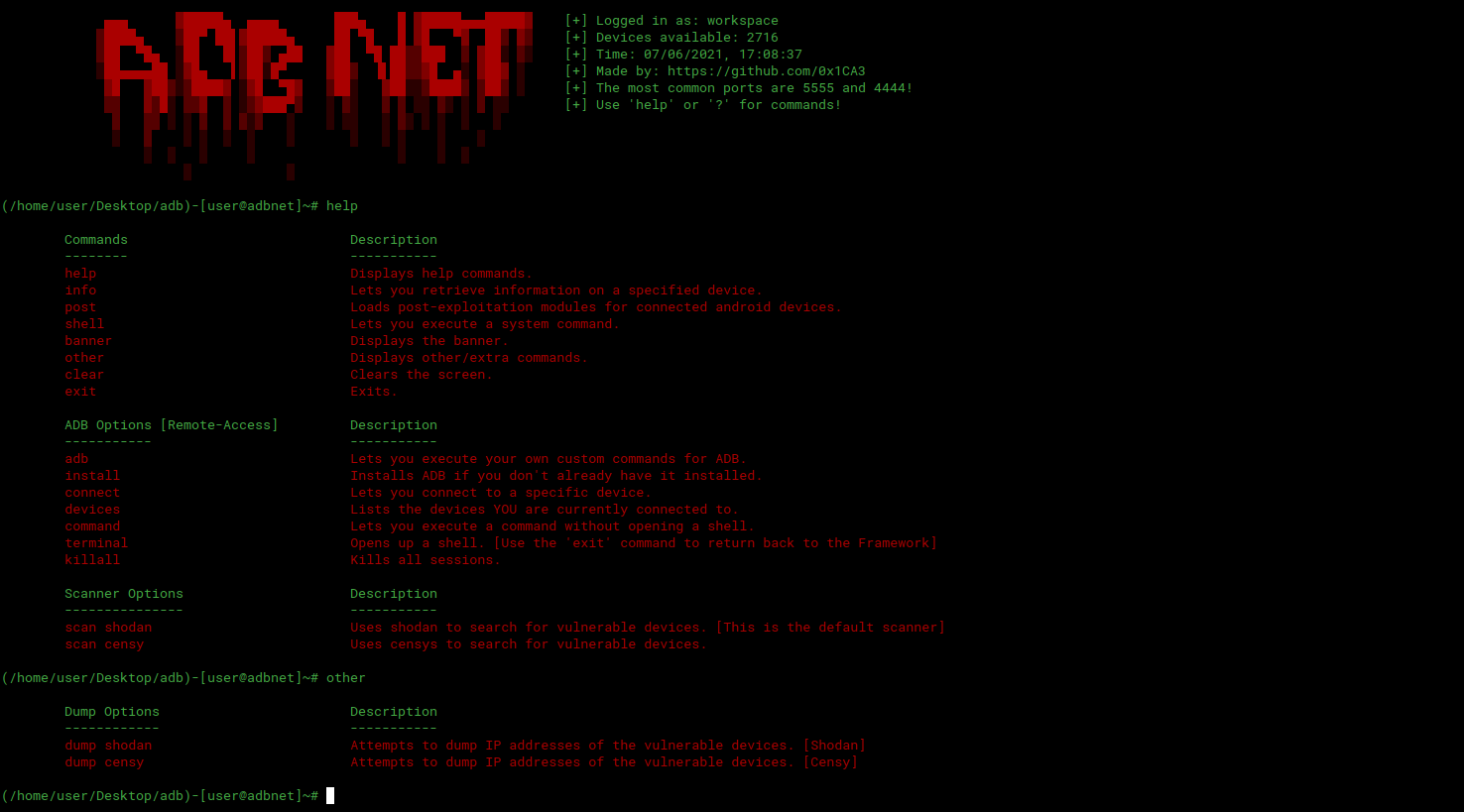
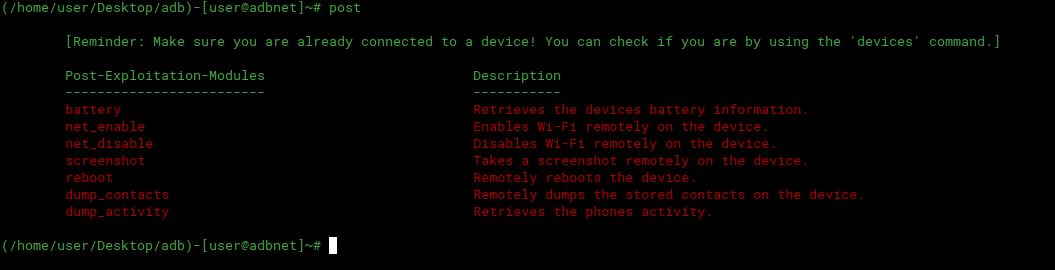
Credits
https://github.com/0x1CA3
Beiträge 🎉
Alle Beiträge sind willkommen, öffnen Sie einfach ein Issue / einen Pull Request.
 0x1ca3/adbnet