 trimstray/htrace.sh
سكيني السويسري البسيط لاستكشاف أخطاء http/https وتوصيف أدائها.




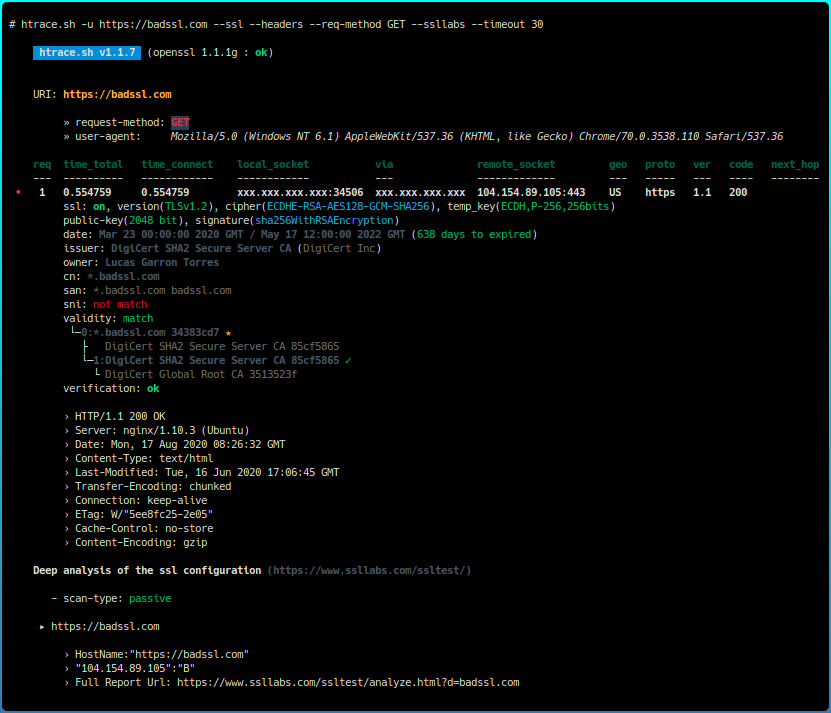
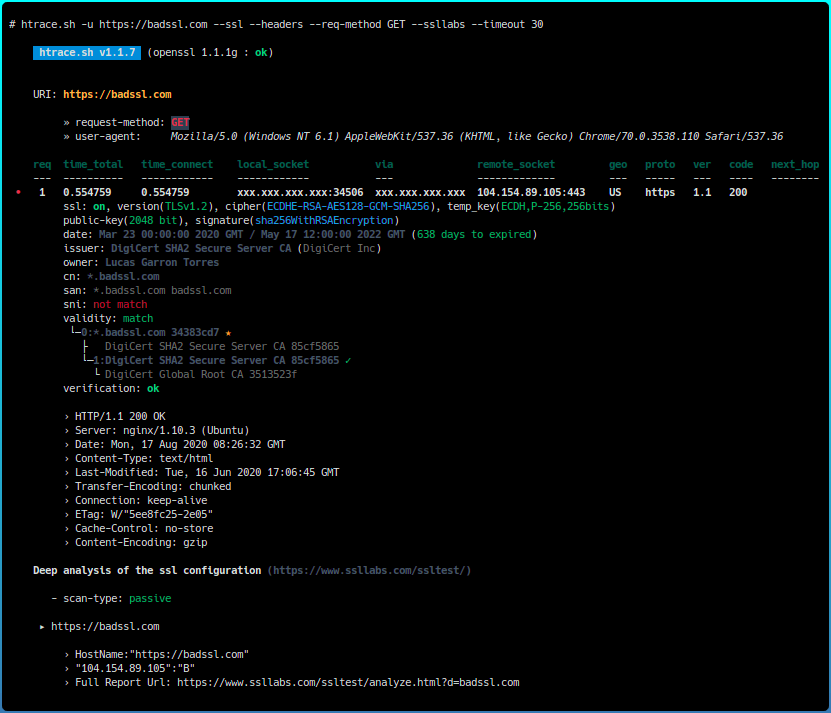
htrace.sh هي أداة مساعدة في شكل سكريبت شل لتحليل وحل مشاكل http/https وقياس أدائها. كما أنها غلاف بسيط حول عدة أدوات أمان مفتوحة المصدر.
لفهم أكثر تفصيلاً لـ htrace.sh، ومعاملاتها، ووظائفها، وكيفية عملها كلها، قم بتشغيل htrace.sh --examples أو راجع الويكي.
لتثبيت htrace.sh نفسها:
# Clone this repository
git clone https://github.com/trimstray/htrace.sh

# Go into directory
cd htrace.sh

# Install
sudo ./setup.sh install

# Install dependencies (Debian 8/9, Ubuntu 18.x and MacOS support)
#   - recommend build docker image or install dependencies manually
#   - before init please see what it does and which packages are available on your repository
sudo ./dependencies.sh

# Show examples
htrace.sh --examples

# Run the app
htrace.sh -u https://nmap.org -s -h
- الرابط الرمزي لـ
bin/htrace.shيتم وضعه في/usr/local/bin- صفحة الدليل توضع في
/usr/local/man/man8
أو بناء صورة docker:
# Clone this repository
git clone https://github.com/trimstray/htrace.sh

# Go into directory and build docker image
cd htrace.sh && build/build.sh

# Run the app
docker run --rm -it --name htrace.sh htrace.sh -u https://nmap.org -s -h
توفر الخيارات التالية:
    htrace.sh v1.1.7

  Usage:

    htrace.sh <option|long-option> [value]

  Examples:

    htrace.sh -u https://example.com -s -h -b
    htrace.sh -u https://example.com --all-scans

  Options:

        --help                                show this message
        --version                             show script version
        --examples                            show script examples

    Standard:

        -u|--url <value>                      set target url with http/https protocol
        -s|--ssl                              show basic ssl server/connection parameters
        -h|--headers                          show response headers
        -b|--body                             show response body
        -M|--req-method <value>               set request method (default: GET)
        -H|--req-header <value>               set request header(s)
        -p|--proxy <value>                    set proxy server (not for external tools)
        -r|--resolve <value>                  resolve the host+port to this address
        -i|--iface <value>                    set network interface (or address)
        -a|--all-scans                        use all external security tools

    Security tools:

        --testssl                             test ssl protocols and ciphers (testssl.sh)
        --observatory                         analyze website headers (mozilla observatory)
        --ssllabs                             deep analysis of the ssl web server (ssllabs)
        --mixed-content                       scan website for non-secure resources (mixed-content-scan)
        --nse                                 scan website and domain with nse library (nmap)
        --waf                                 detect and bypass web application firewalls (wafw00f)
        --dns                                 enumerate subdomains (subfinder) and perform zone transfer
        --http2                               test HTTP/2 (nghttp2)

    Extended:

        --ssl-bin <path>                      set path to the openssl bin
        --ssl-debug                           debug ssl connection
        --cache-bypass <value>                try (proxy) cache bypass
        --user-agent <value>                  set 'User-Agent' header
        --referer <value>                     set 'Referer' header
        --auth <value>                        set authentication method
        --httpv <value>                       set http version
        --tlsv <value>                        set tls version
        --ciph <value>                        set of cryptographic algorithm
        --max-redirects <num>                 set max redirects (default: 10)
        --timeout <num>                       set max timeout (default: 15)
        --hide-src-ip                         hide source ip from output
انظر هذا.
هذا المشروع موجود بفضل جميع الأشخاص الذين يساهمون.

GPLv3 : http://www.gnu.org/licenses/
برنامج مجاني، أجل!
