
مدقق هاش عبر الإنترنت لـ Virustotal والخدمات الأخرى
_________ _ _ ______ _____ ______
| | | | | \ | | | | | | \ \ | | | | \ \ /.)
| | | | | | | | | | | | | | | | | | | | /)\|
|_| |_| |_| \_|__|_| |_| |_| _|_|_ |_| |_| // /
/'" "
مدقق هاش عبر الإنترنت لـ Virustotal وخدمات أخرى
فلوريان روث
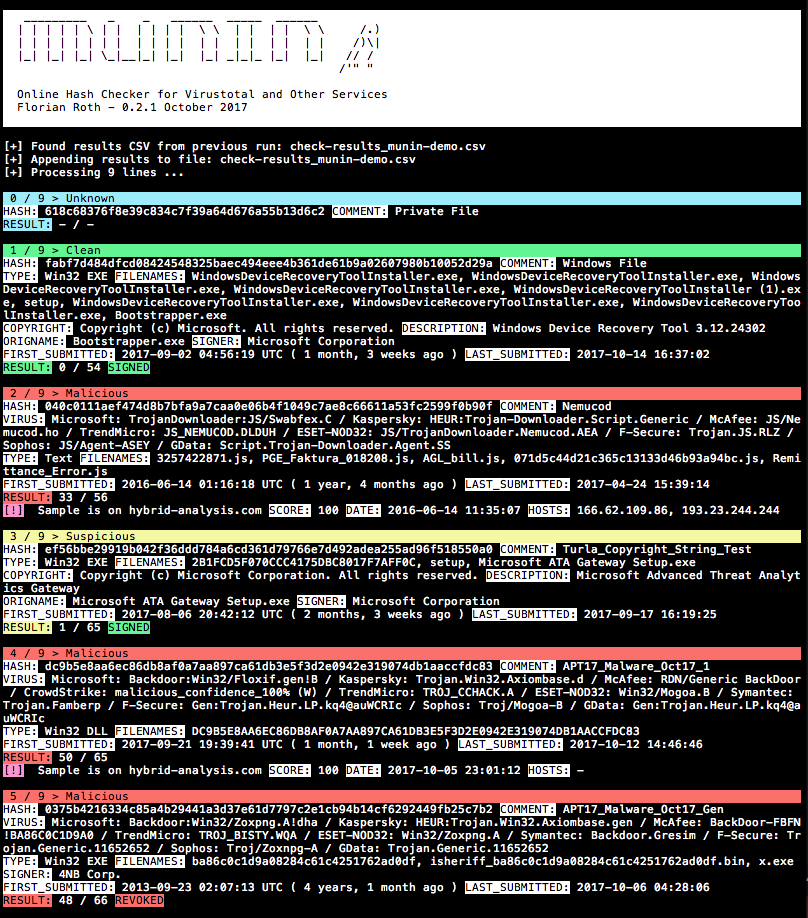
Munin هي أداة لفحص الهاشات عبر الإنترنت تجلب معلومات قيّمة من مصادر متعددة على الإنترنت.
الإصدار الحالي من Munin يستعلم الخدمات التالية:
الوضع الافتراضي - قراءة الهاشات من ملف
usage: munin.py [-h] [-f path] [--vh search-string]
[--vhrule search-string] [-o output] [--vtwaitquota]
[--vtminav min-matches] [--limit hash-limit]
[--vhmaxage days] [-c cache-db] [-i ini-file]
[-s sample-folder] [--comment] [-p vt-comment-prefix]
[--download] [-d download_path] [--nocache] [--nocsv]
[--verifycert] [--sort] [--web] [-w port] [--cli]
[--rescan] [--debug]
Online Hash Checker
optional arguments:
-h, --help show this help message and exit
-f path File to process (hash line by line OR csv with hash
in each line - auto-detects position and comment)
--vh search-string Query Valhalla for hashes by keyword, tags, YARA
rule name, Mitre ATT&CK software (e.g. S0154),
technique (e.g. T1023) or threat group (e.g. G0049)
--vhrule search-string
Query Valhalla for hashes via rules by keyword,
tags, YARA rule name, Mitre ATT&CK software (e.g.
S0154), technique (e.g. T1023) or threat group
(e.g. G0049)
-o output Output file for results (CSV)
--vtwaitquota Do not continue if VT quota is exceeded but wait
for the next day
--vtminav min-matches
Minimum number of AV matches to query hash info
from VT"
--limit hash-limit Exit after handling this much new hashes in batch
mode (cache ignored).
--vhmaxage days Maximum age of sample on Valhalla to process
-c cache-db Name of the cache database file (default: vt-hash-
db.json)
-i ini-file Name of the ini file that holds the API keys
-s sample-folder Folder with samples to process
--comment Posts a comment for the analysed hash which
contains the comment from the log line
-p vt-comment-prefix Virustotal comment prefix
--download Enables Sample Download from Hybrid Analysis.
SHA256 of sample needed.
-d download_path Output Path for Sample Download from Hybrid
Analysis. Folder must exist
--nocache Do not use cache database file
--nocsv Do not write a CSV with the results
--verifycert Verify SSL/TLS certificates
--sort Sort the input lines
--web Run Munin as web service
-w port Web service port
--cli Run Munin in command line interface mode
--rescan Trigger a rescan of each analyzed file
--debug Debug output
pip3 install -r requirements.txt (على macOS أضف --user)cp munin.ini my.ini (انظر قسم الحصول على مفاتيح API للمساعدة)python munin.py -i my.ini -f munin-demo.txtمعالجة نتيجة Virustotal Retrohunt وفرز الأسطر قبل الفحص بحيث تُفحص التواقيع المتطابقة في كتل
python3 munin.py -i my.ini -f ~/Downloads/retro_hunt
معالجة دليل يحتوي على عينات وفحص هاشاتها عبر الإنترنت
python3 munin.py -i my.ini -s ~/malware/case34
استخدام وضع واجهة سطر الأوامر (جديد في الإصدار v0.14)
python3 munin.py -i my.ini
Profile > My API key للحصول على مفتاح API العام الخاص بكسجل هنا https://malshare.com/register.php
سجل هنا https://bazaar.abuse.ch/. يمكنك بعد ذلك العثور على مفتاح API الخاص بك في نظرة عامة على الحساب.
Profile > API keyAuthkey كمفتاح APIحاليًا للعملاء أو الباحثين المدعوين فقط
https://valhalla.nextron-systems.com/
Hashlookup – مثيل CIRCL يتم توفيره مجانًا ويُقدَّم على أساس أفضل جهد.
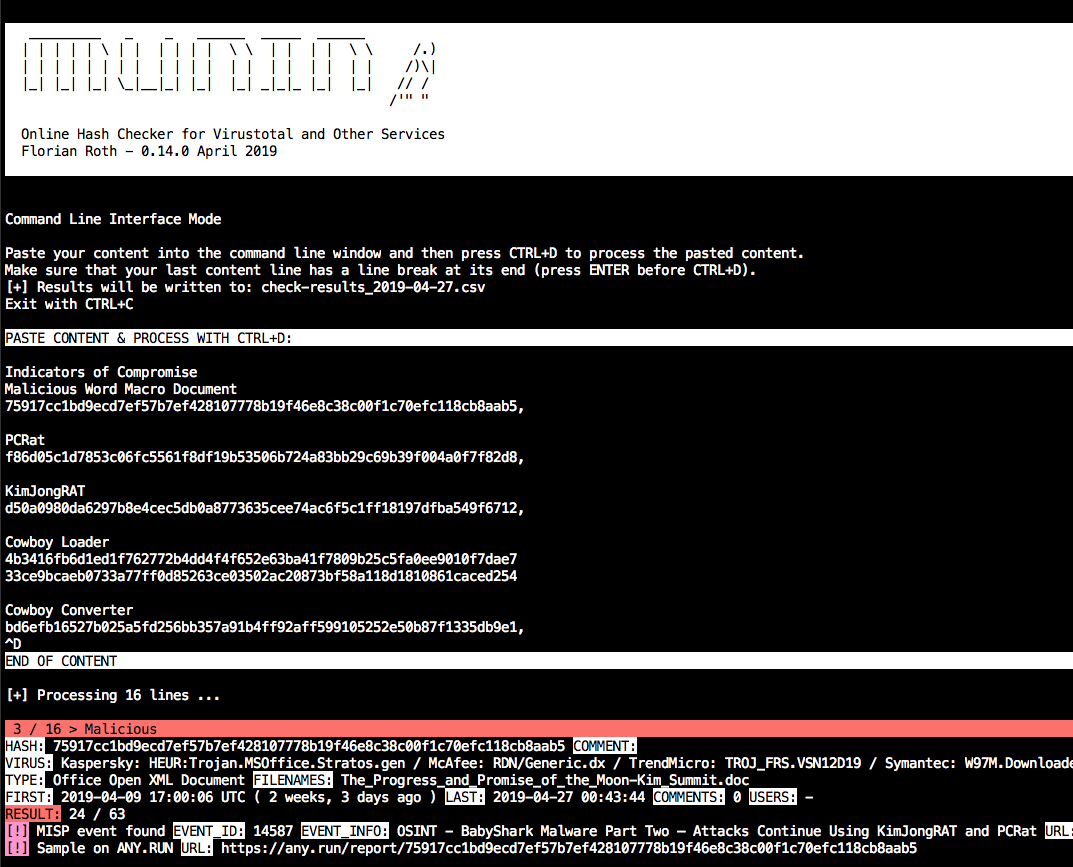
شغّل munin مع --cli واتبع التعليمات.
مثال:
python3 munin.py -i my.ini --cli
الصق محتوى بقيم هاش ثم اضغط CTRL+D لإنهاء الإدخال. يجب أن يحتوي السطر الأخير على فاصل سطر في نهايته.
في الوضع الافتراضي، سيقوم بإنشاء ملف CSV بتاريخ اليوم في اسم الملف.

شغّل munin مع --web واختياريًا حدد منفذًا -w port.
مثال:
python3 munin.py -i my.ini --web -w 8080
تنتظر خدمة الويب سلاسل نصية وفقًا لنمط URL التالي.
http://server:port/<string>
يمكن أن تكون السلسلة أي سلسلة بدون فواصل أسطر، مثلاً:
Emotet:1585ad28f7d1e0ca696e6c6c2f1d008a
ed01ebfbc9eb5bbea545af4d01bf5f1071661840480439c6e5babe8e080e41aa;IOC1
dc9b5e8aa6ec86db8af0a7aa897ca61db3e5f3d2e0942e319074db1aaccfdc83
ستبدو النتيجة هكذا:
{
"comment": "Emotet",
"commenter": "-",
"comments": "0",
"copyright": "Copyright (C) America Online, Inc. 1999 - 2004",
"description": "Utilities",
"expired": false,
"filenames": "sourcedev.exe, MISCUTIL, x8ykNnr_9WofXq7Nh_xuEzSPW.exe, jwuKBLWN681ztj6Zks.exe",
"filetype": "Win32 EXE",
"first_submitted": "2019-01-19 13:46:21 UTC ( 2 months, 2 weeks ago )",
"firstsubmission": "2019-01-19 13:46:21 UTC ( 2 months, 2 weeks ago )",
"harmless": false,
"hash": "1585ad28f7d1e0ca696e6c6c2f1d008a",
"hybrid_available": false,
"hybrid_compromised": "-",
"hybrid_date": "-",
"hybrid_score": "-",
"imphash": "2820d9bdc397f88a8a1e957e1a824482",
"last_submitted": "2019-02-27 09:44:03",
"malshare_available": false,
"md5": "1585ad28f7d1e0ca696e6c6c2f1d008a",
"misp_available": true,
"misp_events": "",
"misp_info": [],
"mssoft": false,
"origname": "-",
"positives": 48,
"rating": "malicious",
"res_color": "\u001b[41m",
"result": "48 / 64",
"revoked": false,
"sha1": "4561d0ad575d5f02fb06e062a37de15861c3bd89",
"sha256": "35e304d10d53834e3e41035d12122773c9a4d183a24e03f980ad3e6b2ecde7fa",
"signed": false,
"signer": "-",
"total": 64,
"urlhaus_available": true,
"vendor_results": {
"CrowdStrike": "win/malicious_confidence_100% (W)",
"ESET-NOD32": "a variant of Win32/Kryptik.GOUY",
"F-Secure": "Trojan.TR/AD.Emotet.pdiuu",
"GData": "Trojan.GenericKD.40960256",
"Kaspersky": "HEUR:Trojan.Win32.Generic",
"McAfee": "Emotet-FLL!1585AD28F7D1",
"Microsoft": "Trojan:Win32/Emotet.DN",
"Sophos": "Mal/Emotet-Q",
"Symantec": "Trojan.Gen.2",
"TrendMicro": "-"
},
"virus": "Microsoft: Trojan:Win32/Emotet.DN / Kaspersky: HEUR:Trojan.Win32.Generic / McAfee: Emotet-FLL!1585AD28F7D1 / CrowdStrike: win/malicious_confidence_100% (W) / ESET-NOD32: a variant of Win32/Kryptik.GOUY / Symantec: Trojan.Gen.2 / F-Secure: Trojan.TR/AD.Emotet.pdiuu / Sophos: Mal/Emotet-Q / GData: Trojan.GenericKD.40960256",
"virusbay_available": false,
"vt_positives": 48,
"vt_queried": false,
"vt_total": 64,
"vt_verbose_msg": "Scan finished, information embedded"
}
يجب تقنين الاستعلامات إلى Virustotal. لذلك تطبق خدمة الويب فترة تبريد، يتم تقليلها بطرح الوقت المستغرق لمعالجة جميع المنصات الأخرى من وقت الانتظار البالغ 15 ثانية.
cooldown_time = vt_wait_time - process_time
أثناء فترة التبريد، ستعيد الطلبات هذه الاستجابة:
{"status": "VT cooldown active"}
فترة التبريد ليست ذات صلة عند طلب هاشات موجودة بالفعل في ذاكرة التخزين المؤقت للبحث.
يقوم برنامج فحص مضيفات Munin وعناوين IP (munin-host.py) باسترجاع معلومات إضافية حول عناوين IP وأسماء المضيفين/النطاقات في قوائم IOCs.
usage: munin-host.py [-h] [-f path] [-o output] [-m max-items] [-c cache-db]
[-i ini-file] [--nocache] [--nocsv] [--recursive]
[--download] [-d download_path] [--dups] [--noresolve]
[--ping] [--debug]
Virustotal Online Checker (IP/Domain)
optional arguments:
-h, --help show this help message and exit
-f path File to process (hash line by line OR csv with hash in
each line - auto-detects position and comment)
-o output Output file for results (CSV)
-m max-items Maximum number of items (urls, hosts, samples) to show
-c cache-db Name of the cache database file (default: vt-hosts-
db.json)
-i ini-file Name of the ini file that holds the API keys
--nocache Do not use the load the cache db (vt-check-cache.pkl)
--nocsv Do not write a CSV with the results
--recursive Process the resolved IPs as well
--download Try to download the URLs (directories with host/ip names)
-d download_path Store the downloads to the given directory
--dups Do not skip duplicate hashes
--noresolve Do not perform DNS resolve test on found domain names
--ping Perform ping check on IPs (speeds up process if many
public but internally routed IPs appear in text file)
--debug Debug output

قم بتحليل ملف العرض التوضيحي، واستخراج عناوين IP والمضيفات، ولا تفحص فقط النطاقات التي لا تزال قابلة للحل، وقم بتنزيل العينات مباشرة من الأنظمة البعيدة.
python3 munin-host.py -i your-key.ini -f ./munin-hosts-demo.txt --noresolve --download
استخدام munin-host.py في شبكة مراقبة بواسطة IDS سيؤدي إلى العديد من التنبيهات، حيث يقوم munin-host.py بإجراء عمليات بحث DNS لنطاقات ضارة ولديه خيار تنزيل عينات ضارة.
يتطلب البرنامج النصي munin-host.py الوحدة pycurl. قد يكون من الصعب أحيانًا جعلها تعمل على macOS لأنها تتطلب تثبيت openssl، ثم يتم استخدامه في عملية البناء.
في حالة حدوث أخطاء، جرب ما يلي (بعض البيئات ستتطلب pip3)
pip uninstall pycurl
brew update
brew reinstall openssl
export PKG_CONFIG_PATH="/usr/local/opt/openssl/lib/pkgconfig"
export LDFLAGS="-L/usr/local/opt/openssl/lib"
export CPPFLAGS="-I/usr/local/opt/openssl/include"
export PYCURL_SSL_LIBRARY=openssl
pip install pycurl --global-option="--with-openssl"
يقوم برنامج Hugin (hugin.py) باسترجاع وعرض المعلومات لجميع العينات التي تم إرجاعها في عملية retrohunt. الميزة الكبيرة هي أنك لا تحتاج إلى الانتظار لمدة 15 ثانية بين كل طلب عينة، بل تقوم بسحب ملف نتيجة JSON كامل عبر الإصدار v3 من واجهة برمجة تطبيقات Virustotal. بهذه الطريقة تحصل على نتائجك فورًا. العيب هو أن الخدمات الأخرى مثل Any.run و Hybrid-Analysis و MISP أو Valhalla لا يتم استعلامها مع Hugin.
usage: hugin.py [-h] [-r retrohunt-name] [-i ini-file]
[--csv-path CSV_PATH] [--debug] [--no-comments]
Retrohunt Checker
optional arguments:
-h, --help show this help message and exit
-r retrohunt-name Name for the queried retrohunt
-i ini-file Name of the ini file that holds the VT API key
--csv-path CSV_PATH Write a CSV with the results
--debug Debug output
--no-comments Skip VirusTotal comments
قم بتحليل retrohunt وتصدير ملف CSV بالنتائج.
python3 hugin.py -i config-with-your-key.ini -r retrohunt-123456789
