 intuitem/ciso-assistant-community
GRC platform for risk management, compliance, and audit with 200+ frameworks, automatic control mapping, vulnerability management, and incident response workflows.

Star the project 🌟 to get releases notification and help growing the community!
intuitem.com
·
SaaS Free trial
·
Roadmap
·
Docs
·
Languages
·
Discord
·
Frameworks






CISO Assistant offers a fresh perspective on Cybersecurity Management and GRC (Governance, Risk, and Compliance) practices:
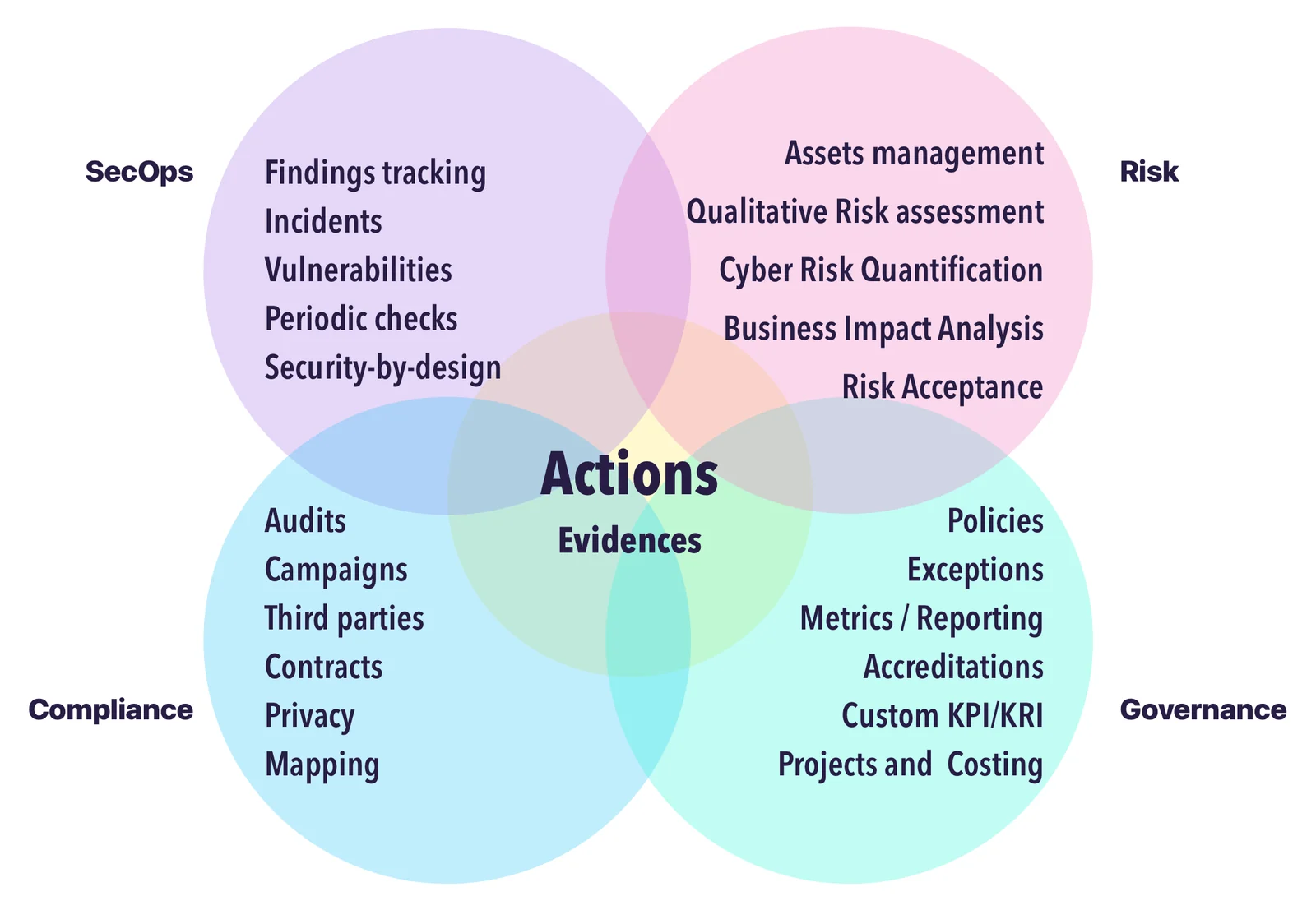
Our vision is to create a one-stop-shop for cybersecurity management—modernizing GRC through simplification and interoperability.
As practitioners working with cybersecurity and IT professionals, we've faced the same issues: tool fragmentation, data duplication, and a lack of intuitive, integrated solutions. CISO Assistant was born from those lessons, and we're building a community around pragmatic, common-sense principles.
We’re constantly evolving with input from users and customers. Like an octopus 🐙, CISO Assistant keeps growing extra arms—bringing clarity, automation, and productivity to cybersecurity teams while reducing the effort of data input and output.




[!TIP] The easiest way to get started is through the free trial of cloud instance available here.
Alternatively, once you have Docker and Docker-compose installed, on your workstation or server:
clone the repo:
git clone --single-branch -b main https://github.com/intuitem/ciso-assistant-community.git
and run the starter script
./docker-compose.sh     # Linux/MacOS
./docker-compose.ps1    # Windows
If you are looking for other installation options for self-hosting, check the config builder and the docs.
[!NOTE] The docker-compose script uses prebuilt Docker images supporting most of the standard hardware architecture. If you're using Windows, make sure to have Docker Desktop with WSL2 installed and trigger the PowerShell script. It will feed Docker Desktop on your behalf.
The docker compose file can be adjusted to pass extra parameters to suit your setup (e.g. Mailer settings).
[!WARNING] If you're getting warnings or errors about image's platform not matching host platform, raise an issue with the details and we'll add it shortly after. You can also use
docker-compose-build.shinstead (see below) to build for your specific architecture.
[!CAUTION] Don't use the
mainbranch code directly for production as it's the merge upstream and can have breaking changes during our development. Either use thetagsfor stable versions or prebuilt images.
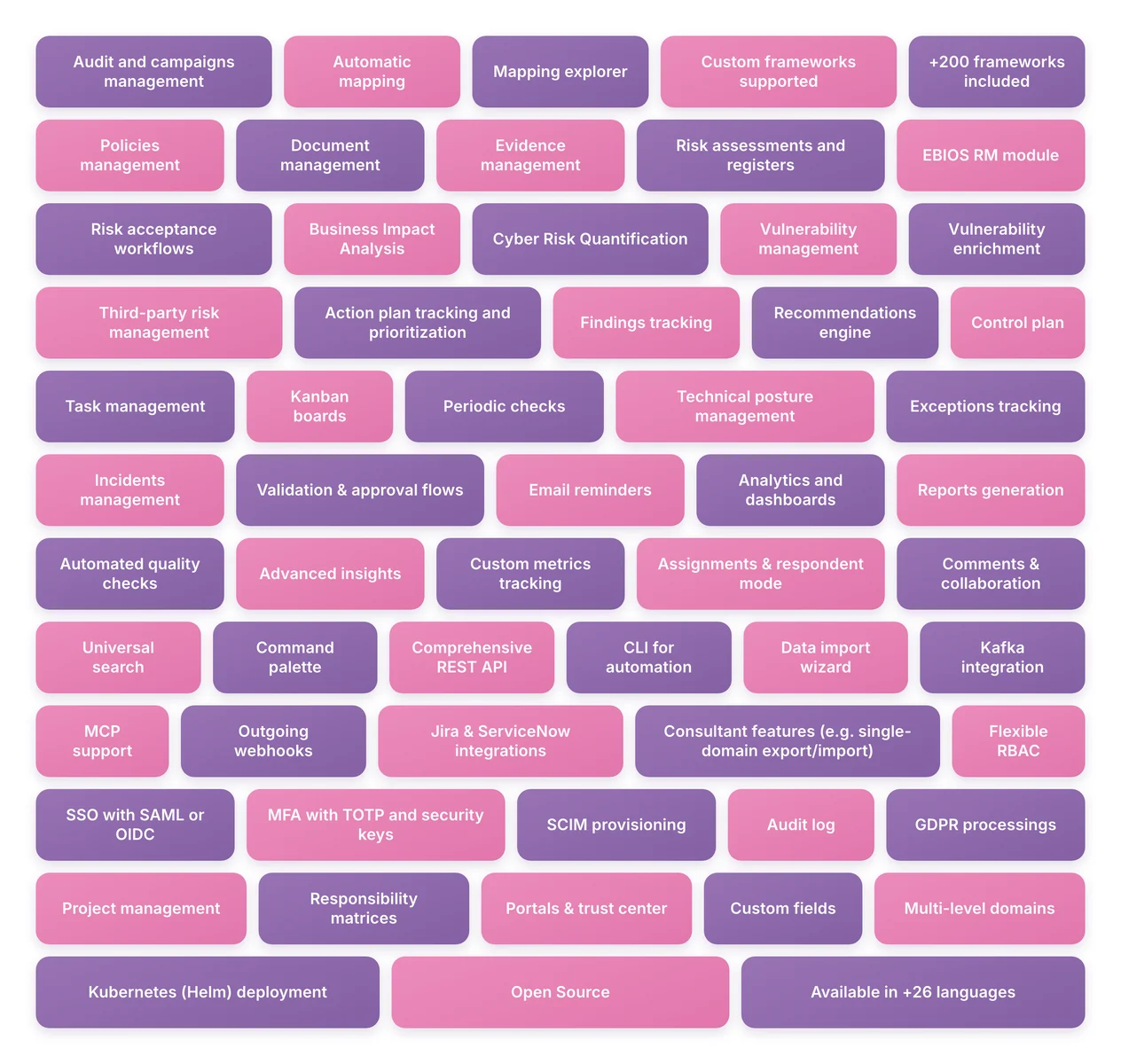
Compliance & frameworks
Risk management
Third-party risk

