 iilegacyyii/shellcrypt
أداة QoL لتعتيم shellcode. في المستقبل ستكون قادرة على ربط طرق الترميز/التشفير/الضغط.

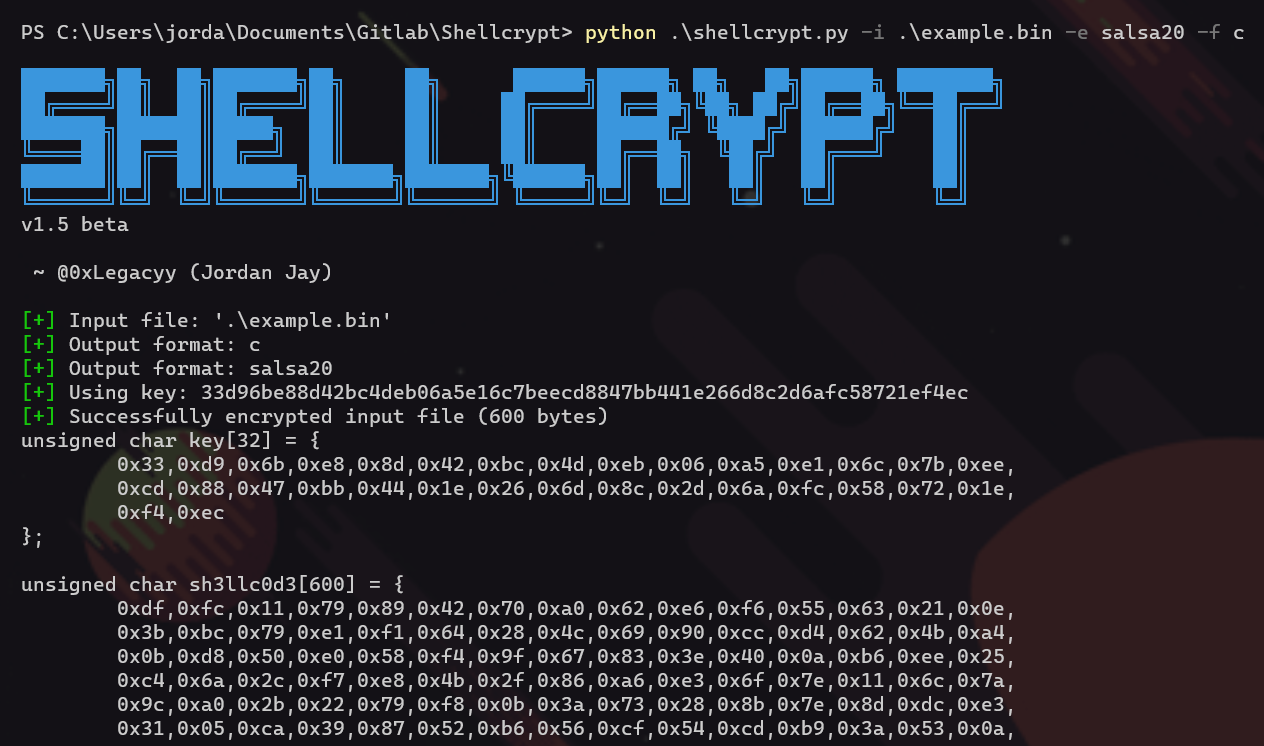
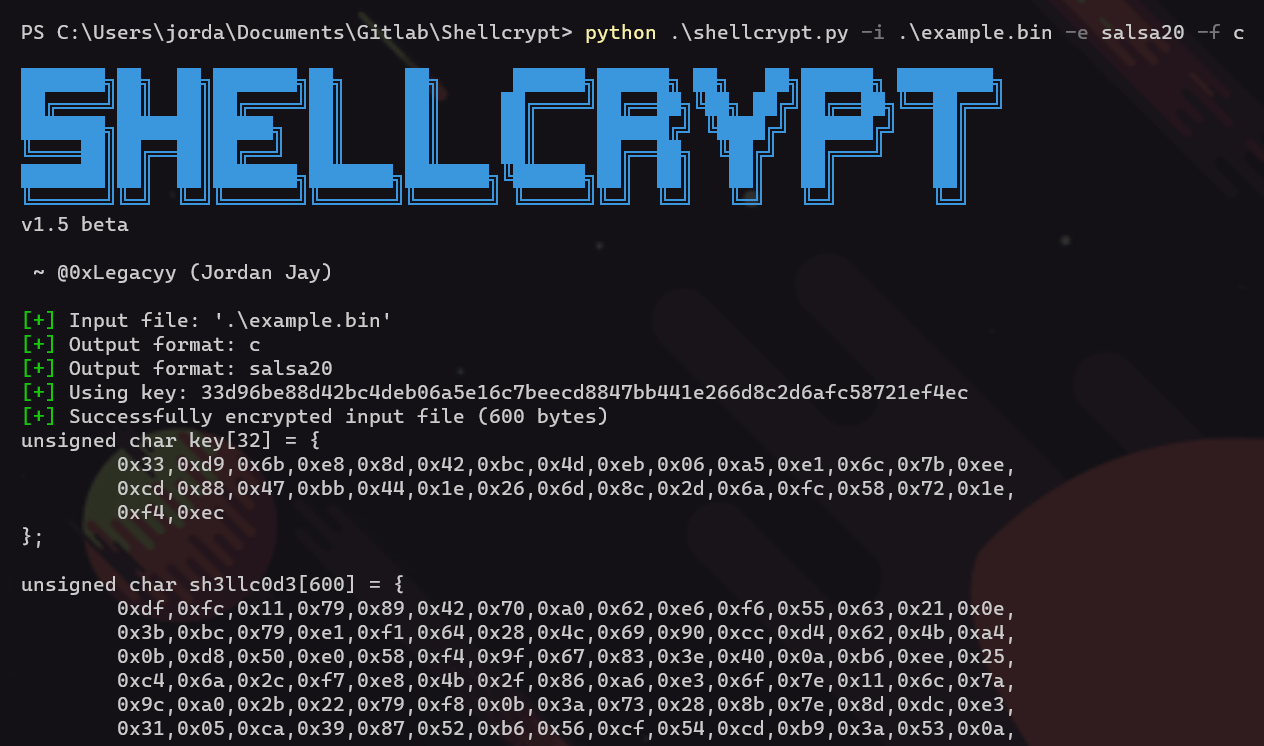
أداة متعددة المنصات في ملف واحد تسهّل الحياة؛ تُستخدم لإخفاء ملف shellcode معيّن وإخراجه بصيغة مفيدة للصقه مباشرة في الكود المصدري الخاص بك.
هؤلاء يُذكرون هنا لأنهم يستحقون ذلك
يدعم Shellcrypt حاليًا طرق التشفير التالية (المزيد قادم في المستقبل!)
يدعم Shellcrypt حاليًا صيغ الإخراج التالية (المزيد قادم في المستقبل!)
تشفير shellcode بمفتاح عشوائي
python ./shellcrypt.py -i ./shellcode.bin -f c
تشفير shellcode باستخدام AES-CBC بطول 128 بت
python ./shellcrypt.py -i ./shellcode.bin -e aes -f c
تشفير shellcode بمفتاح يحدده المستخدم
python ./shellcrypt.py -i ./shellcode.bin -f c -k 6d616c77617265
الإخراج بصيغة nim
python ./shellcrypt.py -i ./shellcode.bin -f nim
الإخراج إلى ملف
python ./shellcrypt.py -i ./shellcode.bin -f nim -o ./shellcode_out.nim
الحصول على قائمة بطرق التشفير
python ./shellcrypt.py --ciphers
الحصول على قائمة بصيغ الإخراج
python ./shellcrypt.py --formats
المساعدة
███████╗██╗  ██╗███████╗██╗     ██╗      ██████╗██████╗ ██╗   ██╗██████╗ ████████╗
██╔════╝██║  ██║██╔════╝██║     ██║     ██╔════╝██╔══██╗╚██╗ ██╔╝██╔══██╗╚══██╔══╝
███████╗███████║█████╗  ██║     ██║     ██║     ██████╔╝ ╚████╔╝ ██████╔╝   ██║
╚════██║██╔══██║██╔══╝  ██║     ██║     ██║     ██╔══██╗  ╚██╔╝  ██╔═══╝    ██║
███████║██║  ██║███████╗███████╗███████╗╚██████╗██║  ██║   ██║   ██║        ██║
╚══════╝╚═╝  ╚═╝╚══════╝╚══════╝╚══════╝ ╚═════╝╚═╝  ╚═╝   ╚═╝   ╚═╝        ╚═╝
v1.5 beta

 ~ @0xLegacyy (Jordan Jay)

usage: shellcrypt [-h] [-i INPUT] [-e ENCRYPT] [-k KEY] [-n NONCE] [-f FORMAT] [--formats] [--ciphers] [-o OUTPUT]
                  [-v]

options:
  -h, --help            show this help message and exit
  -i INPUT, --input INPUT
                        Path to file to be encrypted.
  -e ENCRYPT, --encrypt ENCRYPT
                        Encryption method to use, default 'xor'.
  -k KEY, --key KEY     Encryption key in hex format, default (random 16 bytes).
  -n NONCE, --nonce NONCE
                        Encryption nonce in hex format, default (random 16 bytes).
  -f FORMAT, --format FORMAT
                        Output format, specify --formats for a list of formats.
  --formats             Show a list of valid formats
  --ciphers             Show a list of valid ciphers
  -o OUTPUT, --output OUTPUT
                        Path to output file
  -v, --version         Shows the version and exits
pssst لا تزال هذه الأداة قيد التطوير بشكل كبير، لذا إذا كنت ترغب في المساهمة، جرّب العمل على أحد TODO's العديدة في الكود :)
