 ghassan-elsman/crow-eye
محرك مفتوح المصدر للأدلة الجنائية في ويندوز، يجمع ويحلّل ويربط الأدلة الرقمية (MFT وUSN والريجستري وغيرها) لإعادة بناء الخطوط الزمنية مع تحليل مدعوم بالذكاء الاصطناعي وختم الأدلة بمعايير قضائية.

# Crow-Eye — Windows Forensics Engine
<p align="center">
<img src="https://assets.kitploit.com/production/public/readmes/9931/e20b67e81e2eeb9771be22efa8ea74dcb5a2f0ce84cd0a7ebfb68af3dfcaf293.png" alt="Crow-Eye Logo" width="200"/>
</p>
<p align="center"><strong>A forensic time machine for Windows.</strong><br/>
Crow-Eye doesn't just <em>detect</em> — it <strong>reconstructs what actually happened</strong> on the timeline, from acquisition all the way to a verdict traceable to its source records.</p>
[](https://www.gnu.org/licenses/gpl-3.0)




[](https://discord.gg/2vag2Udf)
[](https://github.com/Ghassan-elsman/Crow-Eye/stargazers)
[](https://github.com/Ghassan-elsman/Crow-Eye/issues)
[](https://github.com/Ghassan-elsman/Crow-Eye/commits)
## Table of Contents
- [Overview](#overview)
- [✨ Highlights](#-highlights)
- [👥 Who Crow-Eye Is For](#-who-crow-eye-is-for)
- [🧭 Subsystems at a Glance](#-subsystems-at-a-glance)
- [🏗️ Architecture](#️-architecture)
- [📥 Download & Install](#-download--install)
- [🚀 Quick Start](#-quick-start)
- [📂 Supported Artifacts](#-supported-artifacts)
- [🔧 Analysis Modes](#-analysis-modes)
- [📎 Import Evidence (third-party data)](#-import-evidence-third-party-data)
- [🧠 User Behavior Analytics (UBA)](#-user-behavior-analytics-uba)
- [🧩 Correlation Engine](#-correlation-engine)
- [👁️ Eye — The Forensics AI Assistant](#️-eye--the-forensics-ai-assistant)
- [📖 Eye-Describe — Byte-Level Artifact Knowledge Base](#-eye-describe--byte-level-artifact-knowledge-base)
- [🧪 Quality & Validation](#-quality--validation)
- [🔬 Research Platform](#-research-platform)
- [🛠️ Technical Notes](#️-technical-notes)
- [📸 Screenshots](#-screenshots)
- [🚧 Roadmap](#-roadmap)
- [📚 Documentation](#-documentation)
- [🤝 Contributing](#-contributing)
- [🌐 Website & Community](#-website--community)
- [📄 License](#-license)
- [📝 Citing Crow-Eye](#-citing-crow-eye)
- [💖 Support](#-support)
- [Credits](#credits)
## Overview
**Crow-Eye is an open-source (GPL-3.0) Windows forensics engine that unifies acquisition, analysis, verification, intelligence, and AI.** Most security tools ask *"is this bad?"* and clear whatever looks legitimate. Crow-Eye asks a different question: **"what happened?"** It correlates **all** activity — suspicious or not — and reconstructs the actual sequence of events on a system, so the truth of an investigation is *rebuilt from evidence* rather than guessed from alerts.
That reconstruction-first design is exactly what it takes to **hunt APT and nation-state threats**: sophisticated adversaries live inside legitimate tools (`powershell.exe`, PsExec, `certutil`) and in the *sequence* of actions — invisible to tools that clear anything that looks normal. Because Crow-Eye never clears anything and reasons over execution **artifacts** (which survive log tampering and anti-forensics), the attack can't hide. The same engine stays approachable for everyday DFIR work and for non-experts who simply want to know what happened on a computer.
- 🕰️ **Reconstruct, don't just detect** — rebuild the timeline of what actually occurred.
- 🖥️ **Cross-platform** — full live + offline analysis on **Windows**; **offline analysis and forensic-image parsing on Linux** (live parsers are Windows-only).
- 🔒 **Private by design** — **0 ms of data sent off-device**; the Eye AI assistant can run fully **air-gapped**.
- 🧾 **Court-grade** — evidence is cryptographically sealed and every step is auditable.
- 📦 **Current version:** 0.14.1 · **Correlation Engine:** 1.8.0 · **License:** GPL-3.0.
## ✨ Highlights
- **Reconstruction over detection.** Correlates every artifact into one navigable, per-entity story instead of a pile of alerts.
- **Integrated end to end** — acquisition → correlation → timeline → behavioral analytics → AI → sealed case memory: a full pipeline no single incumbent tool spans.
- **Artifact-deep, not log-shallow.** Prefetch, Amcache, ShimCache, SRUM, MFT, USN, LNK/JumpLists and more survive the log clearing and "living-off-the-land" tricks that blind log-only tools.
- **The Eye AI assistant** — natural-language forensic investigation with an auditable, tamper-evident chain of custody, runnable in the cloud, on a private server, or fully offline.
- **User Behavior Analytics (UBA)** — turns raw artifacts into a plain-English, HR/examiner-readable activity story.
- **Free & open-source (GPL-3.0)** — auditable by anyone, with an active research and documentation effort.
## 👥 Who Crow-Eye Is For
Crow-Eye is used across very different workflows. Each one enters the engine through a different door:
| You are | Your typical input | Where to start |
|---|---|---|
| **Corporate IR / MSSP / MDR** | Targeted collections from **Velociraptor, KAPE, or EDR-native collection** | [Offline Importer](#-analysis-modes) → [Correlation Engine](#-correlation-engine) → [UBA](#-user-behavior-analytics-uba) |
| **Law enforcement / forensic labs** | **Full forensic images** (E01, VHDX, VMDK, Raw) with chain-of-custody requirements | [Image analysis](#-analysis-modes) → [Correlation Engine](#-correlation-engine) → [Narrative Map](#️-narrative-map--the-eyes-persistent-case-memory) |
| **Internal security / insider-threat & HR investigations** | Live systems or collected artifacts | [Live analysis](#-analysis-modes) → [UBA](#-user-behavior-analytics-uba) activity story |
| **Students, educators & researchers** | Sample images and lab data | [Eye-Describe](#-eye-describe--byte-level-artifact-knowledge-base) → [Quick Start](#-quick-start) |
> **Any collector works.** Crow-Eye does not require its own acquisition tool. Point the [Offline Importer](#-analysis-modes) at a folder of raw artifacts produced by **Velociraptor**, **KAPE**, an EDR collection package, or any other collector — it indexes the supported artifacts and runs the offline parsers over them. Separately, output from **Plaso, Autopsy, Volatility** or any other tool can be brought in as CSV, JSON, or SQLite via [Import Evidence](#-import-evidence-third-party-data) and correlated alongside native artifacts.
## 🧭 Subsystems at a Glance
Crow-Eye is built as an integrated loop — each stage feeds the next, from raw disk to a defensible verdict.
| Subsystem | What it does | Stage |
|---|---|---|
| **[Crow-Claw](#-analysis-modes)** | High-speed acquisition of live systems and dead-box images. | ② Ingest |
| **[Offline Importer](#-analysis-modes)** | SCAN → COLLECT → PARSE artifacts from any collected folder into the case. | ② Ingest |
| **[Artifact Parsers](#-supported-artifacts)** | Registry, execution, file-system, user-activity, event-log and browser parsers — live and offline. | ② Ingest |
| **[Parse Status & Case Logs](#️-architecture)** | One outcome per artifact on every parse, a *Why empty?* answer for every empty table, and per-component logs for each case. | ③ Case |
| **[Chart Dashboards](#-chart-dashboards)** | Six dashboards (SRUM, MFT/USN, LNK & Jump Lists, Prefetch, User Activity, Browser), each opened from its own table. | ④ Analyse |
| **[Database Search](#-search--export)** | Full-text search across every database in the case, imported evidence included. | ④ Analyse |
| **[Interactive Timeline](#️-interactive-timeline-visualization)** | Identity-threaded timeline (Heat Map / Week / Day), read straight from the case databases. | ④ Analyse |
| **[User Behavior Analytics (UBA)](#-user-behavior-analytics-uba)** | Rule-driven, plain-English "what did this user do" activity story — 81 behaviours. | ④ Analyse |
| **[Dynamic Linking](#-dynamic-linking)** | Non-destructive overlay that turns SIDs, MACs and hashes into names inline. | ④ Analyse |
| **[Correlation Engine](#-correlation-engine)** | Dual-engine (Identity + Time-Window) reconstruction via Feathers · Wings · Engines · Pipelines. | ④ Analyse |
| **[Eye — AI Assistant](#️-eye--the-forensics-ai-assistant)** | GEP-governed investigation assistant with the sealed **Narrative Map** case memory. | ⑤ AI |
| **[Storage Forensics](#-supported-artifacts)** | Physical disk & partition analysis (hidden/unmounted detection, boot warnings). | ④ Analyse |
## 🏗️ Architecture
Crow-Eye is an integrated pipeline, not a bag of parsers. Evidence flows one way through six stages, and every stage keeps its link back to the source record.
```mermaid
%%{init: {"flowchart": {"nodeSpacing": 30, "rankSpacing": 50, "curve": "basis", "padding": 16}, "themeVariables": {"fontSize": "15px"}} }%%
flowchart TB
subgraph SRC["① SOURCES"]
S1["Live Windows<br/>system"]
S2["Forensic image<br/>E01 · VHDX · VMDK · Raw"]
S3["Collected folder<br/>Velociraptor · KAPE · EDR"]
S4["Third-party output<br/>Plaso · Autopsy · Volatility"]
end
subgraph ING["② INGEST"]
I0["LIVE PARSE<br/>this system, in place"]
I1["CROW-CLAW<br/>live acquisition"]
I2["IMAGE PARSING<br/>no mounting"]
I3["OFFLINE IMPORTER<br/>scan · collect · parse"]
I4["IMPORT EVIDENCE<br/>CSV · JSON · SQLite"]
end
PARSERS[["ARTIFACT PARSERS<br/>live and offline"]]
REPLAY["DIRTY-HIVE REPLAY<br/>logs applied to a copy"]
CASE[("③ CASE DATABASES<br/>Target_Artifacts/<br/>Imported_Evidence/")]
PSTAT[("PARSE STATUS<br/>one outcome per artifact")]
CUST[("CHAIN OF CUSTODY<br/>run records · case ledger")]
subgraph ANA["④ ANALYSIS · read-only"]
TAB["ARTIFACT TABLES<br/>Anatomy · Why empty?"]
VIZ["CHART<br/>DASHBOARDS"]
SRCH["DATABASE<br/>SEARCH"]
CE["CORRELATION ENGINE<br/>Feathers → Wings →<br/>Engines → Pipelines"]
DL["DYNAMIC LINKING<br/>SID · MAC · hash → name"]
TL["TIMELINE<br/>heat map · day"]
UBA["USER BEHAVIOR<br/>ANALYTICS"]
end
RES[("correlation_results.db")]
INTEL[("Crow_Intelligence.db")]
EYE{{"⑤ EYE<br/>GEP-governed assistant<br/>reads every case database"}}
KB["KNOWLEDGE BASE<br/>guides · schema"]
NM["NARRATIVE MAP<br/>case memory"]
COMP["COMPLIANCE<br/>EvidenceSeal audit"]
OUT["⑥ LIVING REPORT<br/>CSV · JSON · HTML"]
S1 --> I0 & I1
S2 --> I2
S3 --> I3
S4 --> I4
I0 & I1 & I2 & I3 --> PARSERS
PARSERS -. "every hive" .-> REPLAY
PARSERS == "parsed artifacts" ==> CASE
PARSERS -. "status" .-> PSTAT
I0 & I1 & I2 & I3 & I4 -. "custody" .-> CUST
I4 -- "verbatim or<br/>converted" --> CASE
CASE ==> TAB & VIZ & SRCH & CE & DL & TL & UBA
CE --> RES
DL --> INTEL
RES -. "on demand" .-> EYE
UBA -. "query_user_behavior" .-> EYE
KB --> EYE
EYE <== "verdict · narrative" ==> NM
EYE -- "every tool call" --> COMP
EYE == "report_* tools" ==> OUT
COMP -. "audit_trail.json" .-> OUT
classDef src fill:#334155,stroke:#94a3b8,stroke-width:2px,color:#f1f5f9
classDef ing fill:#0f766e,stroke:#2dd4bf,stroke-width:2px,color:#f0fdfa
classDef hub fill:#115e59,stroke:#5eead4,stroke-width:3px,color:#f0fdfa
classDef store fill:#92400e,stroke:#fbbf24,stroke-width:2px,color:#fffbeb
classDef ana fill:#1e40af,stroke:#60a5fa,stroke-width:2px,color:#eff6ff
classDef ai fill:#6b21a8,stroke:#c084fc,stroke-width:2px,color:#faf5ff
classDef eye fill:#7e22ce,stroke:#e9d5ff,stroke-width:3px,color:#faf5ff
classDef out fill:#166534,stroke:#4ade80,stroke-width:3px,color:#f0fdf4
class S1,S2,S3,S4 src
class I0,I1,I2,I3,I4,REPLAY ing
class PARSERS hub
class CASE,PSTAT,CUST,RES,INTEL store
class TAB,VIZ,SRCH,TL,UBA,CE,DL ana
class KB,NM,COMP ai
class EYE eye
class OUT out
style SRC fill:#0f172a,stroke:#94a3b8,stroke-width:2px,color:#e2e8f0
style ING fill:#042f2e,stroke:#2dd4bf,stroke-width:2px,color:#ccfbf1
style ANA fill:#0b1a3d,stroke:#60a5fa,stroke-width:2px,color:#dbeafe
linkStyle default stroke-width:2px
```
*① Evidence sources → ② Ingest → ③ Case → ④ Read and analyse → ⑤ AI layer → ⑥ Report*
**How to read it:**
| Stage | What matters |
|---|---|
| ① → ② | **Five independent doors into a case.** Parse a live system directly, acquire it with Crow-Claw, read a forensic image without mounting it, bring a Velociraptor / KAPE / EDR folder through the Offline Importer, or import third-party CSV / JSON / SQLite with Import Evidence. Crow-Eye's own collector is never required. |
| ② | **The parsers read evidence, never write to it.** Registry hives are read as files from a working copy with their transaction logs replayed, so a dirty hive is seen in the state Windows had not finished writing, and free space is carved for deleted keys. SRUM is soft-recovered from its ESE logs the same way. Browsers are read from copies that keep their `-wal` files, and stored secrets are kept but never decrypted. |
| ② | **Every run leaves a chain of custody, and every case keeps a ledger.** Crow-Claw, live Parse All, each single-artifact parse, Offline Importer collections and scans, offline parses and image parsing each write `logs/custody_<run>.json` with a `.sha256` beside it. A record holds who ran it, where and when (UTC), the time zone and decoding-library versions, and every source file: its times read before the copy, how it was read (in place, copied, shadow copy, raw volume, `NtSaveKeyEx` hive export), and the SHA-256 of the source and of the copy. It also holds each artifact's outcome, the SHA-256 of every database the run wrote, and every change made to the target: processes, services, and shadow copies created, used, deleted or evicted by Windows. Shadow copies Crow-Eye creates are deleted when the run ends, by the ID `Create()` returned. Temporary work goes under the case, not the target's `%TEMP%`. **`logs/custody_ledger.jsonl`** records everything done to the case: opened, runs started and ended (with each record's hash), exports, evidence imports, settings changes, and correlation and Dynamic Linking database rewrites (hash before and after). It is a hash chain, so an edited, removed or moved line, a rewritten or deleted record, and a ledger cut short all show. **Case → Chain of Custody…** opens a record: every source with its verdict, the artifacts, the outputs, the footprint, the shadow copies, and the case ledger with its chain check. |
| ② → ③ | Everything converges on **the case**. Parsed artifacts land in `Target_Artifacts/`; imported evidence lands in `Imported_Evidence/` and is auto-discovered by every reader. |
| ② → ③ | **Every parse records why, not just whether.** Live, offline and image parses write one outcome per artifact to `logs/parse_status.json` — parsed, no records, source not found, feature disabled, unsupported format, access denied, dependency missing, partial, failed or not run. A missing artifact is **not** a failure. The Parse Status Report appears once the data loads, a **Why empty?** button explains every empty table, and each case keeps per-component logs browsable in Settings → Logs. |
| ③ → ④ | **Nothing reads half-written data.** While a parse or load runs, the readers in stage ④ and the Eye are held — each offers *Open when ready* — so no view opens against tables still being filled. |
| ③ → ④ | **Every reader is independent and read-only.** The artifact tables carry **Anatomy** (how the artifact is read, byte by byte), **Charts** (the dashboard for that table) and **Why empty?**. The Timeline, UBA, Database Search and the dashboards read the case databases directly — none requires a correlation run. The Correlation Engine is an *additional* layer, not a prerequisite. |
| ③ → ④ | **Dynamic Linking** gathers identity mappings (SID → username, MAC → network, hash/GUID → app) into a per-case `Crow_Intelligence.db`, then overlays that context **inline in the artifact tables** through a non-destructive `ATTACH` and a per-row lookup. It changes how records *read*, never the evidence. |
| ③ → ⑤ | The **Eye** queries the case databases directly, pulls correlation results **on demand**, and is grounded in a knowledge base of artifact guides and the live schema reference. It never touches evidence itself — it emits tool calls that Crow-Eye executes and logs. |
| ⑤ ↔ | The **Narrative Map is bidirectional**: the Eye writes to it, the analyst writes to it, and its contents are injected into the Eye's prompt every turn. |
| ⑤ ⟳ | **Compliance audits the Eye.** Every tool call is anchored to the **EvidenceSeal** hash chain; the page renders live per-rule **GEP** status (10 principles) verified from that chain and `EYE_Logs/`, exportable as `audit_trail.json`. |
| ⑤ → ⑥ | The **Living Report is built by the Eye alone**, through its `report_*` tools. The Timeline, UBA and the dashboards are analysis surfaces — they do not write to the report. Case-level findings can still be exported separately via [Search & Export](#-search--export). |
**Independent stages.** The Timeline, UBA, Database Search and the Chart dashboards read the case artifact databases **directly** — none requires a correlation run, and the Timeline does not depend on the Correlation Engine (it applies its own lightweight temporal grouping). Correlation is an additional analysis layer whose results the Eye can query.
**Read-only by design.** Parsing writes to the case database; every downstream stage (the dashboards, Database Search, UBA, the Timeline, correlation viewers, the Eye) opens those databases **read-only**. The original evidence is never modified — [Dynamic Linking](#-analysis-modes) reads the case databases to build a per-case `Crow_Intelligence.db` of identity mappings and enriches the artifact data tables inline through a non-destructive `ATTACH` and a per-row lookup rather than rewriting rows.
**Governed by design.** Every action the Eye takes is anchored to the tamper-evident **EvidenceSeal** hash chain, and the **Compliance** page continuously verifies the Eye against the [Ghassan Elsman Protocol (GEP)](https://github.com/ghassan-elsman/crow-eye/blob/main/eye/docs/GEP_standard.md) — live per-rule status, exportable to `EYE_Logs/audit_trail.json`.
### 🔬 Architecture in detail
The overview above is the shape. The four sections below open each stage: what runs, which module runs it, what it reads, what it writes, and what it guarantees. Every path is relative to the repository root; every case path is relative to the case folder.
#### ② Ingest — five doors, one set of parsers
```mermaid
%%{init: {"flowchart": {"nodeSpacing": 28, "rankSpacing": 46, "curve": "basis", "padding": 14}, "themeVariables": {"fontSize": "14px"}} }%%
flowchart TB
subgraph DOORS["② INGEST · five doors"]
L1["CROW-CLAW<br/>crow_claw/<br/>copy · VSS · raw disk"]
L3["OFFLINE IMPORTER<br/>Offline_Importer/<br/>SCAN → COLLECT → PARSE"]
L2["IMAGE PARSING<br/>Forensics_Image_parsing/<br/>dissect.target · no mounting"]
L0["LIVE PARSE<br/>Parse All Artifacts<br/>admin · up to 4 workers"]
L4["IMPORT EVIDENCE<br/>FeatherImporter"]
end
ACQ[("live_acquisition/<br/>copied files · SHA-256")]
INV[["ParserInvoker<br/>offline_parsers/offline_*.py"]]
LIVE[["Live parsers<br/>*_Claw.py · Regclaw.py"]]
IE[("Imported_Evidence/<br/>verbatim · converted · documents")]
REP["REPAIRED BEFORE READING<br/>dirty hives: LOG1/LOG2 replayed into a copy<br/>SRUM: ESE soft recovery"]
TA[("Target_Artifacts/<br/>one database per family")]
PS[("logs/parse_status.json<br/>one outcome per artifact")]
L1 --> ACQ
L3 -- "COLLECT" --> ACQ
ACQ -- "PARSE" --> INV
L2 -- "read out of the image" --> INV
L0 --> LIVE
L4 --> IE
INV & LIVE -.-> REP
INV & LIVE ==> TA
INV & LIVE -.-> PS
classDef door fill:#0f766e,stroke:#2dd4bf,stroke-width:2px,color:#f0fdfa
classDef run fill:#115e59,stroke:#5eead4,stroke-width:3px,color:#f0fdfa
classDef help fill:#134e4a,stroke:#99f6e4,stroke-width:1px,stroke-dasharray:4 3,color:#f0fdfa
classDef store fill:#92400e,stroke:#fbbf24,stroke-width:2px,color:#fffbeb
class L0,L1,L2,L3,L4 door
class INV,LIVE run
class REP help
class ACQ,TA,IE,PS store
style DOORS fill:#042f2e,stroke:#2dd4bf,stroke-width:2px,color:#ccfbf1
linkStyle default stroke-width:2px
```
| Door | Module | What it does | Writes |
|---|---|---|---|
| **Live parse** | `Crow Eye.py` → `utils/concurrency/standalone_parsers.py` | Parses this machine in place. Needs administrator rights. Runs the parsers in a process pool (up to four workers), with MFT and USN in a process of their own beside it; their correlation runs once both finish. The `$MFT` is read through its own data runs, so a fragmented MFT is read whole (one examined C: drive was in 17 fragments; the first held 205,056 of 3.3 million records). | `Target_Artifacts/*.db` |
| **Crow-Claw** | `Artifacts_Collectors/crow_claw/` | Live acquisition: copies registry hives with their `.LOG1`/`.LOG2`, NTUSER.DAT and UsrClass.dat, Prefetch, AmCache, LNK and Jump Lists, `$MFT`, the USN journal, Recycle Bin, event logs, SRUM, ShimCache, browsers and partition information. Standard copy always; Volume Shadow Copy and raw-disk access when elevated. | One folder per artifact type, and `collection_manifest.json` with MD5 and SHA-256 of every file |
| **Image parsing** | `Artifacts_Collectors/Forensics_Image_parsing/` | Reads E01/Ex01, VHDX/VHD, VMDK, ISO and raw (`dd`/`img`/`001`, multi-part sets included) through `dissect.target` — nothing is mounted. Reuses the Offline Importer's collector and coordinator, then parses in `image` mode. | `Target_Artifacts/*.db` |
| **Offline Importer** | `Artifacts_Collectors/Offline_Importer/` | **SCAN** detects artifact types by name and extension into `.artifact_scan_index.json`; **COLLECT** copies what was found into `live_acquisition/` with a SHA-256 of each file; **PARSE** hands each artifact to `ParserInvoker`, which calls the matching `offline_parsers/offline_*.py`. Works on any Velociraptor, KAPE or EDR collection. | `Target_Artifacts/*.db` |
| **Import Evidence** | `correlation_engine/feather/importer.py` (`FeatherImporter`) | Brings in third-party output: SQLite is copied verbatim; CSV and JSON are converted to a feather-shaped SQLite with its own `feather_metadata`; documents (PDF, HTML, text, mail) are copied as they are. | `Target_Artifacts/Imported_Evidence/` and `imported_evidence_manifest.json` (SHA-256 of source and copy) |
**Every parser family, and where its output lands** (all under `Target_Artifacts/`):
| Family | Live parser | Offline / image parser | Database | Main tables |
|---|---|---|---|---|
| Registry | `Regclaw.py` | `offline_RegClaw.py` | `registry_data.db` | BAM, Shellbags, UserAssist, RecentDocs, OpenSaveMRU, USB storage, MUICache, NetworkProfiles and ~80 more |
| LNK & Jump Lists | `A_CJL_LNK_Claw.py` | `offline_ACJLClaw.py` | `LnkDB.db` | LNK_Files, Automatic_JumpLists, Custom_JumpLists |
| Prefetch | `Prefetch_claw.py` | `offline_PrefetchClaw.py` | `prefetch_data.db` | prefetch_data |
| AmCache | `amcacheparser.py` | `offline_AmCacheClaw.py` | `amcache.db` | InventoryApplication, InventoryApplicationFile, InventoryDriver … |
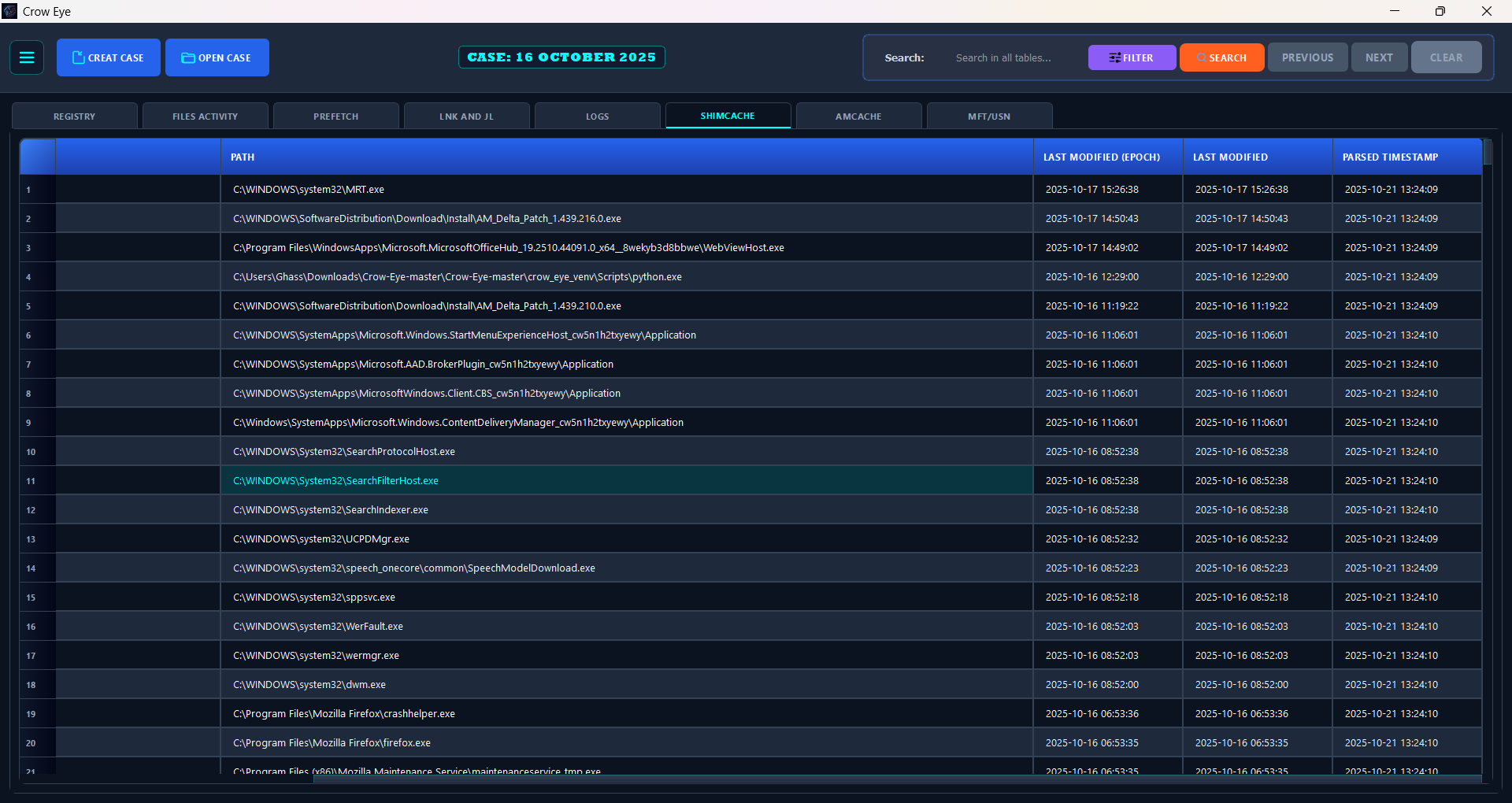
| ShimCache | `shimcash_claw.py` | `offline_ShimCacheClaw.py` | `shimcache.db` | shimcache_entries |
| SRUM | `SRUM_Claw.py` | `offline_SRUM_Claw.py` | `srum_data.db` | application usage, network usage and connectivity, energy, app timeline, metadata |
| Event logs | `WinLog_Claw.py` | `offline_WinLog_Claw.py` | `Log_Claw.db` | SystemLogs, SecurityLogs, ApplicationLogs |
| Recycle Bin | `recyclebin_claw.py` | `offline_RecycleBinClaw.py` | `recyclebin_analysis.db` | recycle_bin_entries |
| $MFT | `MFT_Claw.py` | `offline_MFTClaw.py` | `mft_claw_analysis.db` | mft_records, mft_standard_info, mft_file_names, mft_data_attributes |
| USN journal | `USN_Claw.py` | `offline_USNClaw.py` | `USN_journal.db` | journal_events, deleted_entries |
| MFT ↔ USN | `mft_usn_correlator.py` | `offline_MFT_USN_Correlator.py` | `mft_usn_correlated_analysis.db` | mft_usn_correlated, filename_changes |
| Browsers | `Browser_Claw.py` | `offline_BrowserClaw.py` | `browser_analysis.db` | 37 tables — history, downloads, cookies, Gecko history … |
**Two repairs happen before a parser reads anything, and neither touches the evidence:**
- **Dirty-hive replay.** `Artifacts_Collectors/registry_transaction_log.py` → `hive_for_reading(path)` applies a hive's `.LOG1`/`.LOG2` entries to a copy in a temporary workspace and hands the parser that copy, so a hive is read in the state Windows had not yet finished writing. It returns the original when there is nothing to replay, is memoised per hive, never raises, and deletes its workspace on exit. Every hive reader goes through it — `offline_RegClaw`, `amcacheparser`, `offline_ShimCacheClaw`, `offline_SRUM_Claw`, `security_hive` and `user_identity` — and acquired live hives use the same recovery code.
- **SRUM ESE recovery.** SRUM is an ESE database that is almost never cleanly closed. The parser first opens a working copy read-only; if that fails, it replays the collected `.jfm`/`.chk`/`SRU*.log` set with `esentutl` soft recovery, and only as a last resort repairs. The outcome — `clean`, `recovered`, `repaired` or `dirty` — is recorded in `srum_metadata`, so a reader knows which state the numbers came from.
#### ③ Case — what is on disk
```text
<case>/
├── Target_Artifacts/ one SQLite database per artifact family (table above)
│ └── Imported_Evidence/ third-party data, found automatically by every reader
├── live_acquisition/ artifacts copied by Crow-Claw or the Offline Importer
├── logs/
│ └── parse_status.json one outcome per artifact for every parse
├── Correlation/
│ ├── feathers/ wings/ pipelines/
│ └── results/correlation_results.db
├── Crow_Intelligence.db identity mappings built by Dynamic Linking
└── EYE_Logs/ Eye's sealed logs, Narrative Map, audit_trail.json
```
The case settings live outside the case, in `config/case_<name>.json` next to the application.
**Parse status says *why*, not only *whether*.** `utils/parse_status.py` writes one outcome per artifact on every live, offline and image parse: `parsed`, `no records`, `source not found`, `feature disabled`, `unsupported format`, `access denied`, `dependency missing`, `partial`, `failed` or `not run`. The first three are **not failures** — an artifact that does not exist on a system is a fact about that system. The Parse Status Report opens when the data loads, and the **Why empty?** button on every empty table reads its reason from the same file.
#### ④ Analysis — independent, read-only readers
```mermaid
%%{init: {"flowchart": {"nodeSpacing": 26, "rankSpacing": 50, "curve": "basis", "padding": 14}, "themeVariables": {"fontSize": "14px"}} }%%
flowchart TB
CASE[("Case databases<br/>Target_Artifacts/ · Imported_Evidence/")]
VIZ["CHART DASHBOARDS<br/>visualizations/<br/>dialog + bridge + React"]
SRCH["DATABASE SEARCH<br/>Ctrl+Shift+F"]
TL["TIMELINE<br/>timeline/ · artifact_map.py"]
UBA["USER BEHAVIOR ANALYTICS<br/>uba/ · 81 rules · Ctrl+Shift+B"]
DL["DYNAMIC LINKING<br/>dynamic_mapping/ · 22 rules"]
CE["CORRELATION ENGINE<br/>correlation_engine/"]
INTEL[("Crow_Intelligence.db<br/>value → name")]
TAB["ARTIFACT TABLES<br/>names shown beside raw values"]
F[("Correlation/feathers/")]
RES[("correlation_results.db")]
CASE ==> VIZ & SRCH & TL & UBA & DL & CE
DL -- "ATTACH · gather" --> INTEL
INTEL -. "ATTACH · per-row lookup" .-> TAB
CE -- "auto-generated feathers" --> F
F -- "Wings → engine → Pipelines" --> RES
classDef store fill:#92400e,stroke:#fbbf24,stroke-width:2px,color:#fffbeb
classDef ana fill:#1e40af,stroke:#60a5fa,stroke-width:2px,color:#eff6ff
class CASE,INTEL,F,RES store
class VIZ,SRCH,TL,UBA,DL,CE,TAB ana
linkStyle default stroke-width:2px
```
None of these requires another. Each opens the case databases **read-only**, and each is held — offering *Open when ready* — while a parse or load is still writing them.
| Reader | Module | What it does |
|---|---|---|
| **Chart dashboards** | `visualizations/` | Six dashboards — SRUM, MFT/USN, LNK & Jump Lists, Prefetch, User Activity (Shell Items & Registry), Browser — opened by the **Charts** button on their own tables. Each is a Qt dialog hosting a React page; a `QWebChannel` bridge serves the page its data from the case databases. |
| **Database Search** | `ui/database_search_dialog.py` → `data/unified_search_engine.py` | Searches every database it discovers in the case, imported evidence included. Case-sensitive, exact and regular-expression modes, and an optional time filter on each table's detected timestamp columns. |
| **Timeline** | `timeline/` | Heat map (per day), week and lane views. `data/artifact_map.py` is the one map of what it plots: 18 artifact types and their time columns. Registry key write times are bounded (*no later than*) and drawn hollow, so they cannot pass for an exact event time. Applies its own lightweight grouping — no correlation run needed. |
| **User Behavior Analytics** | `uba/` | Replays the case through 81 declarative rules in `uba/config/behavior_rules.json` (44 routine, 33 notable, 3 suspicious, 1 critical) into a plain-English activity story. Sign-in sessions are built from Security events 4624/4634/4647, paired by LogonId. Every statement opens its backing record. |
| **Dynamic Linking** | `dynamic_mapping/` | 22 rules gather identity mappings — SID → user, MAC → network, hash → file name, USB serial → device, volume GUID → volume name and more — into `Crow_Intelligence.db` by `ATTACH`ing each case database read-only. The artifact tables then show the resolved name beside the raw value through a per-row lookup on the attached database. It changes how a record *reads*, never the record. After each run a statistics window (and `dynamic_linking.log`) shows what every rule read and added, from which database and table, and how many rows of each artifact table now carry a linked name. |
| **Correlation Engine** | `correlation_engine/` | Turns artifacts into feathers, applies Wings with the Identity or Time-Window engine, and runs them as Pipelines into `correlation_results.db`. Detailed in [Correlation Engine](#-correlation-engine). |
#### ⑤ AI layer — how a question travels
```mermaid
%%{init: {"themeVariables": {"fontSize": "14px"}} }%%
sequenceDiagram
autonumber
actor A as Analyst
participant UI as Eye window<br/>(React)
participant B as eye_bridge<br/>(QWebChannel)
participant W as QueryWorker
participant CM as ContextManager
participant QP as QueryProcessor
participant MR as ModelRouter
participant M as Model backend
participant T as Tools
A->>UI: question
UI->>B: send
B->>W: run off the UI thread
W->>CM: process_query
CM->>CM: history · Narrative Map · knowledge base (RAG)
CM->>QP: prompt + 31 tool definitions
loop until an answer or the iteration limit
QP->>MR: generate (EvidenceSeal seals the exact prompt bytes)
MR->>M: request
M-->>MR: text or tool call
MR-->>QP: response
QP->>T: tool call — case DBs read-only, correlation results, report_*
T-->>QP: result
end
QP-->>UI: answer · reasoning trace · evidence
```
| Component | Module | Role |
|---|---|---|
| **Bridge & worker** | `eye/bridge/eye_bridge.py` | The React window talks to Python over `QWebChannel`; a `QueryWorker` thread keeps the interface responsive. |
---
[Read more](https://github.com/ghassan-elsman/crow-eye)
