 angelorc/vmsan
Firecracker مبسّط. قم بتشغيل microVMs آمنة في أجزاء من الثانية، من التثبيت إلى shell تفاعلي بأمر واحد.

🔥 مجموعة أدوات حماية Firecracker microVM



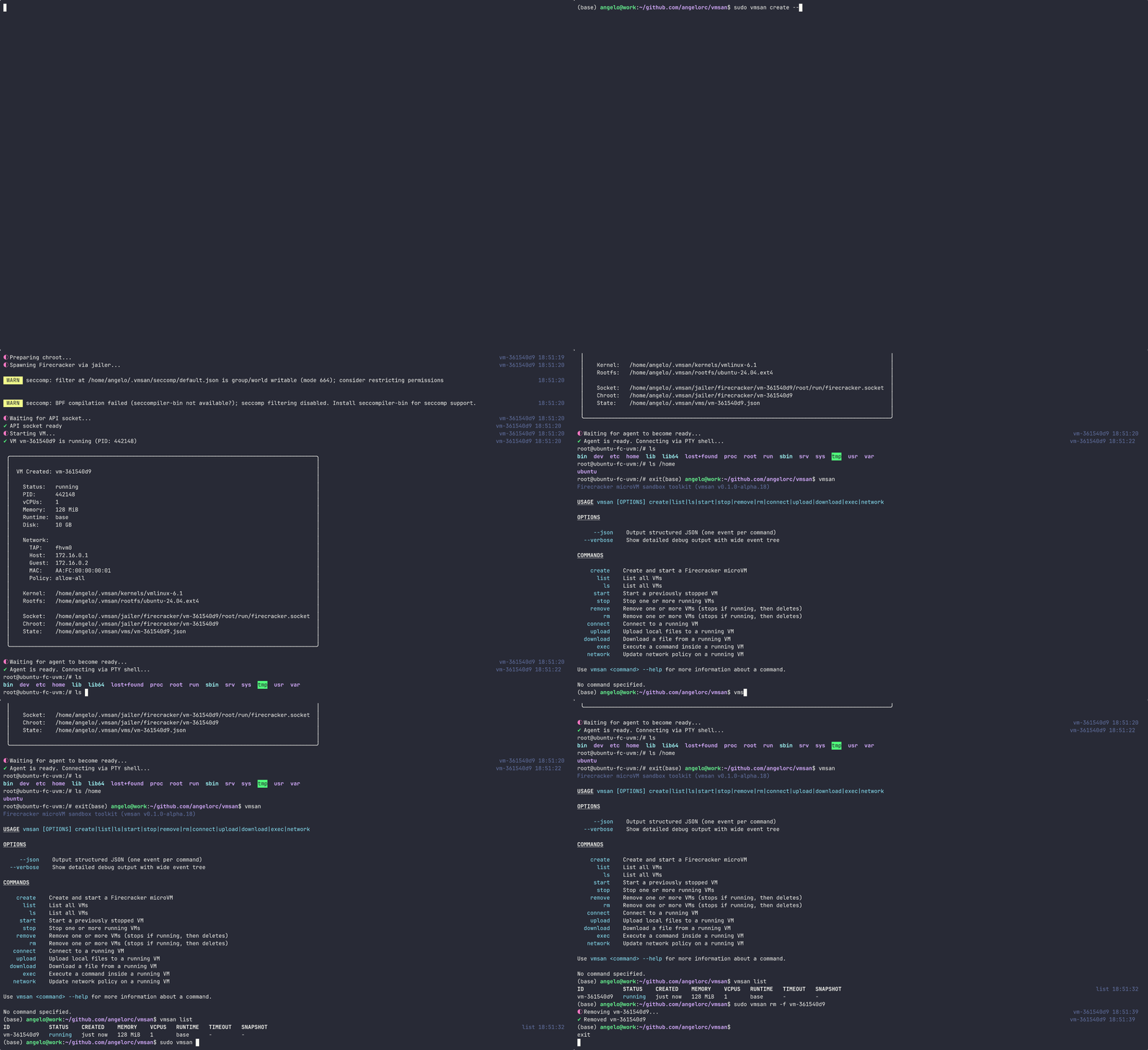
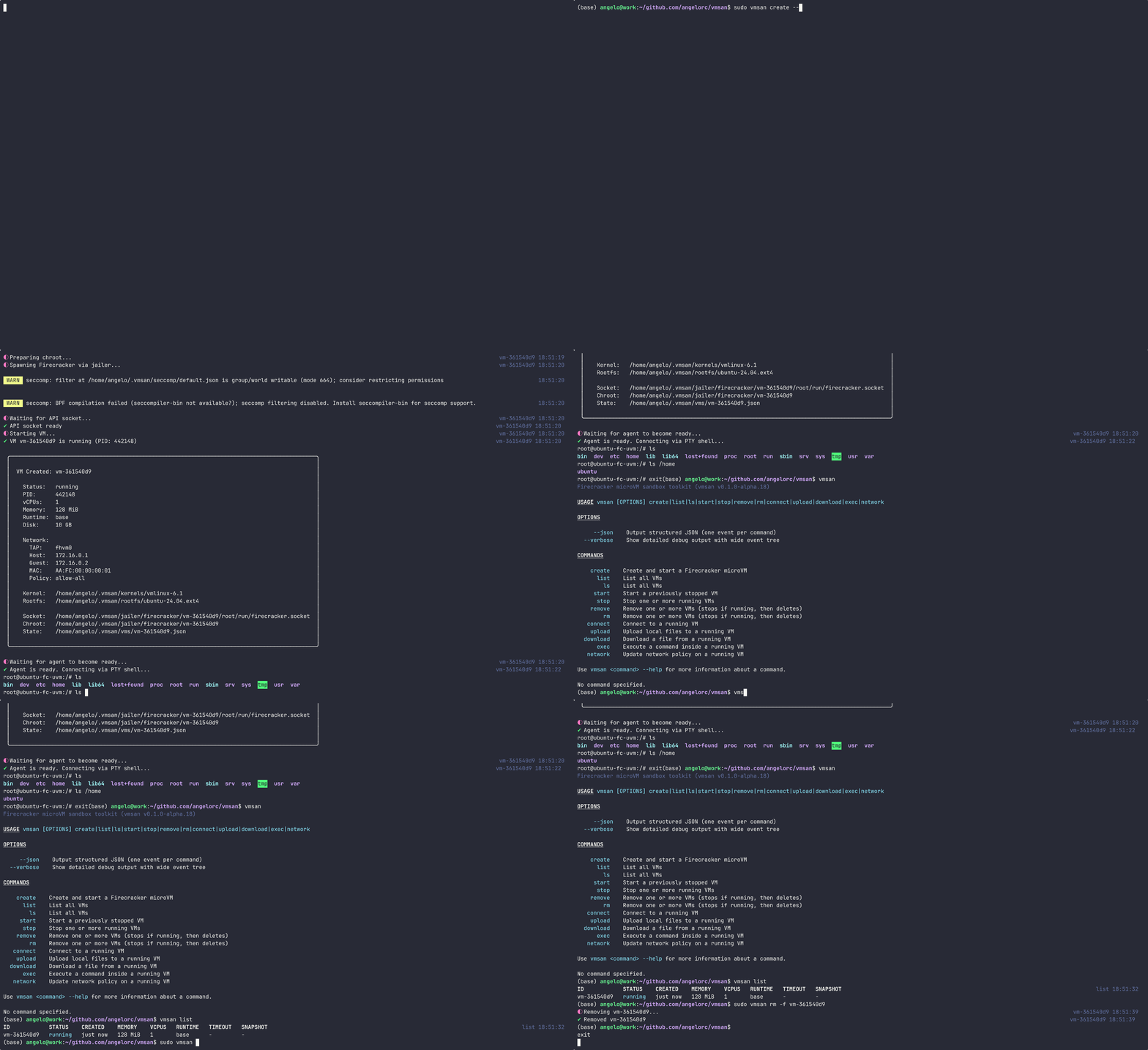
أنشئ وأدر واتصل بالـ microVMs المعزولة من Firecracker عبر سطر الأوامر. قم بتشغيل VM محمية في ميلي ثانية، نفذ الأوامر، انقل الملفات — لا حاجة لـ SSH.
--from-imagebase, node22, node24, python3.13--json للبرمجة النصية والأتمتة--from-image)curl -fsSL https://vmsan.dev/install | bash
يقوم هذا بتنزيل وتثبيت كل شيء في ~/.vmsan/:
node22, node24, python3.13) تُنزل كقطع أثرية مبنية مسبقاًتثبيتات الإصدار القياسي تقوم بتنزيل بيئات التشغيل المضمنة من https://artifacts.vmsan.dev/ ولا تتطلب Docker. تثبيتات المصدر لا تزال تبني بيئات التشغيل محلياً.
curl -fsSL https://vmsan.dev/install | bash -s -- --uninstall
إذا أردت البناء من المصدر:
# Install dependencies
bun install

# Build the in-VM agent
cd agent && make install && cd ..

# Build the CLI
bun run build

# Link local build
mkdir -p ~/.vmsan/bin
ln -sf "$(pwd)/dist/bin/cli.mjs" ~/.vmsan/bin/vmsan
# Create and start a VM
vmsan create --runtime node22 --memory 512 --cpus 2

# Create a VM from a Docker image
vmsan create --from-image node:22-alpine

# List all VMs
vmsan list

# Execute a command inside a VM
vmsan exec <vm-id> ls -la

# Interactive exec with PTY
vmsan exec -i <vm-id> bash

# Connect to a running VM shell
vmsan connect <vm-id>

# Upload a file to a VM
vmsan upload <vm-id> ./local-file.txt /remote/path/file.txt

# Download a file from a VM
vmsan download <vm-id> /remote/path/file.txt ./local-file.txt

# Snapshot a running VM
vmsan snapshot create <vm-id>

# List snapshots
vmsan snapshot list

# Restore a VM from a snapshot
vmsan create --snapshot <snapshot-id>

# Stop a VM
vmsan stop <vm-id>

# Remove a VM
vmsan remove <vm-id>
| العلم | الوصف |
|---|---|
--json | إخراج JSON منظم |
--verbose | عرض مخرجات تصحيح مفصلة |
| الأمر | الاسم المستعار | الوصف |
|---|---|---|
create | إنشاء وتشغيل microVM جديد | |
list | ls | سرد جميع VMs |
start | تشغيل VM متوقف | |
stop | إيقاف VM قيد التشغيل | |
remove | rm | إزالة VM |
exec | تنفيذ أمر داخل VM قيد التشغيل | |
connect | فتح قشرة تفاعلية إلى VM | |
upload | رفع ملفات إلى VM | |
download | تنزيل ملفات من VM | |
network | تحديث سياسة الشبكة على VM قيد التشغيل | |
snapshot | إدارة لقطات VM (إنشاء، سرد، حذف) | |
doctor | التحقق من المتطلبات الأساسية للنظام وصحة التثبيت |
vmsan.toml (مخطط للإصدار 0.5.0)nftables مع تطبيق قاعدة ذري لعزل الشبكة (منذ 0.2.0)# Build
bun run build
# Link local build
ln -sf "$(pwd)/dist/bin/cli.mjs" ~/.vmsan/bin/vmsan
# Dev mode (watch)
bun run dev
# Run tests
bun run test
# Type check
bun run typecheck
# Lint & format
bun run lint
bun run fmt
bin/            CLI entry point
src/
  commands/     CLI subcommands
  services/     Firecracker client, agent client, VM service
  lib/          Utilities (jailer, networking, shell, logging)
  errors/       Typed error system
  generated/    Firecracker API type definitions
agent/          Go agent that runs inside the VM
docs/           Documentation site (vmsan.dev)
/30 خاصة به (198.19.{slot}.0/30)يتم تخزين الحالة في ~/.vmsan/:
~/.vmsan/
  vms/          VM state files (JSON)
  jailer/       Chroot directories
  bin/          Agent binary
  kernels/      VM kernel images
  rootfs/       Base root filesystems
  registry/     Docker image rootfs cache
  snapshots/    VM snapshots

