 synacktiv/octoscan
Octoscan — это статический сканер уязвимостей для рабочих процессов GitHub Actions.

Octoscan — это статический сканер уязвимостей для рабочих процессов GitHub Actions.

$ go mod tidy
$ go build
Или через docker:
$ docker pull ghcr.io/synacktiv/octoscan:latest
Octoscan можно запускать против локального git-репозитория, либо можно загрузить все рабочие процессы с помощью команды dl:
$ octoscan dl -h
Octoscan.

Usage:
	octoscan dl [options] --org <org> [--repo <repo> --token <pat> --default-branch --max-branches <num> --path <path> --output-dir <dir> --include-archives]

Options:
	-h, --help  						Show help
	-d, --debug  						Debug output
	--verbose  						Verbose output
	--org <org>  						Organizations to target
	--repo <repo>  						Repository to target
	--token <pat>  						GHP to authenticate to GitHub
	--default-branch  					Only download workflows from the default branch
	--max-branches <num>  					Limit the number of branches to download
	--path <path>  						GitHub file path to download [default: .github/workflows]
	--output-dir <dir>  					Output dir where to download files [default: octoscan-output]
	--include-archives  					Also download archived repositories
./octoscan dl --token ghp_<token> --org apache --repo incubator-answer
Если вы не знаете, что запустить, просто запустите это:
./octoscan scan path/to/repos/ --disable-rules shellcheck,local-action --filter-triggers external
Это уменьшит количество ложных срабатываний и даст наиболее интересные результаты.
Если вы загрузили рабочие процессы с помощью команды dl, у вас могут быть дублирующиеся рабочие процессы, поскольку по умолчанию octoscan загружает все рабочие процессы всех веток. Чтобы удалить дубликаты и ускорить анализ, перед запуском анализа можно использовать команду fdupes:
fdupes -n -r -N -d path/to/repo
$ octoscan scan -h
octoscan

Usage:
	octoscan scan [options] --list-rules
	octoscan scan [options] <target>
	octoscan scan [options] <target> [--debug-rules --filter-triggers=<triggers> --filter-run --ignore=<pattern> ((--disable-rules | --enable-rules ) <rules>) --config-file <config>]

Options:
	-h, --help
	-v, --version
	-d, --debug
	--verbose
	--format <format>  				Output format, json, sarif or custom template to format error messages in Go template syntax. See https://github.com/rhysd/actionlint/tree/main/docs/usage.md#format
	--oneline 					Use one line per one error. Useful for reading error messages from programs

Args:
	<target>					Target File or directory to scan
	--filter-triggers <triggers>			Scan workflows with specific triggers (comma separated list: "push,pull_request_target" or pre-configured: external/allnopr)
	--filter-run					Search for expression injection only in run shell scripts.
	--ignore <pattern>				Regular expression matching to error messages you want to ignore.
	--disable-rules <rules>				Disable specific rules. Split on ","
	--enable-rules <rules>				Enable specific rules, this will disable all other rules. Split on ","
	--debug-rules					Enable debug rules.
	--config-file <config>				Config file.

Examples:
	$ octoscan scan ci.yml --disable-rules shellcheck,local-action --filter-triggers external
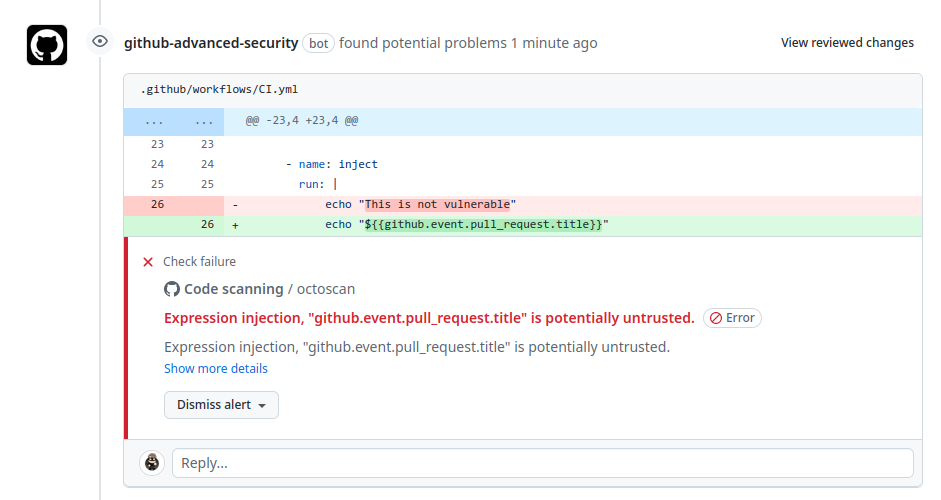
Этот инструмент также можно использовать напрямую как GitHub Action для сканирования вашего репозитория по событиям push/pull_request. Дополнительную информацию см. в этом репозитории.
Полный список правил можно получить с помощью этой команды:
$ octoscan scan --list-rules
2024/08/07 16:50:48 [INFO] Available rules
- shellcheck
	Checks for shell script sources in "run:" using shellcheck
- credentials
	Checks for credentials in "services:" configuration
- dangerous-action
	Check for dangerous actions.
- dangerous-checkout
	Check for dangerous checkout.
- expression-injection
	Check for expression injection.
- dangerous-write
	Check for dangerous write operation on $GITHUB_OUTPUT or $GITHUB_ENV.
- local-action
	Check for local actions.
- runner-label
	Checks for GitHub-hosted and preset self-hosted runner labels in "runs-on:"
- unsecure-commands
	Check 'ACTIONS_ALLOW_UNSECURE_COMMANDS' env variable.
- known-vulnerability
	Check for known vulnerabilities.
- bot-check
	Check for if statements that are based on a bot identity.
- dangerous-artefact
	Check for workflow that upload artefacts containing sensitive files.
- debug-external-trigger
	Check for workflow that can be externally triggered.
- debug-artefacts
	Check for workflow that upload artefacts.
- debug-js-exec
	Check for workflow that execute system commands in JS scripts.
- debug-oidc-action
	Check for OIDC actions.
- repo-jacking
	Verify that external actions are pointing to a valid GitHub user or organization.
Триггеры, такие как workflow_run или pull_request_target, выполняются в привилегированном контексте, поскольку они имеют доступ на чтение к секретам и потенциально доступ на запись к целевому репозиторию. Выполнение явного checkout недоверенного кода приведёт к загрузке кода злоумышленника в таком контексте.

Это правило предупреждает пользователя, если используется опасное действие. В основном оно сосредоточено на недоверенных артефактах.
Обычной практикой является использование артефактов для передачи данных между различными рабочими процессами. Часто мы сталкиваемся с этим при триггере workflow_run, когда инициирующий рабочий процесс подготавливает данные, которые затем отправляются в запускаемый рабочий процесс. Учитывая недоверенный характер данных артефактов, крайне важно относиться к ним с осторожностью и рассматривать их как потенциальную угрозу. Уязвимость возникает из-за того, что внешние стороны, такие как злоумышленники, могут влиять на содержимое данных артефакта.
