 orange-cyberdefense/graphcat
Генерируйте графики и диаграммы на основе результатов взлома паролей

Простой скрипт для генерации графиков и диаграмм по potfile утилит hashcat (и john) и ntds.
git clone https://github.com/Orange-Cyberdefense/graphcat
cd graphcat
pip install .
$ graphcat.py -h
usage: graphcat.py [-h] -potfile hashcat.potfile -hashfile hashfile.txt [-john] [-format FORMAT] [-export-charts] [-output-dir OUTPUT_DIR] [-debug]

Password Cracking Graph Reporting

options:
  -h, --help            show this help message and exit
  -potfile hashcat.potfile
                        Hashcat Potfile
  -hashfile hashfile.txt
                        File containing hashes (one per line)
  -john                 John potfile
  -format FORMAT        hashfile format (default 3): 1 for hash; 2 for username:hash; 3 for secretsdump (username:uid:lm:ntlm)
  -export-charts        Output also charts in png
  -output-dir OUTPUT_DIR
                        Output directory
  -debug                Turn DEBUG output ON
Graphcat требуется только potfile с флагом -potfile (по умолчанию используется hashcat, но вы можете указать -john, чтобы загрузить potfile от john) и файл хешей с флагом -hashfile. Файл хешей должен быть в одном из трёх доступных форматов, задаваемых флагом -format. По умолчанию используется Secretsdump.
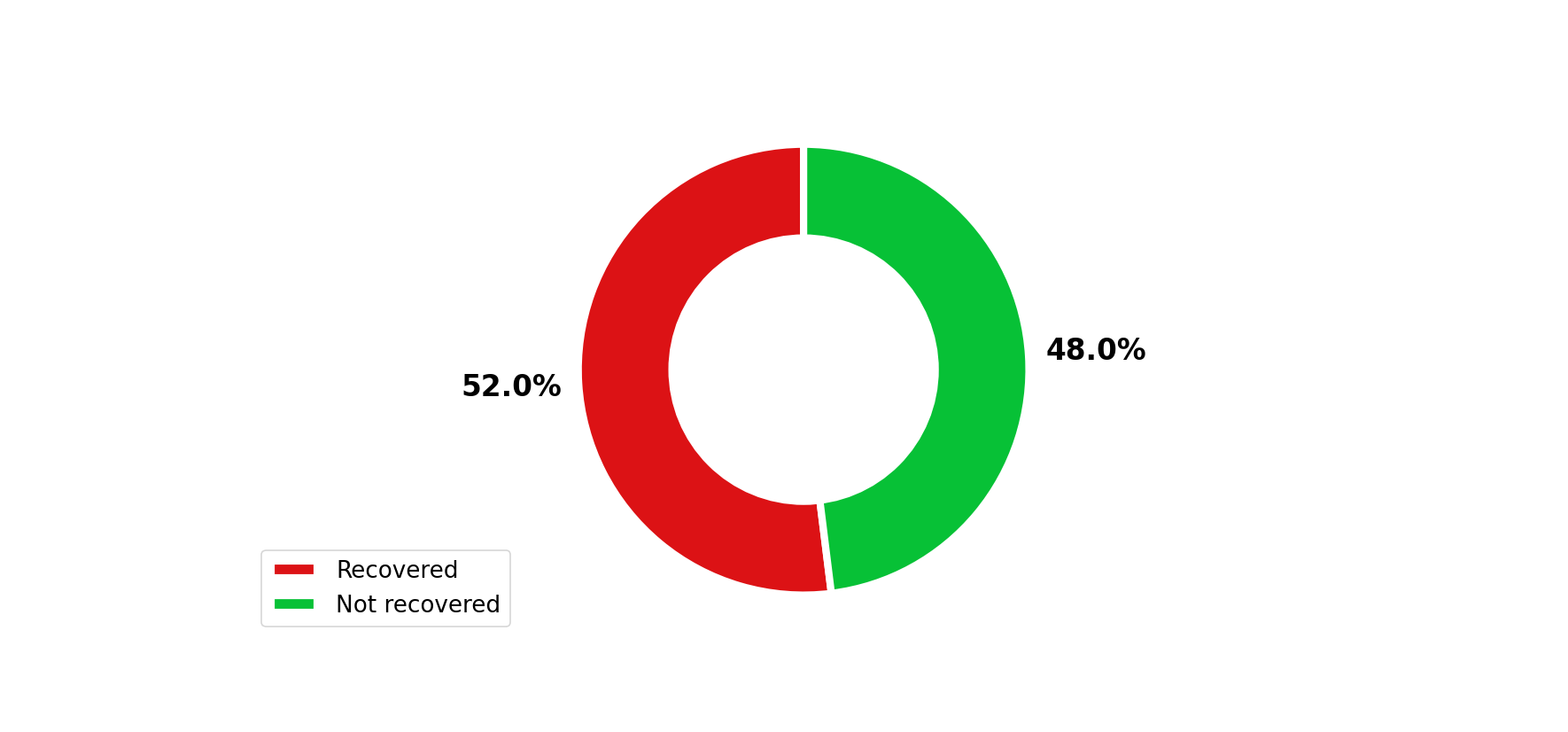
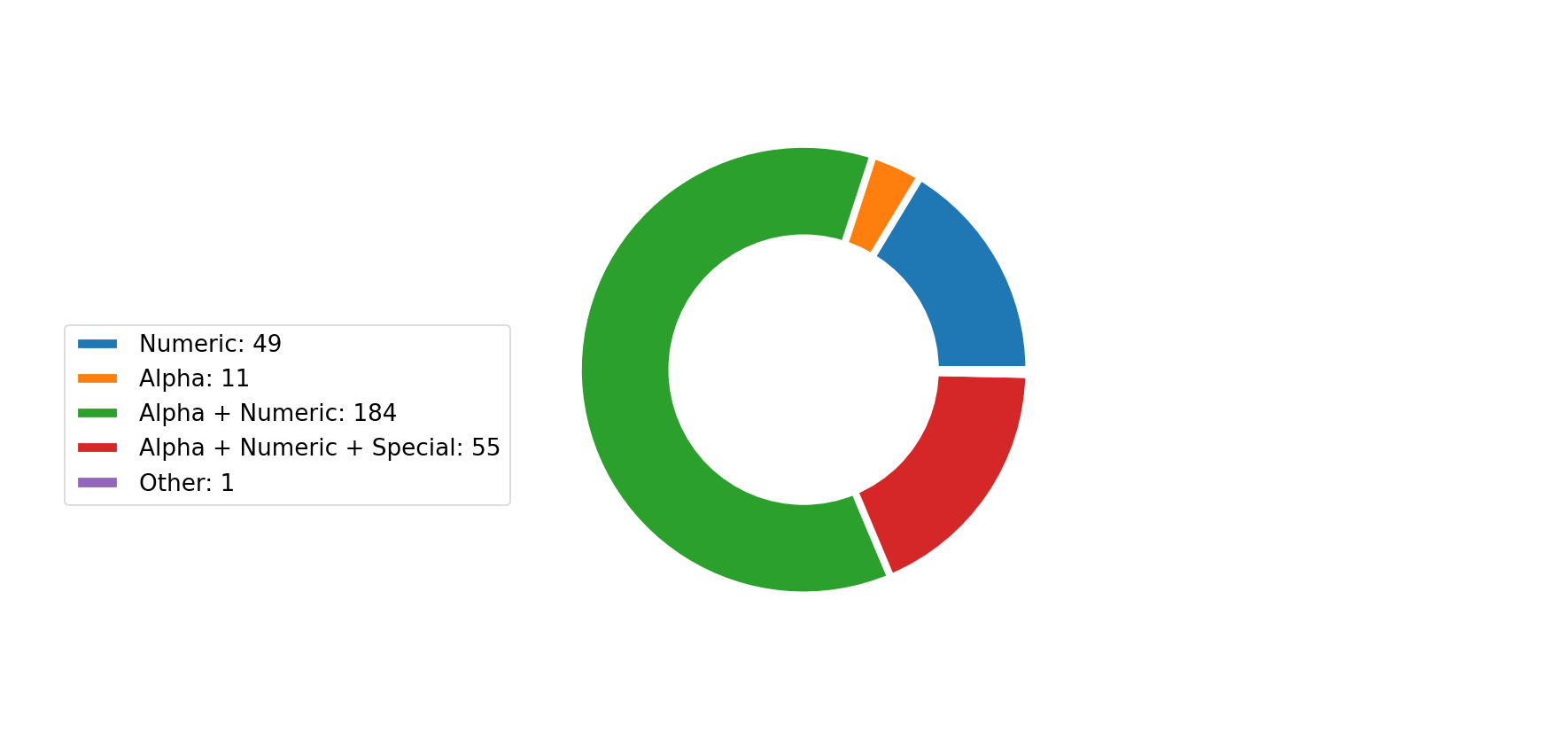
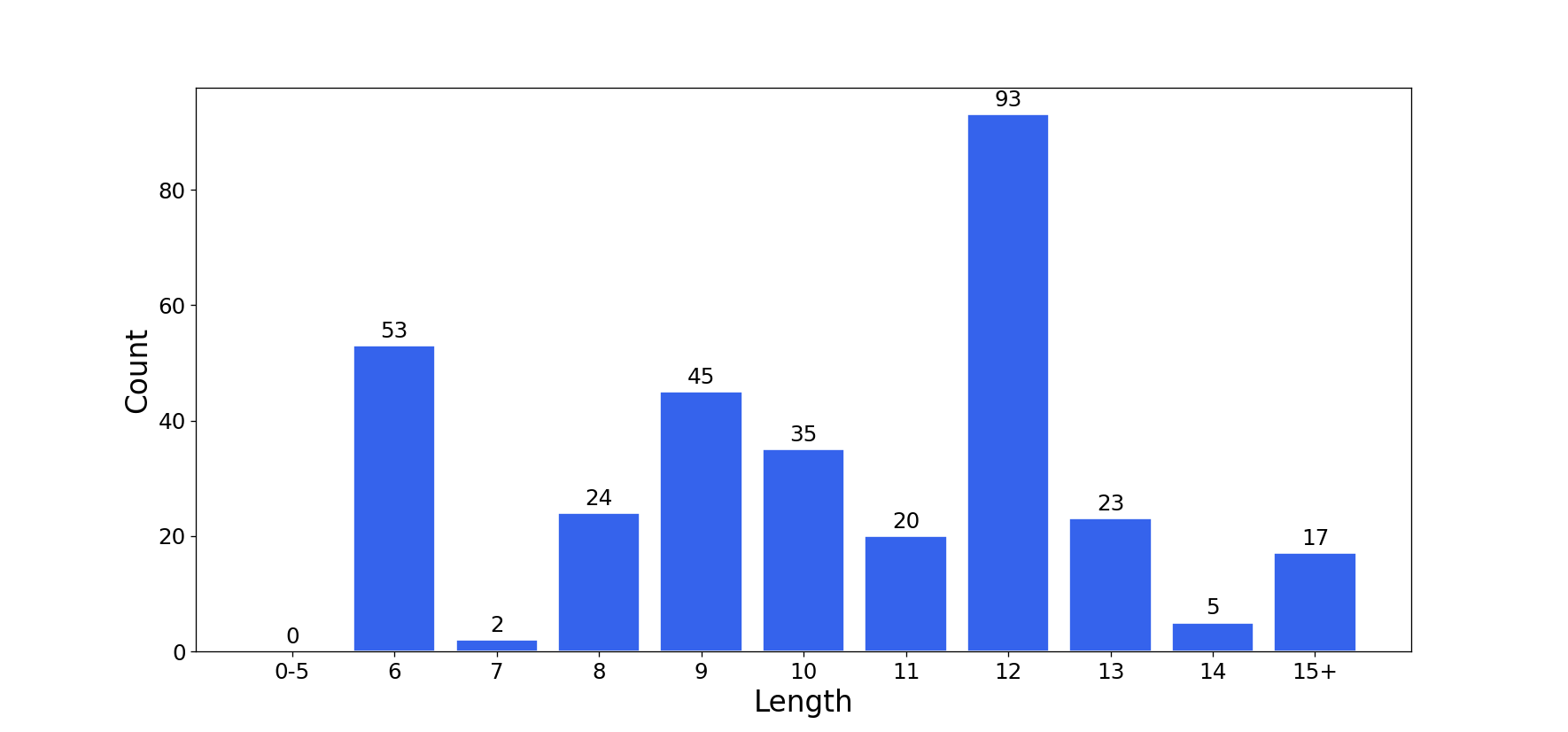
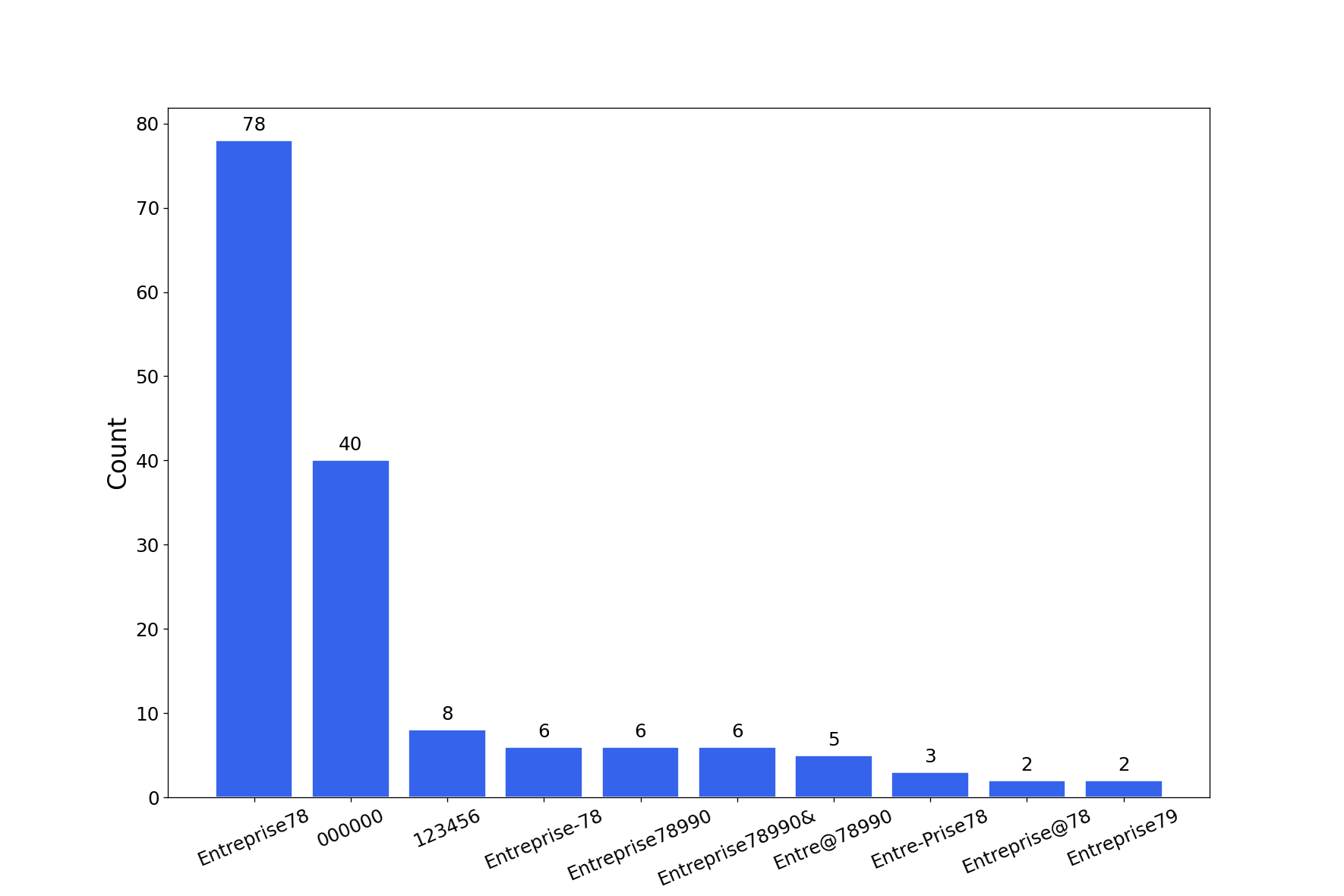
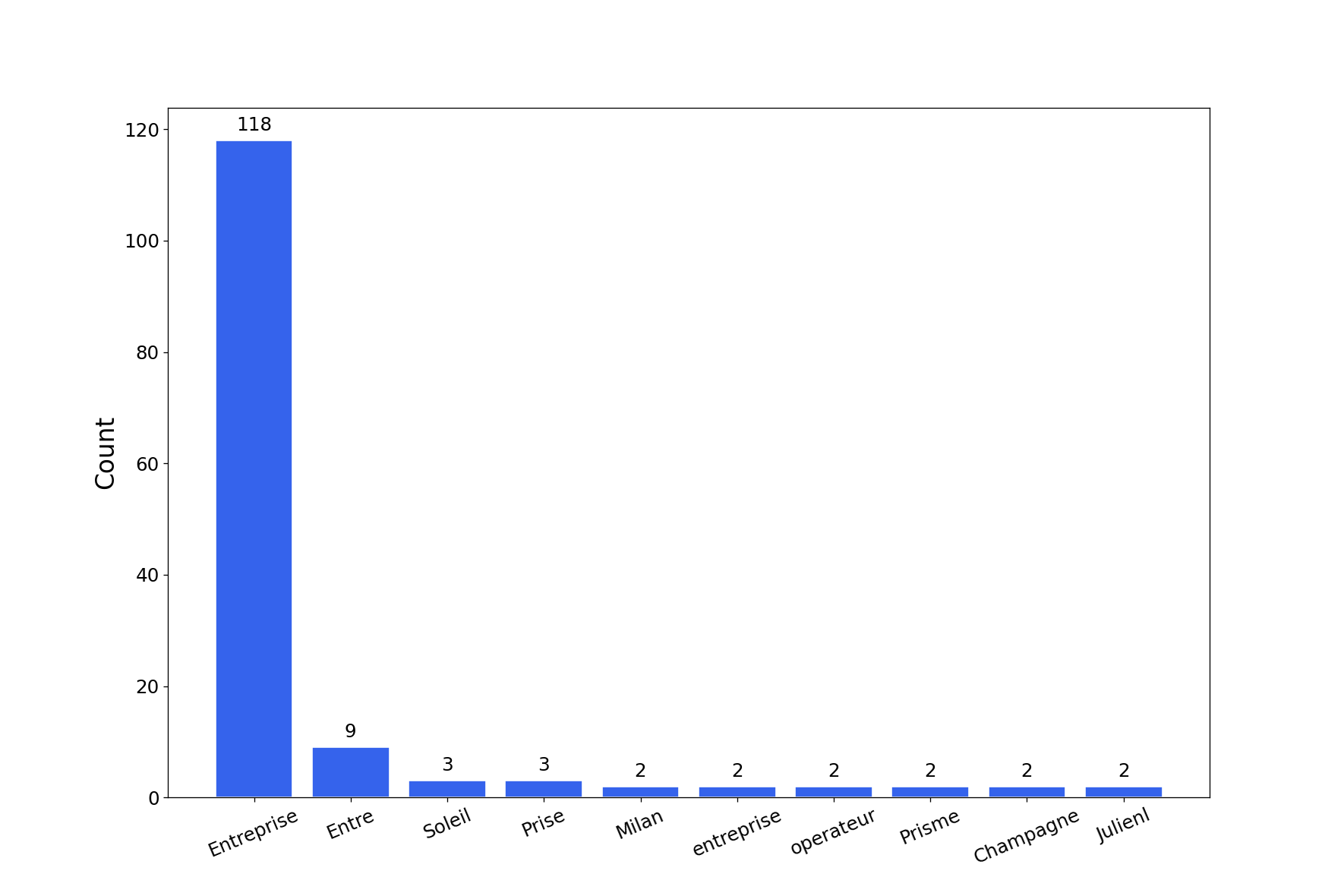
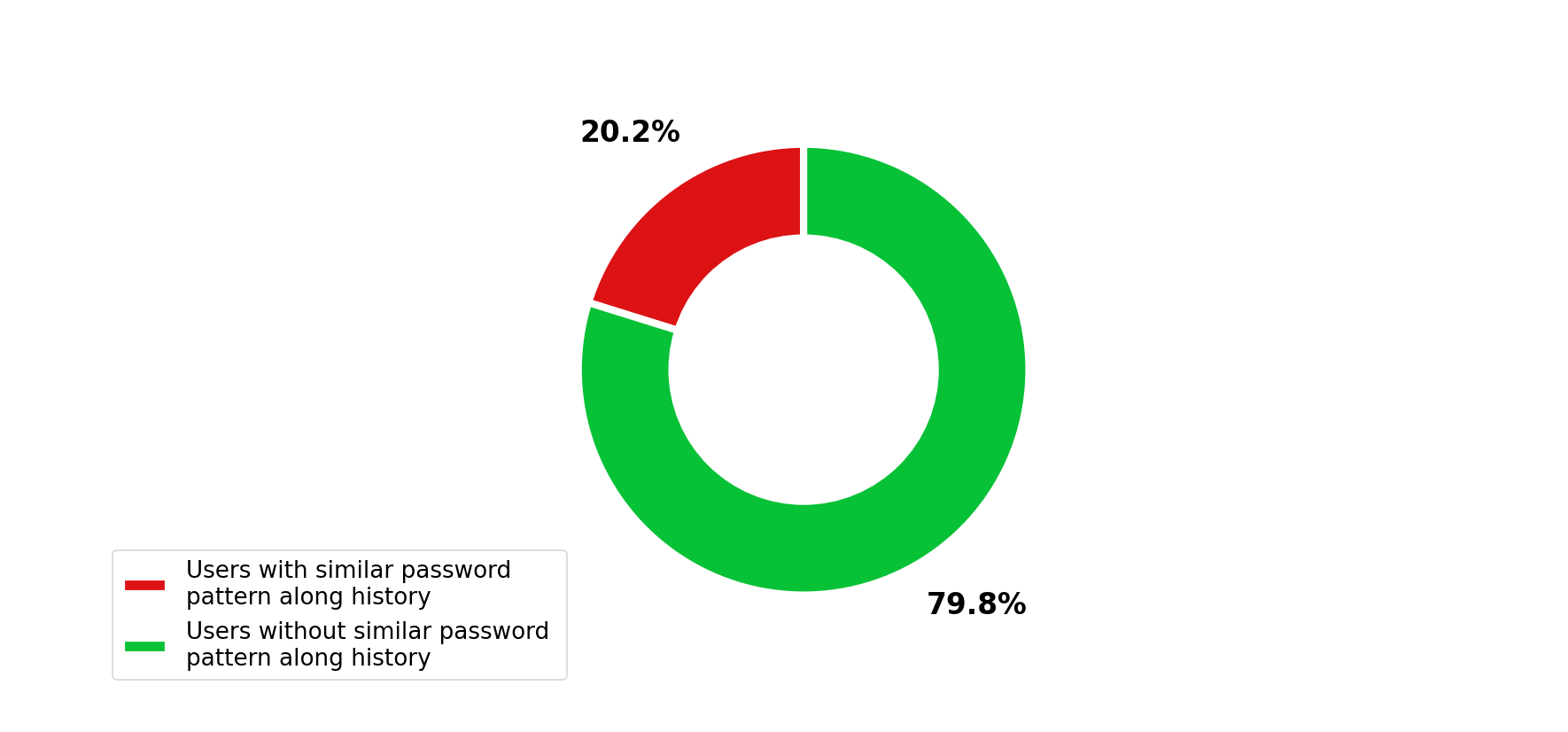
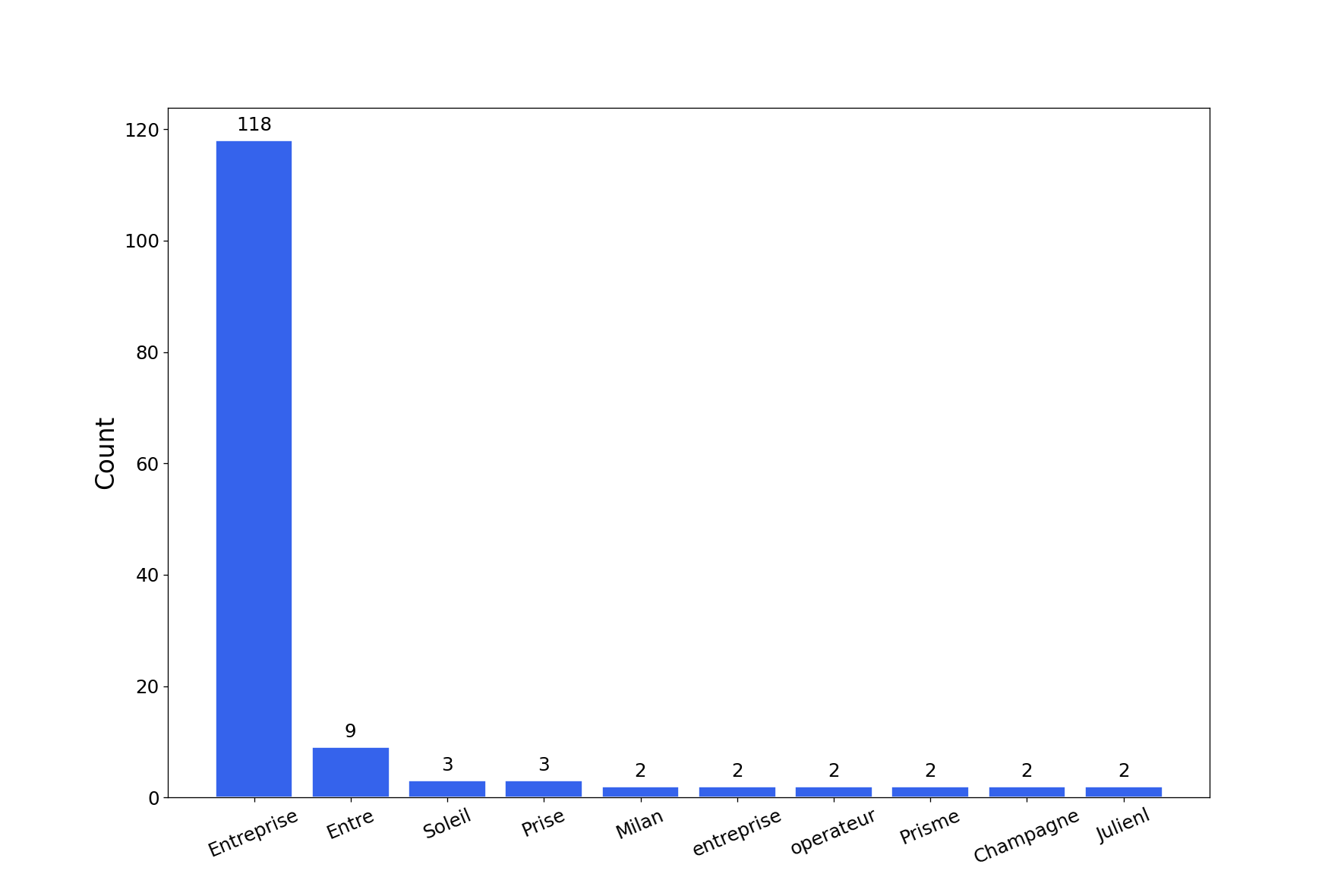
Инструмент сгенерирует отчёт с несколькими диаграммами взломанных паролей. Вы можете получить диаграммы в формате png с помощью флага -export-charts.
$ graphcat.py -hashfile entreprise.local.ntds -potfile hashcat.pot
[-] Parsing potfile
[-] 164 entries in potfile
[-] Parsing hashfile
[-] 1600 entries in hashfile
[-] Generating graphs...
[-] Generating report...
[-] Report available at graphcat_1672941324.pdf
1: Только хеш
aad3b435b51404eeaad3b435b51404ee
aad3b435b51404eeaad3b435b51404ee
aad3b435b51404eeaad3b435b51404ee
2: Имя пользователя + хеш
test1:aad3b435b51404eeaad3b435b51404ee
test2:aad3b435b51404eeaad3b435b51404ee
test3:aad3b435b51404eeaad3b435b51404ee
3: Secretsdump
waza.local\test1:4268:aad3b435b51404eeaad3b435b51404ee:aad3b435b51404eeaad3b435b51404ee:::
waza.local\test2:4269:aad3b435b51404eeaad3b435b51404ee:aad3b435b51404eeaad3b435b51404ee:::
waza.local\test3:4270:aad3b435b51404eeaad3b435b51404ee:aad3b435b51404eeaad3b435b51404ee:::
Если хеш встречается в файле хешей более одного раза, он будет учтён соответствующее количество раз.
Кроме того, если вы передаёте файл secretsdump с историей паролей (флаг -history в команде secretsdump), будет проанализировано сходство в истории паролей.