
Skip to content
KitploitKITPLOIT
ИнструментыЭксплойтыБлог
Log in
Отправить
ИнструментыЭксплойтыБлог
Отправить

Инструменты для хакинга, пентеста и кибербезопасности — ваш арсенал защиты!

Kitploit — это каталог инструментов для хакинга, кибербезопасности и пентестинга. Находите последние обновления проектов для поиска уязвимостей, анализа систем, автоматизации тестирования и усиления вашей безопасности.

ЛентыКонтактыКонфиденциальность© 2026 Kitploit

Каталог инструментов

Категории

Все категории
Loading categories
Инструменты/GitHubGitHub/forefy/reburp
Vulnerability ScannersWeb Proxies & InterceptionScripting & AutomationAPI Security TestingWeb SecurityFuzzingPenetration TestingUtilities & FrameworksRed TeamingAI Security
GitHubforefy/reburp

reburp

A Burp Suite extension that exposes the full Montoya API as a local REST API, with Swagger UI

Репозиторий
136142074 дней назадПроверено Kitploit

Популярное

Смотреть все →

Откройте для себя самые используемые инструменты нашего сообщества.

  • 1

    OsintHunter

    letox4/osinthunter

    🎯 Полный набор инструментов OSINT: граф расследования, оценка достоверности, семейства псевдонимов, карта, временная шкала и отчёты. 49 модулей, более 400 сайтов, API-ключи не требуются.

    905
  • 2

    ghostlock-app

    yukonga/ghostlock-app

    # Приложение GhostLock с запуском в один клик (CVE-2026-43499)

    881
  • 3

    wifit3

    derv82/wifit3

    Wifite, но только через USB и кроссплатформенный.

    673
  • 4

    jumpserver

    jumpserver/jumpserver

    JumpServer — это платформа управления привилегированным доступом (PAM) с открытым исходным кодом, которая предоставляет командам DevOps и IT безопасный доступ по требованию к конечным точкам SSH, RDP, Kubernetes, баз данных и RemoteApp через веб-браузер.

    454
  • 5

    SafeLine

    chaitin/safeline

    Сам хостируемый WAF и обратный прокси-сервер, который фильтрует вредоносный HTTP-трафик, блокирует SQL-инъекции, XSS и атаки ботов, с ограничением скорости и динамическим шифрованием HTML/JS.

    402
  • 6

    looking-glass

    anonghosty/looking-glass

    Платформа CSIRT, которая загружает отчёты Shadowserver в MongoDB и воспроизводит их в виде интерактивных карт, аналитики, результатов, рекомендаций и исполнительных дашбордов.

    397

Изучить все инструменты

Просмотрите нашу коллекцию инструментов

Смотреть все инструменты →
Поделиться
Контент недоступен на запрошенном языке. Показываем английскую версию.

reburp

reburp

Burp's API/MCP is LIMITED - reburp is a Burp Suite extension that exposes the full Montoya API as a locally served openapi REST API, optimized for your AI agents.

reburp releases Build reburp code size reburp commit activity GitHub last commit Issues Forefy Twitter

Issues | Discussions

What is reburp

reburp turns Burp Suite into something you can script. It loads as a Java extension and serves the Montoya API over an HTTP REST API on http://127.0.0.1:9090, with an OpenAPI spec and Swagger UI. Anything you would click in Burp - reading proxy history, sending a request, editing scope, running a scan, decoding a token - becomes a JSON call an agent or a curl line can make.

It pairs with the burp-interaction agent skill so an AI assistant can drive Burp directly. Claude Code and Codex both use it: Codex finds it through a pointer in .codex/skills, and the skill ships a small spec-aware client, scripts/reburp.py, for looking up endpoints without reading the whole spec.

  • What reburp unlocks
  • Install
  • Load into Burp Suite
  • API docs
  • Endpoints
  • Quick start
  • Security
  • API coverage
  • Notes
  • Contributing

What reburp unlocks

Burp features your agent can now drive over REST:

  • Scanner - start an active audit or crawl, stop a running task, pull the report
  • Intruder & request engine - fuzz, plus a Turbo Intruder-style high-throughput engine (queue, pause, resume, cancel)
  • Target site map - iterate and search the whole target tree, not just proxy history
  • WebSockets - open a connection and send text/binary frames, not just read history
  • Engagement tools - generate a CSRF PoC, discover content, find references, send to decoder
  • Access-control testing - replay a request with and without its token and diff the responses, Autorize-style (BOLA/BFLA)
  • BChecks & Bambda - import custom scan rules, build filter chains, raise custom issues
  • The Burp window itself - screenshot it, switch tabs (including extension sub-tabs), and click, type into or select any visible element, context menu or dialog over REST, with no OS accessibility or screen capture needed

Install

Grab the latest reburp-*.jar from Releases, or build it from source (requires Java 17+).

Compatibility

Each reburp release is built against a minimum Burp Suite (Montoya) version. On an older Burp, grab the matching jar from Releases.

reburpMinimum Burp Suite (Montoya)
1.1.192026.7
1.1.182026.7
1.1.172026.7
1.1.162026.7
1.1.152026.7
1.1.142026.7
1.1.132026.7
1.1.122026.7
1.1.112026.7
1.1.102026.7
1.1.92026.7
1.1.82026.7
1.1.72026.7
1.1.62026.7
1.1.52026.7
1.1.42026.7
1.1.32026.7
1.1.22026.7
1.1.12026.7
1.1.02026.7
1.0.x2025.12

Build from source

git clone https://github.com/forefy/reburp.git
cd reburp
./gradlew shadowJar
# Output: build/libs/reburp.jar  (plus a versioned copy, reburp-<version>.jar)

Load reburp.jar rather than the versioned copy. Burp reloads an extension from the path it was loaded from, and the versioned name changes on every release, so the unversioned one keeps reloading after an upgrade instead of quietly leaving you on the previous build.

If your JAVA_HOME isn't set, point it at your JDK:

JAVA_HOME=/path/to/jdk17 ./gradlew shadowJar

Load into Burp Suite

  1. Open Burp Suite → Extensions → Installed → Add
  2. Extension type: Java
  3. Extension file: build/libs/reburp.jar (or the reburp-*.jar you downloaded from Releases)
  4. Click Next - the extension starts automatically on port 9090

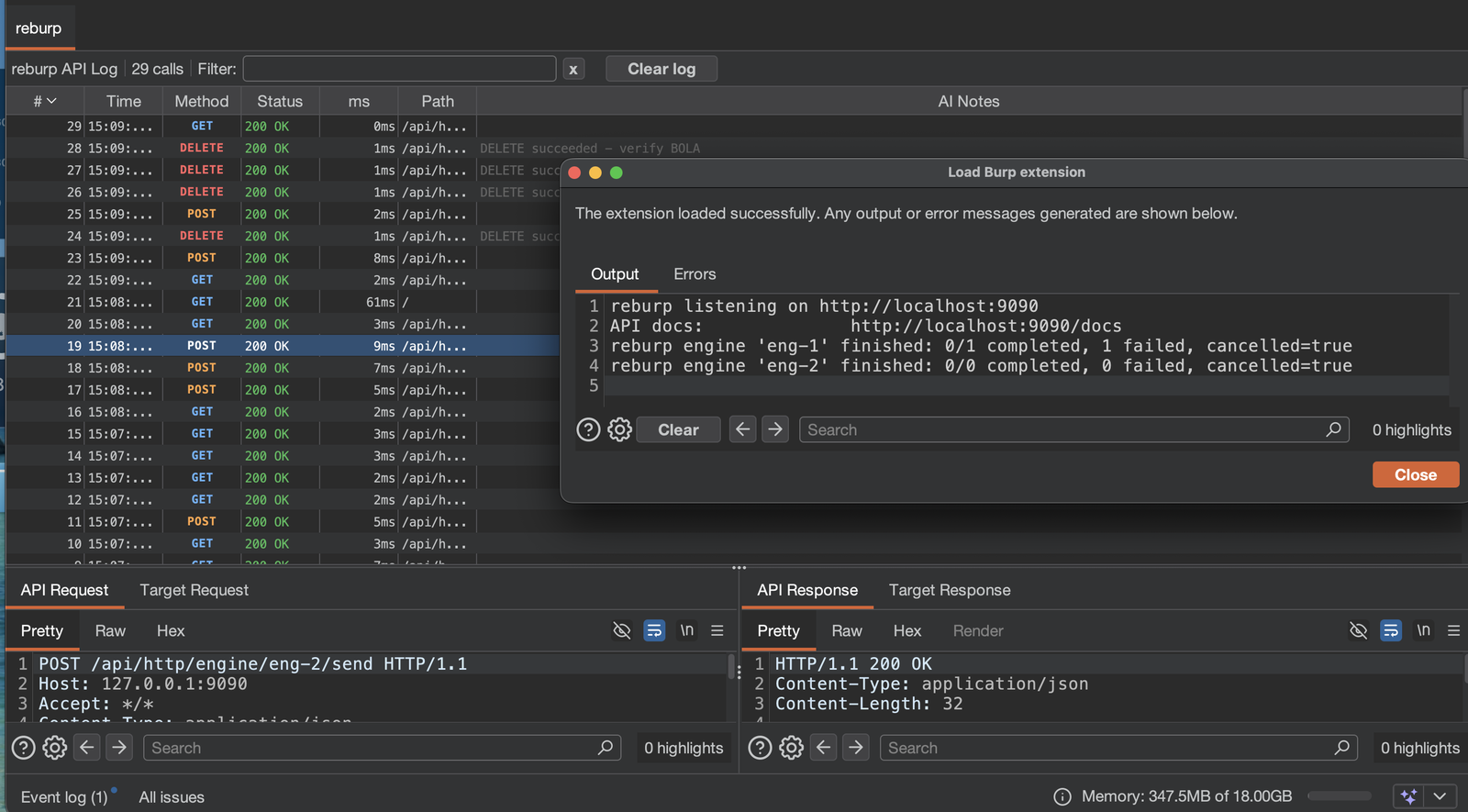
A reburp tab appears in Burp showing every REST call as it happens.
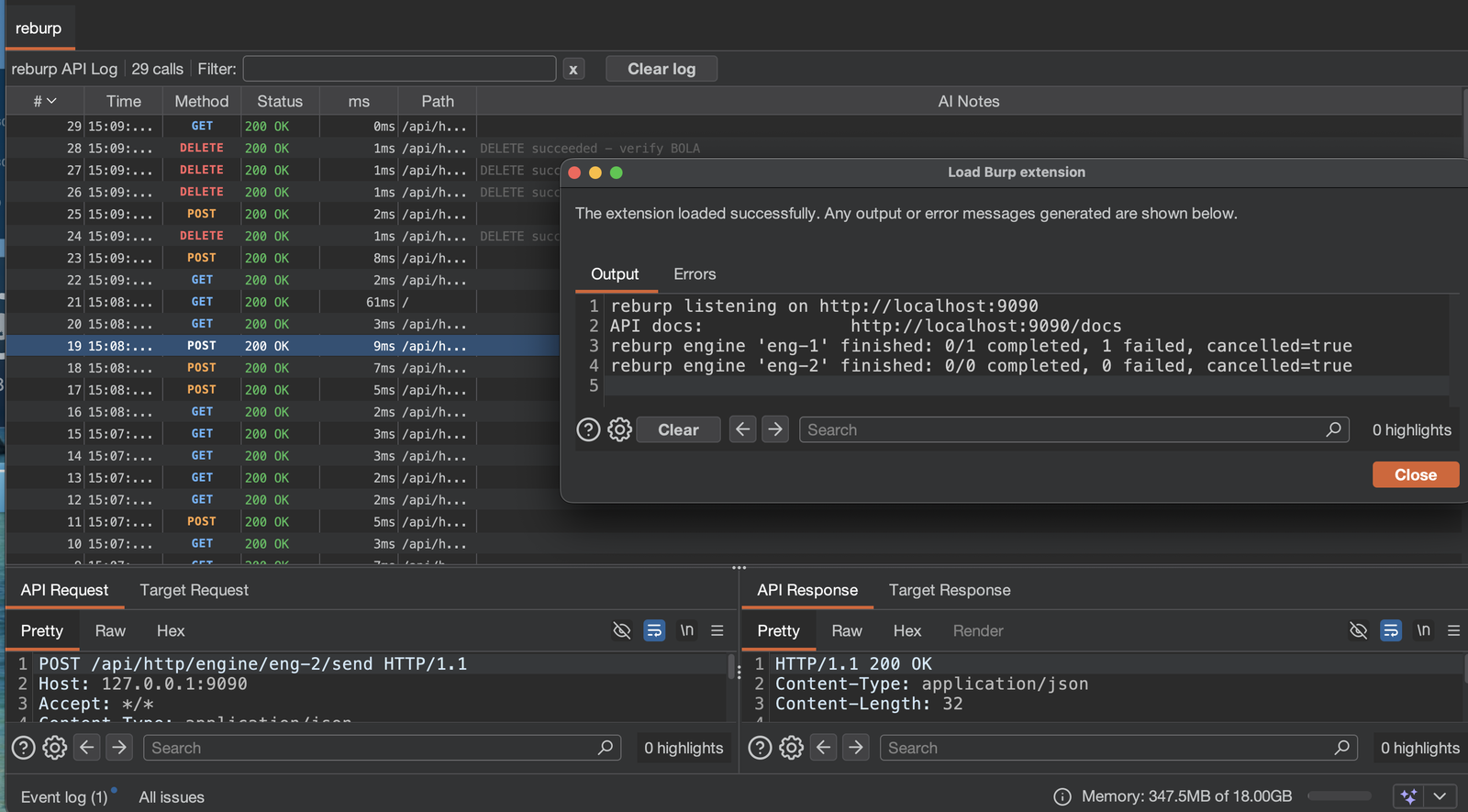
The reburp tab in Burp Suite: an API Log of GET, POST and DELETE calls with method, status, timing, target host, path and AI notes; a filter bar with a field selector, a Bodies option, an In scope only toggle and an Export button; and the selected call's target request and response below

Each row is one REST call. Selecting it shows the API request and response, plus the request and response reburp sent to the target on your behalf.


Скачать инструмент