 firelock-ai/kin
Semantic graph-based version control for AI-written code. Tracks entities and relations instead of file diffs, enabling blast radius analysis, shadow merge review, and MCP-powered agent context for trustworthy AI-generated software.




Kin is a graph-native code repository for people and AI agents. It stores source, recorded code relationships, and versioned history as repository state. The graph is the repository model, not a search index maintained beside another repository.
Functions, types, and the relationships between them are data you commit, branch, and merge. Exact source is preserved byte for byte, and filesystem projections let supported tools keep working with ordinary files.
Public beta. Try Kin on a real project you know well. Expect rough edges.
Quickstart · Documentation · Browser demo
A star helps other people find Kin, and Discussions is where to bring a question about it.
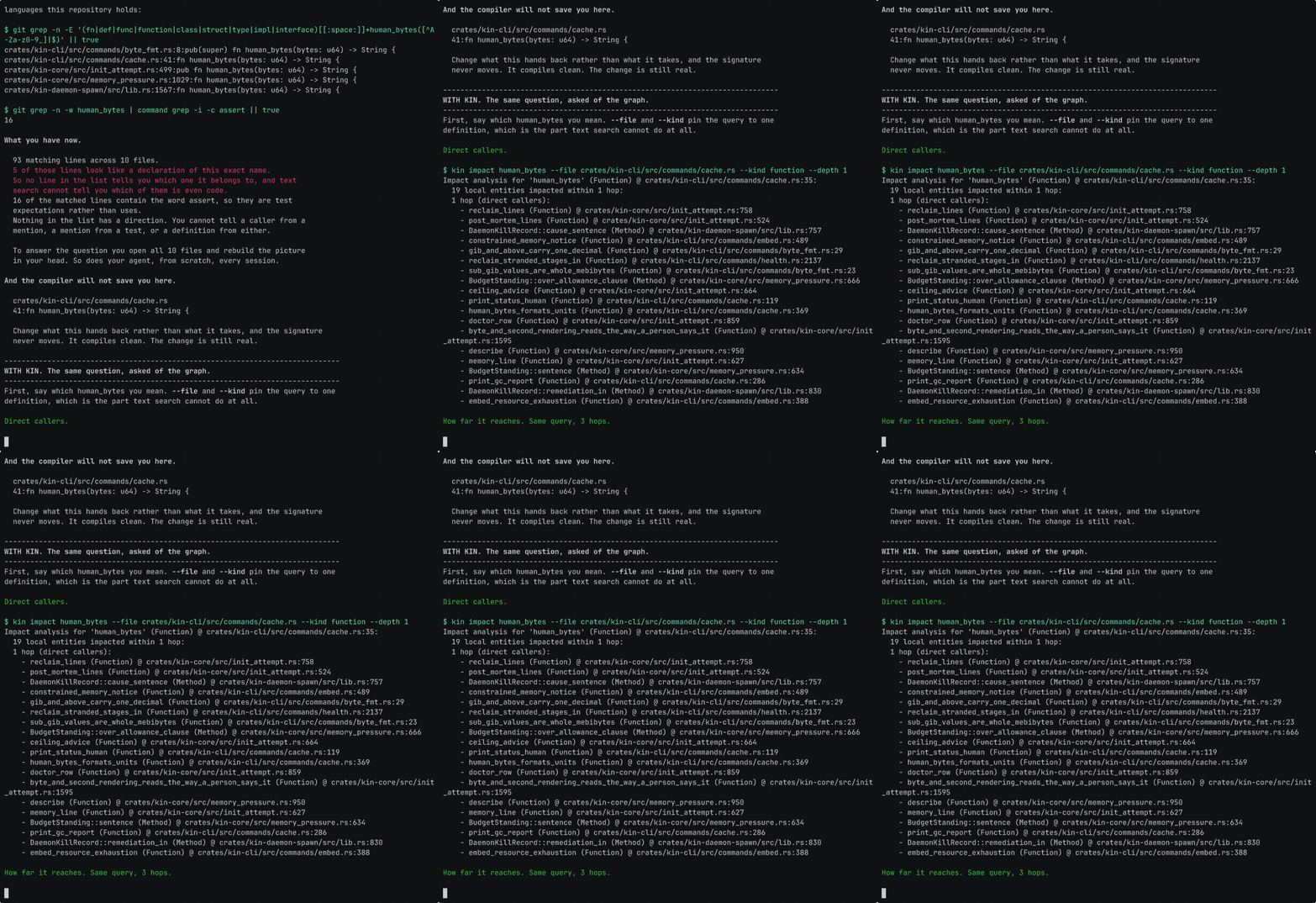
Before changing a shared function, what else should you inspect? Kin lets you look up its recorded callers and explore related code. The CLI and MCP server query the same graph, so you and your agent can work from the same record.
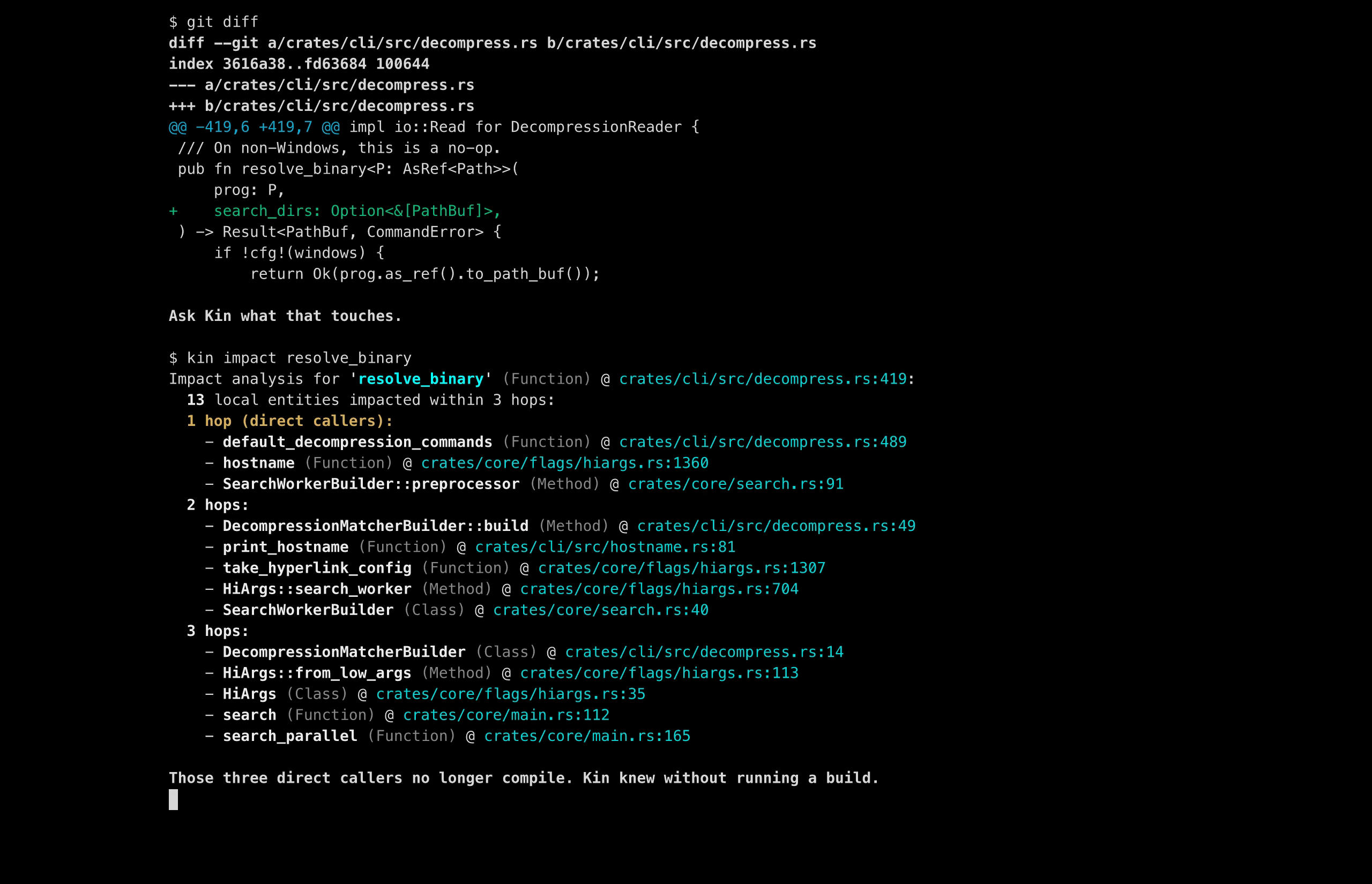
Recorded on a prepared ripgrep graph at e89fff89ac9af12e8d4ce9d5fd07beb408ca730f. Raw run artifacts are not public. This illustrates a workflow, not a performance benchmark.
For Claude Code:
/plugin marketplace add firelock-ai/kin
/plugin install kin@kin
For Codex, add the marketplace and install the plugin, or let kin setup --intent agent write the MCP server into ~/.codex/config.toml for you.
For Cursor, add the MCP server by hand; see plugins/kin-cursor for the exact snippet.
After installing, run kin init . in a fresh clone of a project you know well; the kin-setup skill walks you through the rest.
Kin is not published on crates.io. The kin crate there is an unrelated project.
Start in a fresh, full clone of a project you know well. kin init reads your Git history without changing it or your tracked files. It adds a .kin directory and one line to .git/info/exclude. Import covers every commit your branches and tags reach, so time, memory and disk grow with history rather than with the size of the checkout. Before it starts, kin init checks memory and free disk and stops with the numbers when it can already tell the machine is short. Shallow clones, submodules and Git LFS are not supported, and Git hooks, a sparse checkout or an unfinished merge or rebase also stop the import. kin init names the fix for each, and a fresh clone avoids most of them.
On macOS, Linux and WSL2, one command installs Kin and connects the AI coding tools it finds. It needs Node.js 20 or newer:
npx -y @kinlab/kin setup
On a machine without Node, run the installer instead. get.kinlab.ai and get.kinlab.dev
serve the same script:
curl -fsSL https://get.kinlab.dev/install | sh
Either way, reload your shell as a separate command, because the install puts kin in
~/.kin/bin and adds that directory to your shell profile for new sessions:
exec "$SHELL" -l
On native Windows x64, install from PowerShell with irm https://get.kinlab.dev/install.ps1 | iex.
It installs the kin CLI and does not connect AI coding tools, because WSL2 remains the
recommended path on Windows. The Windows entry under Beta limits
says what works there. No native Windows ARM64 build is published. On an ARM64 machine, run
that line from x64 PowerShell to install the x86_64 build under emulation, or use WSL2.
The installer adds kin to your user PATH, so open a new PowerShell window in place of
exec "$SHELL" -l before the next step.
For other installers or troubleshooting, see the full quickstart.
At the new prompt, clone a repository with Kin:
kin clone https://github.com/pallets/itsdangerous
Or initialize one you already have, replacing the path below:
cd /path/to/your/repository &&
kin init . &&
kin overview &&
kin status
Both end with the next command to run, a kin refs question about a function in that
repository. They also connect Codex CLI and Grok CLI to it when you allowed that in setup,
because those clients keep one entry that names a repository.
Windows PowerShell 5.1 has no &&, so on native Windows run the same commands one at a
time and stop if one fails:
cd C:\path\to\your\repository
kin init .
kin overview
kin status
kin overview shows the entities Kin imported. kin status shows what was admitted and the working tree's state against it. kin graph status reports the daemon's live query graph and coverage. Uncommitted and untracked changes are not part of the imported Git history; kin init reports what it left out.
Look for something you already know is in the code:
kin locate "<something you already know is in this repository>"
Replace ExactEntityName below with a symbol from the result:
kin refs ExactEntityName
kin trace ExactEntityName
kin impact ExactEntityName
refs returns recorded references, trace brings in nearby context, and impact explores potential effects through the graph. Check the results against the source.
kin setup already asked before connecting the AI coding tools it found, and connected them
if you said yes. There is no separate linking step. After you install another tool, run
kin setup again, and kin setup status shows what is connected. On Windows, connect AI
tools inside WSL2.
Semantic search runs on a local model of about 523 MB, and setup asks before anything
downloads it. If you said no, or kin init says the search index is waiting for the model,
this downloads it and builds the index:
kin embed
Kin supports Claude Code, Codex, Cursor, Gemini, and other MCP clients. Use kin setup --intent editor for VS Code. Kin also includes kin agent run for local or hosted OpenAI-compatible model endpoints.
Local imports, storage, and queries run on your machine. Installation and the initial embedding-model download need network access. Before embeddings are ready, kin locate uses lexical and graph signals and reports the missing vector coverage.
After running kin init on the Git branch you want to review, compare explicit commit SHAs against main:
kin review shadow "$(git rev-parse main)..$(git rev-parse HEAD)"
The report returns PASS, NEEDS ATTENTION, or WOULD BLOCK, with graph-derived impact and supporting evidence. It is advisory: it does not block a merge or change graph state. Authorship is declared, not independently verified.
Kin has its own commits, branches, merges, diffs, and history, including in repositories with no Git underneath. Existing Git repositories can be imported, and supported workflows can export a new Git repository.
Coverage is incomplete. Supported languages are parsed into entities and relationships; other files remain available as content and history. An empty result does not prove there are no callers or dependencies. Keep using your compiler, tests, and review. See language support.
Compatibility varies. Release archives do not include the deprecated kin-vfs filesystem projection, so there is no transparent projection to rely on. Check platform notes for what each platform supports.
Back up Kin-only state. Commits, branches, reviews and specs you record with Kin live in .kin, not in Git. Deleting .kin and re-importing from Git does not recover them, so run kin backup create first. Read the import, recovery, and upgrade notes.
Windows. Native Windows x86_64 support is early. Repository admission works: kin init imports a Git repository and publishes graph authority, and graph, lexical, and daemon-backed queries answer natively. The end-to-end install proof also runs agent setup on native Windows and gets graph-backed answers from the installed MCP server. Transparent filesystem projection is not shipped on Windows, and review workflows are not yet tested there, so WSL2 remains the recommended path for the full Kin experience.
I kept watching coding agents piece together parts of a codebase we'd already worked through. Then I'd do a version of that work myself to review their changes. I started wondering why more of that structural understanding wasn't part of the repository itself.
That's what I'm building with Kin.
Troy
Kin and its local stack, including kin-db, are Apache-2.0. KinLab is the separate proprietary hosted product. Public repository onboarding is still in development.
