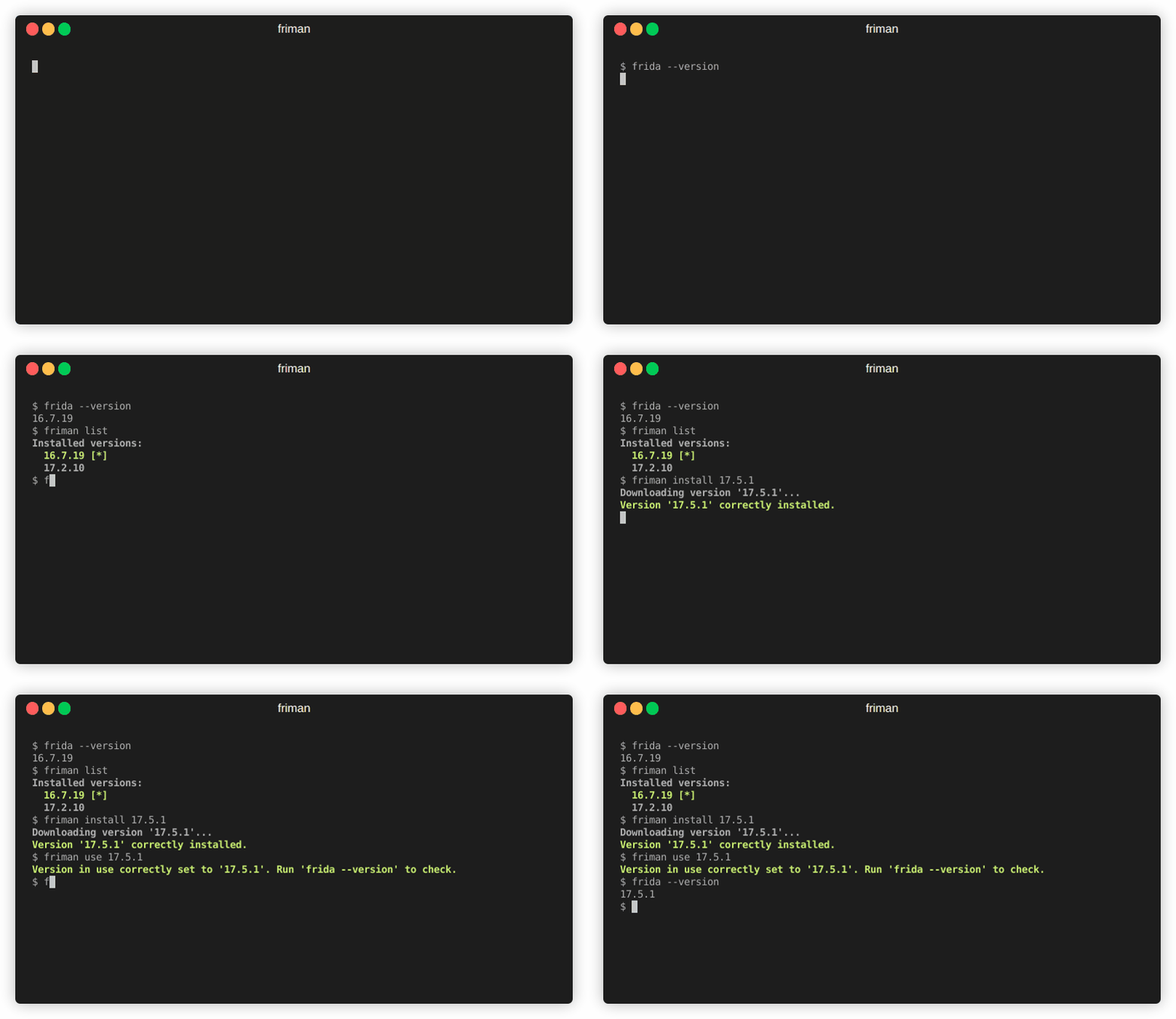
 thelicato/friman
Ferramenta de gerenciamento de versão do Frida




Você já sentiu que encontrar a versão certa do Frida para o trabalho é como enfiar uma agulha? Com diferentes projetos, dispositivos e cenários de depuração que exigem builds específicas, acompanhar as versões do Frida pode rapidamente se tornar um ato tedioso de equilíbrio. O friman (pronunciado "free man") foi projetado para resolver exatamente esse problema.
É comum alternar entre versões do Frida porque ambientes diferentes nem sempre se comportam da mesma forma com a versão mais recente. Dependendo do que você está atacando, uma versão específica pode ser a única que funciona de forma confiável. Os motivos comuns incluem:
v16 e v17).Frida evolui rapidamente, e diferentes projetos ou dispositivos geralmente exigem versões diferentes. Alternar manualmente pode ser propenso a erros, especialmente quando se lida com vários ambientes, binários de servidor e gadgets.
friman fornece:
$HOME/.friman)frida-gadget e frida-server)Seu objetivo é tornar o gerenciamento de versões do Frida o mais livre de atritos possível.
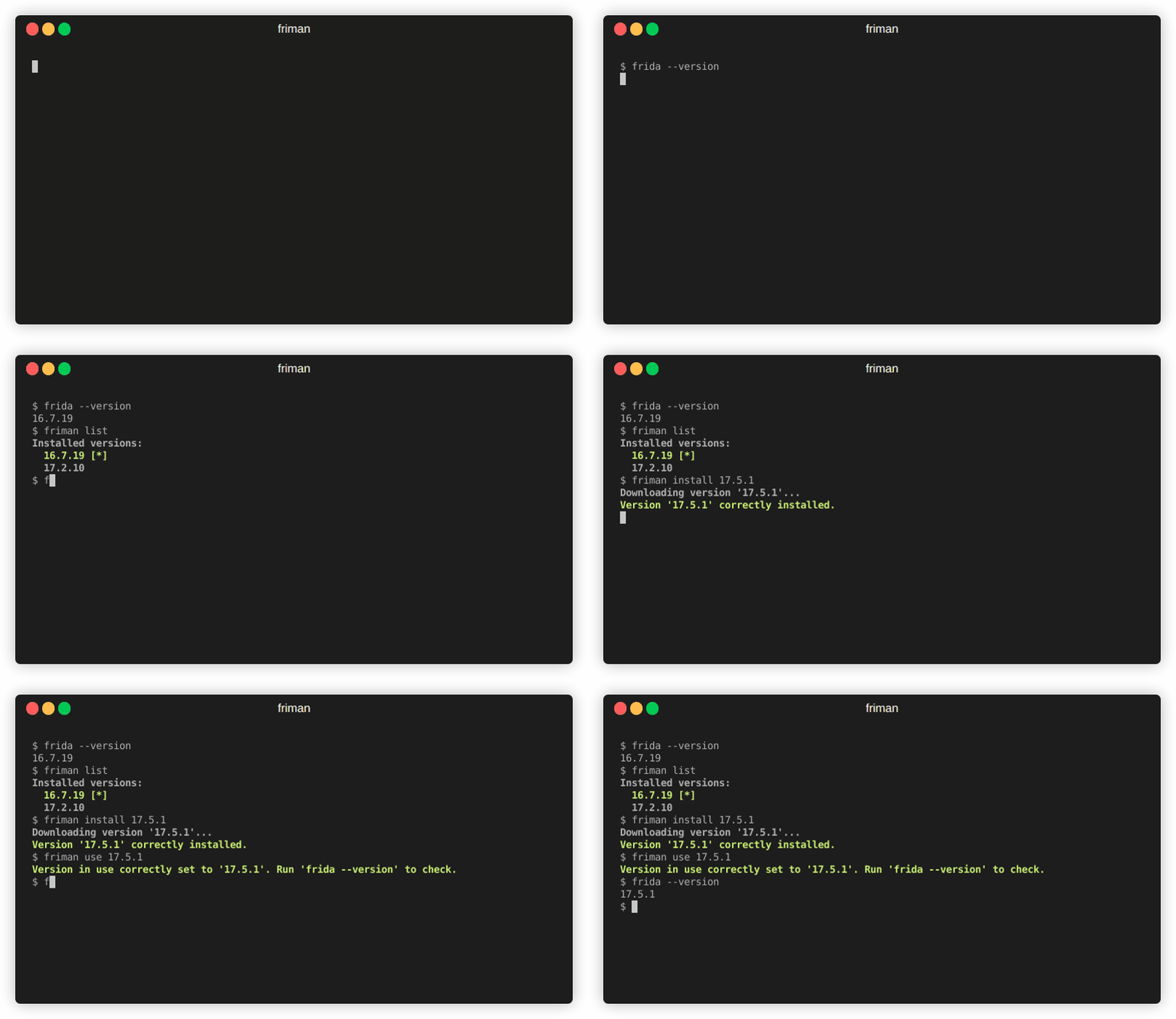
O método de instalação recomendado é diretamente do GitHub:
# Com pipx (recomendado)
pipx install git+https://github.com/thelicato/friman

# Ou com pip
pip install git+https://github.com/thelicato/friman
Após a instalação, execute o seguinte:
friman ensurepath # Configura o PATH para o ambiente Frida atualmente selecionado
friman update # Atualiza a lista local de versões disponíveis do Frida e a matriz de compatibilidade
friman fornece uma interface de linha de comando para instalar, alternar e gerenciar múltiplas versões do Frida. A seguir está a saída principal de ajuda:
Usage: friman [OPTIONS] COMMAND [ARGS]...

Options:
  -v, --version  Show the application's version and exit.
  -d, --debug    Show debug output.
  -h, --help     Show this message and exit.

Commands:
  update       Update the local list of available Frida versions.
  install      Install a <version> of Frida.
  uninstall    Uninstall a <version> of Frida.
  use          Use <version>.
  disable      Disable friman.
  current      Display the currently activated version of Frida.
  list         List all the installed versions.
  ensurepath   Ensure friman directories are correctly set.
  download     Download a specific release file (only server and gadget)...
  push-server  Pushes a the Frida server into the selected ANDROID device.
Comandos de ajuda específicos estão disponíveis nas seções abaixo.
update
updateUsage: friman update [OPTIONS]
Update the local list of available Frida versions.
Options:
-h, --help Show this message and exit.
install
installUsage: friman install [OPTIONS] version
Install a <version> of Frida.
Arguments:
version The version of Frida to install \[required]
Options:
-f, --force Force install.
--list Show all the installable versions and exit.
-h, --help Show this message and exit.
uninstall
uninstallUsage: friman uninstall [OPTIONS] version
Uninstall a <version> of Frida.
Arguments:
version The version of Frida to uninstall \[required]
Options:
-h, --help Show this message and exit.
use
useUsage: friman use [OPTIONS] version
Use <version>.
Arguments:
version The version of Frida to use \[required]
Options:
-h, --help Show this message and exit.
disable
disableUsage: friman disable [OPTIONS]
Disable friman.
Options:
-h, --help Show this message and exit.
current
currentUsage: friman current [OPTIONS]
Display the currently activated version of Frida.
Options:
-h, --help Show this message and exit.
list
listUsage: friman list [OPTIONS]
List all the installed versions.
Options:
-h, --help Show this message and exit.
ensurepath
ensurepathUsage: friman ensurepath [OPTIONS]
Ensure friman directories are correctly set.
Options:
-h, --help Show this message and exit.
download
downloadUsage: friman download [OPTIONS] type platform
Download a specific release file (only server and gadget) for the current
version.
Arguments:
type The selected asset type \[required]
platform The platform to use \[required]
Options:
-o, --output TEXT Select the folder where to download the file.
-h, --help Show this message and exit.
push-server
push-serverUsage: friman push-server [OPTIONS] device_id platform
Pushes a the Frida server into the selected ANDROID device.
Arguments:
device_id The selected ANDROID device \[required]
platform The platform of the device \[required]
Options:
--list Show all the USB devices and exit.
-h, --help Show this message and exit.
Pull requests são bem-vindos! Por favor, abra uma issue primeiro para discutir mudanças importantes.
friman é lançado sob a LICENÇA MIT
