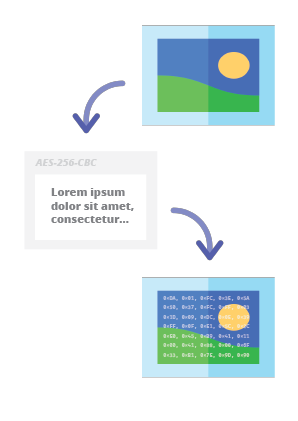

Codec esteganográfico online permite ocultar uma mensagem criptografada por senha dentro de imagens e fotos usando o algoritmo de criptografia AES com uma chave derivada de PBKDF2 de 256 bits.
Steganographic Online Codec permite ocultar uma mensagem criptografada por senha dentro de imagens e fotos usando o algoritmo de criptografia AES com uma chave derivada de PBKDF2 de 256 bits.
Você pode usá-lo gratuitamente em:
https://www.pelock.com/products/steganography-online-codec
Este SDK fornece acesso programático ao codec e suas funções de codificação e decodificação por meio de uma interface WebAPI.
Esteganografia é um termo que descreve a arte e a ciência de ocultar informações incorporando mensagens dentro de outros arquivos de imagem aparentemente inofensivos.
Neste caso, os bits individuais da mensagem oculta criptografada são salvos como os bits menos significativos (LSB) nos componentes de cor RGB nos pixels da imagem selecionada.
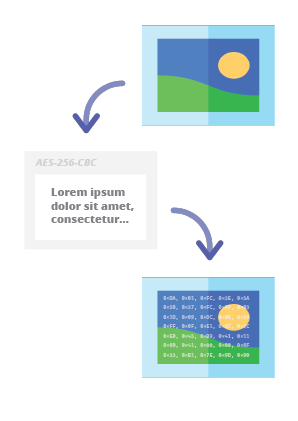
Com nosso codificador esteganográfico, você poderá ocultar qualquer mensagem de texto na imagem de forma segura e enviá-la sem levantar suspeitas. Só será possível ler a mensagem após fornecer uma senha de descriptografia válida.
A forma preferida de instalação do SDK Web API é via NPM (Node Package Manager).
Execute:
npm i steganography-online-codec
Ou adicione esta entrada:
"dependencies": {
"steganography-online-codec": "latest"
},
diretamente ao seu package.json na seção dependencies.
O pacote de instalação está disponível em https://www.npmjs.com/package/steganography-online-codec
Os pacotes de instalação foram enviados para repositórios de várias linguagens de programação populares e seus códigos-fonte foram publicados no GitHub:
Se você não quiser usar o módulo Python, pode importar diretamente do arquivo:
from pelock.steganography_online_codec import *
"use strict";
/******************************************************************************
*
* Steganography Online Codec WebApi interface usage example.
*
* In this example shows how to hide an encrypted secret message in an image file.
*
* Version : v1.00
* Language : JavaScript
* Author : Bartosz Wójcik (original example)
* Project : https://www.pelock.com/products/steganography-online-codec
* Homepage : https://www.pelock.com
*
* @link https://www.pelock.com/products/steganography-online-codec
* @copyright Copyright (c) 2020-2025 PELock LLC
* @license Apache-2.0
*
/*****************************************************************************/
// include Steganography Online Codec module
import { SteganographyOnlineCodec, Errors } from 'steganography-online-codec';
// or if tested locally use:
//import { SteganographyOnlineCodec, Errors } from '../src/SteganographyOnlineCodec.mjs';
// create Steganography Online Codec class instance (we are using our activation key)
const mySteganographyOnlineCodec = new SteganographyOnlineCodec('YOUR-WEB-API-KEY');
// encode a hidden message (encrypted with your password) within an image file
(async () => {
const inputFile = 'input_file.jpg';
const secretMessage = 'Secret message';
const password = 'Pa$$word';
const outputFile = 'output_file_with_hidden_secret_message.png';
try {
const result = await mySteganographyOnlineCodec.encode(inputFile, secretMessage, password, outputFile);
// result object holds the encoding results as well as other information
console.log('Secret messaged encoded and saved to the output PNG file.');
} catch (err) {
console.error('Encoding failed:', err.error_message || err.message || String(err));
}
})();
"use strict";
/******************************************************************************
*
* Steganography Online Codec WebApi interface usage example.
*
* In this example, we will see how to hide an encrypted message in an
* image file using our codec.
*
* Version : v1.00
* Language : JavaScript
* Author : Bartosz Wójcik
* Project : https://www.pelock.com/products/steganography-online-codec
* Homepage : https://www.pelock.com
*
* @link https://www.pelock.com/products/steganography-online-codec
* @copyright Copyright (c) 2020-2025 PELock LLC
* @license Apache-2.0
*
/*****************************************************************************/
// include Steganography Online Codec module
import { SteganographyOnlineCodec, Errors } from 'steganography-online-codec';
// or if tested locally use:
//import { SteganographyOnlineCodec, Errors } from '../src/SteganographyOnlineCodec.mjs';
// create Steganography Online Codec class instance (we are using our activation key)
const mySteganographyOnlineCodec = new SteganographyOnlineCodec('YOUR-WEB-API-KEY');
// encode a hidden message within the source image file
(async () => {
// full version image size limit is set to 10 MB (demo 50 kB max)
// supported image formats are PNG, JPG, GIF, BMP, WBMP, GD2, AVIF, WEBP (mail me for more)
const inputFilePath = 'input_file.webp';
// full version message size is unlimited (demo 16 chars max)
const secretMessage = 'Secret message';
// full version password length is 128 characters max (demo 8 chars max)
const password = 'Pa$$word';
// where to save encoded image with the secret message
const outputFilePath = 'output_file_with_hidden_secret_message.png';
try {
// encode a hidden message (encrypted with your password) within an image file
const result = await mySteganographyOnlineCodec.encode(inputFilePath, secretMessage, password, outputFilePath);
// result object holds the encoding results as well as other information
const versionType = result.license && result.license.activationStatus ? 'full' : 'demo';
console.log(`You are running in ${versionType} version`);
console.log(`Secret messaged encoded and saved to ${outputFilePath}`);
if (result.license && result.license.usagesCount !== undefined) {
console.log(`Remaining number of usage credits - ${result.license.usagesCount}`);
}
} catch (err) {
const errorCode = err.error;
switch (errorCode) {
case Errors.INVALID_INPUT:
console.log(`Invalid input file ${inputFilePath} or file doesn't exist`);
break;
case Errors.MESSAGE_TOO_LONG:
console.log('Message is too long for the provided image file, use larger file');
break;
case Errors.IMAGE_TOO_BIG:
console.log(`Image file is too big, current limit is set to ${err.raw?.limits?.maxFileSize ?? 'unknown'}`);
break;
case Errors.LIMIT_MESSAGE:
console.log(`Message is too long, current limit is set to ${err.raw?.limits?.maxMessageLen ?? 'unknown'}`);
break;
case Errors.LIMIT_PASSWORD:
console.log(`Password is too long, current limit is set to ${err.raw?.limits?.maxPasswordLen ?? 'unknown'}`);
break;
case Errors.INVALID_PASSWORD:
console.log('Invalid password');
break;
default:
console.log(`An error occurred: ${err.error_message ?? `Error code ${errorCode}`}`);
}
}
})();
"use strict";
/******************************************************************************
*
* Steganography Online Codec WebApi interface usage example.
*
* In this example, we will see how to extract a previously encrypted & hidden
* secret message from an image file.
*
* Version : v1.00
* Language : JavaScript
* Author : Bartosz Wójcik
* Project : https://www.pelock.com/products/steganography-online-codec
* Homepage : https://www.pelock.com
*
* @link https://www.pelock.com/products/steganography-online-codec
* @copyright Copyright (c) 2020-2025 PELock LLC
* @license Apache-2.0
*
/*****************************************************************************/
// include Steganography Online Codec module
import { SteganographyOnlineCodec, Errors } from 'steganography-online-codec';
// or if tested locally use:
//import { SteganographyOnlineCodec, Errors } from '../src/SteganographyOnlineCodec.mjs';
// create Steganography Online Codec class instance (we are using our activation key)
const mySteganographyOnlineCodec = new SteganographyOnlineCodec('YOUR-WEB-API-KEY');
// extract a hidden message from the previously encoded image file
(async () => {
// full version image size limit is set to 10 MB (demo 50 kB max)
// supported image format is PNG and only PNG!
const inputFilePath = 'output_file_with_hidden_secret_message.png';
// full version password length is 128 characters max (demo 8 chars max)
const password = 'Pa$$word';
try {
// extract a hidden message from the image (PNG files only)
const result = await mySteganographyOnlineCodec.decode(inputFilePath, password);
// result object holds the decoding results as well as other information
console.log(`You are running in ${result.license?.activationStatus ? 'full' : 'demo'} version`);
console.log(`Secret message is "${result.message}"`);
if (result.license && result.license.usagesCount !== undefined) {
console.log(`Remaining number of usage credits - ${result.license.usagesCount}`);
}
} catch (err) {
switch (err.error) {
case Errors.INVALID_INPUT:
console.log(`Invalid input file ${inputFilePath} or file doesn't exist`);
break;
case Errors.IMAGE_TOO_BIG:
console.log(`Image file is too big, current limit is set to ${err.raw?.limits?.maxFileSize ?? 'unknown'}`);
break;
case Errors.LIMIT_MESSAGE:
console.log(`Extracted message is too long, current limit is set to ${err.raw?.limits?.maxMessageLen ?? 'unknown'}`);
break;
case Errors.LIMIT_PASSWORD:
console.log(`Password is too long, current limit is set to ${err.raw?.limits?.maxPasswordLen ?? 'unknown'}`);
break;
case Errors.INVALID_PASSWORD:
console.log('Invalid password');
break;
default:
console.log(`An error occurred: ${err.error_message ?? String(err)}`);
}
}
})();
"use strict";
/******************************************************************************
*
* Steganography Online Codec WebApi interface usage example.
*
* In this example we will verify our activation key status.
*
* Version : v1.00
* Language : JavaScript
* Author : Bartosz Wójcik
* Project : https://www.pelock.com/products/steganography-online-codec
* Homepage : https://www.pelock.com
*
* @link https://www.pelock.com/products/steganography-online-codec
* @copyright Copyright (c) 2020-2025 PELock LLC
* @license Apache-2.0
*
/*****************************************************************************/
// include Steganography Online Codec module
import { SteganographyOnlineCodec, Errors } from 'steganography-online-codec';
// or if tested locally use:
//import { SteganographyOnlineCodec, Errors } from '../src/SteganographyOnlineCodec.mjs';
// create Steganography Online Codec class instance (we are using our activation key)
const mySteganographyOnlineCodec = new SteganographyOnlineCodec('YOUR-WEB-API-KEY');
// login to the service
(async () => {
try {
const result = await mySteganographyOnlineCodec.login();
// result object holds the information about the license & current limits
const versionType = result.license && result.license.activationStatus ? 'full' : 'demo';
console.log(`You are running in ${versionType} version`);
// information about the current license
if (result.license && result.license.activationStatus) {
console.log(`Registered for - ${result.license.userName}`);
const licenseType = result.license.type === 0 ? 'personal' : 'company';
console.log(`License type - ${licenseType}`);
console.log(`Total number of purchased usage credits - ${result.license.usagesTotal}`);
console.log(`Remaining number of usage credits - ${result.license.usagesCount}`);
}
// current limits (different for DEMO and FULL versions)
if (result.limits) {
console.log(`Max. password length - ${result.limits.maxPasswordLen}`);
const msgLen = result.limits.maxMessageLen === -1 ? 'unlimited' : result.limits.maxMessageLen;
console.log(`Max. message length - ${msgLen}`);
console.log(`Max. input image file size - ${mySteganographyOnlineCodec.convert_size(result.limits.maxFileSize)}`);
}
} catch (err) {
console.error(`Login failed: ${err.error_message || String(err)}`);
}
})();
Se você está interessado na Steganography Online Codec Web API ou tem alguma dúvida sobre os pacotes SDK, questões técnicas ou se algo não está claro, entre em contato comigo. Ficarei feliz em responder todas as suas perguntas.
Bartosz Wójcik
| Repositório | Linguagem | Instalação | Pacote | GitHub |
|---|
![]() | Python | Execute pip install steganography-online-codec | PyPI | Fontes |
![]() | JavaScript, TypeScript | Execute npm i steganography-online-codec ou adicione "steganography-online-codec": "latest" em dependencies no package.json | NPM | Fontes |
![]() | Rust | Execute cargo add steganography-online-codec ou adicione steganography-online-codec = "1" ao Cargo.toml (opcional: git / path para builds não lançados ou vendored) | crates.io | Fontes |