
Verificador de hash online para Virustotal e outros serviços
_________ _ _ ______ _____ ______
| | | | | \ | | | | | | \ \ | | | | \ \ /.)
| | | | | | | | | | | | | | | | | | | | /)\|
|_| |_| |_| \_|__|_| |_| |_| _|_|_ |_| |_| // /
/'" "
Online Hash Checker for Virustotal and Other Services
Florian Roth
Munin é uma ferramenta de verificação de hashes online que recupera informações valiosas de várias fontes online.
A versão atual do Munin consulta os seguintes serviços:
Modo Padrão - Ler Hashes de Arquivo
usage: munin.py [-h] [-f path] [--vh search-string]
[--vhrule search-string] [-o output] [--vtwaitquota]
[--vtminav min-matches] [--limit hash-limit]
[--vhmaxage days] [-c cache-db] [-i ini-file]
[-s sample-folder] [--comment] [-p vt-comment-prefix]
[--download] [-d download_path] [--nocache] [--nocsv]
[--verifycert] [--sort] [--web] [-w port] [--cli]
[--rescan] [--debug]
Online Hash Checker
optional arguments:
-h, --help show this help message and exit
-f path File to process (hash line by line OR csv with hash
in each line - auto-detects position and comment)
--vh search-string Query Valhalla for hashes by keyword, tags, YARA
rule name, Mitre ATT&CK software (e.g. S0154),
technique (e.g. T1023) or threat group (e.g. G0049)
--vhrule search-string
Query Valhalla for hashes via rules by keyword,
tags, YARA rule name, Mitre ATT&CK software (e.g.
S0154), technique (e.g. T1023) or threat group
(e.g. G0049)
-o output Output file for results (CSV)
--vtwaitquota Do not continue if VT quota is exceeded but wait
for the next day
--vtminav min-matches
Minimum number of AV matches to query hash info
from VT"
--limit hash-limit Exit after handling this much new hashes in batch
mode (cache ignored).
--vhmaxage days Maximum age of sample on Valhalla to process
-c cache-db Name of the cache database file (default: vt-hash-
db.json)
-i ini-file Name of the ini file that holds the API keys
-s sample-folder Folder with samples to process
--comment Posts a comment for the analysed hash which
contains the comment from the log line
-p vt-comment-prefix Virustotal comment prefix
--download Enables Sample Download from Hybrid Analysis.
SHA256 of sample needed.
-d download_path Output Path for Sample Download from Hybrid
Analysis. Folder must exist
--nocache Do not use cache database file
--nocsv Do not write a CSV with the results
--verifycert Verify SSL/TLS certificates
--sort Sort the input lines
--web Run Munin as web service
-w port Web service port
--cli Run Munin in command line interface mode
--rescan Trigger a rescan of each analyzed file
--debug Debug output
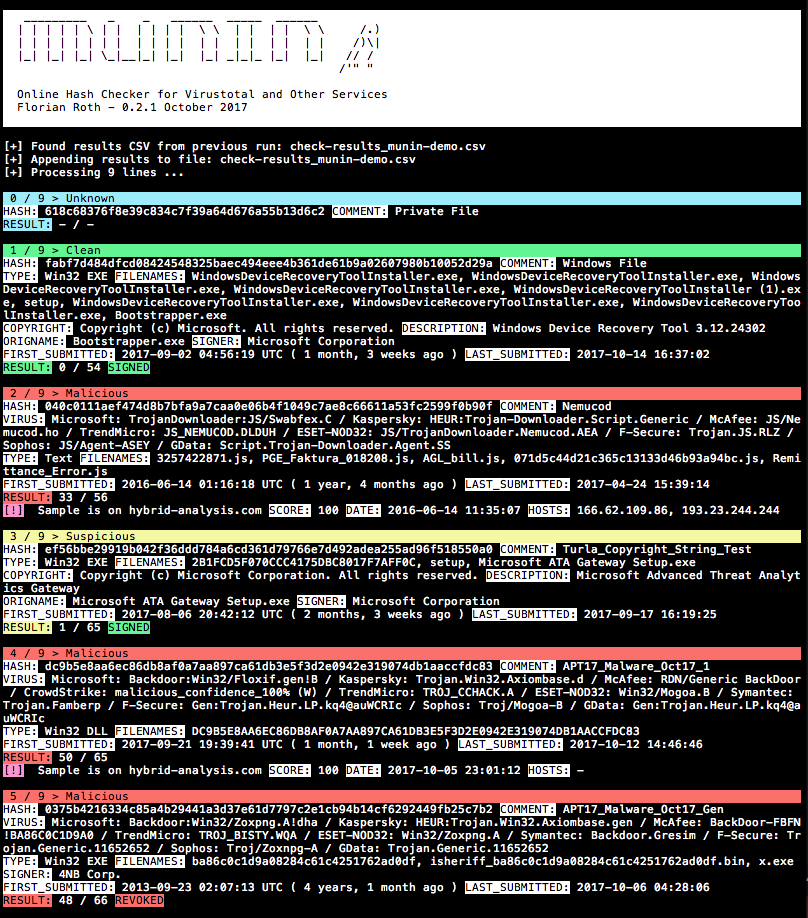
pip3 install -r requirements.txt (no macOS adicione --user)cp munin.ini my.ini (veja a seção Obter as Chaves de API para ajuda)python munin.py -i my.ini -f munin-demo.txtProcessar um resultado de Retrohunt do Virustotal e classificar as linhas antes da verificação para que as assinaturas correspondentes sejam verificadas em blocos
python3 munin.py -i my.ini -f ~/Downloads/retro_hunt
Processar um diretório com amostras e verificar seus hashes online
python3 munin.py -i my.ini -s ~/malware/case34
Usar o modo de interface de linha de comando (novo na v0.14)
python3 munin.py -i my.ini
Profile > My API key para sua chave de API públicaRegistre-se aqui https://malshare.com/register.php
Registre-se aqui https://bazaar.abuse.ch/. Você pode então encontrar sua chave de API na sua Visão Geral da Conta.
Profile > API keyAuthkey é usado como chave de APIAtualmente apenas para clientes ou pesquisadores convidados
https://valhalla.nextron-systems.com/
Hashlookup A instância do CIRCL é fornecida gratuitamente e servida com base no melhor esforço.
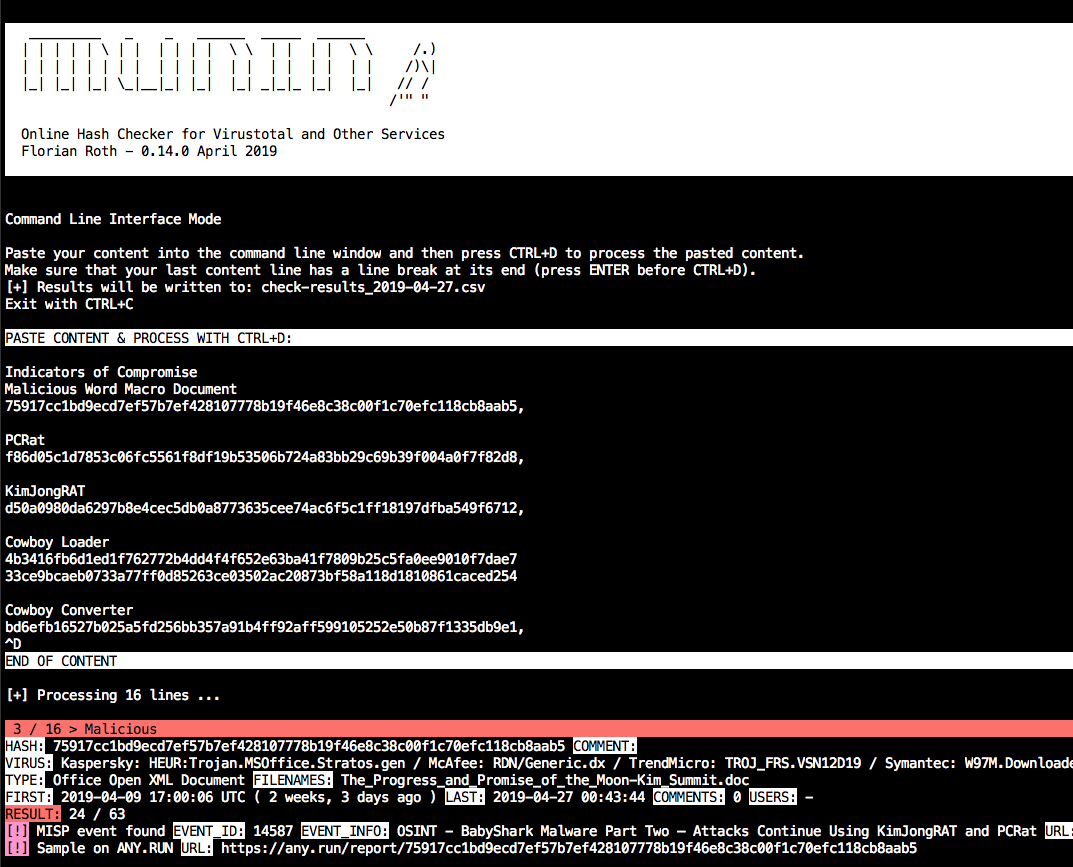
Inicie o munin com --cli e siga as instruções.
Ex.:
python3 munin.py -i my.ini --cli
Cole o conteúdo com valores de hash e depois pressione CTRL+D para finalizar a entrada. A última linha precisa de uma quebra de linha no final.
Por padrão, ele criará um arquivo CSV com a data atual no nome do arquivo.

Inicie o munin com --web e opcionalmente selecione uma porta -w port.
Ex.:
python3 munin.py -i my.ini --web -w 8080
O serviço web aguarda strings no seguinte esquema de URL.
http://server:port/<string>
A string pode ser qualquer string sem quebras de linha, ex.:
Emotet:1585ad28f7d1e0ca696e6c6c2f1d008a
ed01ebfbc9eb5bbea545af4d01bf5f1071661840480439c6e5babe8e080e41aa;IOC1
dc9b5e8aa6ec86db8af0a7aa897ca61db3e5f3d2e0942e319074db1aaccfdc83
O resultado será assim:
{
"comment": "Emotet",
"commenter": "-",
"comments": "0",
"copyright": "Copyright (C) America Online, Inc. 1999 - 2004",
"description": "Utilities",
"expired": false,
"filenames": "sourcedev.exe, MISCUTIL, x8ykNnr_9WofXq7Nh_xuEzSPW.exe, jwuKBLWN681ztj6Zks.exe",
"filetype": "Win32 EXE",
"first_submitted": "2019-01-19 13:46:21 UTC ( 2 months, 2 weeks ago )",
"firstsubmission": "2019-01-19 13:46:21 UTC ( 2 months, 2 weeks ago )",
"harmless": false,
"hash": "1585ad28f7d1e0ca696e6c6c2f1d008a",
"hybrid_available": false,
"hybrid_compromised": "-",
"hybrid_date": "-",
"hybrid_score": "-",
"imphash": "2820d9bdc397f88a8a1e957e1a824482",
"last_submitted": "2019-02-27 09:44:03",
"malshare_available": false,
"md5": "1585ad28f7d1e0ca696e6c6c2f1d008a",
"misp_available": true,
"misp_events": "",
"misp_info": [],
"mssoft": false,
"origname": "-",
"positives": 48,
"rating": "malicious",
"res_color": "\u001b[41m",
"result": "48 / 64",
"revoked": false,
"sha1": "4561d0ad575d5f02fb06e062a37de15861c3bd89",
"sha256": "35e304d10d53834e3e41035d12122773c9a4d183a24e03f980ad3e6b2ecde7fa",
"signed": false,
"signer": "-",
"total": 64,
"urlhaus_available": true,
"vendor_results": {
"CrowdStrike": "win/malicious_confidence_100% (W)",
"ESET-NOD32": "a variant of Win32/Kryptik.GOUY",
"F-Secure": "Trojan.TR/AD.Emotet.pdiuu",
"GData": "Trojan.GenericKD.40960256",
"Kaspersky": "HEUR:Trojan.Win32.Generic",
"McAfee": "Emotet-FLL!1585AD28F7D1",
"Microsoft": "Trojan:Win32/Emotet.DN",
"Sophos": "Mal/Emotet-Q",
"Symantec": "Trojan.Gen.2",
"TrendMicro": "-"
},
"virus": "Microsoft: Trojan:Win32/Emotet.DN / Kaspersky: HEUR:Trojan.Win32.Generic / McAfee: Emotet-FLL!1585AD28F7D1 / CrowdStrike: win/malicious_confidence_100% (W) / ESET-NOD32: a variant of Win32/Kryptik.GOUY / Symantec: Trojan.Gen.2 / F-Secure: Trojan.TR/AD.Emotet.pdiuu / Sophos: Mal/Emotet-Q / GData: Trojan.GenericKD.40960256",
"virusbay_available": false,
"vt_positives": 48,
"vt_queried": false,
"vt_total": 64,
"vt_verbose_msg": "Scan finished, information embedded"
}
As consultas ao Virustotal precisam ser limitadas. Portanto, o serviço web aplica um tempo de espera (cooldown), que é minimizado subtraindo o tempo gasto para processar todas as outras plataformas do tempo de espera de 15 segundos.
cooldown_time = vt_wait_time - process_time
Durante o cooldown, as solicitações retornarão esta resposta:
{"status": "VT cooldown active"}
O cooldown não é relevante ao solicitar hashes que já estão no cache de consulta.
O script de verificação de host e IP do Munin (munin-host.py) recupera mais informações sobre endereços IP e nomes de host/domínio em listas de IOC.
usage: munin-host.py [-h] [-f path] [-o output] [-m max-items] [-c cache-db]
[-i ini-file] [--nocache] [--nocsv] [--recursive]
[--download] [-d download_path] [--dups] [--noresolve]
[--ping] [--debug]
Virustotal Online Checker (IP/Domain)
optional arguments:
-h, --help show this help message and exit
-f path File to process (hash line by line OR csv with hash in
each line - auto-detects position and comment)
-o output Output file for results (CSV)
-m max-items Maximum number of items (urls, hosts, samples) to show
-c cache-db Name of the cache database file (default: vt-hosts-
db.json)
-i ini-file Name of the ini file that holds the API keys
--nocache Do not use the load the cache db (vt-check-cache.pkl)
--nocsv Do not write a CSV with the results
--recursive Process the resolved IPs as well
--download Try to download the URLs (directories with host/ip names)
-d download_path Store the downloads to the given directory
--dups Do not skip duplicate hashes
--noresolve Do not perform DNS resolve test on found domain names
--ping Perform ping check on IPs (speeds up process if many
public but internally routed IPs appear in text file)
--debug Debug output

Analise o arquivo de demonstração, extraia IPs e hosts, não apenas verifique os domínios que ainda são resolvíveis e baixe amostras diretamente dos sistemas remotos.
python3 munin-host.py -i your-key.ini -f ./munin-hosts-demo.txt --noresolve --download
Usar munin-host.py em uma rede monitorada por IDS causará numerosos alertas, pois o munin-host.py realiza consultas DNS para domínios maliciosos e tem a opção de baixar amostras maliciosas.
O script munin-host.py requer o módulo pycurl. Às vezes é complicado fazê-lo funcionar no macOS, pois requer a instalação de um openssl, que é então usado no processo de compilação.
Se ocorrerem erros, tente o seguinte (alguns ambientes exigirão pip3)
pip uninstall pycurl
brew update
brew reinstall openssl
export PKG_CONFIG_PATH="/usr/local/opt/openssl/lib/pkgconfig"
export LDFLAGS="-L/usr/local/opt/openssl/lib"
export CPPFLAGS="-I/usr/local/opt/openssl/include"
export PYCURL_SSL_LIBRARY=openssl
pip install pycurl --global-option="--with-openssl"
O script Hugin (hugin.py) recupera e exibe informações de todas as amostras retornadas em um retrohunt. A grande vantagem é que você não precisa esperar 15 segundos entre cada solicitação de amostra, mas puxa o arquivo JSON completo dos resultados pela v3 da API do Virustotal. Dessa forma, você obtém seus resultados imediatamente. A desvantagem é que outros serviços como Any.run, Hybrid-Analysis, MISP ou Valhalla não são consultados com o Hugin.
usage: hugin.py [-h] [-r retrohunt-name] [-i ini-file]
[--csv-path CSV_PATH] [--debug] [--no-comments]
Retrohunt Checker
optional arguments:
-h, --help show this help message and exit
-r retrohunt-name Name for the queried retrohunt
-i ini-file Name of the ini file that holds the VT API key
--csv-path CSV_PATH Write a CSV with the results
--debug Debug output
--no-comments Skip VirusTotal comments
Analise um retrohunt e exporte um arquivo CSV com os resultados.
python3 hugin.py -i config-with-your-key.ini -r retrohunt-123456789
