 nccgroup/scrying
Uma ferramenta para coletar capturas de tela de RDP, web e VNC, tudo em um só lugar.



Uma nova ferramenta para capturar screenshots de RDP, web e VNC em um só lugar
Esta ferramenta ainda está em desenvolvimento e deve ser utilizável, mas não está completa. Por favor, reporte quaisquer bugs ou solicitações de funcionalidades como issues do GitHub
Desde que o Eyewitness recentemente abandonou o suporte para RDP, não existe uma ferramenta CLI funcional para capturar screenshots de RDP. O Nessus ainda funciona, mas é complicado extrair as imagens e elas não estão incluídas no arquivo de exportação.
Achei que fosse uma boa oportunidade para escrever uma ferramenta nova e mais poderosa do que as anteriores. Confira a lista de funcionalidades!
Para screenshots web, o scrying atualmente depende de uma instalação do Chromium ou Google Chrome. Instale com pacman -S chromium ou o equivalente para seu sistema operacional.
Baixe a versão mais recente na aba de releases. Há um pacote Debian disponível para distribuições que o utilizam (instale com sudo dpkg -i scrying*.deb), e binários compactados para Windows, Mac e outros Linux.
Capture uma única página web, servidor RDP ou servidor VNC:
$ scrying -t http://example.com
$ scrying -t rdp://192.0.2.1
$ scrying -t 2001:db8::5 --mode web
$ scrying -t 2001:db8::5 --mode rdp
$ scrying -t 192.0.2.2
$ scrying -t vnc://[2001:db8::53]:5901
Execute em um servidor headless:
# apt install xvfb # ou equivalente do SO
$ xvfb-run scrying -t http://example.com
Capture automaticamente screenshots a partir de uma saída do nmap:
$ nmap -iL targets.txt -p 80,443,8080,8443,3389 -oX targets.xml
$ scrying --nmap targets.xml
Escolha um diretório de saída diferente para as imagens:
$ scrying -t 2001:db8::3 --output-dir /tmp/scrying_outputs
Execute a partir de um arquivo de alvos:
$ cat targets.txt
http://example.com
rdp://192.0.2.1
2001:db8::5
$ scrying -f targets.txt
Execute através de um proxy web:
$ scrying -t http://example.com --web-proxy http://127.0.0.1:8080
$ scrying -t http://example.com --web-proxy socks5://\[::1\]:1080
Os arquivos de imagem são salvos em PNG na seguinte estrutura de diretórios:
output
├── report.html
├── rdp
│   └── 192.0.2.1-3389.png
├── vnc
│   └── 192.0.2.1-5900.png
└── web
    └── https_example.com.png
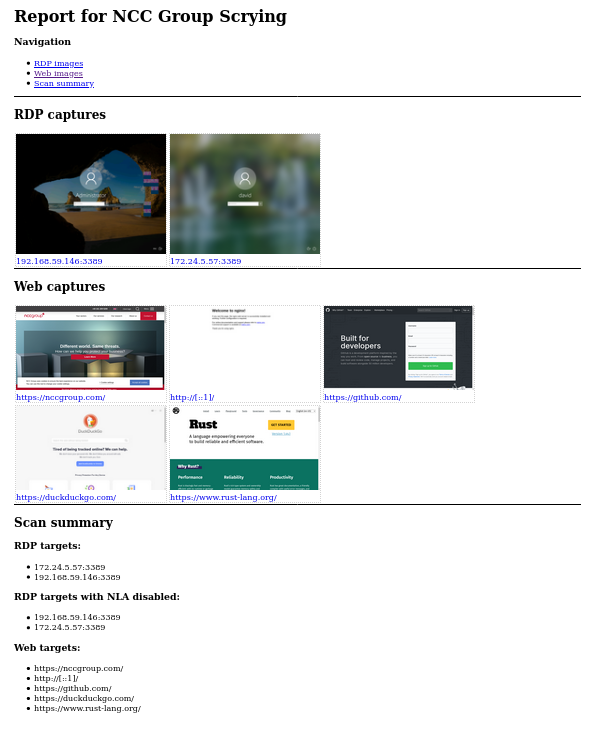
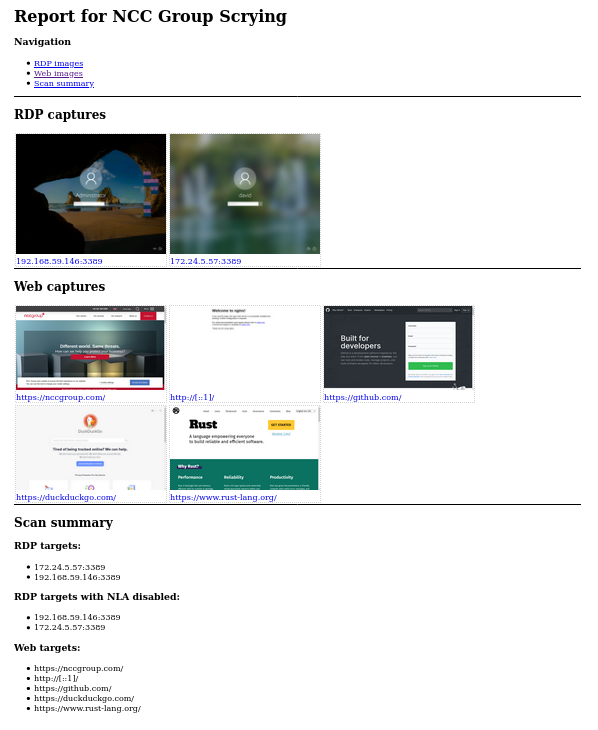
Confira o relatório em output/report.html!
Funcionalidades com um visto ao lado já foram implementadas; as demais estão pendentes (TODO)
USAGE:
    scrying [OPTIONS] <--file <FILE>|--nmap <NMAP XML FILE>|--nessus <NESSUS XML FILE>|--target <TARGET>>

OPTIONS:
        --disable-report               Don't create a report.html [aliases: no-report]
    -f, --file <FILE>                  Targets file, one per line
    -h, --help                         Print help information
    -l, --log-file <LOG FILE>          Save logs to the given file
    -m, --mode <MODE>                  Force targets to be parsed as `web`, `rdp`, `vnc` [default:
                                       auto] [possible values: web, rdp, vnc, auto]
        --nessus <NESSUS XML FILE>     Nessus XML file
        --nmap <NMAP XML FILE>         Nmap XML file
    -o, --output <OUTPUT DIR>          Directory to save the captured images in [default: output]
        --proxy <PROXY>                Default SOCKS5 proxy to use for connections e.g.
                                       socks5://[::1]:1080
        --rdp-domain <RDP DOMAIN>      Domain name to provide to RDP servers that request one
        --rdp-pass <RDP PASS>          Password to provide to RDP servers that request one
        --rdp-proxy <RDP PROXY>        SOCKS5 proxy to use for RDP connections e.g.
                                       socks5://[::1]:1080
        --rdp-timeout <RDP TIMEOUT>    Seconds to wait after last bitmap before saving an image
                                       [default: 2]
        --rdp-user <RDP USER>          Username to provide to RDP servers that request one
    -s, --silent                       Suppress most log messages
        --size <SIZE>                  Set the size of captured images in pixels. Due to protocol
                                       limitations, sizes greater than 65535x65535 may get truncated
                                       in interesting ways. This argument has no effect on VNC
                                       screenshots. [default: 1280x1024]
    -t, --target <TARGET>              Target, e.g. http://example.com, rdp://[2001:db8::4]
        --test-import                  Exit after importing targets
        --threads <THREADS>            Number of worker threads for each target type [default: 10]
    -v, --verbose                      Increase log verbosity
    -V, --version                      Print version information
        --vnc-auth <VNC AUTH>          Password to provide to VNC servers that request one
        --web-mode <WEB MODE>          Choose between headless Chrom{e,ium} or native webview (GTK
                                       on Linux, Edge WebView2 on Windows, Cocoa WebView on Mac
                                       [default: chrome] [possible values: chrome, native]
        --web-path <WEB PATH>          Append a path to web requests. Provide multiple to request
                                       each path sequentially
        --web-proxy <WEB PROXY>        HTTP/SOCKS Proxy to use for web requests e.g.
                                       http://[::1]:8080