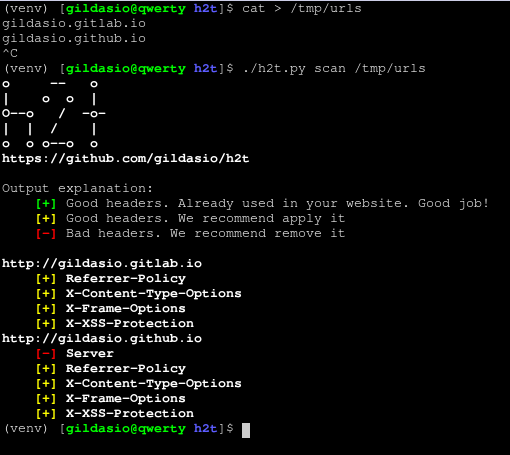
 gildasio/h2t
h2t (HTTP Hardening Tool) verifica um site e sugere cabeçalhos de segurança a serem aplicados.

h2t é uma ferramenta simples para ajudar administradores de sistemas a endurecer seus sites.
Até agora, h2t verifica os cabeçalhos do site e recomenda como melhorá-lo.
$ git clone https://github.com/gildasio/h2t
$ cd h2t
$ pip install -r requirements.txt
$ ./h2t.py -h
... ou pelo Docker:
$ git clone https://github.com/gildasio/h2t
$ cd h2t
$ docker build -t h2t .
$ docker run --rm h2t -h
Você também pode colocar alias h2t='docker run --rm h2t' em um arquivo (como ~/.bash_aliases) e executar da seguinte forma:
$ h2t -h
h2t tem subcomandos: list e scan.
$ ./h2t.py -h
usage: h2t.py [-h] {list,l,scan,s} ...

h2t - HTTP Hardening Tool

positional arguments:
  {list,l,scan,s}  sub-command help
    list (l)       show a list of available headers in h2t catalog (that can
                   be used in scan subcommand -H option)
    scan (s)       scan url to hardening headers

optional arguments:
  -h, --help       show this help message and exit
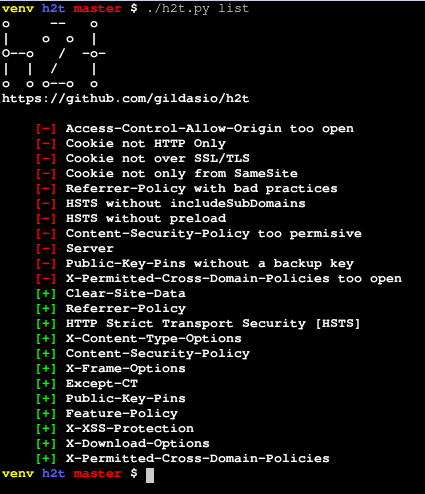
O subcomando list lista todos os cabeçalhos catalogados no h2t e pode mostrar informações sobre eles, como descrição, links para mais informações e tutoriais.
$ ./h2t.py list -h
usage: h2t.py list [-h] [-p PRINT [PRINT ...]] [-B]
                   [-a | -H HEADERS [HEADERS ...]]

optional arguments:
  -h, --help            show this help message and exit
  -p PRINT [PRINT ...], --print PRINT [PRINT ...]
                        a list of additional information about the headers to
                        print. For now there are two options: description and
                        refs (you can use either or both)
  -B, --no-banner       don't print the h2t banner
  -a, --all             list all available headers [default]
  -H HEADERS [HEADERS ...], --headers HEADERS [HEADERS ...]
                        a list of headers to look for in the h2t catalog
O subcomando scan realiza uma varredura em um site procurando por seus cabeçalhos.
$ ./h2t.py scan -h
usage: h2t.py scan [-h] [-v] [-a] [-g] [-b] [-H HEADERS [HEADERS ...]]
                   [-p PRINT [PRINT ...]]
                   [-i IGNORE_HEADERS [IGNORE_HEADERS ...]] [-B] [-E] [-n]
                   [-u USER_AGENT] [-r | -s]
                   url

positional arguments:
  url                   url to look for

optional arguments:
  -h, --help            show this help message and exit
  -v, --verbose         increase output verbosity: -v print response headers,
                        -vv print response and request headers
  -a, --all             scan all cataloged headers [default]
  -g, --good            scan good headers only
  -b, --bad             scan bad headers only
  -H HEADERS [HEADERS ...], --headers HEADERS [HEADERS ...]
                        scan only these headers (see available in list sub-
                        command)
  -p PRINT [PRINT ...], --print PRINT [PRINT ...]
                        a list of additional information about the headers to
                        print. For now there are two options: description and
                        refs (you can use either or both)
  -i IGNORE_HEADERS [IGNORE_HEADERS ...], --ignore-headers IGNORE_HEADERS [IGNORE_HEADERS ...]
                        a list of headers to ignore in the results
  -B, --no-banner       don't print the h2t banner
  -E, --no-explanation  don't print the h2t output explanation
  -o {normal,csv,json}, --output {normal,csv,json}
                        choose which output format to use (available: normal,
                        csv, json)
  -n, --no-redirect     don't follow http redirects
  -u USER_AGENT, --user-agent USER_AGENT
                        set user agent to scan request
  -k, --insecure        don't verify SSL certificate as valid
  -r, --recommendation  output only recommendations [default]
  -s, --status          output actual status (eg: existent headers only)
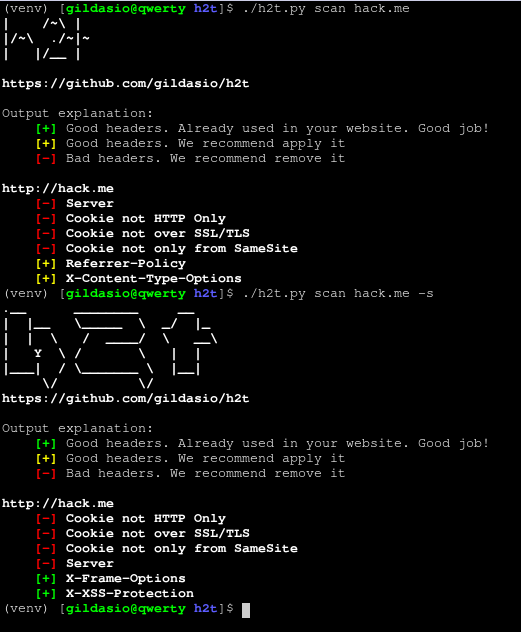
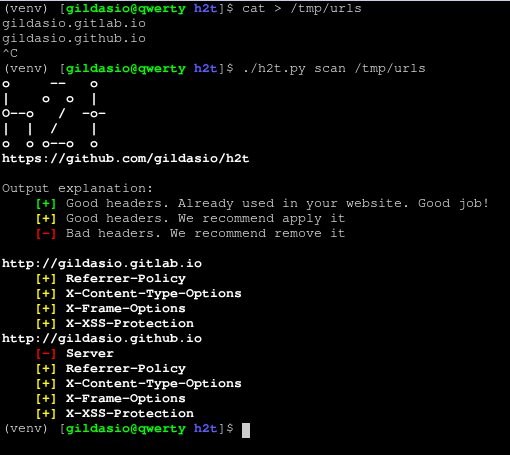
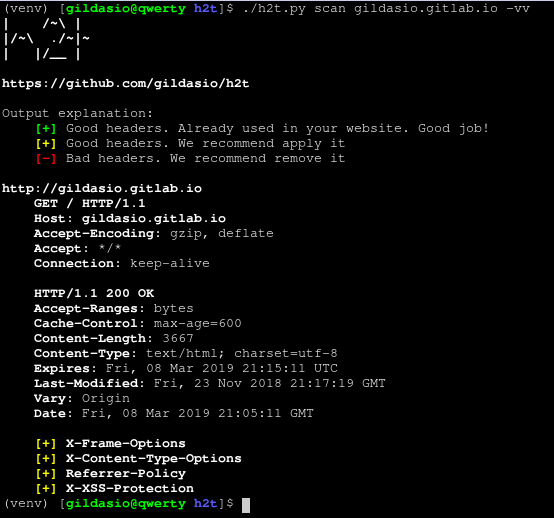
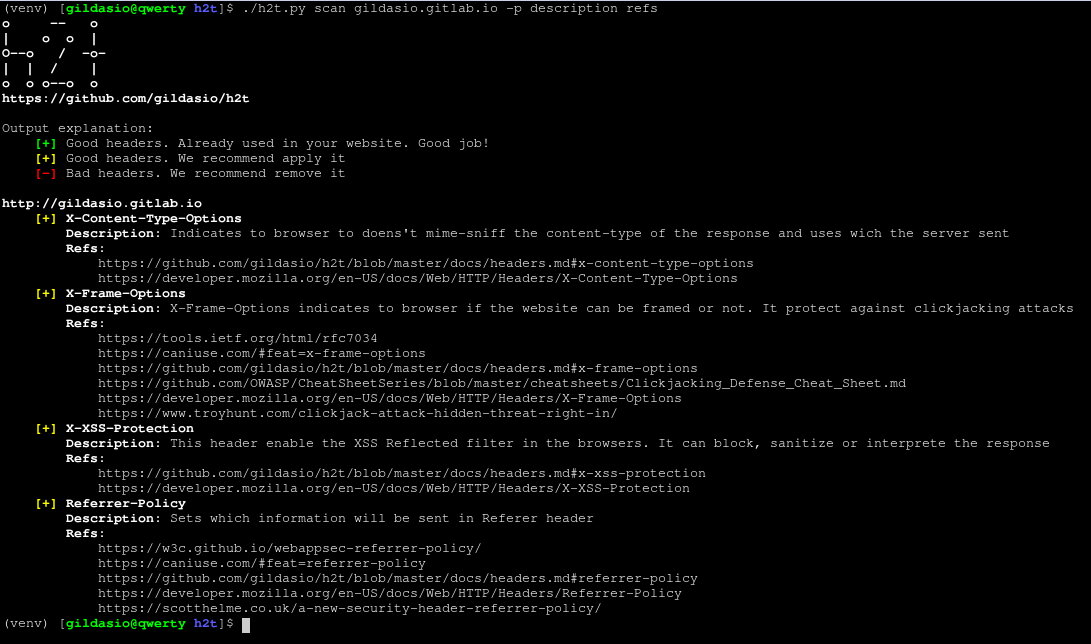
Por enquanto, a saída é apenas no modo normal. Entenda-a da seguinte forma:
-s.Exemplo:
Para diretrizes de contribuição, veja CONTRIBUTING
