Use Garry Tan's exact Claude Code setup: 23 opinionated tools that serve as CEO, Designer, Eng Manager, Release Manager, Doc Engineer, and QA
"I don't think I've typed like a line of code probably since December, basically, which is an extremely large change." — Andrej Karpathy, No Priors podcast, March 2026
When I heard Karpathy say this, I wanted to find out how. How does one person ship like a team of twenty? Peter Steinberger built OpenClaw — 247K GitHub stars — essentially solo with AI agents. The revolution is here. A single builder with the right tooling can move faster than a traditional team.
I'm Garry Tan, President & CEO of Y Combinator. I've worked with thousands of startups — Coinbase, Instacart, Rippling — when they were one or two people in a garage. Before YC, I was one of the first eng/PM/designers at Palantir, cofounded Posterous (sold to Twitter), and built Bookface, YC's internal social network.
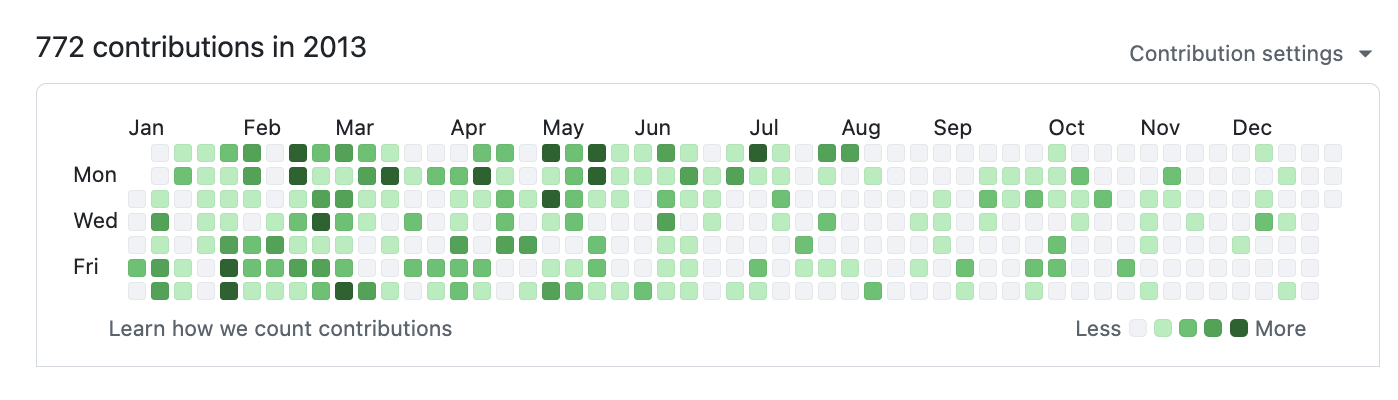
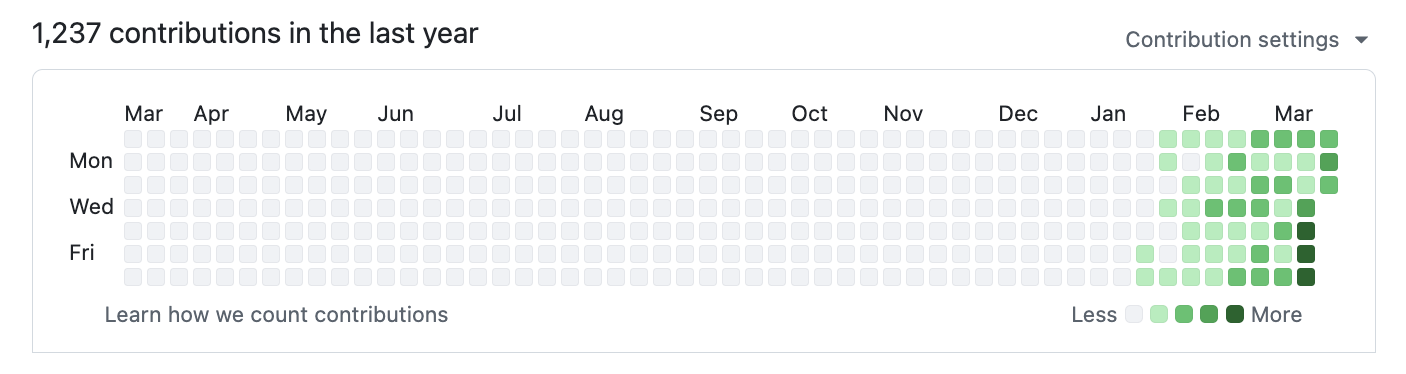
gstack is my answer. I've been building products for twenty years, and right now I'm shipping more products than I ever have. In the last 60 days: 3 production services, 40+ shipped features, part-time, while running YC full-time. On logical code change — not raw LOC, which AI inflates — my 2026 run rate is ~810× my 2013 pace (11,417 vs 14 logical lines/day). Year-to-date (through April 18), 2026 has already produced 240× the entire 2013 year. Measured across 40 public + private garrytan/* repos including Bookface, after excluding one demo repo. AI wrote most of it. The point isn't who typed it, it's what shipped.
The LOC critics aren't wrong that raw line counts inflate with AI. They are wrong that normalized-for-inflation, I'm less productive. I'm more productive, by a lot. Full methodology, caveats, and reproduction script: On the LOC Controversy.
2026 — 1,237 contributions and counting:
2013 — when I built Bookface at YC (772 contributions):
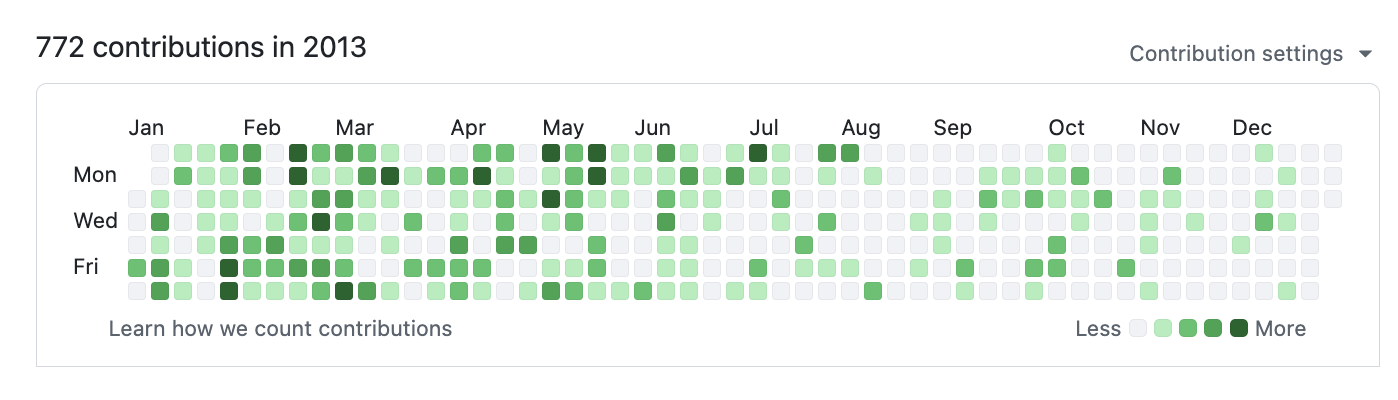
Same person. Different era. The difference is the tooling.
gstack is how I do it. It turns Claude Code into a virtual engineering team — a CEO who rethinks the product, an eng manager who locks architecture, a designer who catches AI slop, a reviewer who finds production bugs, a QA lead who opens a real browser, a security officer who runs OWASP + STRIDE audits, and a release engineer who ships the PR. Twenty-three specialists and eight power tools, all slash commands, all Markdown, all free, MIT license.
This is my open source software factory. I use it every day. I'm sharing it because these tools should be available to everyone.
Fork it. Improve it. Make it yours. And if you want to hate on free open source software — you're welcome to, but I'd rather you just try it first.
Who this is for:
/office-hours — describe what you're building/plan-ceo-review on any feature idea/review on any branch with changes/qa on your staging URL or an isolated local API, CLI, job or webhook./setup took 31 seconds after the clone on a 4-vCPU Linux cloud machine (v1.91.13.0, clean HOME, including the binary build and the Chromium download). Slower networks and laptops take longer.
Requirements: Claude Code, Git, Bun v1.4.2+ (the tested version; setup refuses Bun older than 1.3.3, which would let compiled tools read a project's .env, and warns in between), Node.js (Windows only). Recommended on macOS: the Aside browser (macOS 15+) — browser skills, /make-pdf, and /diagram drive it first, with your real logged-in sessions. Without it, ./setup builds gstack's own bundled browser and the same skills use that. /cso additionally needs a Bun release with all four --no-compile-autoload-* build flags plus a native toolchain: a static-capable C compiler on Linux, Xcode command-line tools on macOS, or Visual Studio 2022 Build Tools with Desktop development with C++ on Windows. If those are absent, setup installs everything else, removes stale CSO helpers, and /cso reports not assessed with the prerequisite.
When qualified CSO runtime images are published, setup gives each automatic preload a 30-second window plus a bounded setup allowance for the declared catalog. For slower registries, set an integer such as GSTACK_CSO_IMAGE_PULL_TIMEOUT_SECONDS=120 (accepted range: 5–300 seconds). One image timing out does not consume the remaining images' windows; setup reports partial progress and a later run resumes from exact digests already present in local Docker. The complete preload is capped at one hour.
Open Claude Code and paste this. Claude does the rest.
Install gstack: run
git clone --single-branch --depth 1 https://github.com/garrytan/gstack.git ~/.claude/skills/gstack && cd ~/.claude/skills/gstack && ./setupthen add a "gstack" section to CLAUDE.md that says to use the /browse skill from gstack for all web browsing, never use mcp__claude-in-chrome__* tools, and lists the available skills: /office-hours, /plan-ceo-review, /plan-eng-review, /plan-design-review, /design-consultation, /design-shotgun, /design-html, /review, /deslop-shared-libs, /test-audit, /ship, /land-and-deploy, /canary, /benchmark, /browse, /connect-chrome, /qa, /qa-only, /design-review, /scrape, /setup-browser-cookies, /setup-deploy, /setup-gbrain, /retro, /investigate, /document-release, /document-generate, /codex, /cso, /autoplan, /plan-devex-review, /devex-review, /careful, /freeze, /guard, /unfreeze, /gstack-upgrade, /learn. Then ask the user if they also want to add gstack to the current project so teammates get it.
From inside your repo, paste this. Switches you to team mode, bootstraps the repo so teammates get gstack automatically, and commits the change:
(cd ~/.claude/skills/gstack && ./setup --team) && ~/.claude/skills/gstack/bin/gstack-team-init required && git add .claude/ CLAUDE.md && git commit -m "require gstack for AI-assisted work"
No vendored files in your repo, no version drift, no manual upgrades. Every Claude Code session starts with a fast auto-update check (throttled to once/hour, network-failure-safe, completely silent).
Swap required for optional if you'd rather nudge teammates than block them.
OpenClaw spawns Claude Code sessions via ACP, so every gstack skill just works when Claude Code has gstack installed. Paste this to your OpenClaw agent: