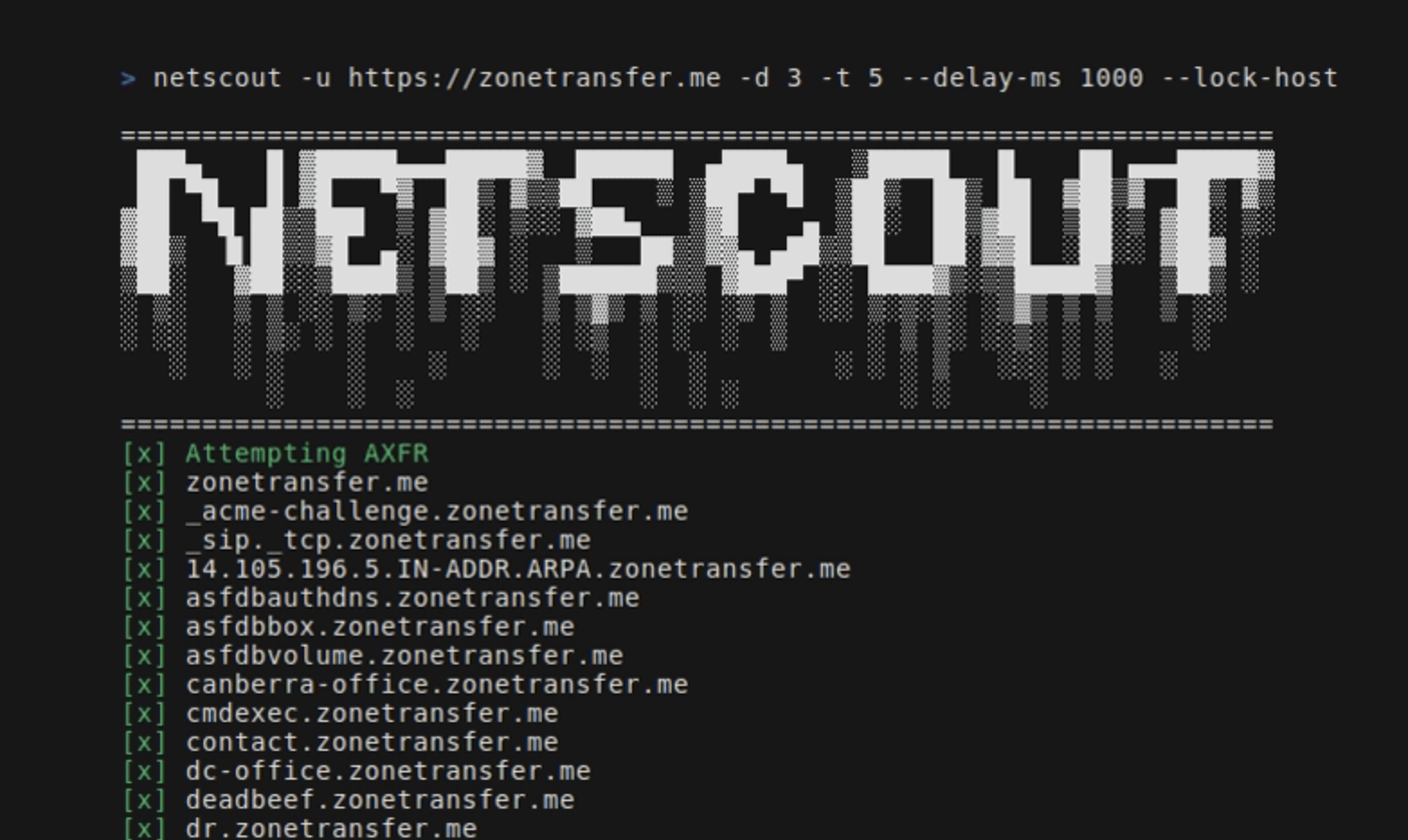

Ferramenta de OSINT que encontra domínios, subdomínios, diretórios, endpoints e arquivos para uma determinada URL inicial.
NetScout é uma ferramenta OSINT que encontra domínios, subdomínios, diretórios, endpoints e arquivos para uma URL inicial fornecida. Ela consiste nos seguintes componentes:
go install github.com/caio-ishikawa/netscout@latestmake installO NetScout usa duas APIs externas: BinaryEdge e SerpAPI. A BinaryEdge é usada para consultar dados históricos de subdomínios registrados para a URL inicial, e a API SERP é usada para coletar resultados da Pesquisa Google para tipos de arquivo específicos da URL inicial.
O NetScout espera que as chaves de API sejam definidas como variáveis de ambiente:
export BINARYEDGE_API_KEY="<key>"export SERP_API_KEY="<key>"Uso:
=======================================================================
███▄ █ ▓█████▄▄▄█████▓ ██████ ▄████▄ ▒█████ █ ██ ▄▄▄█████▓
██ ▀█ █ ▓█ ▀▓ ██▒ ▓▒▒██ ▒ ▒██▀ ▀█ ▒██▒ ██▒ ██ ▓██▒▓ ██▒ ▓▒
▓██ ▀█ ██▒▒███ ▒ ▓██░ ▒░░ ▓██▄ ▒▓█ ▄ ▒██░ ██▒▓██ ▒██░▒ ▓██░ ▒░
▓██▒ ▐▌██▒▒▓█ ▄░ ▓██▓ ░ ▒ ██▒▒▓▓▄ ▄██▒▒██ ██░▓▓█ ░██░░ ▓██▓ ░
▒██░ ▓██░░▒████▒ ▒██▒ ░ ▒██████▒▒▒ ▓███▀ ░░ ████▓▒░▒▒█████▓ ▒██▒ ░
░ ▒░ ▒ ▒ ░░ ▒░ ░ ▒ ░░ ▒ ▒▓▒ ▒ ░░ ░▒ ▒ ░░ ▒░▒░▒░ ░▒▓▒ ▒ ▒ ▒ ░░
░ ░░ ░ ▒░ ░ ░ ░ ░ ░ ░▒ ░ ░ ░ ▒ ░ ▒ ▒░ ░░▒░ ░ ░ ░
░ ░ ░ ░ ░ ░ ░ ░ ░ ░ ░ ░ ▒ ░░░ ░ ░ ░
░ ░ ░ ░ ░ ░ ░ ░ ░
=======================================================================
Usage:
-u string
A string representing the URL
-d int
An integer representing the depth of the crawl
-t int
An integer representing the amount of threads to use for the scans (default 5)
-delay-ms int
An integer representing the delay between requests in miliseconds
-lock-host
A boolean - if set, it will only save URLs with the same host as the seed
-o string
A string representing the name of the output file
-h string
A comma-separated key-value string representing request headers
-c string
A comma-separated key-value string representing the cookies
-v
A boolean - if set, it will display all found URLs
-skip-axfr
A bool - if set, it will skip the DNS zone transfer attempt
-skip-binaryedge
A bool - if set, it will skip BinaryEdge subdomain scan
-skip-google-dork
A bool - if set, it will skip the Google filetype scan
-headless
A bool - if set, all requests in the crawler will be made through a headless Chrome browser (requires Google Chrome)
-deep
A bool - if set, the shortened URL scan will be performed (can take several minutes)
Define a URL inicial, a profundidade e o arquivo de saída:
netscout -u https://crawler-test -d 2 -o netscout.txt
Ignora BinaryEdge e Google dork:
netscout -u https://crawler-test.com -d 2 --skip-binaryedge --skip-google-dork -o netscout.txt
Define a contagem de threads para 5, o atraso das requisições para 1000ms e força as requisições a serem feitas por meio de um navegador Chrome headless.
netscout -u https://crawler-test.com -d 2 -t 5 --delay-ms 1000 --headless -o netscout.txt
Define a profundidade para 2 e adiciona cookies e valores de cabeçalho
netscout -u https://crawler-test.com --deep -d 2 -t 5 -h "key=test,key_two=test_2" -c "key=test,key_two=test_2"
Ativa a varredura de URLs encurtadas, define a profundidade do crawler para 2 e o número de threads para 5
netscout -u https://crawler-test.com --deep -d 2 -t 5
Antes de enviar um PR, certifique-se de que o projeto compila com sucesso e que todos os testes existentes passam. Mais informações em Testes
Obrigado pelo seu interesse em contribuir com este projeto!
Os testes são colocados no mesmo diretório do arquivo testado, e os testes do crawler exigem que o DVWA (Damn Vulnerable Web App) esteja rodando localmente com a porta 80 exposta. Antes de executar os testes, os arquivos de teste devem ser configurados.
Toda a configuração necessária para os testes é tratada no Makefile:
make test-container-pullmake testfiles-setupmake test-container-runmake testmake testfiles-teardown