
Skip to content
KitploitKITPLOIT
FerramentasBlog
Enviar
FerramentasBlog
Enviar

Ferramentas de Hacking, PenTest e Cibersegurança para o seu Arsenal de Segurança!

Kitploit é um diretório de ferramentas de hacking, cibersegurança e pentesting. Descubra as últimas atualizações de projetos para encontrar vulnerabilidades, analisar sistemas, automatizar testes e fortalecer sua segurança.

··Feeds·Contato·Privacidade·© 2026 Kitploit

Diretório de Ferramentas

Categorias

Ver todas as categorias
Loading categories
awsEnum — Enumerar recursos da nuvem AWS com base na credencial fornecida | Kitploit
Ferramentas/GitHubGitHub/bassammaged/awsenum
Análise de VulnerabilidadesColeta de InformaçõesTestes de PenetraçãoSegurança na Nuvem
GitHubbassammaged/awsenum

awsEnum

Enumerar recursos da nuvem AWS com base na credencial fornecida

Ver Repositório
527há 4 anosRevisado pelo Kitploit

Mais Populares

Ver todos →

Descubra as ferramentas mais usadas pela nossa comunidade.

Explore todas as ferramentas

Navegue pela nossa coleção de ferramentas

Ver todas as ferramentas →
Compartilhar

awsEnum

Enumere serviços AWS! sem ruídos

awsEnum é um script Python que enumera serviços AWS usando a credencial fornecida.
:book: Tabela de Conteúdos

Tabela de Conteúdos
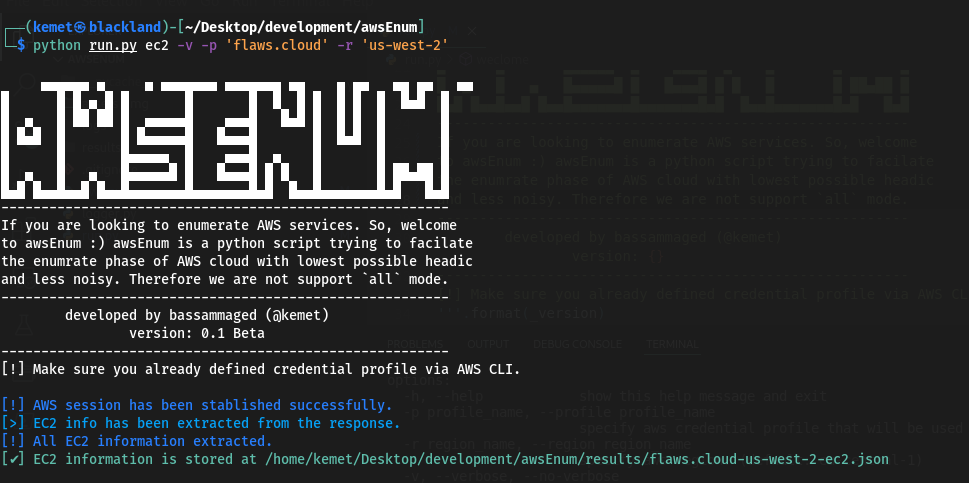
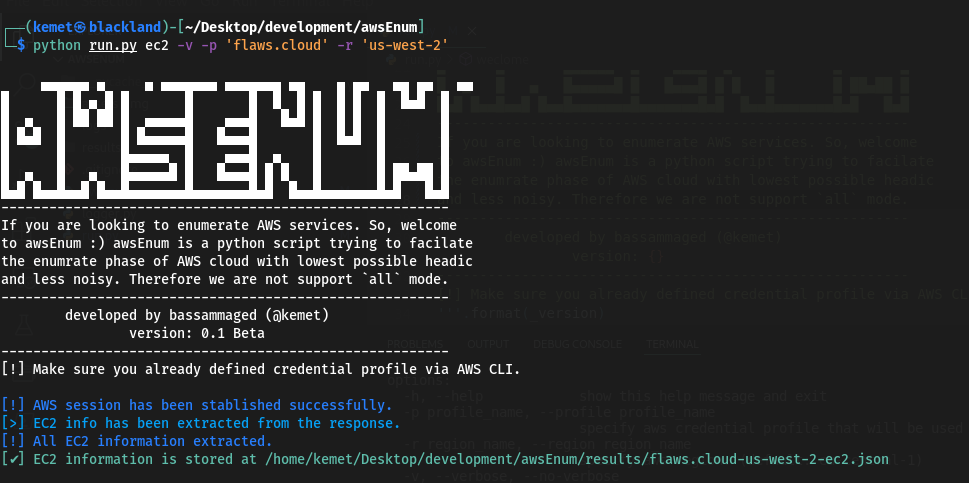
  1. Captura de tela
  2. Aviso Legal
  3. Funcionalidades
  4. Pré-requisitos
  5. Como Instalar
  6. Resultados e Perguntas Frequentes
  7. A fazer

:clapper: Captura de tela

root@kitploit:~
     ▄▄▄▄▄▄ ▄     ▄ ▄▄▄▄▄▄▄ ▄▄▄▄▄▄▄ ▄▄    ▄ ▄▄   ▄▄ ▄▄   ▄▄ 
█      █ █ ▄ █ █       █       █  █  █ █  █ █  █  █▄█  █
█  ▄   █ ██ ██ █  ▄▄▄▄▄█    ▄▄▄█   █▄█ █  █ █  █       █
█ █▄█  █       █ █▄▄▄▄▄█   █▄▄▄█       █  █▄█  █       █
█      █       █▄▄▄▄▄  █    ▄▄▄█  ▄    █       █       █
█  ▄   █   ▄   █▄▄▄▄▄█ █   █▄▄▄█ █ █   █       █ ██▄██ █
█▄█ █▄▄█▄▄█ █▄▄█▄▄▄▄▄▄▄█▄▄▄▄▄▄▄█▄█  █▄▄█▄▄▄▄▄▄▄█▄█   █▄█
--------------------------------------------------------
If you are looking to enumerate AWS services. So, welcome
to awsEnum, awsEnum is a python script trying to facilitate 
the enumerate phase of AWS cloud with the lowest possible
headache and less noise. Therefore we are not supporting 
the `all` mode. ----------------------------------------
--------------------------------------------------------
        developed by bassammaged (@kemet)
                version: 0.1 Beta
--------------------------------------------------------
[!] Make sure you already defined credential profile via AWS CLI.

usage: run.py [-h] [-p profile_name] [-r region_name] [-v | --verbose | --no-verbose] [-t TRIES] aws_service_name

positional arguments:
  aws_service_name      Specify the aws service for enumration. Supported services are: ['ec2', 'iam', 's3'] (default: all)

options:
  -h, --help            show this help message and exit
  -p profile_name, --profile profile_name
                        specify aws credential profile that will be used through the enumeration. (default: default)
  -r region_name, --region region_name
                        specify aws region. (default: eu-central-1)
  -v, --verbose, --no-verbose
                        Allows the script to print out the message level start with debug. (default: False)
  -t TRIES, --tries TRIES
                        set maximum tries. (default: 1000)

:pencil: Aviso Legal

awsEnum está em versão beta e deve estar livre de problemas, mas se algum problema for encontrado, por favor abra um ticket. awsEnum foi codificado e publicado para ser usado em circunstâncias práticas:

  1. Engajar em atividades de teste de penetração.
  2. Realizar atividades de caça a bugs.
  3. Auditoria de segurança em nuvem AWS.
  4. Qualquer outra atividade legal que já tenha sido aprovada pelo proprietário do ativo.

awsEnum foi criado para funcionar de forma discreta, ou seja, não há intenção de suportar o modo all.

:fuelpump: Funcionalidades

  • Conecta-se ao serviço AWS através do boto3, ou seja, assinando a requisição.
  • awsEnum permite ao usuário definir o número de requisições [Por padrão: 1000].
  • awsEnum armazena o resultado em um arquivo json.
  • Mantém as credenciais AWS na configuração do awscli e apenas passa o nome do perfil para o awsEnum.
  • Serviços suportados: ec2, iam, s3.

:cd: Pré-requisitos

  1. Python3
  2. Gerenciador de pacotes pip
  3. python3 -m pip install requirements.txt
  4. Sinta-se livre para usar o awsEnum através do script run.py

:paperclip: Resultados e Perguntas Frequentes

root@kitploit:~
[
    {
        "AmiLaunchIndex": 0,
        "ImageId": "ami-7c803d1c",
        "InstanceId": "i-05bef8a081f307783",
        "InstanceType": "t2.micro",
        "KeyName": "Default",
        "LaunchTime": "2017-02-12 22:29:24+00:00",
        "Monitoring": {
            "State": "disabled"
        },
        "Placement": {
            "AvailabilityZone": "us-west-2a",
            "GroupName": "",
            "Tenancy": "default"
        },
        "PrivateDnsName": "ip-172-31-41-84.us-west-2.compute.internal",
        "PrivateIpAddress": "172.31.41.84",
        "ProductCodes": [],
        "PublicDnsName": "ec2-35-165-182-7.us-west-2.compute.amazonaws.com",
        "PublicIpAddress": "35.165.182.7",
        "State": {
            "Code": 16,
            "Name": "running"
        },
        "StateTransitionReason": "",
        "SubnetId": "subnet-d962aa90",
        "VpcId": "vpc-1052ce77",
        "Architecture": "x86_64",
        "BlockDeviceMappings": [
            {
                "DeviceName": "/dev/sda1",
                "Ebs": {
                    "AttachTime": "2017-02-12 22:29:25+00:00",
                    "DeleteOnTermination": true,
                    "Status": "attached",
                    "VolumeId": "vol-04f1c039bc13ea950"
                }
            }
        ],
        "ClientToken": "kTOiC1486938563883",
        "EbsOptimized": false,
        "Hypervisor": "xen",
        "IamInstanceProfile": {
            "Arn": "arn:aws:iam::975426262029:instance-profile/flaws",
            "Id": "AIPAIK7LV6U6UXJXQQR3Q"
        },
        "NetworkInterfaces": [
            {
                "Association": {
                    "IpOwnerId": "amazon",
                    "PublicDnsName": "ec2-35-165-182-7.us-west-2.compute.amazonaws.com",
                    "PublicIp": "35.165.182.7"
                },
                "Attachment": {
                    "AttachTime": "2017-02-12 22:29:24+00:00",
                    "AttachmentId": "eni-attach-a4901fc2",
                    "DeleteOnTermination": true,
                    "DeviceIndex": 0,
                    "Status": "attached",
                    "NetworkCardIndex": 0
                },
                "Description": "",
                "Groups": [
                    {
                        "GroupName": "launch-wizard-1",
                        "GroupId": "sg-490f6631"
                    }
                ],
                "Ipv6Addresses": [],
                "MacAddress": "06:b0:7a:92:21:cf",
                "NetworkInterfaceId": "eni-c26ed780",
                "OwnerId": "975426262029",
                "PrivateDnsName": "ip-172-31-41-84.us-west-2.compute.internal",
                "PrivateIpAddress": "172.31.41.84",
                "PrivateIpAddresses": [
                    {
                        "Association": {
                            "IpOwnerId": "amazon",
                            "PublicDnsName": "ec2-35-165-182-7.us-west-2.compute.amazonaws.com",
                            "PublicIp": "35.165.182.7"
                        },
                        "Primary": true,
                        "PrivateDnsName": "ip-172-31-41-84.us-west-2.compute.internal",
                        "PrivateIpAddress": "172.31.41.84"
                    }
                ],
                "SourceDestCheck": true,
                "Status": "in-use",
                "SubnetId": "subnet-d962aa90",
                "VpcId": "vpc-1052ce77",
                "InterfaceType": "interface"
            }
        ],
        "RootDeviceName": "/dev/sda1",
        "RootDeviceType": "ebs",
        "SecurityGroups": [
            {
                "GroupName": "launch-wizard-1",
                "GroupId": "sg-490f6631"
            }
        ],
        "SourceDestCheck": true,
        "VirtualizationType": "hvm",
        "CpuOptions": {
            "CoreCount": 1,
            "ThreadsPerCore": 1
        },
        "CapacityReservationSpecification": {
            "CapacityReservationPreference": "open"
        },
        "HibernationOptions": {
            "Configured": false
        },
        "MetadataOptions": {
            "State": "applied",
            "HttpTokens": "optional",
            "HttpPutResponseHopLimit": 1,
            "HttpEndpoint": "enabled",
            "HttpProtocolIpv6": "disabled",
            "InstanceMetadataTags": "disabled"
        },
        "EnclaveOptions": {
            "Enabled": false
        },
        "PlatformDetails": "Linux/UNIX",
        "UsageOperation": "RunInstances",
        "UsageOperationUpdateTime": "2017-02-12 22:29:24+00:00",
        "PrivateDnsNameOptions": {},
        "MaintenanceOptions": {
            "AutoRecovery": "default"
        }
    }
]

:paperclip: A fazer

  • Suporte aos serviços s3.
  • Suporte aos serviços iam.
Baixar ferramenta